HWiNFO
HWiNFO is hardware information and monitoring software for Windows and DOS-compatible systems.
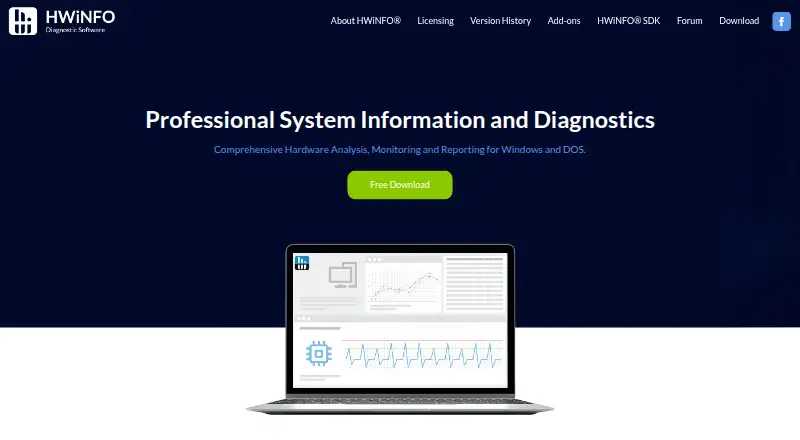
What HWiNFO is
HWiNFO is hardware information and monitoring software for Windows and DOS-compatible systems. It reports detailed component information and monitors system status in real time, including for failure prediction. Users can generate different report types, log status and connect the software with other tools or add-ons. It also supports remote monitoring and custom sensors; the monitored-device limit is five. HWiNFO offers versions for Windows 7 and later, Windows 95 and later, and MS-DOS-compatible systems. Personal and non-commercial use is free. Commercial use of HWiNFO 64 or ARM64 requires a Pro license, although non-Pro versions may be used commercially for a 14-day evaluation. Lifetime Pro costs $199, paid once and covers future updates. Non-Pro 64 and ARM64 versions have a 12-hour Shared Memory limit.
Good
- Detailed reports on hardware components
- Monitors component status in real time
- Supports remote monitoring and custom sensors
- Personal and non-commercial use is free
- Does not collect or transmit personal information
Watch out
- Commercial use of HWiNFO 64 or ARM64 requires Pro
- Non-Pro 64 and ARM64 have a 12-hour Shared Memory limit
- Remote monitoring supports up to five devices
Who it suits
HWiNFO suits people who need detailed hardware information and live component monitoring on supported Windows or DOS systems. Personal and non-commercial users can use it free; commercial users of HWiNFO 64 or ARM64 need a Pro license beyond the evaluation period.
Verdict
HWiNFO provides component detail, live status monitoring and reporting, with free personal and non-commercial use. Commercial users should account for the Pro licensing requirement and the shared-memory limit on non-Pro 64 and ARM64 versions.
Plans and prices
From HWiNFO's own pricing page, checked 24 Sep 2026.
| Plan | Price | What it gives you |
|---|---|---|
| Pro Subscription (starting price) | — | Pro license; subscription maintenance period is offered for 1, 2 or 3 years. |
| Pro Subscription (starting price) | Priced on request | Pro license; subscription maintenance period is offered for 1, 2 or 3 years. |
| Pro Lifetime (starting price) | — | One-time license purchase covering future updates. |
| Pro Lifetime (starting price) | Priced on request | One-time license purchase covering future updates. |
| Subscription Pro | $29 a year | Pro license for commercial use; maintenance covers updates during the selected period. · billed annually; initial price from $29, renewal from $14.5 |
| Lifetime Pro | $199, paid once | Covers all future updates of HWiNFO 64/ARM64 Pro. · one-time purchase |
| Personal non-commercial | Free | Free for personal and non-commercial environments. |
| Commercial evaluation | Free | Non-Pro HWiNFO 64 or ARM64 may be used commercially for 14 days. |
The facts
Each one read from HWiNFO's own pages, with the date it was checked.
What it does
- Commercial License
- Commercial use of HWiNFO 64 or ARM64 requires a Pro license.checked 27 Sep 2026
- Connection Limit
- The maximum number of remote connections is currently 300.checked 27 Sep 2026
- Custom sensor support
- Yeschecked 24 Sep 2026
- Extensive Reporting
- Supports multiple report types, status logging, and interfaces with other tools or add-ons.checked 27 Sep 2026
- Frequent Updates
- The software is updated frequently for newer components, technologies, and standards.checked 27 Sep 2026
- Hardware Analysis
- Provides detailed information about hardware components and supports current technologies and standards.checked 27 Sep 2026
- Offline Activation
- Activation uses a digital license key file delivered by email.checked 27 Sep 2026
- Payment Processor
- Payments are processed by licensed partner and processor 2Checkout, also known as Verifone.checked 27 Sep 2026
- Privacy Protection
- Does not collect personal information or transmit data over the network.checked 27 Sep 2026
- Pro License Duration
- Purchased Pro versions covered by maintenance are licensed perpetually.checked 27 Sep 2026
- Real-Time Monitoring
- Monitors system components for current status and failure prediction with low overhead.checked 27 Sep 2026
- Refund Window
- Refunds may be accepted within 14 days and are individually reviewed.checked 27 Sep 2026
- Remote monitoring
- Yeschecked 24 Sep 2026
- Remote Monitoring
- Non-Pro remote sensor monitoring is limited to 12 hours; Pro supports more connections by license.checked 27 Sep 2026
- Shared Memory Limit
- Non-Pro 64 and ARM64 versions have a 12-hour Shared Memory limit.checked 27 Sep 2026
- Support Channels
- The site provides a forum, SDK resources, and help and support links.checked 27 Sep 2026
- Supported Systems
- Offers versions for Windows 7 and later, Windows 95 and later, and MS-DOS compatible systems.checked 27 Sep 2026
Money
- Commercial Trial
- Non-Pro HWiNFO 64 and ARM64 have a 14-day commercial evaluation period.checked 27 Sep 2026
- Free Personal Use
- All versions are free for personal and non-commercial environments.checked 27 Sep 2026
- Free plan
- Yeschecked 24 Sep 2026
The company
- Company Details
- HWiNFO is associated with Martin Malík and REALiX, s.r.o. in Malacky, Slovakia.checked 27 Sep 2026
- Headquarters
- Malacky, Slovakiachecked 23 Sep 2026
Where it runs
- Monitored device limit
- 5checked 24 Sep 2026
- Supported platforms
- Windows,DOSchecked 24 Sep 2026
The full review of HWiNFO
Overview
HWiNFO is a Windows hardware information and monitoring utility for readers who want component-level detail and ongoing system status. Its combination of extensive reporting, low-overhead monitoring and free personal use makes it a strong fit for individual users; commercial users need to weigh the Pro license and its maintenance terms.
Key features
HWiNFO reports detailed information about hardware components and supports current technologies and standards. That depth suits users diagnosing a system or keeping an inventory, while multiple report types, status logging and interfaces for other tools or add-ons extend its usefulness beyond a one-time component check.
Real-time monitoring tracks component status and can help predict failures, with low overhead. Remote monitoring supports up to five monitored devices, and custom sensor support lets users work with tailored sensor data. The maximum number of remote connections is 300.
The software does not collect personal information or transmit data over the network, a meaningful advantage for privacy-conscious users. Frequent updates address newer components, technologies and standards. One important constraint: non-Pro HWiNFO 64 and ARM64 versions have a 12-hour shared-memory limit, which matters to users relying on shared-memory integrations for longer-running monitoring.
Pricing
HWiNFO is free for personal and non-commercial environments across all versions. That makes it an unusually practical choice for individual enthusiasts who need detailed hardware information without a paid plan. Commercial use of HWiNFO 64 or ARM64 requires Pro, though non-Pro versions may be used commercially for a 14-day evaluation.
- Subscription Pro: $29 a year, billed annually; the initial price starts from $29, with renewal from $14.5. It includes a commercial-use Pro license, with updates covered during the selected maintenance period. Choose it when commercial use is needed but a recurring license is preferable to a one-time purchase.
- Lifetime Pro: $199, paid once, billed as a one-time purchase. It covers future updates of HWiNFO 64/ARM64 Pro, making it the clearer fit for commercial users who want continuing updates without annual renewal.
- Pro Subscription (starting price): custom pricing; maintenance periods are offered for 1, 2 or 3 years.
- Pro Lifetime (starting price): custom pricing; a one-time license purchase covering future updates.
- Commercial evaluation: non-Pro HWiNFO 64 or ARM64 may be used commercially for 14 days.
Purchased Pro versions covered by maintenance are licensed perpetually. Activation uses a digital license key file delivered by email. Refunds may be accepted within 14 days and are reviewed individually.
Platforms
HWiNFO supports Windows 7 and later, Windows 95 and later, and MS-DOS-compatible systems. The supported range makes it relevant to both newer PCs and older systems, but it is not a cross-platform choice for Linux or macOS users.
Who it's for
Choose HWiNFO for detailed hardware reporting, live component monitoring, logging or remote oversight on supported Windows systems. It is especially compelling for personal and non-commercial use, where all versions are free. Businesses can use it commercially with Pro, but should consider the shared-memory limit on non-Pro 64 and ARM64 versions and whether the subscription or lifetime license better suits their update needs.
Pros and cons
- Pro: Detailed component information and multiple report types support both quick checks and more thorough system documentation.
- Pro: Low-overhead, real-time monitoring, custom sensors and remote monitoring cover ongoing status checks as well as local analysis.
- Pro: Personal and non-commercial use is free across all versions, with no personal information collected or network transmission.
- Con: Commercial use of HWiNFO 64 or ARM64 requires Pro after the 14-day evaluation period.
- Con: Non-Pro 64 and ARM64 versions have a 12-hour shared-memory limit, which can constrain sustained integrations.
- Con: Windows and MS-DOS support leaves users seeking a Linux or macOS tool to look elsewhere.
Alternatives
Browse System Information Software or Hardware Monitoring Software for more options.
- ASTRA32 is another Windows freemium option, with free non-commercial use.
- inxi is the Linux-focused, GPL 3-or-later choice for readers who want a free Perl-based tool.
- EtreCheckPro is the macOS alternative, with unlimited free downloads for basic reports and diagnostics, plus a one-time Power User upgrade.
- NWinfo is another free Windows option.
- WinAudit is a free Windows utility with no setup and an EUPL license.
- Fastfetch suits users who want a free, MIT-licensed command-line tool across Windows, Linux, macOS and Android, with 75+ system information modules.
- AIDA64 is a paid alternative for Windows, Android and iOS.
- SIW is a paid Windows alternative.
Verdict
HWiNFO is the strongest fit for Windows users who want detailed component information, monitoring and reporting without paying for personal use. Commercial users should choose Pro for licensed use and ongoing updates; look elsewhere if you need Linux or macOS support, or if the non-Pro shared-memory limit conflicts with a long-running setup.
Alternatives to HWiNFO
- 1

Fastfetch
Free planOpen sourceAndroidLinuxmacOSSelf-hosted7.5Free plan - 2
Facter
Free planOpen sourceAPILinuxmacOSSelf-hosted7.4Free plan - 3
AIDA64
AndroidiOSWindows7.0€59.95 one-time - 4
Btrfsmaintenance
Free planOpen sourceLinuxSelf-hosted6.9Free plan - 5
SIW
Free planWindows6.6From $39.99 a year - 6

Speccy
Free planWindows6.6$19.95 one-time