
HMRC Basic PAYE Tools
HMRC Basic PAYE Tools is free payroll software for employers with fewer than 10 employees.
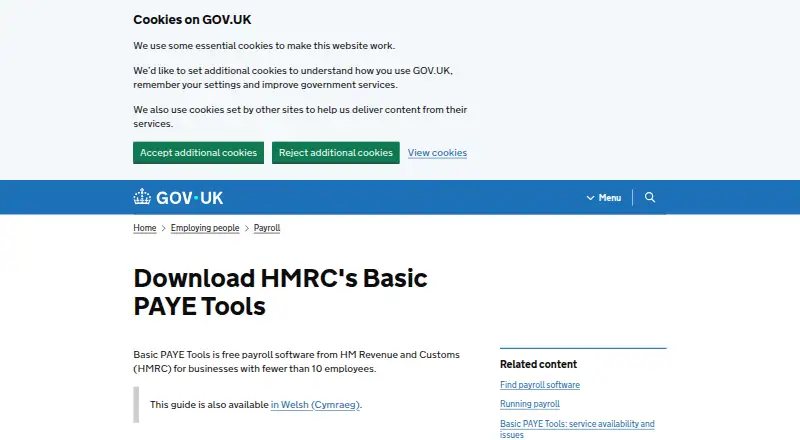
What HMRC Basic PAYE Tools is
HMRC Basic PAYE Tools is free payroll software for employers with fewer than 10 employees. It calculates employee tax and National Insurance, sends payroll information to HMRC, and supports Full Payment Submissions and Employer Payment Summaries. Employers can keep records for up to nine employees and use calculators for statutory payments, including sick, maternity, paternity, adoption, shared parental, parental bereavement and neonatal care pay. The software also creates payslips that can be saved as PDFs, printed or emailed with employee agreement. It runs on Linux, macOS and Windows and can complement commercial payroll software for certain National Insurance number checks or Employer Payment Summary submissions. Employers need HMRC registration and a PAYE Online login to use it. It does not support pension auto-enrolment or pension contributions. Employers are responsible for securing and backing up payroll data; HMRC does not retain a copy or recover lost data.
Good
- Free plan for payroll software.
- Runs on Linux, macOS and Windows.
- Records up to nine employees.
- Creates payslips for PDF, print or agreed email.
- Calculates several statutory payment types.
Watch out
- Requires HMRC registration and a PAYE Online login.
- Does not support pension auto-enrolment or contributions.
- Employers must secure and back up payroll data.
- Not suitable for agents or bookkeepers.
Who it suits
It suits employers with fewer than 10 employees who need to calculate payroll and submit information to HMRC. It is not suitable for agents or bookkeepers, and employers must manage their own payroll data backups.
Verdict
Basic PAYE Tools covers core payroll calculations, submissions and payslips for small employers. Its employee limit, pension omissions and data-backup responsibility are important considerations.
Plans and prices
From HMRC Basic PAYE Tools's own pricing page, checked 21 Oct 2026.
| Plan | Price | What it gives you |
|---|---|---|
| Basic PAYE Tools | Free | For businesses with fewer than 10 employees · Windows, macOS and Linux downloads |
The facts
Each one read from HMRC Basic PAYE Tools's own pages, with the date it was checked.
What it does
- Agent limitation
- HMRC says the software is not designed for agents, bookkeepers or payroll bureaus handling multiple employers because payroll data cannot be copied for a single payroll.checked 21 Oct 2026
- Audience
- It is intended for employers with fewer than 10 employees.checked 2 Oct 2026
- Automatic updates
- The software checks for updates automatically, normally when tax-year rules change, and the current published version is 26.1.26134.173934.checked 21 Oct 2026
- Current outage status
- The service-availability page reported the full service available with no planned downtime on its 29 September 2026 update.checked 21 Oct 2026
- Data backup responsibility
- HMRC says it does not keep a copy of payroll data, so employers are responsible for securing and backing up their database.checked 21 Oct 2026
- Data security
- Employers are responsible for securing and backing up payroll data; HMRC does not keep a copy or help recover lost or destroyed data.checked 2 Oct 2026
- Documentation depth
- HMRC publishes download, installation, Linux, user-guide, service-availability and network-computer guidance pages for Basic PAYE Tools.checked 21 Oct 2026
- Eligibility requirement
- Employers must register with HMRC and have a PAYE Online login before using the software.checked 2 Oct 2026
- Employee records
- The setup guide says the software records employee details and pay information.checked 21 Oct 2026
- Employer Payment Record
- It produces an Employer Payment Record showing how much the employer needs to pay HMRC.checked 21 Oct 2026
- Employer Payment Summary
- The tool can create and send Employer Payment Summaries for situations such as no employee payments, statutory-payment recovery, Employment Allowance and Apprenticeship Levy.checked 21 Oct 2026
- Employment Allowance
- The tool helps employers claim Employment Allowance to reduce annual National Insurance liability.checked 21 Oct 2026
- Full Payment Submission
- Employers can send Full Payment Submissions reporting deductions and amounts due to HMRC.checked 21 Oct 2026
- Hardware requirements
- Minimum hardware is an Intel Core i3/i5/i7/i9 or AMD equivalent, 4 GB RAM, an 80 GB 7200-rpm disk and DirectX 11-capable graphics.checked 21 Oct 2026
- Independent update news
- The Chartered Institute of Payroll Professionals reported on 17 April 2026 that the 2026–27 release was available and remained free for employers with 10 or fewer employees.checked 21 Oct 2026
- Integrations
- It can be used alongside commercial payroll software to check an employee’s National Insurance number or send an Employer Payment Summary when that software cannot do those tasks.checked 2 Oct 2026
- Internet requirement
- An active internet connection is required for payroll submissions, automatic updates, email features and web links.checked 21 Oct 2026
- Limit: basic interface
- TechRadar characterizes the interface as stripped back and awkward compared with modern payroll products.checked 21 Oct 2026
- Limit: manual and legacy
- HR.software criticizes the product as a legacy desktop application requiring manual data entry and lacking cloud access and accounting or HR integrations.checked 21 Oct 2026
- Limit: support
- TechRadar says there is no dedicated Basic PAYE Tools support and that HMRC’s general support may not resolve software-specific issues.checked 21 Oct 2026
Where it runs
- API platform
- HMRC’s Developer Hub provides RESTful API documentation, application integration guidance and a sandbox for testing tax software.checked 21 Oct 2026
- Linux packaging
- Linux is distributed as a 64-bit AppImage that needs glibc 2.31 or newer, libfuse2 and libopengl0, and stores data under ${HOME}/HMRC/payetools-rti.checked 21 Oct 2026
- Mac launch issue
- HMRC documented launch failures after updates to macOS 15 Sequoia, 26 Tahoe and 27 Golden Gate, with a Terminal workaround required each time.checked 21 Oct 2026
The company
- Maker identity
- LinkedIn identifies HM Revenue & Customs as a UK government agency founded in 2005, headquartered in London, with more than 10,001 employees.checked 21 Oct 2026
The full review of HMRC Basic PAYE Tools
HMRC Basic PAYE Tools is free software for calculating payroll taxes and reporting pay information to HMRC. It is best suited to employers with a very small workforce who can handle pensions and data backups separately. Its core payroll functions cost nothing, but its nine-employee ceiling and narrow pension role make it a focused utility rather than a complete payroll system.
Overview
The software calculates employee tax and National Insurance and supports Full Payment Submissions and Employer Payment Summaries. It also supports tax filing, payment support, tax form preparation, reconciliation and year-end forms. For an employer with fewer than 10 employees whose needs center on payroll calculations and HMRC reporting, that is a useful no-cost core.
Use requires registration with HMRC and a PAYE Online login. Employers must also protect and back up payroll data themselves: HMRC keeps no copy and cannot recover lost or destroyed records. That makes a reliable separate record-keeping process essential, not optional.
Key features
Employers can add records for up to nine employees. The tool calculates statutory sick, maternity, paternity, adoption, shared parental, parental bereavement and neonatal care pay. That range covers several important statutory payment scenarios, but the employee cap leaves little room for a growing business.
Payslips can be saved as PDFs, printed or emailed with the employee’s agreement. Basic PAYE Tools can also complement commercial payroll software: employers can use it to check an employee’s National Insurance number or submit an Employer Payment Summary if their other software cannot do so. It is not, however, a substitute for that software’s broader functions.
Pension handling is a major gap. The tool does not support auto-enrolment, calculate contributions, check eligibility or send information to a pension provider. Employers who need those tasks handled in their payroll software should look elsewhere or use a separate process.
The latest version checks for updates automatically, usually when the tax year changes or new rules arrive, if updates are enabled in settings. When a failed submission prevents a correction, the user guide directs employers to HMRC’s technical support helpline.
Pricing
Basic PAYE Tools costs nothing. The free payroll software is intended for businesses with fewer than 10 employees, with records for up to nine. There is no paid tier or free-trial period to weigh against it; the trade-off is the limited employee capacity and the need to manage pensions and data security outside the tool.
Platforms
Basic PAYE Tools is available for Linux, macOS and Windows. Employers must meet the HMRC registration and PAYE Online login requirements before using it.
Who it's for
This is a sensible choice for an employer with up to nine employees who wants to calculate payroll tax, produce payslips and submit payroll information to HMRC without paying for software. It is also useful as a narrowly defined companion to commercial payroll software when a National Insurance number check or Employer Payment Summary submission is missing.
It is a poor fit for employers who need payroll-linked pension administration, expect to exceed nine employees, or cannot independently secure and back up payroll records. It is also unsuitable for agents and bookkeepers: data cannot be copied for a single payroll in the tool.
Pros and cons
- Pros: Free core payroll and HMRC reporting functions make it viable for a small employer with straightforward needs.
- Pros: Statutory payment calculations cover a broad range, and payslips can be saved, printed or emailed with employee agreement.
- Pros: It can fill specific gaps alongside commercial payroll software, including National Insurance number checks and Employer Payment Summaries.
- Cons: The nine-employee limit leaves little headroom for growth.
- Cons: It does not handle pension auto-enrolment, contributions, eligibility checks or provider communications.
- Cons: Employers alone are responsible for backups and recovery, and the tool is not suitable for agents or bookkeepers.
Alternatives
For a broader set of payroll-tax options, browse Payroll Tax Software. Consider PaymentEvolution if you want a service with Android, iOS, web and API platforms, a free trial and a free Growth tier for up to three employees; that tier charges $4.00 per employee per pay run and a $55 one-time setup fee, with email support only.
TaxZerone is an alternative for online W-9 requests and information-return filing: its Form W-9 plan is free, and federal information returns cost $2.49, paid once for 1 to 25 forms. Yearli may suit employers focused on W-2 and 1099 forms, quarterly filing and per-form TIN matching; its Core plan is free to start, with an annual subscription plus filing fees.
efile4Biz offers a free Basic plan with one user, totals and summary reports, chat and email support, and $1 per TIN match; filing is pay per form. e@syFile Employer is another free option, but it runs on Windows and calls for Windows 10 (64 bit), 8 GB RAM and 2 GB of hard drive space.
TaxBandits is worth considering if you need unlimited pay runs and $0 employee fees: its Basic plan costs $19 a month. ADP Workforce Now has an Essential Payroll plan covering processing, tax filing, direct deposit, employee access and multi-jurisdiction payroll, with custom pricing. Auris Tax Compliance offers an Essentials plan for one employee, also with custom pricing.
Verdict
Choose HMRC Basic PAYE Tools if you run a business with up to nine employees and need free payroll calculations, payslips and HMRC submissions. Its main appeal is that it covers those essentials without a software charge; look elsewhere if you need pension administration, room to grow or a safer, supported approach to payroll-data backup.
Getting started
- Visit https://www.gov.uk/basic-paye-tools
- Register with HMRC and obtain a PAYE Online login
- Choose the version for Linux, macOS or Windows
- Add details for up to nine employees
Limits worth knowing
The tool supports records for up to nine employees and is intended for employers with fewer than 10 employees. It does not support pension auto-enrolment, pension contribution or eligibility calculations, or sending information to a pension provider.
Questions
How much does Basic PAYE Tools cost?
It is free payroll software.
Who is it intended for?
It is intended for employers with fewer than 10 employees and lets them add details for up to nine employees.
What do I need before using it?
Employers must register with HMRC and have a PAYE Online login.
Which platforms can run it?
It is available for Linux, macOS and Windows.
Can it handle pension auto-enrolment?
No. It does not support pension auto-enrolment, pension contribution calculations or pension eligibility checks, or sending information to a pension provider.
Can agents or bookkeepers use it?
It is not suitable for agents or bookkeepers because data cannot be copied for a single payroll in the tool.
Alternatives to HMRC Basic PAYE Tools
- 1

TaxBandits
Free planAndroidiOSWebAPI8.2From $199 a year - 2
efile4Biz
Free planAndroidiOSWebAPI8.1From $149 a year - 3

Yearli
WebAPIWindows7.6From $129 a year - 4
TaxZerone
Free planAndroidiOSWebAPI7.5From $179.99 a year - 5
Auris Tax Compliance
AndroidiOSWeb7.3From $89 a month - 6
PayFit
AndroidiOSWebAPI7.3From €16 a month