HitPaw Photo Object Remover
HitPaw Photo Object Remover is a Windows and macOS desktop app that uses AI to remove unwanted objects, people, clutter, shadows, text, and watermarks from p…
What HitPaw Photo Object Remover is
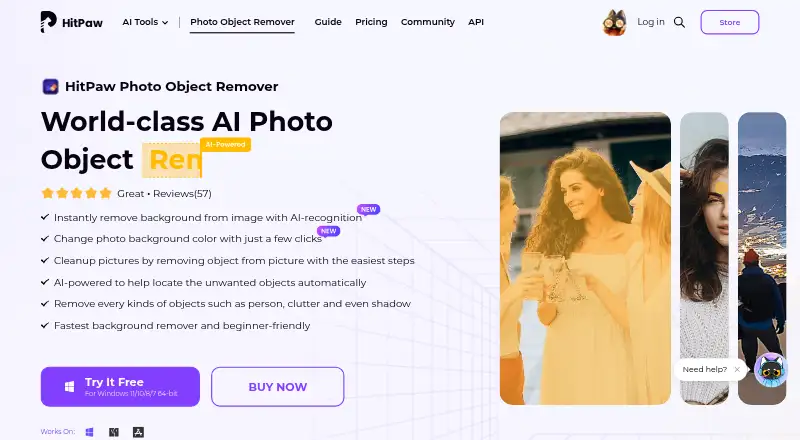
HitPaw Photo Object Remover is a Windows and macOS desktop app that uses AI to remove unwanted objects, people, clutter, shadows, text, and watermarks from photos. Users upload an image, mark the area with a brush or selection box, preview the result, and export it. The app can detect and remove a background, then replace it with a selected color. Portrait tools address blemishes, wrinkles, acne, freckles, defects, and unwanted people. For older images, it can remove scratches, creases, and stains while restoring color and detail. Supported formats listed in the FAQ are JPEG, JPG, PNG, and WebP. There is a free plan and trial access to object removal and preview; background removal in the trial allows previews for three images, while export is listed for paid plans. Paid individual licenses are available monthly, annually, or as perpetual licenses for each operating system. Licenses are not cross-platform, and an individual license covers one device unless purchasing a multi-user business plan. Team licensing offers company-use permission and multi-user controls.
Good
- Removes objects, people, text, and watermarks
- Background replacement with a selected color
- Includes portrait retouching and photo restoration tools
- Supports JPEG, JPG, PNG, and WebP
Watch out
- Trial background removal previews only three images
- Export is listed for paid plans
- Windows and Mac licenses are not cross-platform
- Individual license covers one device
Who it suits
HitPaw Photo Object Remover suits desktop users who want to remove photo elements, edit backgrounds, retouch portraits, or restore old images. Team plans may fit organizations seeking multi-user licensing.
Verdict
HitPaw Photo Object Remover covers object cleanup as well as background, portrait, and restoration edits. Review the trial export limits and platform-specific license terms before selecting a plan.
Plans and prices
From HitPaw Photo Object Remover's own pricing page, checked 15 Oct 2026.
| Plan | Price | What it gives you |
|---|---|---|
| Free trial | Free | Preview object removal · background removal preview · export limited (3 images shown for background removal) |
| 1 Month License | $13.99 a month | AI object removal · preview before export · photo-quality preservation · Automatically renews; cancel any time; tax excluded |
| Windows 1 Month License | $13.99 a month | AI object removal · preview before export · preserve image quality · Automatically renews; cancel any time; tax excluded |
| Mac 1 Month License | $15.99 a month | AI object removal · preview before export · preserve image quality · Automatically renews; cancel any time; tax excluded |
| 1 Year License | $25.99 a year | AI object removal · preview before export · photo-quality preservation · Automatically renews; cancel any time; tax excluded |
| Windows 1 Year License | $25.99 a year | AI object removal · preview before export · preserve image quality · Automatically renews; cancel any time; tax excluded |
| Mac 1 Year License | $29.99 a year | AI object removal · preview before export · preserve image quality · Automatically renews; cancel any time; tax excluded |
| Windows Perpetual License | $79.99, paid once | AI object removal · preview before export · preserve image quality · One-time price; tax excluded |
| Perpetual License | $79.99, paid once | AI object removal · preview before export · photo-quality preservation · One-time price; tax excluded |
| Mac Perpetual License | $89.99, paid once | AI object removal · preview before export · preserve image quality · One-time price; tax excluded |
| Annual Team Plan (5 PCs) | $139.95 a year | 5 PCs selected · free updates · free tech support · company use · multi-user control · volume discount · Billed annually; auto-renewal; cancel any time |
| Windows Annual Team Plan | $139.95 a year | Free updates · free tech support · company use · multi-user control · Billed annually; five PCs shown |
| Mac Annual Team Plan (5 Macs) | $139.95 a year | Free updates · free tech support · company use · multi-user control · Billed annually |
| Mac Annual Team Plan (10 Macs) | $269.95 a year | Free updates · free tech support · company use · multi-user control · Billed annually |
| Mac Annual Team Plan (100 Macs) | $529.95 a year | Free updates · free tech support · company use · multi-user control · Billed annually |
The facts
Each one read from HitPaw Photo Object Remover's own pages, with the date it was checked.
What it does
- Account activation
- Activation requires signing in with a HitPaw account or Google login and refreshing the license after purchase.checked 15 Oct 2026
- API and SDK availability
- The support product selector lists HitPaw API, Video Enhancer API and Photo Enhancer API entries, but no Photo Object Remover API or SDK entry.checked 15 Oct 2026
- Background editing
- It can detect and remove an image background, then replace it with a selected color.checked 8 Oct 2026
- Background removal
- The product automatically detects backgrounds, erases selected areas and lets users replace the background with a color.checked 15 Oct 2026
- Business use
- The purchase page offers team licensing with company-use permission, multi-user control, volume discounts, and free technical support.checked 8 Oct 2026
- General-photo cleanup
- General-photo tools remove strangers, photobombers, clutter, text and watermarks while aiming to preserve detail.checked 15 Oct 2026
- Installation workflow
- The user guide documents downloading an executable, choosing install path and language, accepting the license agreement and completing installation.checked 15 Oct 2026
- Licence terms
- The terms grant a personal, non-transferable, non-sublicensable, non-exclusive and revocable licence, so the product is distributed as proprietary software rather than open source.checked 15 Oct 2026
- License constraint
- The purchase FAQ says Windows and Mac licenses are not cross-platform and a license is for one device unless purchasing a multi-user business plan.checked 8 Oct 2026
- Limit: credit and quality complaints
- Trustpilot reviewers reported credits running out quickly, extra-credit charges and unsatisfactory or distorted image results.checked 15 Oct 2026
- Limit: manual control
- AI Product Reviews said the product offers limited manual control and few advanced editing features for professionals.checked 15 Oct 2026
- Limit: service reliability disclaimer
- HitPaw’s terms say the software may be interrupted or error-prone and is supplied without performance or fitness guarantees.checked 15 Oct 2026
- Offline processing
- HitPaw states that Photo Object Remover runs offline on the device and does not upload photos.checked 15 Oct 2026
- Old-photo restoration
- An inpainting restoration mode targets scratches, creases and stains and includes texture reconstruction and color revival.checked 15 Oct 2026
- Online counterpart
- HitPaw also provides a browser-based remover where users upload a photo, brush over objects and download the result for free.checked 15 Oct 2026
The company
- Company headquarters
- The registered address is Suite 902, One Midtown, 11 Hoi Shing Road, Tsuen Wan, New Territories, Hong Kong.checked 15 Oct 2026
- Company legal name
- The service provider is identified as HitPaw CO., LIMITED.checked 15 Oct 2026
- Company size
- LinkedIn lists HitPaw as a self-owned software-development company with 201–500 employees.checked 15 Oct 2026
- Founded year
- Trustpilot’s company-details section says HitPaw was founded in 2019 and has more than five years of media-tool development experience.checked 15 Oct 2026
Where it runs
- Desktop platforms
- Downloads are offered for Windows 11/10/8/7 64-bit and macOS 10.15 or later.checked 8 Oct 2026
- Limit: application size
- Hongkiat reported an application size of about 1.5 GB, making download and installation slower.checked 15 Oct 2026
- macOS support
- The product download is offered for macOS 10.15 and later.checked 15 Oct 2026
Money
- Limit: billing complaints
- Recent Trustpilot reviewers reported charges continuing after cancellation and difficulty obtaining refunds.checked 15 Oct 2026
- Limit: trial exports
- Hongkiat reported that the trial allows previewing but requires a subscription to export the finished image.checked 15 Oct 2026
Alternatives to HitPaw Photo Object Remover
- 1

Pixelcut
Free planAndroidiOSWebAPI8.3From $8 a month - 2
Cutout.Pro
Free planAndroidiOSWebAPI8.2From $5 a month - 3
ObjectRemover.com
Free planiOSWebmacOSWindows7.9From $19.99 a year - 4
YouCam AI Object Remover
Free planAndroidiOSWebLinux7.8From $39.99 a year - 5

BOARD AI Editor
Free planiOSWebmacOS7.7Free plan - 6
Media.io AI Object Remover
Free planAndroidiOSWebAPI7.4Free plan