
HitPaw Edimakor
HitPaw Edimakor is a video editor for creating videos with conventional editing tools and AI features.
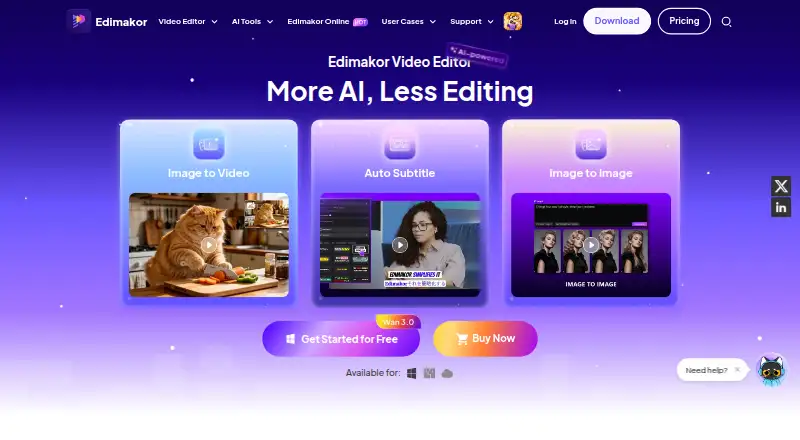
What HitPaw Edimakor is
HitPaw Edimakor is a video editor for creating videos with conventional editing tools and AI features. It runs on the web, Windows, and macOS. Its editor supports drag-and-drop clip arrangement, splitting, text, music, stickers, transitions, text-based editing, silence removal, automatic captions, and AI audio cleanup. More than 100 transitions are listed. Automatic subtitles and text-to-speech cover over 50 languages with 12 voice styles, and the homepage names Google Veo 3, Kling, Nano Banana, Hailuo, Vidu, and Pixverse among its AI models. The free version includes non-AI tools, unlimited exports with a watermark, and 30 AI credits for new users. Paid plans remove the watermark and support 4K export. Resources include Pixabay videos, Unsplash images, and Giphy images.
Good
- Web, Windows, and macOS access
- Free plan with unlimited watermarked exports
- Automatic subtitles in over 50 languages
- Paid plans support watermark-free 4K export
- 24/7 priority support on all plans
Watch out
- Free exports include a watermark
- Free version has non-AI tools only
- Mobile app is still under development
- Paid plans use AI credit allowances
Who it suits
It suits gaming creators, small businesses, marketers, educators, trainers, and everyday users needing web or desktop video editing. It also fits projects requiring captions, text editing, silence removal, or AI-assisted audio and voice tools.
Verdict
Edimakor combines standard editing, captions, voice tools, and named AI models across web and desktop versions. The free plan allows ongoing watermarked exports, while paid plans add watermark-free 4K output and larger AI allowances.
Plans and prices
From HitPaw Edimakor's own pricing page, checked 8 Oct 2026.
| Plan | Price | What it gives you |
|---|---|---|
| Free Trial | Free | 30 free AI credits (AI Avatar not included) · 1 PC · Free version exports include watermark |
| 1 Month | $19.95 a month | 1 computer · 1 month of free upgrades · 300 AI credits/month · $19.95 per month |
| 1 Year | $49.95 a year | 1 computer · 1 year of free upgrades · 3000 AI credits/year · $49.95 per year |
| Perpetual | $69.95, paid once | 1 computer · Lifetime free upgrades · 10000 AI credits/lifetime · $69.95 one-time |
The facts
Each one read from HitPaw Edimakor's own pages, with the date it was checked.
What it does
- AI models
- The product homepage says Edimakor brings together models including Google Veo 3, Kling, Nano Banana, Hailuo, Vidu and Pixverse.checked 8 Oct 2026
- AI subtitles and voice
- Edimakor advertises automatic subtitles and text-to-speech in over 50 languages, with 12 voice styles.checked 8 Oct 2026
- Commercial use
- The homepage says users may use videos created with Edimakor for commercial purposes, including marketing, advertising, training and social media promotion.checked 8 Oct 2026
- Editing
- The editor supports drag-and-drop editing, splitting clips, adding text, music, stickers and transitions, with over 100 transitions listed on its feature page.checked 8 Oct 2026
- Integrations
- The purchase page lists stock Pixabay videos, Unsplash images and Giphy images among its video content resources.checked 8 Oct 2026
- Privacy
- HitPaw says it collects product usage, device and operating-log information, and states that it takes reasonable measures to protect personal information while not guaranteeing 100% security.checked 8 Oct 2026
- Product
- Edimakor is a video editor that combines video editing tools with AI features for creating videos.checked 8 Oct 2026
- Support
- The purchase page says all plans include 24/7 priority support.checked 8 Oct 2026
- Watermark and export
- The free version exports videos with a watermark; all paid plans include watermark-free export and 4K video export.checked 8 Oct 2026
- Web and mobile
- Edimakor is available online, while the homepage says its mobile app is under development and recommends the web version for phone use.checked 8 Oct 2026
- Who it is for
- The Windows product page identifies gaming creators, small businesses and marketers, educators and trainers, and everyday users as use cases.checked 8 Oct 2026
The company
- Founded
- 2019checked 28 Sep 2026
- Headquarters
- Hong Kongchecked 28 Sep 2026
Money
- Free use
- The free version includes non-AI features and unlimited video exports with a watermark, and new users receive 30 AI credits.checked 8 Oct 2026
Where it runs
- Mac requirements
- The Mac page lists macOS 10.15 or later, at least 8 GB RAM, 10 GB free SSD space, and recommends 16 GB RAM for HD or 4K editing.checked 8 Oct 2026
- Windows requirements
- The Windows version supports Windows 10 and 11 and lists a 2 GHz Intel i5 or better, 4 GB RAM (8 GB for HD or 4K), a supported GPU and 10 GB free disk space.checked 8 Oct 2026
Alternatives to HitPaw Edimakor
- 1
TensorPix
Free planAndroidiOSWebAPI8.3From $5.50 a month - 2
Cutout.Pro
Free planAndroidiOSWebAPI8.2From $5 a month - 3

CyberLink PowerDirector
Free planAndroidiOSmacOSWindows8.2From $59.99 a year - 4
Wondershare Filmora
Free planAndroidiOSWebmacOS7.9From $49.99 a year - 5

Adobe Premiere
AndroidiOSmacOSWindows7.8From $19.99 a month - 6

Gyroflow
Free planOpen sourceAndroidiOSLinuxmacOS7.8Free plan