
HDShredder
HDShredder erases hard disks and other mass-storage contents at the physical level, independently of partitions, file systems, and operating systems.
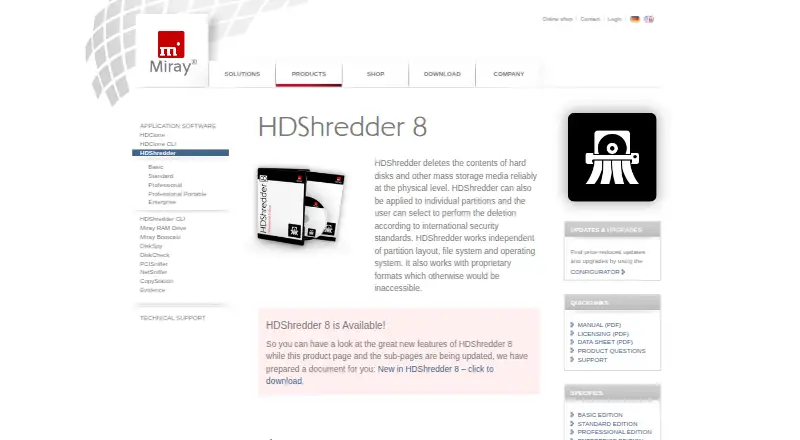
What HDShredder is
HDShredder erases hard disks and other mass-storage contents at the physical level, independently of partitions, file systems, and operating systems. It can wipe an entire drive, a partition, or a selected area, and supports SSDs and removable media. Each package includes both a Windows program and a self-booting version with the same interface. SCSI, FireWire, and USB 3.0 are supported in Windows and the bootable version. The Free Edition securely erases media at up to 6 GB/min and can display recognized drives, though some drives require a higher edition. Standard Edition supports 15 international data-deletion standards; Professional Edition and higher can create detailed deletion reports. The pattern editor lets users define custom deletion procedures. Professional Edition Portable is aimed at service providers and IT departments using arbitrary PCs, while Enterprise editions offer parallel deletion. Free Edition is for private use; its listed price is free. Paid plans range from Basic Edition at €19.90, paid once to Enterprise Edition 16x at €799, paid once. Free-version users are directed to the forum for support, while commercial-product users can open technical-support tickets.
Good
- Erases disks, partitions, or distinct areas
- Includes Windows and self-booting programs
- Supports SSDs and removable media
- Free Edition erases at up to 6 GB/min
Watch out
- Free Edition is limited to private use
- Some drives require a higher edition
- Free-version support is directed to the forum
Who it suits
HDShredder suits people who need to erase a full drive, partition, or selected area, including users who need bootable media. Higher editions may suit service providers or IT departments needing reports or parallel mass deletion.
Verdict
HDShredder offers physical erasure with both Windows and bootable interfaces, plus different editions for personal or broader operational needs. Review edition limits and support access before choosing a plan.
Plans and prices
From HDShredder's own pricing page, checked 1 Oct 2026.
| Plan | Price | What it gives you |
|---|---|---|
| Free Edition | Free | secure erasing up to 6 GB/min · private use |
| Basic Edition | €19.90, paid once | partitions · random patterns · up to two PCs · non-commercial use |
| Standard Edition | €39.90, paid once | 18 security levels · 15 international security standards · up to two PCs workplace license |
| Professional Edition | €99, paid once | deletion report · SmartDefectSkip · area deletion |
| Professional Edition Portable | €199, paid once | portable service version · use on clients' PCs |
| Enterprise Edition 4x | €299, paid once | parallel mass-deletion |
| Enterprise Edition 8x | €499, paid once | parallel mass-deletion |
| Enterprise Edition 16x | €799, paid once | parallel mass-deletion |
The facts
Each one read from HDShredder's own pages, with the date it was checked.
The company
- Company reach
- Miray says its products are used by more than 6 million users in more than 150 countries.checked 1 Oct 2026
- Founded
- 2006checked 28 Sep 2026
- Headquarters
- Munich, Germanychecked 28 Sep 2026
What it does
- Custom patterns
- The pattern editor supports custom deletion procedures with up to 398 runs and nearly 300 quintillion combinations.checked 1 Oct 2026
- Deletion reports
- Professional Edition and higher create detailed deletion reports that can be stored on USB media and, in Windows, network drives.checked 1 Oct 2026
- Enterprise throughput
- Enterprise Edition offers parallel mass-deletion with up to 60 GB/min.checked 1 Oct 2026
- Hardware support
- HDShredder supports SCSI, FireWire and USB 3.0 on Windows and in the self-booting version.checked 1 Oct 2026
- Partition and area erasure
- The software can erase whole drives, individual partitions or distinct areas.checked 1 Oct 2026
- Physical erasure
- HDShredder deletes hard-disk and other mass-storage contents at the physical level and works independently of partition layout, file system and operating system.checked 1 Oct 2026
- Portable users
- The Professional Edition Portable is targeted at service providers and IT departments for flexible use on arbitrary PCs.checked 1 Oct 2026
- Security standards
- The Standard Edition supports 15 international data-deletion standards issued by governments, experts and other authorities.checked 1 Oct 2026
- Support
- Commercial-product users can open technical-support tickets, while users of free versions are directed to the forum.checked 1 Oct 2026
Money
- Free-edition limit
- The Free Edition securely erases media at up to 6 GB/min and can show supported and recognized drives, though some drives require a higher edition.checked 1 Oct 2026
Where it runs
- Windows and bootable versions
- Each package includes the HDShredder/W Windows program and HDShredder/S self-booting program with the same user interface.checked 1 Oct 2026
The full review of HDShredder
HDShredder is physical-erasure software for hard disks and other mass-storage media, with Windows and bootable options. It best suits users who need control over what gets erased, from a single partition to repeated service or enterprise work. Its appeal is a broad choice of editions, but the right tier depends on drive support, reporting and throughput needs.
Overview
HDShredder erases storage independently of its partition layout, file system and operating system. You can target an entire drive, an individual partition or a distinct area, which is useful when a full-device wipe is unnecessary. Each package includes a Windows program and a self-booting program with the same interface, so the workflow carries across installed and bootable environments.
Support for SCSI, FireWire and USB 3.0 applies to both versions. HDShredder also supports SSDs and removable media. The Free Edition can show supported and recognized drives, but some drives require a higher edition; that makes checking compatibility an important first step rather than assuming the free tier will cover a fleet.
Key features
Erasure control
The Standard Edition provides 15 international deletion standards. Its pattern editor supports custom procedures with up to 398 runs and nearly 300 quintillion combinations. That flexibility is more valuable to organizations following defined sanitization practices than to someone wiping a personal disk once; Basic includes random patterns but not the listed standards.
Reports and throughput
Professional Edition and higher generate detailed deletion reports that can be saved to USB media and, in Windows, network drives. This adds a useful record for service work and operational tracking. Enterprise editions add parallel mass-deletion, with throughput reaching up to 60 GB/min; that is aimed at batch workloads, not occasional home use.
The Free Edition securely erases at up to 6 GB/min. It is a practical starting point for private use, but higher tiers are needed for some drives and for capabilities such as reports, area deletion or parallel work. Commercial-product users can submit technical-support tickets, while free-version users rely on the forum.
Pricing
HDShredder uses a freemium model. The paid editions below are one-time purchases, not recurring subscriptions:
- Free Edition — free: Private use and secure erasure up to 6 GB/min. Best for occasional personal wipes, with drive-compatibility and speed limits to consider.
- Basic Edition — €19.90, paid once: Partition erasure, random patterns and use on up to two PCs for non-commercial purposes. A low-cost fit for personal use, but it lacks the listed international standards and reporting features.
- Standard Edition — €39.90, paid once: 18 security levels, 15 international standards and a workplace license for up to two PCs. It is the step up for users who need formal erasure options in a small work setting.
- Professional Edition — €99, paid once: Deletion reports, SmartDefectSkip and area deletion. Better suited to service or business workflows that need evidence or more precise wipe scope.
- Professional Edition Portable — €199, paid once: A portable service version for use on clients' PCs. Its higher price is directed at service providers and IT departments that need flexible deployment across arbitrary PCs.
- Enterprise Edition 4x — €299, paid once; 8x — €499, paid once; 16x — €799, paid once: Each offers parallel mass-deletion. These tiers make sense for larger-scale operations; choose based on the required edition capacity rather than paying for parallel work that is not needed.
Platforms
HDShredder is listed for Windows, Linux and self-hosted use. Its packages include Windows and self-booting programs, and bootable media is supported. The software can erase disks, SSDs and removable media.
Who it's for
Private users can start with the free edition or choose Basic for partition wipes and random patterns on up to two PCs. Small workplaces that need recognized standards have a clearer fit in Standard. Professional and Portable are more appropriate when reports, area deletion or client-PC service work matter; Enterprise is for parallel mass-deletion. Users who only need a straightforward free wipe, or whose drive requires an edition beyond their budget, should compare alternatives before committing.
Pros and cons
- Pros: Physical erasure independent of partitions, file systems and operating systems gives users broad control over wipe scope.
- Pros: Matching Windows and self-booting interfaces, plus SCSI, FireWire and USB 3.0 support in both, suit varied work environments.
- Pros: Editions scale from private use to portable service work and parallel enterprise deletion, with reports and standards in higher tiers.
- Cons: The free tier is capped at 6 GB/min, and some drives need a higher edition, limiting its usefulness as a universal free option.
- Cons: Reports, area deletion, portable use and parallel throughput require pricier editions, so the entry price does not cover every professional workflow.
- Cons: Free-version users are directed to the forum rather than technical-support tickets.
Alternatives
Compare disk wiping software if you want to weigh HDShredder against more tools. Active@ KillDisk is another freemium option with Linux, macOS and Windows support and one-time personal plans starting at 64.95 USD. Choose it when its broader platform coverage and personal-license options suit you better.
DriveWipe is a free option for personal, hobby and commercial use across Linux, macOS and Windows; consider it when a no-cost cross-platform tool is the priority. nwipe is free, GPL-2.0 software for Linux with command-line and ncurses interfaces, a fit for users who specifically want that environment.
Overwrite is a macOS alternative with a free Preview plan that explores drives and screens but does not securely wipe or issue certificates; choose it to inspect the app before considering its paid plan. BitRaser Drive Eraser offers a free plan and trial across Linux, macOS, web and Windows, with one-time pricing per drive; consider it when per-drive licensing fits the workload.
Blackwire Drive Eraser & Sanitizer is a Windows alternative whose free personal plan allows up to two drives at once, at about 50% software-overwrite speed and without certificates or evidence. MultiDrive Erase Drive is another free Windows option. Protectstar Antivirus AI is an Android security app rather than a direct disk-wiping substitute.
Verdict
HDShredder is a strong fit for users who need physical erasure across bootable and Windows environments, with editions that can add standards, reports, portability or parallel throughput. The free and Basic tiers keep entry accessible, but drive restrictions and edition-gated professional features matter. Choose it when that layered workflow matches your needs; look elsewhere if you need a capability the lower tiers lack or a simpler free tool is enough.
Getting started
- Open the HDShredder website
- Choose the Windows package or Linux/self-hosted option
- For offline wiping, start the self-booting program
- Select a whole drive, partition or area to erase
- Choose the edition and deletion procedure available to you
- Run the erase and save a report when using Professional or higher
Limits worth knowing
The Free Edition is for private use, erases at up to 6 GB/min, and some drives require a higher edition. Basic, Standard, Professional and Enterprise capabilities depend on their respective one-time licenses.
Questions
Is there a free plan?
Yes. Free Edition costs nothing and is intended for private use.
Which platforms are supported?
The listed platforms are Windows, Linux and self-hosted use. Packages include Windows and self-booting programs.
Can it create erasure reports?
Professional Edition and higher create detailed reports that can be stored on USB media and, in Windows, network drives.
Does it support custom deletion patterns?
The pattern editor supports custom procedures with up to 398 runs.
Alternatives to HDShredder
- 1
Active@ KillDisk
Free planLinuxmacOSWindows7.6$64.95 one-time - 2

BitRaser Drive Eraser
WebLinuxmacOSWindows7.2$99 one-time - 3

Blackwire Drive Eraser & Sanitizer
Free planWindows6.5$9.99 one-time - 4
WipeDrive
LinuxmacOSWindows6.5$19.95 one-time - 5
nwipe
Free planLinuxSelf-hosted6.4Free plan - 6

WipeOS
AndroidiOSWebAPI6.4