MultiDrive Erase Drive
MultiDrive Erase Drive is a Windows utility that overwrites drive space with zeros or a custom byte pattern.
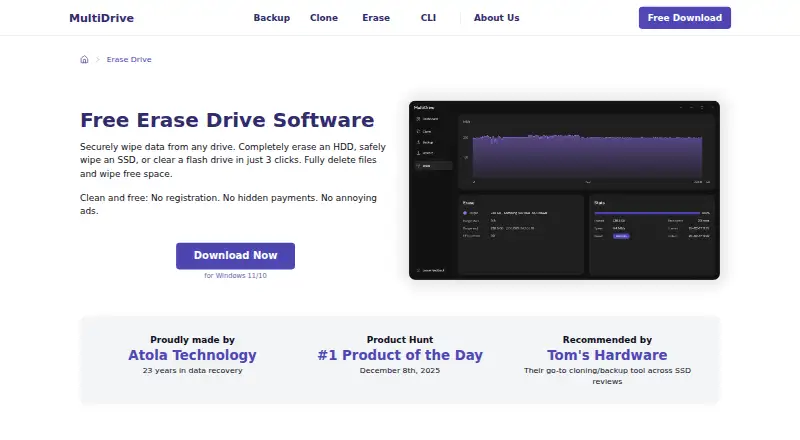
What MultiDrive Erase Drive is
MultiDrive Erase Drive is a Windows utility that overwrites drive space with zeros or a custom byte pattern. It can erase hidden and deleted files, sanitize free space, or target a selected partition or sector range. Supported targets include SATA, SAS, IDE, NVMe, and USB drives, memory cards, and PCMCIA/PC Card drives. Tasks can run concurrently, be paused and resumed, and be monitored on a dashboard. Safety checks warn about data on a selected drive, require typing YES, and prevent erasing the active Windows boot drive. A free command-line interface supports scripted erasure and lets users set a pattern, starting offset, and byte count. A portable edition runs from USB without installation. The free plan costs nothing and is available for personal and commercial use, with no ads or registration. The download FAQ says operations run locally and files are not sent to external servers. It does not support specialized methods such as Secure Erase, Format NVM, or DoD 5220.22-M.
Good
- Free for personal and commercial use
- Supports a broad range of drive types
- Can erase selected partitions or sector ranges
- Portable version runs without installation
- Includes dashboard status and pause/resume controls
Watch out
- Windows only
- Does not support Secure Erase or Format NVM
- Requires administrator rights
- Does not support DoD 5220.22-M
Who it suits
It suits individuals and organizations that need to erase drives or selected regions on Windows, including PC repair shops, IT departments, and managed service providers. Its CLI and portable version may fit scripted or on-the-go workflows.
Verdict
MultiDrive Erase Drive offers disk wiping, targeted erasure, and CLI automation without a paid plan. Consider its listed method limitations and Windows requirements before choosing it.
Plans and prices
From MultiDrive Erase Drive's own pricing page, checked 8 Oct 2026.
| Plan | Price | What it gives you |
|---|---|---|
| Free | Free | Free for personal and commercial use · no ads or registration · Windows 11/10 |
The facts
Each one read from MultiDrive Erase Drive's own pages, with the date it was checked.
What it does
- CLI automation
- The free CLI supports scripted erasure, custom byte patterns, and specifying the starting offset and number of bytes to erase.checked 8 Oct 2026
- Drive erasure
- MultiDrive overwrites drive space with zeros or a custom byte pattern to erase files, including hidden and deleted files, and sanitize free space.checked 8 Oct 2026
- Erasure limits
- The erasure tool does not support specialized methods such as Secure Erase, Format NVM, or DoD 5220.22-M.checked 8 Oct 2026
- Intended users
- The maker describes MultiDrive as free for personal and commercial use, including businesses such as PC repair shops, IT departments, and managed service providers.checked 8 Oct 2026
- Parallel tasks
- MultiDrive can run multiple drive erasure tasks simultaneously and show their progress and status on a dashboard.checked 8 Oct 2026
- Partial erasure
- Users can erase a selected partition or sector range, including through the command-line interface.checked 8 Oct 2026
- Pause and resume
- An erasure task can be paused and resumed later from the same place.checked 8 Oct 2026
- Portable version
- A portable version runs from a USB drive on a Windows PC without installation and includes the desktop version’s wiping features.checked 8 Oct 2026
- Safety controls
- The software warns when a selected drive contains data, requires typing YES to confirm, and blocks erasing the active Windows boot drive.checked 8 Oct 2026
- Security and data handling
- The download FAQ says operations run locally and MultiDrive does not transmit users’ files to external servers.checked 8 Oct 2026
- Support
- The download FAQ invites users to report issues and feedback through the contact form.checked 8 Oct 2026
- Supported drives
- It lists SATA, SAS, IDE, NVMe, USB drives, memory cards, and PCMCIA/PC card drives as supported erasure targets.checked 8 Oct 2026
The company
- Founded
- 2003checked 28 Sep 2026
- Headquarters
- Burnaby, British Columbia, Canadachecked 28 Sep 2026
- Maker
- MultiDrive is made by Atola Technology, which describes itself as a privately held company and dates its founding journey to 2003.checked 8 Oct 2026
Where it runs
- Windows requirements
- The download page lists Windows 11/10 64-bit and Windows Server 2025, 2022, and 2019, with 8 GB RAM, 400 MB free disk space, and administrator rights required.checked 8 Oct 2026
Alternatives to MultiDrive Erase Drive
- 1
Active@ KillDisk
Free planLinuxmacOSWindows7.6$64.95 one-time - 2
DriveWipe
Free planOpen sourceLinuxmacOSSelf-hostedWindows7.3Free plan - 3

BitRaser Drive Eraser
WebLinuxmacOSWindows7.2$99 one-time - 4
Lethe
Free planOpen sourceLinuxmacOSWindows7.1Free plan - 5
Strix Disk Cleaner
Free planOpen sourceLinuxWindows7.1Free plan - 6
ShredIt
AndroidiOSmacOSWindows6.9$24.95 one-time