Hammerspoon
Hammerspoon is a free, open-source automation tool for macOS that connects system APIs to a Lua scripting engine.
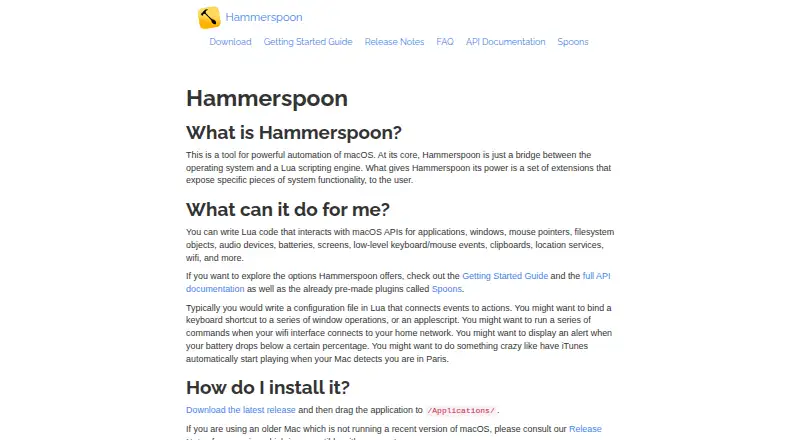
What Hammerspoon is
Hammerspoon is a free, open-source automation tool for macOS that connects system APIs to a Lua scripting engine. Users write scripts to control applications, windows, files, audio devices, batteries, screens, mouse pointers, keyboard and mouse events, clipboards, location services, and Wi-Fi. Its APIs can move and resize windows, arrange multi-window layouts, and filter windows using rules and events. Scripts can respond to application, Wi-Fi, and USB events, among other system events. Spoons are pre-made Lua plugins that users can install and load through their configuration. Documented APIs include AppleScript execution and controls for Deezer and iTunes music players. Hammerspoon does nothing out of the box: automation requires a Lua script at ~/.hammerspoon/init.lua. Setup also requires enabling Accessibility access. The latest release page lists macOS 13.0 as the minimum version. The project identifies its license as MIT and lists a Discord server, mailing list, and GitHub issues for support and feedback.
Good
- Free and open source under the MIT license
- Scripts can respond to application and Wi-Fi events
- Supports window layouts and filtering
- Pre-made Lua plugins are available as Spoons
Watch out
- Requires a Lua configuration to perform automation
- Setup requires Accessibility access
- Latest release lists macOS 13.0 as minimum
Who it suits
Hammerspoon suits people who want to automate macOS by writing Lua scripts and configuring system responses themselves. It is for macOS users able to create and maintain that configuration.
Verdict
Hammerspoon offers script-driven access to a broad set of macOS controls, but it requires configuration before it can automate anything. Check the listed minimum OS version and be prepared to enable Accessibility access during setup.
Plans and prices
From Hammerspoon's own pricing page, checked 9 Oct 2026.
| Plan | Price | What it gives you |
|---|---|---|
| Free | Free | Requires a Lua configuration to perform automation |
The facts
Each one read from Hammerspoon's own pages, with the date it was checked.
What it does
- Automation triggers
- Scripts can react to application, Wi-Fi, and USB events, among other system events.checked 9 Oct 2026
- Configuration requirement
- Hammerspoon does nothing out of the box; users need to create a Lua script at ~/.hammerspoon/init.lua.checked 9 Oct 2026
- Integrations
- Documented APIs include AppleScript execution and controls for Deezer and iTunes music players.checked 9 Oct 2026
- Intended users
- The Getting Started guide presents Hammerspoon as a tool for people who want to automate macOS by writing Lua scripts.checked 9 Oct 2026
- License
- The project’s GitHub repository identifies its license as MIT.checked 9 Oct 2026
- Permissions
- The Getting Started guide says to enable Accessibility access for Hammerspoon during setup.checked 9 Oct 2026
- Purpose
- Hammerspoon is a desktop automation tool for macOS that bridges system APIs to a Lua scripting engine.checked 9 Oct 2026
- Spoons
- Spoons are pre-made Lua plugins that users can install and load through their configuration.checked 9 Oct 2026
- Support
- The project lists a Discord server and mailing list, and its site also directs users to GitHub issues for bugs and suggestions.checked 9 Oct 2026
- System controls
- Lua scripts can interact with macOS applications, windows, mouse pointers, files, audio devices, batteries, screens, keyboard and mouse events, clipboards, location services, and Wi-Fi.checked 9 Oct 2026
- Window management
- Its APIs support moving and resizing windows, arranging multi-window layouts, and filtering windows by rules and events.checked 9 Oct 2026
Where it runs
- Minimum OS version
- The latest release page lists macOS 13.0 as its minimum macOS version.checked 9 Oct 2026
Alternatives to Hammerspoon
- 1
Witch
macOS5.9$14 one-time - 2
Alt-Tab Terminator
Windows4.5 - 3
AltAppSwitcher
Windows4.5 - 4
AltTab
macOS4.5 - 5
AppSwitcher
Windows4.5 - 6
BetterCmdTab
macOS4.5