
Grantboost
Grantboost combines grant opportunity discovery, deadline and pipeline tracking, and AI-assisted proposal drafting in an online workspace.
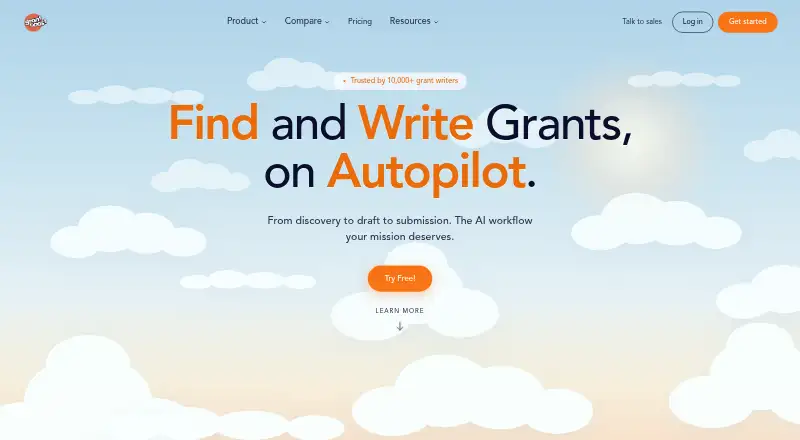
What Grantboost is
Grantboost combines grant opportunity discovery, deadline and pipeline tracking, and AI-assisted proposal drafting in an online workspace. The service says it monitors roughly 1.5 million funding sources and matches opportunities with an organization’s mission and programs. Its database coverage is strongest in the United States; international opportunities may appear, but coverage outside the US is thinner. On plans with drafting, it analyzes RFPs and prepares proposal sections using an organization’s past proposals, programs, and voice. Users still review, edit, and submit applications themselves, with a link to each funder’s application page. Drafts can be exported to standard document formats, and opportunity data can be imported or exported manually. The FAQ says there are no third-party integrations such as CRM, Zapier, or Google Docs sync. Workspace materials are visible only to invited people, and uploaded content is not used to train third-party AI models. The free plan includes 10 Writer chats and 10 grant views per month.
Good
- Tracks grant opportunities, deadlines, and pipelines.
- Monitors roughly 1.5 million funding sources.
- Drafts can draw on past proposals and organizational voice.
- Workspace content is limited to invited people.
- Free plan includes 10 Writer chats monthly.
Watch out
- Coverage outside the United States is thinner.
- Users must review, edit, and submit applications themselves.
- No third-party integrations such as CRM or Google Docs sync.
Who it suits
Grantboost is primarily for nonprofits seeking grant discovery, tracking, and drafting in one workspace. The FAQ also describes use by agencies, universities, research offices, freelancers, schools, and local government.
Verdict
Grantboost brings discovery and application tracking together, with AI drafting on eligible plans. Its US-focused coverage and lack of third-party integrations may matter when choosing a workflow.
Plans and prices
From Grantboost's own pricing page, checked 29 Sep 2026.
| Plan | Price | What it gives you |
|---|---|---|
| Free | Free | 10 Writer chats/month · 10 grant views/month · no credit card required |
| Find Grants | $32 a month | 5 active projects · 1 seat · unlimited AI usage · discovery across 1.5 million sources · Annual billing; displayed as $32/mo |
| Find + Write Grants | $49 a month | 20 active projects on plan card · 5 seats · unlimited AI usage · full pipeline management · brand voice training · priority email support · Annual billing; displayed as $49/mo |
| Autopilot | $66 a month | 50 active projects · unlimited seats · unlimited AI usage · full template library · enhanced data security · onboarding call · Annual billing; displayed as $66/mo |
The facts
Each one read from Grantboost's own pages, with the date it was checked.
What it does
- Agency features
- Agency workspaces support one-click client switching, optional white labeling, per-client billing, and usage reports; custom pricing is offered for agencies managing 10 or more clients.checked 29 Sep 2026
- Audience
- The FAQ identifies nonprofits as the core audience and also describes use by grant-writing agencies, universities, research offices, freelancers, schools, and local government.checked 29 Sep 2026
- Coverage
- Grant database coverage is strongest in the United States; the FAQ says international opportunities may appear but coverage outside the US is thinner.checked 29 Sep 2026
- Drafting
- For plans that include drafting, Grantboost says it analyzes RFPs and drafts proposal sections from an organization’s past proposals, programs, and voice.checked 29 Sep 2026
- Grant discovery
- The service says it monitors roughly 1.5 million funding sources and matches opportunities to an organization’s mission and programs.checked 29 Sep 2026
- Integrations
- The FAQ says drafts export to standard document formats and opportunity data can be imported or exported manually, but there are no third-party integrations such as CRM, Zapier, or Google Docs sync.checked 29 Sep 2026
- Privacy
- The FAQ says workspace documents, drafts, and pipeline are visible only to invited people, and uploaded content is not used to train third-party AI models.checked 29 Sep 2026
- Product
- Grantboost combines grant opportunity discovery, pipeline and deadline tracking, and AI-assisted proposal drafting in one workspace.checked 29 Sep 2026
- Security tier
- Enhanced data security is included with Autopilot; the FAQ does not detail the specific protections publicly on that page.checked 29 Sep 2026
- Submission
- Users review, edit, and submit applications themselves; Grantboost provides a direct link to each funder’s application page.checked 29 Sep 2026
- Support
- Grantboost lists email support, says it typically responds within four hours on business days, and includes priority support with Find + Write Grants and Autopilot.checked 29 Sep 2026
The company
- Company
- The About page names team members Ezenwa and Tray and identifies the company as Grantboost LLC, but does not state a headquarters or founding year.checked 29 Sep 2026
Where it runs
- Platform
- The About page describes Grantboost as online, non-downloadable software.checked 29 Sep 2026
The full review of Grantboost
Overview
Grantboost is an online workspace for nonprofits and other organizations pursuing grants, with discovery, application tracking, and AI-assisted drafting in one service. It suits teams focused mainly on U.S. funding that want to manage the process together. Its strongest case is consolidating research and follow-up; teams needing connected third-party tools or broad international coverage should look elsewhere.
Key features
Grantboost says it monitors roughly 1.5 million funding sources and matches opportunities to an organization’s mission and programs. That scale gives U.S.-focused teams a broad pool to search, while thinner coverage outside the United States makes it a less dependable starting point for international grant searches.
On plans with drafting, the AI analyzes RFPs and uses an organization’s prior proposals, programs, and voice to produce proposal sections. This may reduce the blank-page work, but it does not take responsibility for an application: users must review and edit drafts, then submit them themselves. A direct link to each funder’s application page helps with that handoff.
Pipeline management and deadline tracking keep opportunities and follow-up work in the same workspace. Drafts export to standard document formats, and opportunity data can be imported or exported manually. That is workable for teams comfortable moving files themselves, but the absence of CRM, Zapier, and Google Docs integrations creates extra friction for workflows built around automated handoffs.
Workspace documents, drafts, and pipeline are visible only to invited people, and uploaded content is not used to train third-party AI models. Autopilot includes enhanced data security, though the specific protections are not detailed. Email support typically responds within four hours on business days; priority support comes with Find + Write Grants and Autopilot.
Agency workspaces add one-click client switching, optional white labeling, per-client billing, and usage reports. Agencies managing 10 or more clients can seek custom pricing, making the service more relevant to multi-client operators than a basic single-organization workflow.
Pricing
The free plan costs nothing and includes 10 Writer chats per month and 10 grant views per month, with no credit card required. Those caps make it a low-risk way to explore the workflow, but not a sustained option for active grant research or drafting.
Find Grants costs $32/mo with annual billing. It allows 5 active projects and 1 seat, with unlimited AI usage and discovery across 1.5 million sources. It fits a solo grant seeker who chiefly needs discovery; the single seat and lack of the fuller pipeline and drafting features called out on higher plans limit its usefulness for collaborative application writing.
Find + Write Grants costs $49/mo with annual billing. It raises capacity to 20 active projects and 5 seats, and adds full pipeline management, brand voice training, and priority email support, alongside unlimited AI usage. This is the more natural fit for a small team writing and tracking applications together.
Autopilot costs $66/mo with annual billing. It includes 50 active projects, unlimited seats and AI usage, a full template library, enhanced data security, and an onboarding call. The higher tier is aimed at larger or more complex teams that need room for more projects and collaborators; its security tier is a differentiator, but the specific protections are not detailed.
All three paid prices are displayed per month with annual billing, so teams should account for the annual commitment when comparing them with the free plan. The project and seat ceilings also matter: moving up buys more collaboration and capacity, while the lower-cost option is deliberately narrower.
Platforms
Grantboost is web-based online software and is not downloadable. The service is available through a browser rather than as a desktop or mobile app.
Who it's for
Nonprofits are the core audience, with grant-writing agencies, universities, research offices, freelancers, schools, and local government also described as users. A small nonprofit with U.S.-focused funding goals can use the lower tiers to keep research and deadlines together; agencies can benefit from client switching and billing tools. It is a weaker fit for organizations that depend on international coverage or need integrations to connect grant work to other systems.
Pros and cons
- Pros: Discovery, tracking, and eligible-plan drafting live in one workspace, reducing the need to split those tasks across separate tools.
- Pros: The free plan has no credit-card requirement, and paid tiers scale from one seat to unlimited seats.
- Pros: Invited-only workspace access and the commitment not to use uploaded content to train third-party AI models address two practical privacy concerns.
- Cons: The free plan’s 10 monthly Writer chats and 10 grant views are restrictive for regular use.
- Cons: Coverage is strongest in the United States, leaving international searches with a thinner database.
- Cons: Manual data movement and no third-party integrations make connected workflows less convenient.
- Cons: Submission remains the user’s responsibility, and the paid prices shown require annual billing.
Alternatives
For a broader comparison of category options, see Nonprofit Grant Writing Software.
Consider Grantable if you want a freemium web tool whose free plan includes every capability, with 5 chat messages a day and file imports up to 10 MB.
GrantAppli is another freemium web option with a free trial and a free plan capped at 3 grant projects.
Mavenly is a paid web and API option with a free trial and a sandbox offering 500 requests per month, 2 requests per second, and daily data refresh.
Grantora offers a freemium web plan with up to 4 Grant Project Outputs per year, 5 MB of secure storage, and separate admin, writer, and read-only auditor users.
Grantivo is a freemium web alternative whose free plan includes 10 credits, unlimited proposals and drafts, a full funder directory, and requirement tracking and readiness.
WinMyGrant has a free web plan for 3 proposals per month, with a full seven-section proposal and support for all grant types.
Instrumentl is a paid web and API alternative with a free trial; its Discover plan is priced at $299 /month, paid upfront annually, or $349 paid monthly, for up to 3 users.
Grant Assistant is a paid web-based alternative.
Verdict
Grantboost is a strong choice for nonprofits and small grant teams that want U.S.-focused discovery, deadline tracking, and AI drafting connected in one workspace. Choose Find + Write Grants for a small collaborative team, or start free to see whether the capped volume is enough. Look elsewhere if international coverage or integrated handoffs are essential to your process.
Getting started
- Visit the Grantboost website
- Choose the Free, Find Grants, Find + Write Grants, or Autopilot plan
- Open the online workspace
- Add organization materials for drafting plans that include AI writing
- Search matched opportunities and track them in the pipeline
- Export drafts or follow each funder’s application link
Limits worth knowing
The Free plan includes 10 Writer chats and 10 grant views per month. Find Grants allows five active projects and one seat; Find + Write Grants allows 20 active projects and five seats; Autopilot allows 50 active projects and unlimited seats.
Questions
Is there a free plan?
Yes. Free includes 10 Writer chats per month and 10 grant views per month, with no credit card required.
What is the starting price?
Find Grants is listed at $32 a year with annual billing and displayed as $32/mo.
Which organizations use Grantboost?
The core audience is nonprofits. It also describes use by grant-writing agencies, universities, research offices, freelancers, schools, and local government.
Does Grantboost submit applications?
No. Users review, edit, and submit applications themselves, using a direct link to each funder’s application page.
Does it integrate with CRM or Google Docs?
No third-party integrations such as CRM, Zapier, or Google Docs sync are listed. Opportunity data can be imported or exported manually, and drafts export to standard document formats.
Are uploaded documents used to train AI models?
The FAQ says uploaded content is not used to train third-party AI models, and workspace materials are visible only to invited people.
Alternatives to Grantboost
- 1

Grantable
Free planWebAPI7.3From $50 a month - 2
Grantivo
Free planWeb7.3From $199 a year - 3

Mavenly
Free planWebAPI7.3From $49 a month - 4
SAPu Grants
Free planWeb7.3From $79 a month - 5

Grantora
Free planWeb6.7From €299 a year - 6
Granted AI
Free planWebAPI6.6From $29 a month