Google Street View
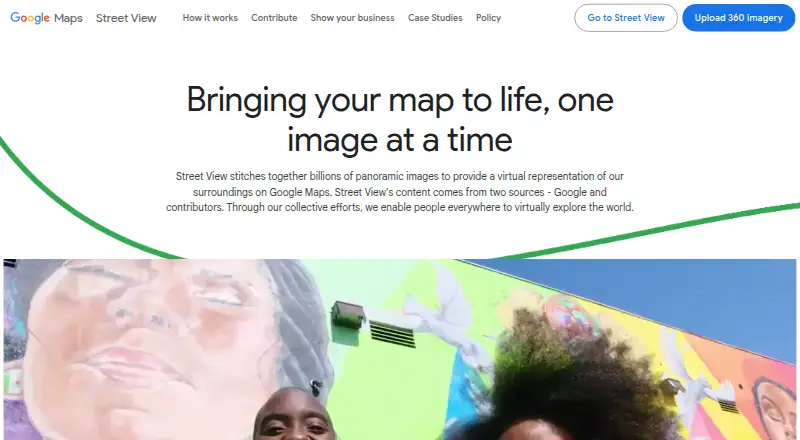
Google Street View combines panoramic imagery to represent places virtually in Google Maps.
What Google Street View is
Google Street View combines panoramic imagery to represent places virtually in Google Maps. Users can explore locations and view historical imagery to see how a place has changed. Images come from Google and contributors, and are not real time: they may be from a few months to a few years earlier. With a compatible camera, contributors can record 360 videos and upload them to Street View Studio, which supports multiple uploads, previews, imagery statistics, and capture route planning. Businesses can publish indoor or outdoor imagery and virtual tours so customers can preview their locations. Developers can add Street View to Android, iOS, and web applications using options such as the Maps Embed API and Maps JavaScript API. The Street View Image API provides static panoramas, while the Publish API publishes 360 photos with position, orientation, and connectivity metadata. Street View is free, though the Static API is billed per panorama, requires billing and an API key or OAuth token, and returns images up to 640 by 640 pixels. Google says contributed imagery receives automatic face and license plate blurring; users can request additional blurring.
Good
- Free plan for Street View.
- Historical imagery shows changes to locations.
- Businesses can publish indoor and outdoor imagery.
- Studio supports route planning and multiple uploads.
Watch out
- Imagery is not real time.
- Static API is billed per panorama.
- Static API images are limited to 640 by 640 pixels.
- API use requires billing and an API key or OAuth token.
Who it suits
Street View suits people exploring places, businesses that want customers to preview their locations, and developers adding panoramas to apps or websites. Contributors with compatible cameras can also upload 360 imagery.
Verdict
Street View combines public place imagery with tools for contributors, businesses, and developers. Keep the imagery age in mind, and note that Static API use has separate billing and setup requirements.
Plans and prices
From Google Street View's own pricing page, checked 8 Oct 2026.
| Plan | Price | What it gives you |
|---|---|---|
| Google Street View | Free | Street View Static API is pay-as-you-go per panorama; API requests require billing and an API key or OAuth token |
The facts
Each one read from Google Street View's own pages, with the date it was checked.
Money
- API billing and limits
- The Street View Static API is billed per panorama, requires billing and an API key or OAuth token, and returns images up to 640 by 640 pixels.checked 8 Oct 2026
What it does
- Business use
- Businesses can publish indoor and outdoor imagery or virtual tours to help customers preview their locations.checked 8 Oct 2026
- Contribute imagery
- Users can capture 360 videos with a compatible camera and upload them to Street View Studio.checked 8 Oct 2026
- Historical imagery
- Street View lets users view historical imagery to see how a location has changed over time.checked 8 Oct 2026
- Image freshness
- Street View imagery is not real time and may be from a few months to a few years earlier.checked 8 Oct 2026
- Image sources
- Street View imagery comes from Google and contributors.checked 8 Oct 2026
- Integrations
- Street View can be embedded through the Maps Embed API or Maps JavaScript API, and static panorama images can be added with the Street View Image API.checked 8 Oct 2026
- Privacy
- Google says its contributed imagery uses automatic face and license plate blurring, and users can request additional blurring of a face, plate, house, car, or body.checked 8 Oct 2026
- Publish API
- The Street View Publish API publishes 360 photos to Google Maps with position, orientation, and connectivity metadata.checked 8 Oct 2026
- Studio tools
- Street View Studio supports multiple uploads, image previews, imagery statistics, and capture route planning.checked 8 Oct 2026
- Support
- Google's Street View site links to a Help Center and an image acceptance and policy page.checked 8 Oct 2026
- What it does
- Street View combines panoramic images to provide a virtual representation of places on Google Maps.checked 8 Oct 2026
Where it runs
- Developer platforms
- Developers can add Street View to Android, iOS, and web applications.checked 8 Oct 2026
The company
- Founded
- 1998checked 28 Sep 2026
- Headquarters
- Mountain View, California, USAchecked 28 Sep 2026
The full review of Google Street View
Google Street View is a map-based way to explore places through panoramic imagery, with tools for contributors, businesses, and developers. It suits anyone researching locations, promoting a venue, or building map-based software. Its broad Google Maps reach is the main draw, while dated imagery and separate Static API charges are the key cautions.
Overview
Street View combines panoramas from Google and user contributors to create virtual representations of places on Google Maps. Historical imagery lets you compare earlier views with newer ones, making it useful for understanding how a street, building, or neighborhood has changed. The service is not a live camera feed: imagery can be several months to a few years old, so it is a poor basis for decisions that require current conditions.
Businesses can publish indoor and outdoor imagery or complete virtual tours, giving prospective customers a way to preview a venue before visiting. For general exploration, location context, and public-facing place discovery, the map integration is a substantial advantage.
Key features
Capture and publishing
With a compatible camera, contributors can record 360-degree video and upload it to Street View Studio. Studio supports multiple uploads, image previews, imagery statistics, and capture-route planning, which makes recurring or larger capture jobs more manageable. The Street View Publish API can publish 360 photos to Google Maps with position, orientation, and connectivity metadata, fitting developers who need to manage connected imagery rather than merely display a panorama.
Business imagery and privacy
Indoor and outdoor imagery, plus hosted virtual tours, can help customers understand a business layout before arriving. Google says contributed imagery receives automatic face and license-plate blurring. Contributors can also request additional blurring for a face, plate, house, car, or body, an important safeguard when public imagery includes private details.
Developer integration
Developers can add Street View to Android, iOS, and web applications. The Maps Embed API and Maps JavaScript API support embedded experiences, while the Street View Image API supplies static panorama images. This range works well when a product needs Google's place imagery inside an existing map or application, although static-image use has its own operational requirements.
Pricing
The Google Street View plan is free at no cost, covering the consumer viewing and contribution service. That makes it a sensible choice for personal exploration, public place research, and businesses that want to publish imagery without a stated subscription fee.
The Street View Static API is different: it is pay-as-you-go per panorama, requires billing, and needs an API key or OAuth token. Responses are limited to 640 by 640 pixels. Teams embedding static views should therefore budget for usage and complete the required billing and authentication setup; the free Street View plan does not remove those API conditions.
Platforms
Street View is available on Android, iOS, the web, and through APIs. The broad platform coverage suits viewers switching between devices and developers delivering cross-platform map features. Street View Studio and publishing workflows are most relevant to users with compatible 360 cameras.
Who it's for
Choose Street View for exploring destinations, checking the visual context around a location, comparing historical changes, or giving customers a preview of a business. It is also a strong foundation for developers who want Google Maps-connected panoramas in Android, iOS, or web products.
Look elsewhere when you need guaranteed up-to-date imagery, a dedicated virtual-tour business suite, or predictable static-image costs at scale. Street View's age-qualified imagery and per-panorama Static API billing make those requirements a mismatch.
Pros and cons
Pros
- Wide reach through Google Maps: published imagery appears in a familiar place-discovery environment.
- Historical views: users can examine how locations changed over time.
- Contributor workflow: Studio offers batch uploads, previews, statistics, and route planning.
- Developer options: embed, JavaScript, image, and publish APIs cover both display and content-management needs.
- Privacy controls: automatic blurring and additional blur requests reduce exposure of people and property.
Cons
- Imagery is not current: views may be months or years old, limiting use for present-condition decisions.
- Static API costs extra: billing, credentials, and per-panorama charges apply outside the free viewing service.
- Static output is constrained: Street View Image API images top out at 640 by 640 pixels.
Alternatives
For a broader shortlist of dedicated tour products, see 3D Virtual Tour Software.
- GoThru is a freemium option with Android, iOS, desktop, extension, and web support and pay-as-you-go tour charges.
- Asteroom suits users wanting a camera-based tour service with a free basic plan and a $39.90-per-month Professional plan.
- CloudPano offers hosted projects, including a free tier and a $22.50-per-month Pro plan when billed annually.
- InsideMaps is an iOS and web service whose project pricing depends on property size and package.
- Kuula provides freemium panorama hosting, with its Basic tier allowing up to 300 posts and 100 uploads per month.
- Matterport is a freemium alternative with a Free Forever tier limited to one active space and two users.
- RICOH360 Tours offers a free starter tier with unlimited active tours and storage.
- Zillow 3D Home is free for uploading tours to listings without per-home, service, or hosting fees.
Verdict
Google Street View is the right choice for people, businesses, and developers who value Google Maps distribution, historical context, and flexible panorama publishing. Choose it for exploration and venue previews; look to a specialized tour platform or a fresher imagery source when current views, dedicated tour management, or tightly predictable API spending matter more.
Alternatives to Google Street View
- 1

CloudPano
Free planAndroidiOSWebAPI8.2From $27 a month - 2
Panoee
Free planAndroidiOSWebSelf-hosted8.0From $0.15 a month - 3
InsideMaps
Free planiOSWeb7.6From $5 a year - 4
GoThru
Free planAndroidiOSWebExtension7.5From $15 a month - 5

Matterport
Free planAndroidiOSWebAPI7.5From $12 a month - 6

RICOH360 Tours
Free planAndroidiOSWebAPI7.4From $39 a month