GNU nano
GNU nano is a free text editor made as an alternative to Pico, with additional editing functions while aiming to remain compatible with it.
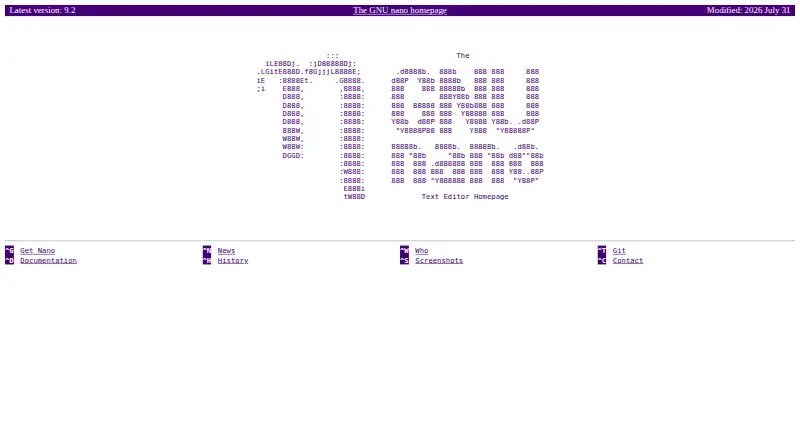
What GNU nano is
GNU nano is a free text editor made as an alternative to Pico, with additional editing functions while aiming to remain compatible with it. It runs on Linux, macOS, and Windows and supports extensions and macro recording. Editing tools include undo and redo, syntax coloring, auto-indentation, line numbers, word completion, file locking, and backup files. Search and replace can use regular expressions, with options for case-sensitive or backward searches. Nano can handle several files in sequence or keep them in separate buffers. Users can set options such as syntax highlighting and line wrapping in nanorc files. It can read, enter, and save Unicode text when the terminal encoding and locale use UTF-8. Restricted mode limits file access and disables actions such as shell commands, spell checking, suspending, and making backups. The project offers source archives and links to Linux packages and Windows executables, with signature files for source archives. Documentation includes an online manual, FAQ, shortcut overview, PDF manual, and man pages.
Good
- Free, with no trial required
- Supports Linux, macOS, and Windows
- Regular-expression search and replace
- Can edit multiple files or use buffers
- Supports Unicode with UTF-8 terminal settings
Watch out
- Unicode support depends on UTF-8 terminal encoding and locale
- Restricted mode disables several editing actions
Who it suits
GNU nano suits people looking for a free text editor on Linux, macOS, or Windows, especially those who want a lightweight alternative to Pico with configurable editing tools.
Verdict
GNU nano offers a broad set of text-editing functions while retaining a Pico-compatible approach. Its configurable behavior and multi-file support are useful considerations for choosing a free editor.
Plans and prices
From GNU nano's own pricing page, checked 11 Oct 2026.
| Plan | Price | What it gives you |
|---|---|---|
| GNU nano | Free | Text editor; source code and Windows binaries available |
The facts
Each one read from GNU nano's own pages, with the date it was checked.
What it does
- Compatibility
- Nano aims to be reasonably compatible with Pico while providing additional functionality.checked 11 Oct 2026
- Customization
- Users can configure nano through nanorc files and choose options such as syntax highlighting and line wrapping.checked 11 Oct 2026
- Documentation
- The project provides an online manual, FAQ, shortcut overview, PDF manual, and man pages.checked 11 Oct 2026
- Downloads
- The project offers compressed source archives and links to Linux distribution packages and Windows executables.checked 11 Oct 2026
- Editing features
- It offers undo and redo, syntax coloring, interactive search and replace, auto-indentation, line numbers, word completion, file locking, backup files, and internationalization support.checked 11 Oct 2026
- Extension support
- Yeschecked 22 Sep 2026
- Integrations
- The FAQ describes configuring nano as the editor for Pine, mutt, and Git commit messages.checked 11 Oct 2026
- Multiple files
- Nano can edit several files in a row and can open files in separate buffers.checked 11 Oct 2026
- Project leadership
- Chris Allegretta is listed as the original author and Benno Schulenberg as the current maintainer.checked 11 Oct 2026
- Purpose
- GNU nano is a small, friendly text editor designed as a free replacement for Pico.checked 11 Oct 2026
- Restricted mode
- Restricted mode limits file access and disables actions including shell commands, spell checking, suspending, and making backup files.checked 11 Oct 2026
- Search
- Search and replace support regular expressions, and searches can be case-sensitive or run backward.checked 11 Oct 2026
- Signatures
- The download page provides signature files for the source archives.checked 11 Oct 2026
- Support
- The project directs usage questions to its help mailing list and bug reports to the Savannah bug tracker.checked 11 Oct 2026
- Unicode
- Nano supports reading, entering, and saving Unicode text when the terminal encoding and locale use UTF-8.checked 11 Oct 2026
The company
- Founded
- 1999checked 28 Sep 2026
Money
- Free plan
- Yeschecked 22 Sep 2026
Where it runs
- Macro recording
- Yeschecked 22 Sep 2026
- Supported platforms
- Linux,Windows,macOSchecked 22 Sep 2026
Alternatives to GNU nano
- 1

Calmly Writer
Free planAndroidWebLinuxmacOS8.6Free plan - 2

Zed
Free planLinuxmacOSWindows8.3From $10 a month - 3

Visual Studio Code
Free planWebLinuxmacOSWindows8.2Free plan - 4
Neovim
Free planAndroidAPILinuxmacOS8.1Free plan - 5
Geany
Free planOpen sourceLinuxmacOSWindows8.1Free plan - 6
GNU Emacs
Free planAndroidLinuxmacOSWindows8.0Free plan