GLYDE Unity
GLYDE Unity brings staffing ATS data into Microsoft 365 and adds recruiting agents and automation across connected tools.
What GLYDE Unity is
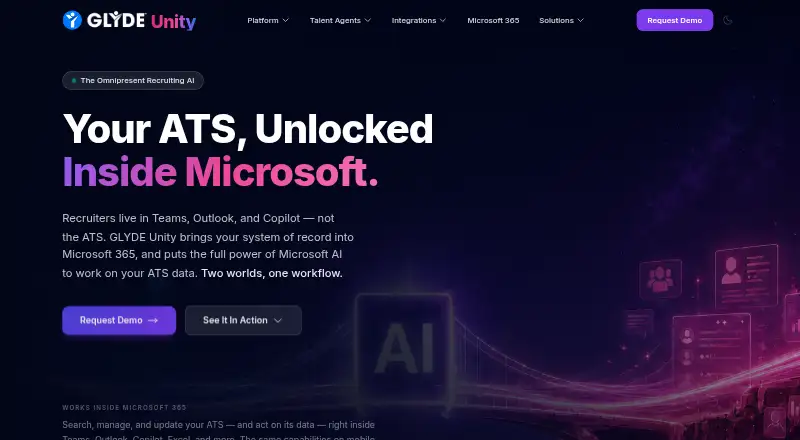
GLYDE Unity brings staffing ATS data into Microsoft 365 and adds recruiting agents and automation across connected tools. Its Microsoft Teams experience supports candidate search, messaging, application updates, pipeline work, and activity logging. A Microsoft 365 Copilot recruiting agent accepts natural-language requests and handles multi-step tasks across connected systems. Voice and text agents can engage and screen candidates around the clock, with interactions sent back to the ATS. The Power Automate integration includes more than 100 pre-built actions for workflows across recruiting data and connected Microsoft tools. Listed ATS connections include Avionté, Bullhorn, JobDiva, Tracker RMS, and Loxo; other connections can be discussed. Agents can use Excel, CSV, PDF, Google Sheets, SharePoint, and URLs as context for screening, outreach, or importing records. GLYDE says Unity works with live ATS records without migration and keeps the ATS as the system of record. GLYDE Dock is a separate free Chrome side panel that pins up to three live tools and requires Chrome 116 or later.
Good
- Recruiters can work with candidate and pipeline tasks in Teams.
- Voice and text agents support candidate screening.
- Power Automate offers 100+ pre-built actions.
- Dock is free and needs no account.
Watch out
- Dock requires Chrome 116 or later.
- Dock pins up to three live tools.
- Unity pricing is available on request.
Who it suits
Unity is aimed at recruiting teams using staffing ATS data and Microsoft 365. GLYDE also describes tools for jobseekers and hiring organizations.
Verdict
GLYDE Unity brings ATS work, candidate agents, and workflow automation into a Microsoft 365-based recruiting setup. Note that the free Dock is separate from Unity and limited to three pinned tools.
Plans and prices
From GLYDE Unity's own pricing page, checked 21 Oct 2026.
| Plan | Price | What it gives you |
|---|---|---|
| GLYDE Dock | Free | Up to 3 live tools · Chrome 116+ · Free Chrome side-panel tool |
| GLYDE Unity for Bullhorn customers | Free | Qualifying Bullhorn customers · offer conditions apply · Free for 12 months for Bullhorn customers |
The facts
Each one read from GLYDE Unity's own pages, with the date it was checked.
What it does
- AI and Copilot
- The platform offers a Microsoft 365 Copilot recruiting agent for natural-language search and multi-step tasks across connected systems.checked 4 Oct 2026
- API connector coverage
- Documented connector specifications include Avionté, Bullhorn, JobDiva v1/v2, Loxo, TrackerRMS, Deepgram, Vapi, Vellum and Whippy.checked 21 Oct 2026
- ATS integrations
- Named bidirectional ATS integrations are Avionté, Bullhorn, JobDiva, Tracker RMS and Loxo.checked 21 Oct 2026
- Audience
- GLYDE describes itself as a software and service provider to recruiting teams, with tools for jobseekers and hiring organizations.checked 4 Oct 2026
- Automation
- The Power Automate integration offers 100+ pre-built actions for workflows across recruiting data and connected Microsoft tools.checked 4 Oct 2026
- Candidate agents
- Voice and text agents can engage, screen, and assist candidates around the clock, with interactions flowing back to the ATS.checked 4 Oct 2026
- Chrome extension
- The Unity extension is a persistent page-aware side panel that can use webpage context, spreadsheets and ATS records for recruiter actions.checked 21 Oct 2026
- Chrome extension metadata
- The Unity extension is version 2.3.5, 21.0 MiB, English-only and was updated September 10, 2026.checked 21 Oct 2026
- Chrome privacy disclosure
- The Unity extension declares that it handles website content and does not sell data or use it outside core functionality.checked 21 Oct 2026
- Copilot agent
- A Microsoft 365 Copilot agent can search ATS data, draft outreach and execute multi-step recruiting tasks in natural language.checked 21 Oct 2026
- Data handling
- GLYDE says Unity connects to live ATS records without migration and keeps the ATS as the system of record.checked 4 Oct 2026
- Dock privacy
- GLYDE says Dock runs on-device with no tracking or data collection, and that opt-in browsing history never leaves the device.checked 4 Oct 2026
- Email agent
- Users can email or forward candidate threads to an agent that performs ATS work, replies and logs activity.checked 21 Oct 2026
- Funding
- VCBacked reports a $500K pre-seed round in September 2023 backed by Bullhorn Ventures and other corporate investors.checked 21 Oct 2026
- Legal name
- Crunchbase gives the legal name as Glyde and lists Glyde Talent, GLYDE and GLYDE AI as alternate names.checked 21 Oct 2026
- Limit: Dock capacity
- GLYDE Dock allows up to three live tools open together.checked 21 Oct 2026
- Limit: pricing transparency
- Standard Unity prices, seat counts and usage quotas are not published; the site directs buyers to request a demo or contact sales.checked 21 Oct 2026
- MCP server
- GLYDE exposes more than 100 recruiting tools through an authenticated, tenant-scoped MCP server with server-side allowlists.checked 21 Oct 2026
Where it runs
- Browser extension
- The Chrome Extension provides a page-aware side panel that can search the ATS and act on candidate information from webpages.checked 4 Oct 2026
- Limit: browser requirement
- The Dock Chrome listing requires Chrome 116 or newer.checked 21 Oct 2026
The company
- Company headquarters
- Glyde's own About page gives an Austin, Texas address for Glyde Inc.checked 21 Oct 2026
- Company profile
- Crunchbase lists GLYDE as an active private pre-seed AI recruiting company with 1–10 employees and founders Roderick Smyth and Shane Gray.checked 21 Oct 2026
- Headquarters
- The company lists its address as 14425 Falcon Head Blvd, Bldg E, Ste 100, Austin, TX 78738.checked 4 Oct 2026
Money
- Free product limit
- GLYDE Dock is a free Chrome side panel that pins up to three live tools and requires Chrome 116 or later.checked 4 Oct 2026
The full review of GLYDE Unity
GLYDE Unity is recruiting software that connects staffing ATS data with Microsoft 365, AI agents, and workflow automation. It suits recruiting teams already working in Microsoft tools and supported ATS platforms. Its strongest case is keeping recruiting work tied to live ATS records; teams outside that setup should look elsewhere.
Overview
Unity brings candidate search, messaging, application updates, pipeline work, and activity logging into Microsoft Teams. Its Microsoft 365 Copilot recruiting agent can search in natural language and carry out multi-step tasks across connected systems. Because Unity connects to live ATS records without migration and leaves the ATS as the system of record, teams can add these workflows without replacing their core recruiting database.
The fit depends on the systems a team already uses. The integrations page names Avionté, Bullhorn, JobDiva, Tracker RMS, and Loxo, and invites discussion of other ATS connections. That makes Unity a more natural choice for teams using those products or willing to discuss a connection than for buyers seeking a broadly documented, ready-made integration catalog.
Key features
Recruiting work and automation
The Teams workspace puts common ATS tasks in a familiar work environment, while the Power Automate integration provides more than 100 pre-built actions for workflows across recruiting data and connected Microsoft tools. This combination can reduce the need to move between recruiting and Microsoft applications, particularly for teams already using Power Automate. It is less compelling for teams that do not rely on Microsoft 365.
Candidate agents and source material
Voice and text agents can engage and screen candidates around the clock, assist them, and send interactions back to the ATS. Candidate screening, FAQs, application intake, voice assistance, and omnichannel candidate channels are supported. Agents can also use Excel, CSV, PDF, Google Sheets, SharePoint, and URLs as context for screening, outreach, or importing records, a useful range for recruiters working with information in different formats.
Browser tools and security
The Chrome Extension provides a page-aware side panel for searching the ATS and acting on candidate information from webpages. For the Avionté connector, GLYDE says it manages authentication and sessions automatically and scopes them to the customer’s tenant. That security description applies to that connector; it should not be read as a blanket guarantee for every integration.
GLYDE Dock is a separate free Chrome side panel, not the Unity recruiting platform. It pins up to three live tools, needs Chrome 116 or later, and requires no account. GLYDE says Dock runs on-device without tracking or data collection, and that opt-in browsing history stays on the device. The three-tool cap makes it a small utility rather than a substitute for Unity.
Pricing
Unity is paid, with custom pricing. GLYDE also offers Dock free forever at no cost: Chrome 116 or later, up to three live tools, and no account. Dock’s free terms apply to Dock, not to Unity’s recruiting features; teams evaluating Unity should request pricing for their setup.
There is no Unity plan price or seat count to compare, so buyers should establish the cost and included access directly before choosing it. Dock is useful for trying a limited pinned-tool side panel, but it does not provide the ATS-connected recruiting workspace, candidate agents, or workflow automation described for Unity.
Platforms
Unity is listed for Android, iOS, macOS, web, and Windows, as well as API and extension access. The Chrome Extension and Chrome-only Dock have distinct browser requirements; Dock requires Chrome 116 or later.
Who it's for
Unity is best suited to staffing and recruiting teams that use Microsoft 365, want candidate work connected to live ATS records, and can use one of its named ATS integrations or arrange a connection. Teams that want voice or text candidate engagement, spreadsheet-assisted screening, or Power Automate workflows may find the combination especially relevant. It is a weaker fit for organizations outside the Microsoft ecosystem, teams without a compatible ATS connection, or buyers who need transparent seat-based pricing before starting a conversation.
Pros and cons
- Pros: Keeps the ATS as the system of record and works with live records, avoiding a data migration.
- Pros: Brings Teams recruiting tasks, Copilot assistance, candidate agents, and more than 100 Power Automate actions into one Microsoft-oriented setup.
- Pros: Agents can draw on common file and collaboration sources, including Excel, PDFs, Google Sheets, and SharePoint.
- Cons: Unity pricing is custom, so teams cannot compare a published price or seat allowance before contacting GLYDE.
- Cons: The named ATS integrations are a short list; teams using another system need to discuss a connection.
- Cons: Free Dock is capped at three pinned tools and is separate from Unity, so it does not provide a free route to the full recruiting platform.
Alternatives
For a wider category comparison, browse Recruiting Chatbot Software.
- Sense is a better candidate for teams focused on SMS and WhatsApp messaging with shared inboxes and templates; its listed plan starts at $500 a month and it has no free plan.
- Paradox is another paid recruiting option with custom pricing tailored to hiring needs, but no free plan.
- RoundOne AI suits teams seeking CV screening or voice interviews through a freemium web product; its free CV screening plan includes unlimited screenings, while Solo is £99 a month.
- Hireable is a web-based option for jobseekers focused on mock interviews and résumé support, with a free tier and a $14.99 a month Pro plan.
- Talkpush AI Chatbot is an alternative for teams looking for social media sourcing and candidate engagement with Meta integration; its pricing is custom quote.
- EVA Bot offers a paid Starter Pilot at $12,000 a year, with one base module, one HCM user, and limits on jobs, applications, and profiles.
- GoHire is another paid recruiting chatbot option.
- IntervAI is a better fit for teams seeking skill and language assessments, CV scoring, and automated invitations and follow-ups; it offers custom pricing.
Verdict
Choose GLYDE Unity if your recruiting team works in Microsoft 365 and wants candidate engagement, ATS tasks, and automation to operate around live ATS data. Its connected workflow is the main reason to shortlist it. Look elsewhere if you need a published Unity price, a confirmed connection to an unlisted ATS, or a recruiting platform independent of Microsoft tools.
Getting started
- Visit the GLYDE Unity website.
- Discuss Unity pricing and ATS connections with GLYDE.
- Connect a listed ATS such as Avionté, Bullhorn, JobDiva, Tracker RMS, or Loxo.
- Use the Microsoft Teams workspace for candidate and pipeline tasks.
- Use the Microsoft 365 Copilot agent, candidate agents, or Power Automate actions as needed.
- For the free GLYDE Dock, use Chrome 116 or later; no account is required.
Limits worth knowing
GLYDE Dock is free forever, requires Chrome 116 or later, and supports up to three live tools. Unity pricing is available on request.
Questions
How much does GLYDE Unity cost?
Unity pricing is available on request. GLYDE Dock is free forever.
What platforms are listed for GLYDE Unity?
The listed platforms are Android, API, extension, iOS, macOS, web, and Windows. GLYDE Dock is a Chrome side panel and requires Chrome 116 or later.
Which ATS integrations are listed?
The integrations page lists Avionté, Bullhorn, JobDiva, Tracker RMS, and Loxo. GLYDE invites teams to discuss other ATS connections.
What does the free GLYDE Dock include?
It is a Chrome side panel that pins up to three live tools and requires no account. GLYDE says Dock runs on-device without tracking or data collection, and opt-in browsing history stays on the device.
Does Unity require moving ATS data?
GLYDE says Unity connects to live ATS records without migration and keeps the ATS as the system of record.
Who is GLYDE Unity for?
GLYDE describes itself as a software and service provider to recruiting teams, with tools for jobseekers and hiring organizations.
Alternatives to GLYDE Unity
- 1
JobTalk AI
AndroidiOSWebAPI7.7From $500 a month - 2

Hireable
Free planiOSWeb7.6From $99 a year - 3

Talsense
Free planWebAPI7.5$199 usage-based - 4

Sense
AndroidiOSWebAPI7.4From $500 a month - 5

RoundOne AI
Free planWebAPI7.3From £99 a month - 6
Talismatic TalentBot
Free planWeb7.3$20 usage-based