Git Extensions
Git Extensions is a free standalone interface for managing Git repositories, presented as a way to make Git more intuitive under Windows.
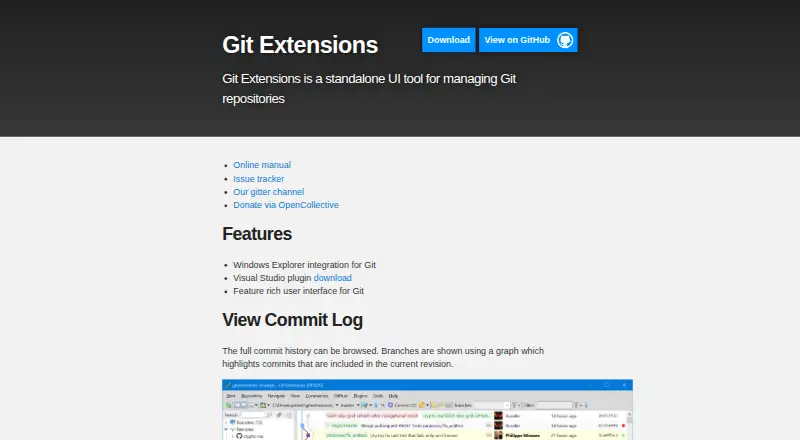
What Git Extensions is
Git Extensions is a free standalone interface for managing Git repositories, presented as a way to make Git more intuitive under Windows. Its commit log displays repository history as a graph and highlights commits in the current revision. File history follows changes across renames and moves, while the Blame view identifies the last editor of a specific section and links to the related commit. A bundled GitHub plugin supports cloning or forking repositories, viewing and creating pull requests, and adding an upstream remote. Other plugins cover submodules, branch tracking, large files, periodic fetching, proxy settings, release notes, and repository statistics. The tool also supports interactive rebase and includes a conflict editor. Windows Explorer integration and a Visual Studio extension are available. Users can choose a Windows installer or portable ZIP, though the portable package lacks some features, including Explorer integration. Git must be installed before Git Extensions can start; the Windows installer requires Git for Windows. Release v7.2.1 requires the .NET 10.0 Desktop Runtime or later 10.x and recommends Git 2.53.0 or later.
Good
- Commit history appears as a graph.
- File history tracks renames and moves.
- Bundled GitHub plugin supports pull requests.
- Includes interactive rebase and a conflict editor.
Watch out
- Git must be installed separately.
- Portable ZIP omits some features.
- Release v7.2.1 requires .NET 10.0 Desktop Runtime or later 10.x.
Who it suits
Git Extensions suits Windows users who want a standalone interface for Git repository management. It may be useful for those who want repository history, file blame, and GitHub actions in one toolkit.
Verdict
Git Extensions brings repository history, file tracing, and several GitHub and repository tools to a Windows-focused interface. Install Git first, and check the portable package’s feature limits if choosing that version.
Plans and prices
From Git Extensions's own pricing page, checked 4 Oct 2026.
| Plan | Price | What it gives you |
|---|---|---|
| Git Extensions | Free | Standalone Git repository UI · Git must be installed separately |
The facts
Each one read from Git Extensions's own pages, with the date it was checked.
What it does
- Blame
- The Blame view identifies who last edited a specific part of a file and links to the related commit.checked 4 Oct 2026
- Commit history
- Its commit log shows repository history in a graph that highlights commits included in the current revision.checked 4 Oct 2026
- Current runtime
- The v7.2.1 release requires the .NET 10.0 Desktop Runtime or later 10.x and recommends Git 2.53.0 or later.checked 4 Oct 2026
- Distribution
- The project offers an installer and a portable ZIP package; some features, including Windows Explorer integration, are unavailable in the portable package.checked 4 Oct 2026
- File history
- It tracks file history across renames and moves automatically.checked 4 Oct 2026
- GitHub integration
- The bundled GitHub plugin supports cloning or forking repositories, viewing and creating pull requests, and adding an upstream remote.checked 4 Oct 2026
- Intended users
- The product is presented as a toolkit for making Git work under Windows more intuitive.checked 4 Oct 2026
- License and security
- The source repository includes a GNU General Public License version 3 license, and the project says it receives free code signing from SignPath.io and a signing certificate from SignPath Foundation.checked 4 Oct 2026
- Other plugins
- Bundled plugins include tools for submodules, tracking branches, obsolete branches, large files, periodic fetching, proxy settings, release notes, and repository statistics.checked 4 Oct 2026
- Prerequisites
- Git must be installed before Git Extensions can start, and the installation guide says the Windows installer requires Git for Windows.checked 4 Oct 2026
- Purpose
- Git Extensions is a standalone UI tool for managing Git repositories.checked 4 Oct 2026
- Support and community
- The project provides an online manual, issue tracker, and Gitter chat, and says its active community has supported it since 2008.checked 4 Oct 2026
- Telemetry
- The installer documentation says users can allow telemetry so the app can collect anonymous data to improve the application.checked 4 Oct 2026
Money
- Free plan
- Yeschecked 20 Sep 2026
Where it runs
- Windows integration
- The project describes integration with Windows Explorer and provides a Visual Studio extension.checked 4 Oct 2026
Alternatives to Git Extensions
- 1

SmartGit
Free planLinuxmacOSWindows7.8From $5 a month - 2

Gitnuro
Free planOpen sourceLinuxmacOSWindows7.8Free plan - 3
Fork
Free planmacOSSelf-hostedWindows7.6Free plan - 4

GitKraken Desktop
Free planLinuxmacOSWindows7.5Free plan - 5

GitHub CodeQL
Free planWebExtensionLinuxmacOS7.5From $30 a month - 6

GitButler
Free planLinuxmacOSWindows7.4Free plan