GiliSoft Screen Recorder
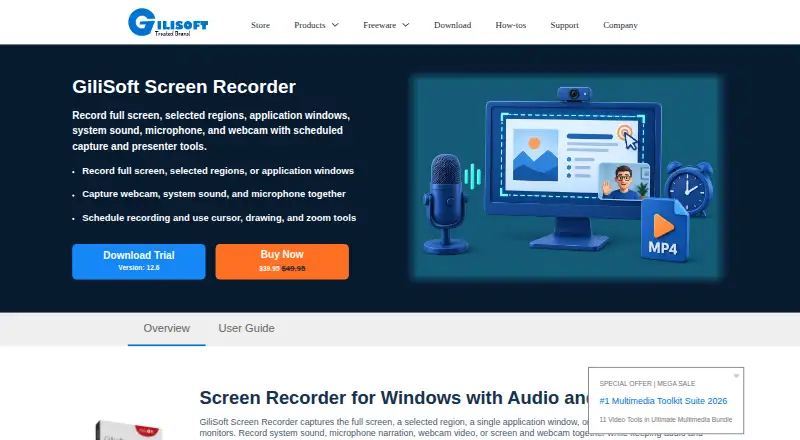
The facts below are what the maker publishes about GiliSoft Screen Recorder, checked and dated. Our editors have not written about it yet.
Plans and prices
From GiliSoft Screen Recorder's own pricing page, checked 12 Oct 2026.
| Plan | Price | What it gives you |
|---|---|---|
| GiliSoft Screen Recorder | $39.95, paid once | Windows screen recording · listed at $49.95 and $39.95 on the store page |
The facts
Each one read from GiliSoft Screen Recorder's own pages, with the date it was checked.
What it does
- Audio and webcam
- It can record system sound, microphone narration, webcam video, or screen and webcam together with synchronized audio and video.checked 12 Oct 2026
- Formats and encoding
- It exports MP4, AVI, WMV, or FLV and supports H.264 GPU hardware encoding on supported Windows PCs.checked 12 Oct 2026
- Guides and support
- The product page links to a user guide and recording how-to guides, and the download center lists [email protected] for license, activation, or Team/OEM questions.checked 12 Oct 2026
- Intended users
- The maker describes use for teachers and trainers, support teams, professionals recording webinars and meetings, and users needing scheduled desktop capture.checked 12 Oct 2026
- Long recordings
- The software can automatically split recordings by time or file size.checked 12 Oct 2026
- Microphone recording
- Yeschecked 21 Sep 2026
- Presenter tools
- During capture, it supports cursor zoom and click effects, drawing, annotations, logos, snapshots, webcam beauty controls, and webcam background removal or replacement.checked 12 Oct 2026
- Product scope
- The maker positions this edition for screen, webcam, and audio capture, and recommends Screen Recorder Pro when broader post-capture editing is needed.checked 12 Oct 2026
- Purpose
- GiliSoft Screen Recorder captures a full screen, selected region, application window, or activity across multiple monitors.checked 12 Oct 2026
- Scheduling
- Recording tasks can be scheduled once, daily, or weekly, with countdown, duration, and automatic stop controls.checked 12 Oct 2026
- Security and compliance
- The maker describes GiliSoft products generally as privacy-aware and offline-friendly, but the opened product page does not state a specific security certification or compliance standard for Screen Recorder.checked 12 Oct 2026
- System audio
- Yeschecked 21 Sep 2026
- Webcam recording
- Yeschecked 21 Sep 2026
The company
- Company
- GiliSoft says it is a Windows software company founded in 2005.checked 12 Oct 2026
- Founded
- 2005checked 28 Sep 2026
Money
- Free plan
- Nochecked 21 Sep 2026
- Trial download
- The product page offers a Screen Recorder trial download; it does not state the trial duration there.checked 12 Oct 2026
Where it runs
- Mac version
- The maker links to a separate Screen Recorder for macOS product.checked 12 Oct 2026
- Supported platforms
- windowschecked 21 Sep 2026
- Windows compatibility
- The download center says most Windows products support Windows 7, Windows 10, and Windows 11, but does not specify Screen Recorder’s individual system requirements in that statement.checked 12 Oct 2026
Alternatives to GiliSoft Screen Recorder
- 1

Cap
Free planOpen sourceWebAPIExtensionLinux9.0From $29 a year - 2

Loom
Free planAndroidiOSWebmacOS8.9From $18 a month - 3

Vmaker
Free planiOSWebExtensionmacOS8.9From $18 a month - 4

ScreenPal
Free planAndroidiOSWebmacOS8.8From $4 a month - 5
Claap
Free planAndroidiOSWebAPI8.8From €32 a month - 6

Screencastify
Free planWebExtensionLinuxmacOS8.7From $7 a month