
GarageBand
GarageBand is a free music-making app for Mac, iPhone, and iPad, with tools for playing, recording, editing, mixing, and sharing songs.
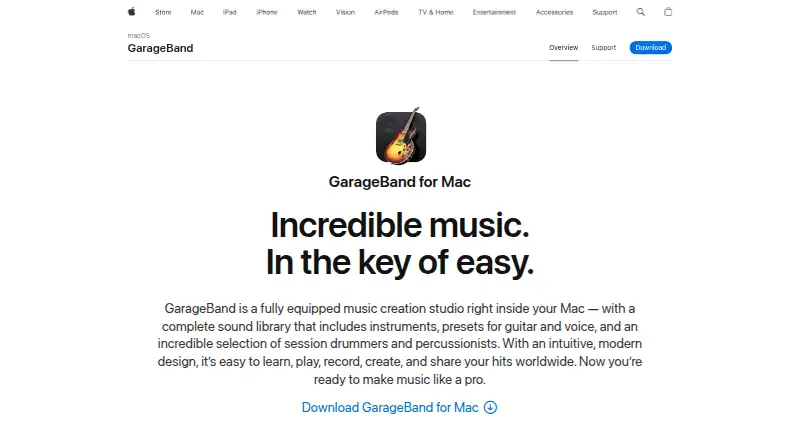
What GarageBand is
GarageBand is a free music-making app for Mac, iPhone, and iPad, with tools for playing, recording, editing, mixing, and sharing songs. On Mac, projects can contain up to 255 audio tracks; the iOS version supports up to 32. The Mac sound library includes instruments, guitar and voice presets, and session drummers. Its 28 drummers and three percussionists span six genres. Recording and editing tools include Flex Time, Groove Track, multi-take recording, audio effect plug-ins, compression, and visual EQ. Guitar and piano players can use 40 genre-based lessons with real-time feedback. On iPad, Logic Remote can control GarageBand on Mac, including software instruments, Smart Controls, and recording. iCloud can bring tracks and song ideas between iOS devices and Mac. Sharing options include email and social networks; iOS also supports AirDrop. Mac users can save tracks as ringtones or export them to the Music app library. GarageBand supports MIDI sequencing, third-party plugins, and noise reduction, but not video synchronization.
Good
- Free on Mac, iPhone, and iPad
- Mac projects support up to 255 audio tracks
- Includes 40 guitar and piano lessons
- Supports third-party plugins and MIDI sequencing
Watch out
- Does not synchronize with video
- iOS projects support up to 32 tracks
Who it suits
GarageBand suits people who want a free way to make and share music on Mac, iPhone, or iPad. Its lessons may also suit guitar and piano players who want real-time feedback.
Verdict
GarageBand combines recording, editing, lessons, and sharing in a free app for Apple devices. The track limits differ between Mac and iOS, and video synchronization is not supported.
Plans and prices
From GarageBand's own pricing page, checked 21 Sep 2026.
| Plan | Price | What it gives you |
|---|---|---|
| Free | Free | 255 tracks on Mac · 32 tracks on iPhone and iPad |
| GarageBand | Free | Mac · macOS 15.6 or later · up to 255 tracks |
The facts
Each one read from GarageBand's own pages, with the date it was checked.
What it does
- Cloud projects
- Apple says iCloud lets users add tracks to Mac songs from iPhone or iPad and import song ideas from iOS devices to Mac.checked 3 Oct 2026
- Editing tools
- Mac recording tools include Flex Time, Groove Track, multi-take recording, audio effect plug-ins, compression, and visual EQ.checked 3 Oct 2026
- Integrations
- Logic Remote on iPad can control GarageBand on Mac, play software instruments, adjust Smart Controls, and control recording.checked 3 Oct 2026
- Lessons
- GarageBand for Mac includes 40 genre-based lessons for guitar and piano and offers real-time feedback during lessons.checked 3 Oct 2026
- MIDI sequencing
- Yeschecked 21 Sep 2026
- Multitrack editing
- Yeschecked 21 Sep 2026
- Noise reduction
- Yeschecked 21 Sep 2026
- Privacy
- The Mac App Store listing says the app may collect a user ID for app functionality and that this data is not linked to the user.checked 3 Oct 2026
- Purpose
- GarageBand is a music creation studio for playing, recording, editing, mixing, and sharing music.checked 3 Oct 2026
- Recording limit
- GarageBand for Mac can create and mix up to 255 audio tracks.checked 3 Oct 2026
- Sharing
- GarageBand for Mac can share tracks by email or social networks, save them as ringtones, and export them to the Music app library.checked 3 Oct 2026
- Sound library
- The Mac version includes a sound library with instruments, guitar and voice presets, and session drummers and percussionists.checked 3 Oct 2026
- Support
- Apple offers support by phone or chat and provides online answers through Apple Support.checked 3 Oct 2026
- Third-party plugins
- Yeschecked 21 Sep 2026
- Video synchronization
- Nochecked 21 Sep 2026
- Virtual drummers
- GarageBand for Mac includes 28 drummers and three percussionists across six genres.checked 3 Oct 2026
Money
- Free plan
- Yeschecked 21 Sep 2026
Where it runs
- iOS features
- GarageBand for iOS supports up to 32 tracks and Audio Unit Extensions for compatible third-party instruments and effects.checked 3 Oct 2026
- iOS sharing
- GarageBand for iOS supports sharing by email, social media, and AirDrop, as well as saving custom ringtones.checked 3 Oct 2026
- Supported platforms
- macOS, iPhone, iPadchecked 21 Sep 2026
The full review of GarageBand
GarageBand is a free music studio for Apple users who want to create complete songs rather than just capture audio. It suits beginners learning guitar or piano, songwriters building arrangements, and producers who work between a Mac and an iPhone or iPad. Its Mac edition offers unusually generous track capacity and practical production tools, while the mobile edition is a lighter, 32-track workspace.
Overview
GarageBand covers playing, recording, editing, mixing, and sharing in one application. Multitrack editing, MIDI sequencing, third-party plug-in support, and noise reduction give it enough range for serious song construction and cleanup. The platform split matters in practice: Mac projects can contain up to 255 audio tracks, while iPhone and iPad projects stop at 32. Neither edition synchronizes music to video, so video-focused scoring requires another application.
Key features
Mac production tools
The Mac sound library includes instruments, guitar and voice presets, session drummers, and percussionists. Twenty-eight drummers and three percussionists cover six genres, providing ready-made rhythmic parts when recording a live drummer is impractical. Flex Time, Groove Track, and multi-take recording help correct timing and choose among performances, while audio effect plug-ins, compression, and visual EQ support detailed tone shaping and mixing.
Forty genre-based guitar and piano lessons include real-time feedback. That makes GarageBand useful as both a production environment and a structured practice tool, though learners seeking instruction on other instruments will need a different resource.
Apple-device workflow
Logic Remote on iPad can control a Mac session, play software instruments, adjust Smart Controls, and operate recording. iCloud can move tracks from iPhone or iPad into Mac songs and bring song ideas from iOS devices to the Mac, which suits creators who sketch away from a desk and finish on a larger system.
iOS creation and sharing
GarageBand for iOS supports up to 32 tracks and Audio Unit Extensions for compatible third-party instruments and effects. Projects can be shared by email, social media, or AirDrop, and custom ringtones can be saved. Mac users can also email or socially share tracks, export them to the Music app library, or save them as ringtones.
Pricing
GarageBand is free. The Free plan costs nothing and includes up to 255 tracks on Mac and 32 tracks on iPhone and iPad. The GarageBand plan is also free, runs on Mac with macOS 15.6 or later, and supports up to 255 tracks. There is no subscription charge or paid tier to weigh against those limits; the meaningful choice is which Apple device you use.
Platforms
GarageBand supports macOS, iPhone, and iPad. The Mac version is the better fit for large arrangements and deeper editing, while iPhone and iPad provide a more portable 32-track setup. Logic Remote control requires an iPad operating alongside GarageBand on Mac. Apple provides support by phone or chat and online answers through Apple Support. The Mac App Store listing says a user ID may be collected for app functionality and is not linked to the user.
Who it's for
Choose GarageBand if you use Apple devices and want a no-cost path from an initial idea to a mixed, shareable song. It is especially well matched to guitarists and pianists who value guided lessons, songwriters who want built-in rhythm parts, and Mac users who may need hundreds of tracks. It is less suitable for Windows or Android users, projects that must synchronize music to video, or mobile sessions likely to exceed 32 tracks.
Pros and cons
Pros
- Free on Apple platforms: the core Mac and iOS plans cost nothing.
- High Mac capacity: up to 255 audio tracks leaves substantial room for layered arrangements.
- Useful editing depth: Flex Time, Groove Track, multi-take recording, compression, visual EQ, noise reduction, MIDI, and plug-ins cover common production needs.
- Guided learning: 40 guitar and piano lessons provide real-time feedback.
- Device continuity: iCloud and Logic Remote connect mobile ideas and Mac production.
Cons
- Mobile track ceiling: iPhone and iPad projects are limited to 32 tracks.
- No video synchronization: it cannot serve as a music-to-picture workflow by itself.
- Apple-only availability: Windows and Android users cannot choose it.
- Lesson scope: the built-in lessons cover guitar and piano rather than a wider set of instruments.
Alternatives
Pro Tools is the better direction for casual creators who want a free-forever introductory plan with separate limits of eight audio, instrument, and MIDI tracks, and availability on macOS and Windows.
Soundtrap suits users who need Android, Linux, web, or Windows access and are willing to work within a free account with limited loops and instruments.
Audacity is a free, open-source desktop audio editor with no subscription requirement and broader platform coverage, making it a straightforward choice outside Apple's ecosystem.
n-Track Studio is an alternative for creators considering a paid Windows or macOS edition with listed upgrade terms.
WavePad offers annual paid editions, including a Master's Edition with an SFX library and full VST support.
Riverside is aimed at multi-track recording with a free plan that includes two hours, up to 720p video, 44.1 kHz audio, and a watermark.
Cakewalk Sonar is a Windows-only alternative with a free tier limited to one Arranger Track and selected modules and sounds.
LUNA is worth considering on macOS or Windows if unlimited tracks and its free Smart features are priorities.
For broader category browsing, see Audio Editing Software, Game Music Software, and Digital Audio Workstations.
Verdict
GarageBand is the right recommendation for Apple-device owners who want a genuinely capable, free songwriting and recording environment, particularly Mac users who need up to 255 tracks or learners who value guided guitar and piano practice. Look elsewhere if you need Windows or Android support, video synchronization, or a mobile project larger than 32 tracks.
Alternatives to GarageBand
- 1
WavePad
Free planAndroidiOSmacOSWindows8.8From $39.95 a year - 2
n-Track Studio
Free planAndroidiOSLinuxmacOS8.7From $109 a year - 3
Zenbeats
Free planAndroidiOSmacOSWindows8.5From $2.99 a month - 4

Koala Sampler
Free planAndroidiOSLinuxmacOS8.4$2.99 one-time - 5
Pro Tools
Free planmacOSWindows8.3Free plan - 6

Soundtrap
Free planAndroidiOSWebLinux8.3Free plan