GameGain
GameGain is Windows desktop software intended to tune PC game performance, frames per second, and smoothness.
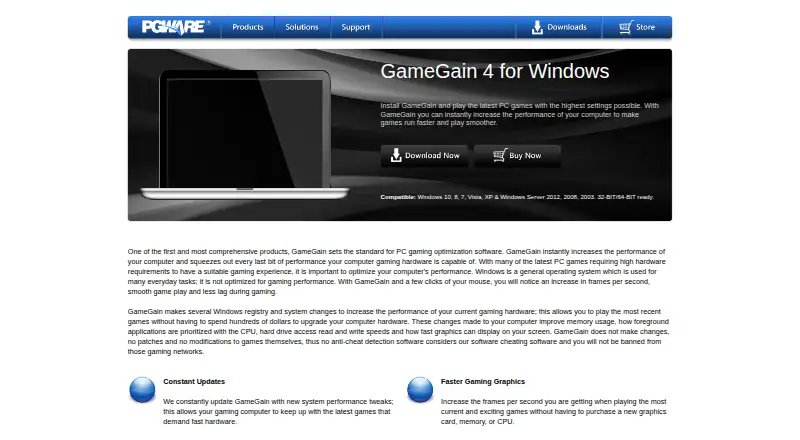
What GameGain is
GameGain is Windows desktop software intended to tune PC game performance, frames per second, and smoothness. It changes Windows registry and system settings related to memory use, CPU prioritization, drive access, and graphics display speed. For full-screen applications, it prioritizes CPU power and access to more CPU cores. PGWARE says these adjustments can raise displayed frames per second and reduce lag or screen pop-in while large map files load. GameGain works directly on Windows and does not patch or modify game files. Listed compatibility includes Windows 10, 8, 7, Vista, XP, and Windows Server 2012, 2008, and 2003, in 32-bit and 64-bit versions. The latest listed update is version 4.10.21.2024, recompiled with Delphi 2023 to fix small bugs and improve Windows 11 compatibility. A downloadable trial lasts 30 days. Purchase listings show $4.99 a month for a license and 4.99 USD once for GameGain 4.
Good
- Adjusts memory and CPU-related settings
- Prioritizes full-screen applications
- Does not modify game files
- Supports 32-bit and 64-bit Windows
- 30-day trial available
Watch out
- Windows only
- No free plan
- Changes registry and system settings
- Trial requires a license afterward
Who it suits
GameGain suits Windows PC gaming enthusiasts seeking smoother play without upgrading hardware. It is for users comfortable with software that changes Windows system and registry settings.
Verdict
GameGain focuses on system-level tuning rather than game-file changes, with settings for CPU, memory, drives, and graphics behavior. It offers a 30-day trial, but ongoing use requires a paid Windows license.
Plans and prices
From GameGain's own pricing page, checked 20 Sep 2026.
| Plan | Price | What it gives you |
|---|---|---|
| GameGain 4 license | $4.99 a month | Windows desktop software · System and registry optimization · CPU prioritization for full-screen applications · FPS and gaming performance optimization · No direct modification of game files · License purchase |
| GameGain 4 | $4.99, paid once | Windows software license · trial version unlock |
The facts
Each one read from GameGain's own pages, with the date it was checked.
What it does
- Compatibility
- The product page lists Windows 10, 8, 7, Vista, XP, and Windows Server 2012, 2008, and 2003, with 32-bit and 64-bit support.checked 5 Oct 2026
- CPU prioritization
- GameGain prioritizes full-screen applications for more CPU power and access to more CPU cores.checked 5 Oct 2026
- Graphics and lag
- The maker says the software can increase displayed frames per second and reduce lag and screen pop-in when loading large map files.checked 5 Oct 2026
- Integrations
- The opened product and download pages describe a Windows desktop utility and do not list third-party integrations.checked 5 Oct 2026
- Intended audience
- The maker describes GameGain as a performance tuner for PC gaming enthusiasts seeking smoother play without upgrading hardware.checked 5 Oct 2026
- No game patches
- The maker says GameGain changes the Windows system directly and does not patch or modify game files.checked 5 Oct 2026
- Payment options
- The GameGain store page offers payment by major credit cards, PayPal, AliPay, and WeChat Pay.checked 5 Oct 2026
- Purpose
- GameGain is Windows PC software intended to improve game performance, frames per second, and smoothness.checked 5 Oct 2026
- Security and privacy
- PGWARE's website privacy statement says sensitive information transmitted online is protected with encryption such as SSL; it applies to PGWARE.com and explicitly excludes its products and services.checked 5 Oct 2026
- Support
- PGWARE provides product FAQs, serial-number recovery, and contact support by email or phone.checked 5 Oct 2026
- Support response
- The contact page says customer service is available Monday through Friday, 8 AM to 5 PM Central Time, and asks customers to allow up to one business day for a response.checked 5 Oct 2026
- System changes
- It changes Windows registry and system settings affecting memory use, CPU prioritization, drive access, and graphics display speed.checked 5 Oct 2026
- Updates
- GameGain can download and install software updates from within the application.checked 5 Oct 2026
Money
- Free plan
- Nochecked 20 Sep 2026
- Trial
- PGWARE says its downloadable product trials last 30 days before a license is required.checked 5 Oct 2026
Where it runs
- Windows 11 note
- The listed latest update is version 4.10.21.2024, recompiled with Delphi 2023 to fix small bugs and improve Windows 11 compatibility.checked 5 Oct 2026
Alternatives to GameGain
- 1

PotatoBoost
Free planWindows7.2Free plan - 2

PC Game Booster
Free planWindows6.8From $18.95 a year - 3
Gaming Optimizer
Free planWindows6.6Free plan - 4

w0a
Free planWindows6.6From $2.99 a month - 5
CorePin
Free planWindows6.1Free plan - 6

SageTweaks
Windows6.1From $49.99 a year