
GameCI
GameCI provides tools for automating game-project builds, tests, and deployments.
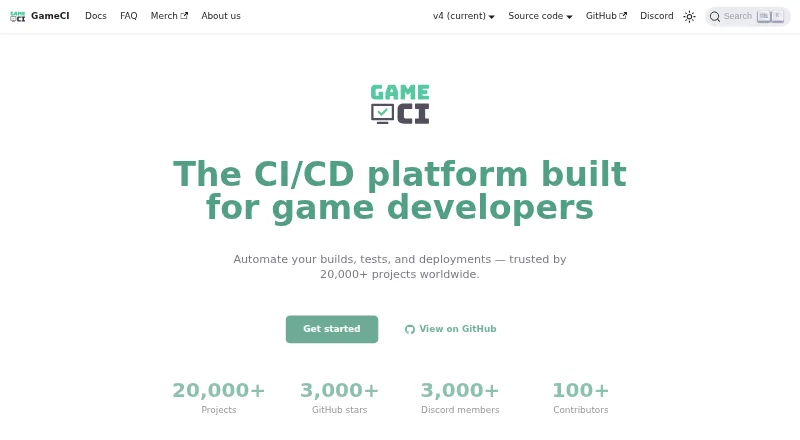
What GameCI is
GameCI provides tools for automating game-project builds, tests, and deployments. It is free and open source under the MIT license, with Unity as its primary maintained engine. For Unity, it offers official containers, GitHub Actions, licensing flows, build targets, and documentation. Its CLI detects Unreal Engine and Godot projects and includes build commands for both; a plugin API can connect additional engines. Officially supported CI/CD services are GitHub Actions, GitLab CI, and CircleCI. Listed build targets include iOS, Android, Windows, macOS, Linux, and WebGL. The Unity Test Runner supports All, PlayMode, EditMode, and Standalone modes. Results can be uploaded as artifacts or shown as GitHub status checks when workflows have write permissions and a GitHub token. GameCI says it does not acquire or store Unity credentials supplied for activation during build and test steps. Self-hosting is possible, but users handle operating-system setup and lifecycle management. The volunteer-maintained project offers free, best-effort community support, not premium support. CI provider build minutes may cost extra.
Good
- Free and open source under the MIT license.
- Official support for GitHub Actions, GitLab CI, and CircleCI.
- Unity Test Runner supports four test modes.
- Build targets include iOS, Android, desktop, and WebGL.
- CLI includes Unreal Engine and Godot build commands.
Watch out
- CI provider build minutes may cost extra.
- No premium support is offered.
- Self-hosting users manage system configuration and lifecycle.
- Other Docker-capable CI services may lack official support.
Who it suits
GameCI suits teams automating builds and tests for Unity projects, as well as developers using its Unreal Engine or Godot CLI support. It may also suit teams able to manage their own self-hosted machines and rely on community support.
Verdict
GameCI combines a maintained Unity workflow with CLI build support for Unreal Engine and Godot. Check CI-provider costs and self-hosting responsibilities before choosing how to run it.
Plans and prices
From GameCI's own pricing page, checked 29 Sep 2026.
| Plan | Price | What it gives you |
|---|---|---|
| GameCI | Free | Third-party CI charges may apply · use your own machines to build and test · GameCI says its software is free and open source; CI provider build minutes may cost extra. |
The facts
Each one read from GameCI's own pages, with the date it was checked.
What it does
- Build targets
- The homepage lists iOS, Android, Windows, macOS, Linux, and WebGL build targets.checked 29 Sep 2026
- CI integrations
- GameCI lists GitHub Actions, GitLab CI, and CircleCI as officially supported CI/CD platforms.checked 29 Sep 2026
- Credential handling
- GameCI says it does not acquire or store Unity email, password, or license contents supplied for activation during build and test steps.checked 29 Sep 2026
- License
- GameCI says its software is free, open source, and licensed under MIT.checked 29 Sep 2026
- Other engines
- The GameCI CLI has built-in engine detection and build commands for Unreal Engine and Godot, and its plugin API can integrate additional engines.checked 29 Sep 2026
- Purpose
- GameCI provides tools to automate building, testing, and deploying game projects.checked 29 Sep 2026
- Self-hosting
- The self-hosting guide describes using bare-metal machines, virtual machines, or Orchestrator, and says users take responsibility for operating-system configuration and lifecycle management.checked 29 Sep 2026
- Self-hosting security
- The self-hosting guide says its examples target on-premises machines without public IP addresses and advises users to conduct their own security review before production or public use.checked 29 Sep 2026
- Support
- GameCI offers free best-effort community support and says it does not offer premium support.checked 29 Sep 2026
- Testing
- The Unity Test Runner supports All, PlayMode, EditMode, and Standalone test modes.checked 29 Sep 2026
- Test reporting
- Test results can appear as GitHub status checks when the workflow has write permissions and a GitHub token; results can also be uploaded as artifacts.checked 29 Sep 2026
- Unity
- Unity is GameCI’s primary maintained engine package, with official containers, GitHub Actions, licensing flows, build targets, and documentation.checked 29 Sep 2026
- Unofficial CI support
- The FAQ says other CI services that support Docker may work, but may not be officially supported.checked 29 Sep 2026
The company
- Team
- GameCI says it is maintained entirely by volunteers.checked 29 Sep 2026
The full review of GameCI
Overview
GameCI is an open-source toolkit for automating game builds, tests, and deployments, with its most complete maintained workflow centered on Unity. It suits developers who want game-specific tooling within a CI pipeline, especially teams already using GitHub Actions, GitLab CI, or CircleCI. Its software costs nothing, but the CI infrastructure and the work of operating any self-hosted runners remain the buyer’s responsibility.
GameCI is licensed under MIT and maintained entirely by volunteers. Community support is free and best-effort; teams that need premium support should look elsewhere. For other options, see our Game Build Automation Software guide.
Key features
Unity builds and tests
Unity is the project’s primary maintained engine package, supported by official containers, GitHub Actions, licensing flows, build targets, and documentation. Build targets include iOS, Android, Windows, macOS, Linux, and WebGL. The Unity Test Runner covers All, PlayMode, EditMode, and Standalone modes, giving teams a range of ways to run tests in their workflows.
Test results can be published as GitHub status checks when the workflow has write permissions and a GitHub token; teams can also upload results as artifacts. That makes results easier to surface in a GitHub workflow, but the status-check route depends on correctly granted permissions and credentials. GameCI says it does not acquire or store Unity email addresses, passwords, or license contents supplied for activation during build and test steps.
Other engines and CI services
The CLI detects engines and includes build commands for Unreal Engine and Godot. A plugin API can connect additional engines, though Unity remains the primary maintained package. Official CI/CD support covers GitHub Actions, GitLab CI, and CircleCI. Other services that support Docker may work, but are not necessarily officially supported, so teams relying on another provider should expect to verify and maintain that integration themselves.
Self-hosting
GameCI can run on bare-metal machines, virtual machines, or Orchestrator. Self-hosting gives teams a way to use their own machines rather than pay a CI provider for build time, but it is not a hands-off cost-saving switch: users must manage operating-system configuration and machine lifecycle. The self-hosting examples target on-premises machines without public IP addresses, and GameCI advises users to conduct their own security review before production or public use.
Pricing
GameCI — free. The software is free and open source, with no free-trial period because there is no paid GameCI plan described. There are no stated seat or build-minute allowances attached to the software plan. The important cost boundary is infrastructure: CI-provider build minutes and other third-party charges may apply, while using your own machines shifts operating and lifecycle responsibilities to your team.
The free plan is a natural fit for individuals and teams comfortable relying on community support and handling their own pipeline or runner operations. Organizations that require premium support or a managed operating burden should consider another approach.
Platforms
GameCI’s listed platforms span Android, iOS, Linux, macOS, Windows, web, API, and self-hosted environments. Its stated game build targets are iOS, Android, Windows, macOS, Linux, and WebGL; the broader platform reach should not be confused with additional engine build targets.
Who it's for
GameCI is best suited to Unity developers who want established project tooling for builds and tests inside a supported CI service, and to game teams willing to manage CI costs or operate their own runners. Godot and Unreal Engine users can use the CLI’s built-in detection and build commands, but should weigh that against Unity’s more extensive maintained package. It is a weaker fit for teams that need contractual or premium support, or that want self-hosting without taking responsibility for system configuration, lifecycle, and security review.
Pros and cons
- Pro: No charge for the software. MIT licensing and a free plan keep GameCI itself from adding a license fee to a build pipeline.
- Pro: Strong Unity-specific coverage. Official containers, licensing flows, build targets, documentation, and multiple Unity test modes give Unity teams more than a generic build command.
- Pro: Several engine and runner paths. CLI commands cover Godot and Unreal Engine, while the plugin API and self-hosting options provide room to adapt.
- Con: Infrastructure can still cost money. CI-provider minutes and third-party charges are outside the free software plan.
- Con: Support is limited to best-effort community help. Volunteer maintenance and no premium support may not meet organizations’ support expectations.
- Con: Self-hosting demands operational ownership. Teams must handle OS configuration, machine lifecycle, and their own security review.
Alternatives
- CMake is a free option to consider when you want Kitware’s BSD 3-clause-licensed build system rather than GameCI’s game-focused Unity workflows.
- Bazel is another free open-source build and test tool; choose it when you want Google’s build tool rather than GameCI’s Unity-oriented automation.
- Codemagic is worth comparing if you prefer a freemium CI service with a stated free allowance of one team member, 500 monthly-refilled build minutes, one parallel build, and 30 days of history and artifact storage.
- TeamCity may suit teams seeking an on-premises CI option with a free Professional plan that includes unlimited users, three build agents, 100 build configurations, and 10 pipelines.
- Bitrise is an alternative to consider for a one-person team wanting a free-forever hobby plan with a small-project build-credit allowance and community support.
- Buildkite may fit teams that want a free plan with explicit user, concurrency, and Linux-minute caps: up to five users, 10 concurrent jobs, and 2,000 Linux vCPU minutes per month.
- Pants is a free Apache-licensed open-source option if you want a general build tool instead of GameCI’s game-engine workflow focus.
- CircleCI is an alternative CI service; its Performance plan starts at $15 a month.
Verdict
Choose GameCI if Unity build and test automation is the priority and your team can absorb CI-provider charges or run its own infrastructure. Its free, Unity-focused tooling is the clearest reason to use it; look elsewhere if you need premium support, a managed service burden, or a more developed non-Unity workflow.
Getting started
- Open the GameCI website and documentation
- Choose GitHub Actions, GitLab CI, or CircleCI, or prepare a self-hosted machine
- Select the Unity, Godot, or Unreal Engine workflow
- Configure a listed build target such as iOS, Android, Windows, macOS, Linux, or WebGL
- Run Unity tests in the required Test Runner mode
- Publish results as GitHub status checks or workflow artifacts
Limits worth knowing
The GameCI software is free, but CI provider build minutes may cost extra and third-party CI charges may apply. Self-hosted users are responsible for operating-system configuration and lifecycle management.
Questions
Is GameCI free?
Yes. GameCI describes its software as free and open source under the MIT license. CI provider build minutes or third-party CI charges may still apply.
Which game engines are supported?
Unity is the primary maintained package. The CLI also detects Unreal Engine and Godot and provides build commands for both.
Which CI services are official?
GameCI officially supports GitHub Actions, GitLab CI, and CircleCI. Other Docker-capable services may work but may not be officially supported.
Can GameCI be self-hosted?
Yes. The self-hosting guide covers bare-metal machines, virtual machines, and Orchestrator.
What support is available?
GameCI offers free best-effort community support and does not offer premium support.
How are Unity test results reported?
Results can be GitHub status checks when the workflow has write permissions and a GitHub token, or they can be uploaded as artifacts.
Alternatives to GameCI
- 1

Unity
Free planAndroidiOSWebAPI8.4Free plan - 2

Codemagic
Free planAndroidiOSWebAPI8.2From $99 a month - 3

TeamCity
Free planAndroidWebAPILinux8.2From $15 a month - 4

Azure Test Plans
Free planWebAPIExtensionLinux8.1From $6 a month - 5
Bitbucket Pipelines
Free planWebAPILinuxmacOS8.0From $3.65 a month - 6

AppVeyor
Free planWebAPILinuxmacOS7.9From $29 a month