
FonePaw DoTrans
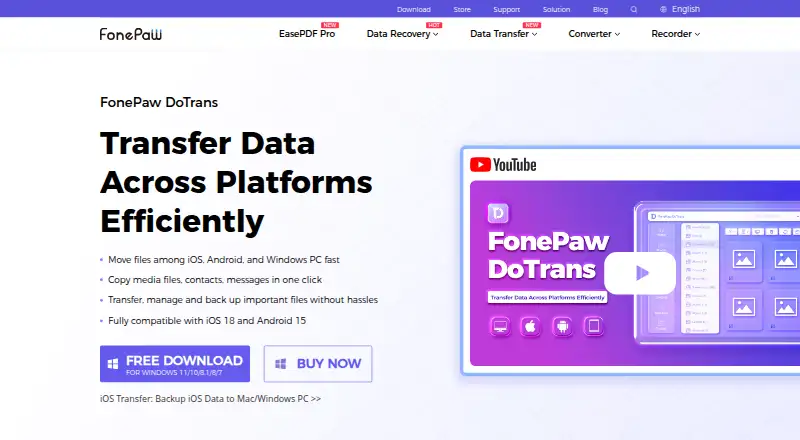
The facts below are what the maker publishes about FonePaw DoTrans, checked and dated. Our editors have not written about it yet.
Plans and prices
From FonePaw DoTrans's own pricing page, checked 11 Oct 2026.
| Plan | Price | What it gives you |
|---|---|---|
| One-Month License | $24.47 a month | Licensed on 1 PC · 1 month free upgrades · Auto-renewal; cancel anytime |
| Lifetime Single License | $59.47, paid once | Licensed for 1 PC · Lifetime free upgrades · One-time purchase |
| Lifetime Family License | $73.47, paid once | Lifetime license for 2–5 PCs · Lifetime free upgrades · One-time purchase |
The facts
Each one read from FonePaw DoTrans's own pages, with the date it was checked.
What it does
- Contact backup
- DoTrans offers one-click backup and restore of iPhone and Android contacts.checked 11 Oct 2026
- Extra tools
- The product guide lists ringtone creation and HEIC-to-JPG/PNG conversion among its tools.checked 11 Oct 2026
- Intended users
- The product is presented for people moving, managing, or backing up files across multiple phones and a Windows PC.checked 11 Oct 2026
- PC transfers
- Users can import files from a computer to an iPhone or Android device and export supported phone files to a PC or external drive.checked 11 Oct 2026
- Phone transfers
- It supports transfers between iOS and Android devices in either direction, including same-platform transfers.checked 11 Oct 2026
- Privacy
- FonePaw’s privacy policy says it may collect product-use and device information, including operating system, IP address, crash reports, and file information with additional consent.checked 11 Oct 2026
- Purpose
- DoTrans transfers and manages files among iOS devices, Android devices, and Windows PCs.checked 11 Oct 2026
- Selective transfer
- Users can preview and select files, edit file information, and transfer items individually or in batches.checked 11 Oct 2026
- Support
- FonePaw provides a DoTrans help section and invites users to submit a case for personal assistance.checked 11 Oct 2026
- Supported content
- Supported content includes photos, audio, video, contacts, and messages, with some content types varying by transfer route.checked 11 Oct 2026
- Wireless transfer
- The product supports wireless file transfers between Android and PC over Wi-Fi.checked 11 Oct 2026
Where it runs
- Device and OS limits
- The product page lists iOS 6.0 and higher and Android 2.1–15, and says iOS transfers require iTunes installed on the PC.checked 11 Oct 2026
- Windows requirements
- The desktop software supports Windows 11, 10, 8.1, 8, 7, Vista, and XP, and the tech page lists 1 GHz CPU, 512 MB RAM, and 200 MB disk space as minimum requirements.checked 11 Oct 2026
The company
- Founded
- 2014checked 28 Sep 2026
- Headquarters
- Kowloon, Hong Kongchecked 28 Sep 2026
Money
- Trial and download
- FonePaw offers a free download and the user guide refers to a free trial version; it does not state a trial duration on those pages.checked 11 Oct 2026
Alternatives to FonePaw DoTrans
- 1
AirMore
Free planAndroidiOSWebLinux8.1From $40.99 a year - 2
Syncios Manager
Free planAndroidiOSmacOSWindows7.9From $34.95 a year - 3
vivo EasyShare
Free planAndroidiOSmacOSWindows7.3Free plan - 4

HONOR Device Clone
Free planAndroidiOSWindows7.2Free plan - 5
FoneTool
AndroidiOSWindows6.8From $29.95 a year - 6
Wondershare MobileTrans
AndroidiOSmacOSWindows6.8From $29.99 a year