FireCut
FireCut is an AI video-editing plugin for Adobe Premiere Pro and DaVinci Resolve.
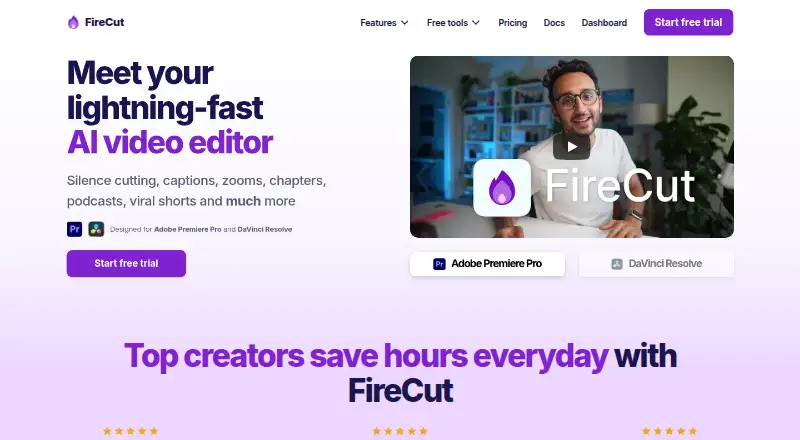
What FireCut is
FireCut is an AI video-editing plugin for Adobe Premiere Pro and DaVinci Resolve. It automates tasks such as silence and filler removal, repetition and profanity detection, captions, zoom cuts, chapter detection, podcast camera switching, and highlights. Magic Cut turns raw footage into an edited sequence, while script-guided editing can shape edits around a script. FireCut can transcribe more than 50 languages and create animated captions; outputs include short-form 9:16 sequences and SRT or VTT files. It can detect chapters and generate intro slides, and includes premium stock footage powered by Storyblocks. The DaVinci Resolve plan can also search Pexels, Pixabay, Giphy, Storyblocks, and a user's own library. Premiere Pro requires version 2022 or later; the Resolve plugin requires version 20 or later and works with Free and Studio editions. Premiere downloads support Windows and macOS, while Resolve also has a Debian package for Linux. FireCut offers free options and a 7-day trial on some plans; paid plans and included usage vary by editor.
Good
- Automates silence removal, captions, zooms, and chapters.
- Supports transcription in more than 50 languages.
- Resolve plugin supports Free and Studio editions.
- Exports 9:16 sequences, SRT, and VTT.
Watch out
- Premiere Pro plugin requires version 2022 or later.
- Resolve plugin requires version 20 or later.
- Resolve transcription features require an internet connection.
Who it suits
FireCut suits video editors using Premiere Pro or DaVinci Resolve who want to automate repetitive editing tasks. Its podcast, captioning, and short-form tools may fit creators making those formats.
Verdict
FireCut offers editing automation through plugins for two video editors, with plan details and transcription allowances that vary. Check the version requirements and whether the relevant plan includes the usage you need.
Plans and prices
From FireCut's own pricing page, checked 30 Sep 2026.
| Plan | Price | What it gives you |
|---|---|---|
| FireCut Shorts Free | Free | 25 videos/month · clips up to 5 minutes · 720p · watermark · silence cutting · transitions · sound effects · zoom cuts |
| Free (desktop) | Free | unlimited use · silence removal · multichannel audio splitting · Resolve Markers+ |
| Starter (Premiere Pro) | $10 a year | silence cutting · advanced silence cutting · J-cuts · billed yearly |
| Captions (DaVinci Resolve) | $12.99 a month | 8 hours/month transcription · 90+ languages · Fusion captions · SRT/VTT export · 7-day trial · billed monthly |
| Pro (DaVinci Resolve) | $16 a year | 10 hours/month transcription · first cut · multitrack · captions · B-roll · music · highlights · 7-day trial · billed yearly |
| Pro (Premiere Pro) | $20 a year | 25 hours transcription/month · 50+ caption languages · podcast editing · highlights · B-roll · music · billed yearly |
| Team | $34 a month | Premiere Pro and DaVinci Resolve plugins · admin controls · usage monitoring · centralized billing · priority support · billed monthly |
| Max (DaVinci Resolve) | $49.99 a year | 50 hours/week transcription · 30,000 text-to-speech characters · image generation · music generation · workflows · 4K B-roll · billed yearly |
| FireCut Shorts | $199.50 a year | 25 videos/month · clips up to 5 minutes · captions · B-roll · music · audio enhancement · billed yearly |
| Max (Premiere Pro) | $3,934 a year | 100 hours transcription/month · script editing · Magic Cut · AI voiceover · 4K B-roll · unlimited caption templates · workflows · billed yearly |
The facts
Each one read from FireCut's own pages, with the date it was checked.
What it does
- Captions
- FireCut can transcribe more than 50 languages and create animated captions.checked 30 Sep 2026
- Chapters
- The product can detect chapters and generate intro slides.checked 30 Sep 2026
- Editing automation
- Its features include silence cutting, captions, zooms, chapters, podcast editing and viral shorts.checked 30 Sep 2026
- Installer security
- The Premiere Pro download page links to a VirusTotal scan report for its installer.checked 30 Sep 2026
- Magic Cut
- Magic Cut turns raw footage into a polished edit automatically.checked 30 Sep 2026
- Media integrations
- The DaVinci Resolve plan can search Pexels, Pixabay, Giphy, Storyblocks and the user’s own library for media.checked 30 Sep 2026
- Online requirement
- FireCut says an internet connection is required when using its DaVinci Resolve transcription features.checked 30 Sep 2026
- Operating systems
- The Premiere Pro download supports Windows and macOS, while the DaVinci Resolve download also provides a Debian package for Linux.checked 30 Sep 2026
- Podcast editing
- FireCut switches podcast cameras automatically based on content.checked 30 Sep 2026
- Premiere compatibility
- The Premiere Pro plugin requires Adobe Premiere Pro 2022 or later.checked 30 Sep 2026
- Product
- FireCut is an AI video editor designed for Adobe Premiere Pro and DaVinci Resolve.checked 30 Sep 2026
- Resolve compatibility
- The DaVinci Resolve plugin requires Resolve 20 or later and supports both Free and Studio editions.checked 30 Sep 2026
- Stock media
- FireCut provides premium stock footage powered by Storyblocks.checked 30 Sep 2026
- Support
- FireCut directs users to documentation, Discord and email support for troubleshooting.checked 30 Sep 2026
The full review of FireCut
FireCut is an AI editing toolkit that works inside Adobe Premiere Pro and DaVinci Resolve. It suits editors who want to automate cleanup, captions or podcast edits without switching applications. Its wide range of editing actions is appealing, but the right fit depends on editor compatibility and plan-specific limits.
Overview
FireCut covers both rough cuts and finishing tasks: it can remove silence and filler, detect repetitions and profanity, generate captions and highlights, and search for B-roll or music. Text-based editing, 9:16 sequences, and SRT and VTT exports also support turning longer material into social clips or caption files. Magic Cut automatically builds an edit from raw footage, while script-guided editing offers a more directed option.
This breadth is divided across plans rather than bundled uniformly. Premiere Pro and DaVinci Resolve subscriptions have different tools and transcription allowances, while FireCut Shorts is a separate product with its own video cap. Editors should choose by application and workload, not by the FireCut name alone.
Key features
Editing and captions
Silence cutting, filler removal, repetition detection and profanity removal address common dialogue-editing chores. Captions can be transcribed in more than 50 languages and animated; transcription hours are capped on several paid plans, so editors handling long or frequent projects need to compare their usage with the allowance. The Resolve Captions plan includes 8 hours per month, while Resolve Pro includes 10 hours per month and Premiere Pro Pro includes 25 hours per month.
Podcasts, chapters and media
For podcast editors, automatic camera switching based on content can reduce the work of cutting between speakers. Chapter detection and intro-slide generation help structure longer videos. FireCut also supplies premium Storyblocks footage; the DaVinci Resolve plan can additionally search Pexels, Pixabay, Giphy, Storyblocks and the user’s own library. These tools make FireCut more than a silence-removal utility, though availability depends on plan.
Short-form output
FireCut Shorts targets clip production, with 9:16 sequences and features that vary by tier. The free version allows 25 videos per month, clips up to 5 minutes and 720p output, but adds a watermark. That is a useful way to try the workflow, but the watermark and resolution cap make it less suitable for polished client delivery.
Pricing
FireCut uses a freemium model, with free options and a 7-day trial on the Resolve Captions and Pro plans. Prices and terms vary sharply across the menu:
- FireCut Shorts Free: free. It allows 25 videos per month, clips up to 5 minutes, 720p, a watermark, silence cutting, transitions, sound effects and zoom cuts. Best for trying basic clip production; the cap and watermark are the main trade-offs.
- Free (desktop): free, with unlimited use, silence removal, multichannel audio splitting and Resolve Markers+. This is a stronger no-cost starting point for basic desktop cleanup, but it does not include the broader paid feature sets.
- Starter (Premiere Pro): $10 a year, billed yearly, for silence cutting, advanced silence cutting and J-cuts. It fits Premiere editors focused on cleanup, but omits the broader transcription and creative tools in higher plans.
- Captions (DaVinci Resolve): $12.99 a month, billed monthly, with 8 hours per month of transcription, 90+ languages, Fusion captions and SRT/VTT export. It is the focused option for Resolve caption workflows; the transcription quota may constrain heavier use.
- Pro (DaVinci Resolve): $16 a year, billed yearly, with 10 hours per month of transcription, first cut, multitrack, captions, B-roll, music and highlights. It suits Resolve users seeking a broader edit toolkit, though its transcription limit is modest for regular long-form work.
- Pro (Premiere Pro): $20 a year, billed yearly, with 25 hours of transcription per month, 50+ caption languages, podcast editing, highlights, B-roll and music. This is a more complete choice for Premiere editors who need podcast and caption tools.
- Team: $34 a month, billed monthly, for both plugins, admin controls, usage monitoring, centralized billing and priority support. It fits teams that need shared administration and both editors; the listed features do not make it a substitute for checking each user’s required tools and usage.
- Max (DaVinci Resolve): $49.99 a year, billed yearly, with 50 hours per week of transcription, 30,000 text-to-speech characters, image and music generation, workflows and 4K B-roll. Its much larger transcription allowance and creative tools suit heavier Resolve workflows.
- FireCut Shorts: $199.50 a year, billed yearly, with 25 videos per month, clips up to 5 minutes, captions, B-roll, music and audio enhancement. It adds production tools over the free Shorts tier but retains the stated monthly video limit.
- Max (Premiere Pro): $3,934 a year, billed yearly, with 100 hours of transcription per month, script editing, Magic Cut, AI voiceover, 4K B-roll, unlimited caption templates and workflows. It is aimed at demanding Premiere workloads; the price is a substantial commitment compared with the lower tiers.
Platforms
FireCut supports Linux, macOS, Windows and web. The Premiere Pro plugin requires Adobe Premiere Pro 2022 or later and its download supports Windows and macOS. The Resolve plugin requires DaVinci Resolve 20 or later, works with both Free and Studio editions, and also has a Debian package for Linux. Resolve transcription features require an internet connection. FireCut points users to documentation, Discord and email support; its Premiere download page links to a VirusTotal scan report for the installer.
Who it's for
FireCut is best for editors already working in Premiere Pro or DaVinci Resolve who want to reduce repetitive cleanup or expand into captions, podcast edits and short-form clips. Resolve users should verify their version and transcription needs; Premiere users should check the plan against their required features and budget. It is a weaker fit for people who need a general-purpose editor outside those applications or want uncapped transcription on a lower-cost tier.
Pros and cons
- Pro: A broad set of actions, from silence and filler removal to chapters, captions, B-roll search and Magic Cut, can address multiple stages of an edit.
- Pro: Resolve support includes both Free and Studio editions, widening access for users who do not have Studio.
- Pro: Shorts Free offers a no-cost way to make up to 25 short videos a month, albeit with a watermark and 720p output.
- Con: Plugin and feature availability depend on the editor and plan, and Resolve requires version 20 or later.
- Con: Paid transcription is quota-based, with monthly or weekly limits that can matter for editors handling substantial volumes.
- Con: The Max (Premiere Pro) plan’s $3,934 a year price is a significant commitment for individual editors.
Alternatives
Descript is worth considering for text-based editing and AI tools, with a free plan that includes 60 minutes per month and 100 one-time AI credits. For short-clip workflows, Kiru offers a free plan with one hour of video per month and automatic cutting of bad takes, silences and mistakes. CapCut is another freemium option, with mobile-focused editing, free templates and cloud storage on its Standard plan. Captions may suit users seeking AI video creation or digital twins; its Max plan is $24.99 a month for 500 credits. VEED has a free tier with 720p exports and a watermark, so its free output has constraints similar to FireCut Shorts Free.
Gling, OpusClip and Vizard are also alternatives to compare.
Browse more options in AI Video Editing Software.
Verdict
FireCut is a strong match for Premiere Pro and DaVinci Resolve editors who want several editing automations in their existing workflow, especially podcast producers and teams making captions or short clips. Choose a plan only after matching its plugin, tools and transcription allowance to your work; look elsewhere if you need a general editor, broader platform independence or a lower-cost plan with higher usage limits.
Getting started
- Visit https://www.firecut.ai/.
- Choose the Premiere Pro or DaVinci Resolve plugin for your editor.
- Confirm Premiere Pro is version 2022 or later, or Resolve is version 20 or later.
- Download the plugin for your operating system; Resolve also offers a Debian package for Linux.
- Choose a free option or a plan; eligible plans include a 7-day trial.
- Use FireCut’s documentation, Discord, or email support if you need troubleshooting help.
Limits worth knowing
FireCut Shorts Free allows 25 videos per month, clips up to 5 minutes, 720p output and a watermark. The desktop Free plan is unlimited but includes silence removal, multichannel audio splitting and Resolve Markers+; some paid plans have usage limits, including transcription-hour allowances.
Questions
Is FireCut free?
Yes. FireCut Shorts Free is free and allows 25 videos per month, clips up to 5 minutes, 720p and a watermark. A separate desktop Free plan is also free with unlimited use.
Does FireCut offer a free trial?
Yes. A 7-day trial is included with the listed Captions and Pro DaVinci Resolve plans.
Which platforms does FireCut support?
FireCut lists web, Windows, macOS and Linux. Premiere Pro downloads support Windows and macOS; the Resolve download also provides a Debian package for Linux.
What editor versions are required?
The Premiere Pro plugin requires Adobe Premiere Pro 2022 or later. The DaVinci Resolve plugin requires Resolve 20 or later and supports both Free and Studio editions.
What do FireCut's paid plans cost?
Listed prices include $10 a year for Starter (Premiere Pro), $12.99 a month for Captions (DaVinci Resolve), and $34 a month for Team.
Does DaVinci Resolve transcription work offline?
No. FireCut says an internet connection is required when using its DaVinci Resolve transcription features.
Alternatives to FireCut
- 1

Captions
Free planAndroidiOSWebAPI8.3From $4.99 a month - 2
Vizard
Free planAndroidiOSWebAPI8.2From $29 a month - 3

OpusClip
Free planAndroidiOSWebAPI8.1From $15 a month - 4

Descript
Free planWebmacOSWindows8.0From $24 a month - 5

Choppity
Free planWebAPImacOSWindows7.8From $13.30 a month - 6
Vidio.ai
Free planiOSWebAPI7.8Free plan