Exhibio Digital Signage Management System
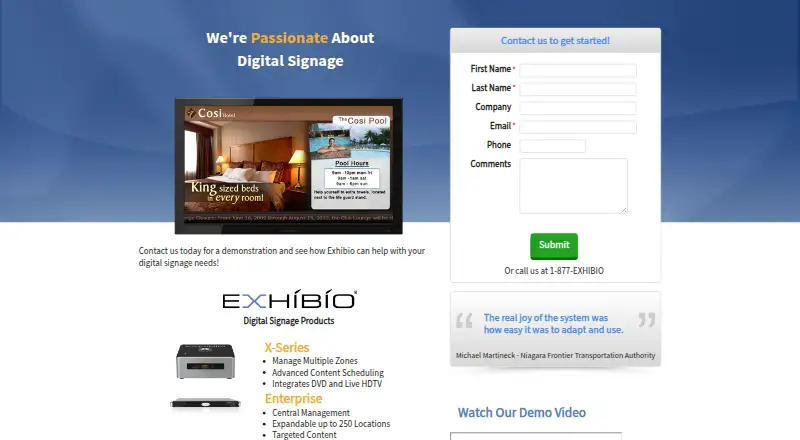
The facts below are what the maker publishes about Exhibio Digital Signage Management System, checked and dated. Our editors have not written about it yet.
The facts
Each one read from Exhibio Digital Signage Management System's own pages, with the date it was checked.
What it does
- Access controls
- The FAQ says administrators can create user accounts with defined roles and access limits.checked 13 Oct 2026
- API access
- Yeschecked 21 Sep 2026
- Backup
- Exhibio's Backup and Restore utility can back up content, users, scheduling, and related data.checked 13 Oct 2026
- Content and layouts
- The X-Series and Enterprise include a Layout Creator for designing custom screen layouts.checked 12 Oct 2026
- Content types
- BMP,GIF,JPG,PNG,MPEG-1,MPEG-2,MPEG-4,WMV,MOV,AVI,MP3,WAV,AIF,WMA,SWF,FLV,HTML,CSS,RSS,live web pages,TV,DVDchecked 21 Sep 2026
- Enterprise limit
- The product landing page says Enterprise supports central management, targeted content, and expansion up to 250 locations.checked 12 Oct 2026
- Hardware included
- The company says its turn-key systems integrate the software into custom hardware.checked 13 Oct 2026
- Integrations
- Exhibio says users can use scripts for database integration and create custom applications with its API button generator.checked 13 Oct 2026
- Live video
- The system can incorporate live digital or analog TV, external S-Video and Composite feeds, and DVD playback; the FAQ says the M-500 requires a TV Tuner Kit for this.checked 13 Oct 2026
- Management
- The product comparison lists a web-based interface, remote VNC access, and unlimited user accounts across all three product lines.checked 13 Oct 2026
- Media and feeds
- The comparison page lists image, movie, audio, and Flash file support, along with RSS feeds and scrolling text.checked 13 Oct 2026
- Multi-zone content
- X-Series and Enterprise support multiple zones for displaying several messages at once.checked 13 Oct 2026
- Privacy
- The privacy policy says the website stores visitor log details such as IP address, browser type, referring page, and visit time, and may use cookies to remember preferences.checked 12 Oct 2026
- Product
- Exhibio describes its offering as a hardware digital signage system with web accessible content management.checked 13 Oct 2026
- Product lines
- Exhibio lists M-Series, X-Series, and Enterprise systems, with the Enterprise system intended for organizations managing signage across multiple locations.checked 13 Oct 2026
- Scheduling
- X-Series and Enterprise can schedule scenes or playlists daily, weekly, monthly, or for a one-time display.checked 13 Oct 2026
- Support
- Exhibio's user manual directs customers to its support website and lists telephone support at 877-EXHIBIO in the United States.checked 13 Oct 2026
- User roles
- advancedchecked 21 Sep 2026
- Video inputs
- The system can incorporate live digital and analog TV, external S-Video and Composite feeds, and DVD playback; the FAQ says the M-500 requires a TV Tuner Kit for this.checked 12 Oct 2026
- Who it serves
- Exhibio lists use cases including education, retail, hospitality, public spaces, transit, offices, and staff communications.checked 13 Oct 2026
The company
- Company history
- Exhibio says it brought its digital signage system to market in 2001.checked 13 Oct 2026
- Founded
- 2001checked 28 Sep 2026
Where it runs
- Custom applications
- The FAQ says users can create custom applications and integrate them into Exhibio using its API button generator.checked 12 Oct 2026
Alternatives to Exhibio Digital Signage Management System
- 1

OptiSigns
Free planAndroidiOSWebAPI8.8From $9 a month - 2
Viewix
Free planAndroidiOSWebAPI8.6From $49 a month - 3

EasySignage
Free planAndroidWebAPILinux8.4From $7 a month - 4

Yodeck
Free planAndroidWebAPI8.3From $8 a month - 5

ScreenCloud
AndroidiOSWebAPI8.2From $20 a month - 6
Layarva
Free planAndroidWebAPILinux8.0From $1 a month