EnfuseGUI
EnfuseGUI blends images made at different exposures to create high dynamic range images.
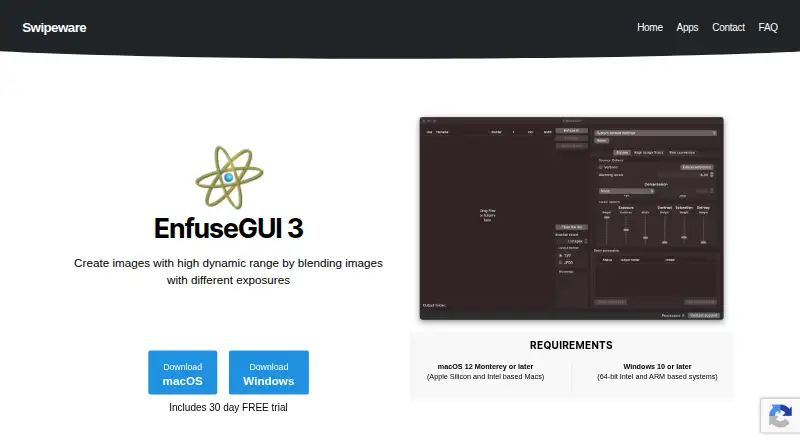
What EnfuseGUI is
EnfuseGUI blends images made at different exposures to create high dynamic range images. The maker also describes it for combining separate room and window exposures, night photography, and focus stacking. It accepts TIFF, JPEG, and raw formats including NEF, CR2, and DNG. For hand-held shots, Align Image Stack can align the image set before blending. Batch processing and multi-processor use are available, and EXIF data transfers to the finished image. EnfuseGUI runs on Windows and macOS. Swipeware says its graphical interface exposes all options of the Enfuse engine. The yearly plan is described as 35% cheaper than the monthly plan. Each subscription provides one license key for two computers. A 30-day free trial is available from within the app after downloading and installing it.
Good
- Handles TIFF, JPEG, and several raw formats.
- Aligns hand-held image stacks.
- Supports batch and multi-processor work.
- Carries EXIF data into the final image.
- One key activates the app on two computers.
Watch out
- The free trial lasts 30 days.
- Available only on Windows and macOS.
Who it suits
EnfuseGUI suits photographers who want to blend exposure brackets, align hand-held shots, or use focus stacking. Its batch processing and multi-processor support may also suit people working with multiple images.
Verdict
EnfuseGUI brings exposure blending, image alignment, and batch processing together for HDR work. Consider the listed format support and subscription terms before choosing it.
Plans and prices
From EnfuseGUI's own pricing page, checked 4 Oct 2026.
| Plan | Price | What it gives you |
|---|---|---|
| Monthly | — | Per seat · 1 license key activates EnfuseGUI on 2 computers · Billed monthly |
| Yearly | — | Per seat · 1 license key activates EnfuseGUI on 2 computers · Yearly; 35% cheaper compared to a Monthly plan |
The facts
Each one read from EnfuseGUI's own pages, with the date it was checked.
What it does
- Batch processing
- The application supports batch processing and multi-processor use.checked 4 Oct 2026
- Customer support
- Swipeware owner Ingemar Bergmark invites questions through the contact form and lists office hours as Monday to Friday, 09:00–17:00 Korea Standard Time.checked 4 Oct 2026
- Enfuse controls
- The maker describes it as the only GUI on the market that exposes all options of the Enfuse engine.checked 4 Oct 2026
- Image alignment
- It supports Align Image Stack for aligning hand-held shots.checked 4 Oct 2026
- Image formats
- It supports TIFF, JPEG, and raw formats including NEF, CR2, and DNG.checked 4 Oct 2026
- License limit
- Each subscription provides one license key that can activate EnfuseGUI on two computers.checked 4 Oct 2026
- Metadata
- EnfuseGUI transfers EXIF data to the final image.checked 4 Oct 2026
- Payment support
- The maker uses FastSpring as its third-party payment provider and directs customers with payment issues to FastSpring Consumer Support.checked 4 Oct 2026
- Privacy
- Swipeware's privacy policy says website information may be used to respond to inquiries and offer support, protect against abuse, and operate its website and services.checked 4 Oct 2026
- Purpose
- EnfuseGUI creates high dynamic range images by blending images with different exposures.checked 4 Oct 2026
- Security
- Swipeware says it maintains reasonable administrative, technical, and physical safeguards for personal information, while noting that Internet transmission cannot be guaranteed secure.checked 4 Oct 2026
- Use cases
- The maker says EnfuseGUI can blend separate room and window exposures and can also be used for night photography and focus stacking.checked 4 Oct 2026
Where it runs
- Platforms
- The maker offers downloads for macOS 12 Monterey or later on Apple Silicon and Intel Macs, and Windows 10 or later on 64-bit Intel and ARM systems.checked 4 Oct 2026
Money
- Trial
- A 30-day free trial is available from within the app after downloading and installing it.checked 4 Oct 2026
Alternatives to EnfuseGUI
- 1

Fotor
Free planAndroidiOSWebAPI7.5Free plan - 2
Avidemux
Free planOpen sourceWebLinuxmacOSWindows7.3Free plan - 3

ColorForge
Free planAndroidiOSWebLinux7.3Free plan - 4
Luminance HDR
Free planOpen sourceLinuxmacOSSelf-hostedWindows7.3Free plan - 5
Photomatix Pro
iOSWebAPILinux6.8From $19 a month - 6
SNS-HDR
Free planmacOSWindows6.8€30 one-time