EMCO Remote Installer
EMCO Remote Installer is Windows software for auditing installed software and deploying packages across PCs on a local network.
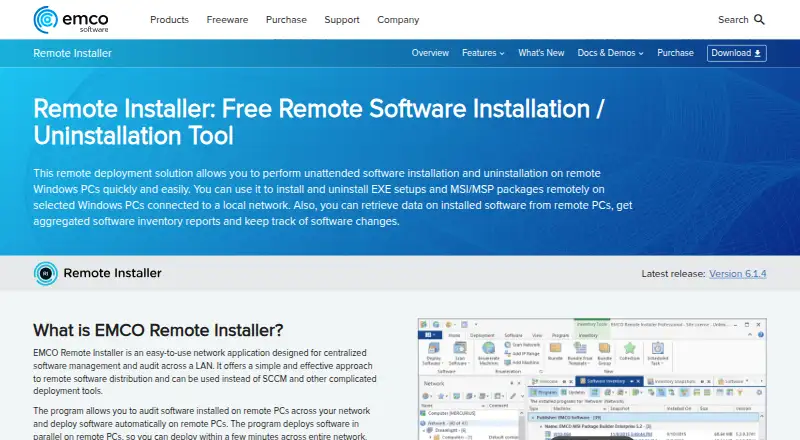
What EMCO Remote Installer is
EMCO Remote Installer is Windows software for auditing installed software and deploying packages across PCs on a local network. It can remotely install, uninstall, and repair EXE, MSI, and MSP packages, with deployments running silently and in parallel. Target PCs do not need client software installed beforehand. Administrators can choose computers directly or build dynamic target groups using conditions such as domain, workgroup, computer name, organizational unit, operating system, and installed software. The inventory stores operating-system and application details in a central database and can track changes between scans. Professional users can save reusable audit and deployment tasks for manual runs or one-time and recurring schedules. Multi-step deployments can combine package actions and custom actions before or after them. The Free Edition is free and supports up to 5 remote PCs at a time and 5 packages per multi-step deployment. Professional Single Copy costs $399, paid once, plus applicable tax or VAT; Unlimited Copies costs $595, paid once. Remote deployment requires administrative rights and appropriate Windows networking services and ports.
Good
- Installs, uninstalls, and repairs EXE, MSI, and MSP packages.
- Target PCs need no client software installed beforehand.
- Central inventory can track changes between scans.
- Professional users can schedule recurring audit tasks.
Watch out
- Free Edition supports up to 5 remote PCs at a time.
- Remote deployment requires administrative rights on target PCs.
- Network services and corresponding ports must be available.
Who it suits
It suits IT specialists and network administrators who manage Windows PCs connected to a local network. The Free Edition may fit small deployment batches; larger deployments require a Professional license.
Verdict
EMCO Remote Installer combines package deployment with centralized software inventory for Windows networks. Check the Free Edition limits and network prerequisites, or consider a Professional license for broader deployments and scheduling.
Plans and prices
From EMCO Remote Installer's own pricing page, checked 4 Oct 2026.
| Plan | Price | What it gives you |
|---|---|---|
| Free Edition | Free | Up to 5 remote PCs at a time · up to 5 packages per multi-step deployment |
| Professional Edition (Single Copy) | $399, paid once | Perpetual license for version 6 · unlimited PCs · unlimited packages per multi-step deployment · One-time purchase; plus tax/VAT depending on your country |
| Professional Edition (Unlimited Copies) | $595, paid once | Unlimited copies · Perpetual license for version 6 |
The facts
Each one read from EMCO Remote Installer's own pages, with the date it was checked.
The company
- Company background
- EMCO says it was founded in 2001 and is headquartered in Reykjavik, Iceland.checked 4 Oct 2026
- Founded
- 2001checked 28 Sep 2026
- Headquarters
- Reykjavik, Icelandchecked 28 Sep 2026
What it does
- Custom deployment steps
- Deployments can combine multiple install, uninstall, or repair steps and run custom actions before or after deployment.checked 4 Oct 2026
- Intended users
- EMCO describes its products as tools for IT specialists and network administrators managing Windows networks.checked 4 Oct 2026
- Inventory
- The software audits OS and installed application information, stores it in a centralized database, and can track changes between scans.checked 4 Oct 2026
- Network prerequisites
- Remote deployment requires a Windows account with administrative rights on target PCs, running standard Windows networking services, and open corresponding network ports.checked 4 Oct 2026
- Package support
- It remotely installs, uninstalls, and repairs EXE, MSI, and MSP packages over a LAN.checked 4 Oct 2026
- Product purpose
- EMCO Remote Installer centrally audits software and deploys it across Windows PCs connected to a local network.checked 4 Oct 2026
- Scheduling
- Professional users can create reusable deployment and audit tasks for manual or scheduled one-time or recurring execution.checked 4 Oct 2026
- Target selection
- Target computers can be selected directly or dynamically by conditions involving domains, workgroups, computer names, organizational units, installed OS, and software.checked 4 Oct 2026
- Unattended deployment
- Deployments run silently and in parallel, and the maker says remote PCs do not need client software preinstalled.checked 4 Oct 2026
- Updates and support
- The Professional license is perpetual for version 6, minor updates are free, major upgrades are paid at a discounted price, and free email technical support is included.checked 4 Oct 2026
Where it runs
- Platform and release
- The maker offers an EXE installer for Windows and lists version 6.1.4 as the current release.checked 4 Oct 2026
Money
- Trial limit
- The 30-day Professional trial limits deployment operations to 25 network PCs and marks email notifications with a trial footer.checked 4 Oct 2026
Alternatives to EMCO Remote Installer
- 1
Fleet
Free planOpen sourceAndroidiOSWebAPI8.6From $7 a month - 2

OPSI
Free planOpen sourceWebAPILinuxmacOS8.4From €4.99 a year - 3

FileWave
Free planAndroidiOSWebAPI8.3Free plan - 4

ManageEngine Patch Manager Plus
Free planAndroidiOSWebAPI8.2From $245 a year - 5

Patch My PC
Free planWebmacOSSelf-hostedWindows7.7From $3.50 a year - 6

Uyuni
Free planOpen sourceWebAPILinuxSelf-hosted7.4Free plan