EditCap
EditCap is an online AI video subtitling editor for captioning videos, shorts, and reels.
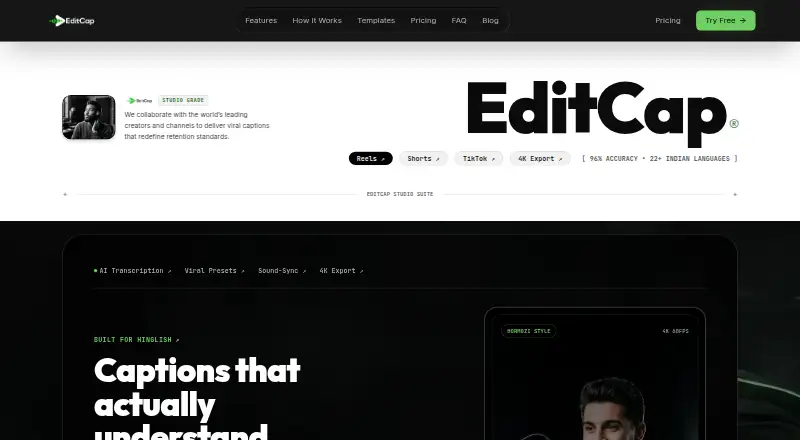
What EditCap is
EditCap is an online AI video subtitling editor for captioning videos, shorts, and reels. It supports MP4, MOV, WEBM, and MKV video, automatically highlights spoken words in a voice-synchronized karaoke style, and offers caption styling and burn-in. The FAQ lists support for 70+ languages, including 22+ Indian and South Asian languages, with code-switching and one-click AI translation. The product page states 96% transcription accuracy for Hinglish, Hindi, Marathi, and Tamil, plus automated punctuation and word timestamps. Videos export as 1080p or 4K MP4, and subtitles can be exported as SRT, VTT, or ASS. EditCap has a free plan and a free trial; paid plans start at ₹₹290 a month for Starter, while the Trial Pack is listed at ₹₹19 a month. Plan allowances and video-length limits vary, from four minutes of monthly transcription and two-minute videos on the free tier to eight hours and five-minute videos on Studio Unlimited. Payments and purchases are final and non-refundable.
Good
- Free plan and free trial
- Supports 70+ languages
- Exports SRT, VTT, and ASS subtitles
- Offers caption styling and burn-in
Watch out
- Free tier allows four transcription minutes monthly
- Free videos are limited to two minutes
- Payments and purchases are non-refundable
Who it suits
It suits creators captioning short-form videos for Instagram Reels, YouTube Shorts, or TikTok, especially those needing multilingual transcription or subtitle-file exports. Plan choice matters if monthly transcription time or video length is a constraint.
Verdict
EditCap covers caption generation, styling, burn-in, and subtitle exports, with language support and plan limits that vary by tier. Compare the included transcription time and video limit before choosing; purchases are non-refundable.
Plans and prices
From EditCap's own pricing page, checked 11 Oct 2026.
| Plan | Price | What it gives you |
|---|---|---|
| Free Tier | Free | 4 min transcription/month · 1080p · max 2 min/video · free forever |
| Starter | ₹290 a month | 1 hour transcription/month · max 2 min/video · 1080p · 30+ templates · no watermark · ₹290 /month |
| Pro Creator | ₹499 a month | 3 hours transcription/month · max 3 min/video · 4K 60FPS · 30+ templates · SRT export · no watermark · ₹499 /month |
| Studio Unlimited | ₹999 a month | 8 hours transcription/month · max 5 min/video · 4K 60FPS ProRes and MP4 · custom font upload · no watermark · priority support · ₹999 /month |
| Trial Pack | ₹19, paid once | 10 min transcription · 1080p · max 2 min/video · 30+ templates · zero watermark · one-time |
The facts
Each one read from EditCap's own pages, with the date it was checked.
What it does
- Burn-in captions
- Yeschecked 22 Sep 2026
- Caption styling
- It offers 30+ caption templates, including Hormozi-style bold pop, cyber glitch, karaoke highlight, dynamic bounce, and minimalist editorial styles.checked 11 Oct 2026
- Custom fonts
- The FAQ says Pro and Studio users can upload TTF and OTF fonts and customize colors, stroke weight, glow shadows, and background styling.checked 11 Oct 2026
- Data retention
- The privacy policy says uploaded content and generated outputs may be retained temporarily for processing, backups, security, and reliability, and account deletion can be requested by contacting support.checked 11 Oct 2026
- Exports
- The FAQ says videos export as 1080p or 4K MP4 and subtitle files can be exported as SRT, VTT, or ASS.checked 11 Oct 2026
- Languages
- The FAQ says it supports 70+ languages, including 22+ Indian and South Asian languages, with code-switching and one-click AI translation.checked 11 Oct 2026
- Max video length
- 2checked 22 Sep 2026
- Privacy
- The privacy policy says uploaded content is processed to provide editing, captioning, transcription, enhancement, and rendering services, and uploads are not publicly displayed without permission.checked 11 Oct 2026
- Product
- EditCap describes itself as an online AI video subtitling editor for automatically captioning videos, shorts, and reels.checked 11 Oct 2026
- Refunds
- The terms state that payments, subscriptions, renewals, upgrades, credits, and one-time purchases are final and non-refundable.checked 11 Oct 2026
- Security
- The privacy policy says EditCap uses commercially reasonable technical and organizational safeguards and secure infrastructure with industry-standard security measures.checked 11 Oct 2026
- Subtitle export
- other formatschecked 22 Sep 2026
- Support
- The contact page says support queries are answered within 24 hours, usually under two hours on business days.checked 11 Oct 2026
- Transcription
- The product page states 96% transcription accuracy for Hinglish, Hindi, Marathi, and Tamil, with automated punctuation and word timestamps.checked 11 Oct 2026
- Use cases
- The maker positions EditCap for short-form content on Instagram Reels, YouTube Shorts, and TikTok.checked 11 Oct 2026
- Video formats
- The FAQ lists MP4, MOV, WEBM, and MKV as supported video formats.checked 11 Oct 2026
- Word sync
- EditCap automatically highlights words in voice-synchronized karaoke style.checked 11 Oct 2026
Money
- Free plan
- Yeschecked 22 Sep 2026
Alternatives to EditCap
- 1

Captions
Free planAndroidiOSWebAPI9.1From $4.99 a month - 2

Whisper
Free planOpen sourceAPILinuxmacOSSelf-hosted8.9$0.01 usage-based - 3

SRTGen
Free planWebAPI8.3From $4 a month - 4
Fluen AI Subtitle Generator
Free planWebAPIExtensionmacOS8.2Free plan - 5
ZapCap
Free planAndroidiOSWebAPI8.1From $8 a month - 6
ngram
Free planWebAPIExtension8.1From $29 a month