Eclipse Readability Studio
Eclipse Readability Studio is free, open-source desktop software for examining how easily documents can be read.
What Eclipse Readability Studio is
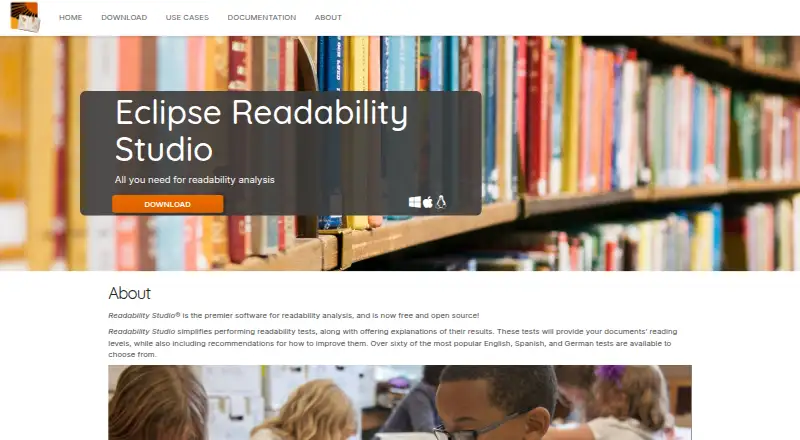
Eclipse Readability Studio is free, open-source desktop software for examining how easily documents can be read. It analyzes text, reports reading levels, explains what test results mean, and recommends clarity improvements. Users can choose from more than 60 readability tests in English, Spanish, and German, and the software also includes grammar checking. Analysis can cover one document or a batch of documents. Supported file types include Microsoft Word, OpenDocument, RTF, HTML, PostScript, and plain text files. The program is available for Linux, macOS, and Windows. Its stated audiences include educators, military and government organizations, healthcare teams, publishers, and students. The Eclipse project currently lists Readability Studio as Incubating. The project page names the Eclipse Public License 2.0, while noting that some source code and binaries may use different terms. A project proposal says Readability Studio has provided readability-formula and grammar analysis since 2006, and names Blake Madden as project lead and copyright holder. The plan is listed at 0.00 USD, with no paid tiers stated.
Good
- Free and open source
- More than 60 readability tests
- Supports English, Spanish, and German tests
- Grammar checking and clarity recommendations
- Processes individual or batch documents
- Runs on Linux, macOS, and Windows
Watch out
- The Eclipse project lists the project as Incubating
- Some source code and binaries may have different license terms
Who it suits
Eclipse Readability Studio suits educators, students, publishers, healthcare teams, and military or government users who need document readability analysis. It is also useful for anyone working with supported document formats across Linux, macOS, or Windows.
Verdict
Pick Eclipse Readability Studio for free, open-source readability and grammar analysis across common document formats. Consider another tool if you need a project outside the Eclipse Incubating stage or licensing terms that are uniform across every component.
Plans and prices
From Eclipse Readability Studio's own pricing page, checked 8 Oct 2026.
| Plan | Price | What it gives you |
|---|---|---|
| Free and open source | Free | Free and open source; no paid tiers stated |
The facts
Each one read from Eclipse Readability Studio's own pages, with the date it was checked.
What it does
- Document analysis
- The project page says the software can analyze individual documents or batches of documents.checked 8 Oct 2026
- File formats
- Listed supported formats are MS Word, OpenDocument, RTF, HTML, PostScript, and text files.checked 8 Oct 2026
- Grammar checking
- The project page lists grammar checking features.checked 8 Oct 2026
- Integrations
- No integrations are stated on the opened product or project pages.checked 8 Oct 2026
- Intended users
- The site presents use cases for educators, military and government, healthcare, publishers, and students.checked 8 Oct 2026
- License
- The project page lists the Eclipse Public License 2.0 and notes that some source code and binaries may have different terms.checked 8 Oct 2026
- Product history
- The project proposal says Readability Studio has provided readability formula and grammar analysis since 2006.checked 8 Oct 2026
- Project lead and copyright
- The proposal names Blake Madden as a project lead and copyright holder of Readability Studio.checked 8 Oct 2026
- Project status
- The Eclipse project page lists the project state as Incubating.checked 8 Oct 2026
- Purpose
- The software analyzes readability, explains test results, reports document reading levels, and recommends improvements.checked 8 Oct 2026
- Readability tests
- The site says users can choose from over 60 popular tests in English, Spanish, and German.checked 8 Oct 2026
Where it runs
- Platforms
- The 2026 announcement says the software is available for Windows, macOS, and Linux.checked 8 Oct 2026
The full review of Eclipse Readability Studio
Eclipse Readability Studio is a free desktop application for measuring reading difficulty, checking grammar, and improving documents. It fits educators, publishers, students, and organizations that review files in volume. Its strongest case is broad, multilingual analysis without a subscription; users needing non-desktop access or a project beyond Eclipse’s incubating phase should look elsewhere.
Overview
The software combines readability measurement with explanations of results, document reading levels, and recommendations for clearer writing. More than 60 established tests can be applied in English, Spanish, and German, allowing reviewers to compare documents through different formulas rather than relying on one score.
Grammar checking extends the review beyond numerical readability. Eclipse Readability Studio can process one document or a batch, so it suits both an individual assignment and a queue of reports, lessons, or publications. Readability Studio has provided readability-formula and grammar analysis since 2006. The current Eclipse project is marked Incubating, which is an important consideration for teams that prefer mature, settled projects.
Key features
Readability analysis
The application reports reading levels and explains what its tests indicate, then recommends improvements. That combination is more useful than a bare grade-level number: an educator can identify material that may be too difficult, while a publisher can use several measures to assess consistency across a manuscript. The choice of over 60 tests is a genuine strength for analysts who need a particular formula or want corroborating scores.
Grammar and clarity
Grammar checking provides a second pass over the text, and clarity recommendations connect the scores to possible revisions. It is well suited to document review, but the stated feature set does not make it a complete collaborative editing suite or a replacement for specialist editorial workflows.
Files and batch work
Supported inputs include Microsoft Word, OpenDocument, RTF, HTML, PostScript, and plain text. Individual and batch analysis means a team can handle mixed document collections without converting every file to one format first. No integrations are stated, so organizations expecting connections to other writing, publishing, or content-management systems should verify that it fits their process.
Pricing
| Plan | Price | What you get |
|---|---|---|
| Free and open source | free | Free and open source; no paid tiers stated |
There is no paid upgrade, trial period, seat allowance, or usage quota stated for the free plan. That makes it practical for students, educators, and budget-conscious teams that can install desktop software. It also means there is no commercial tier with separately defined support or service commitments. Licensing is not entirely uniform: the Eclipse project lists the Eclipse Public License 2.0 and notes that some source code and binaries may carry different terms, so organizations should review component terms before redistribution or deployment.
Platforms
Eclipse Readability Studio runs on Linux, macOS, and Windows. This cross-platform desktop coverage is useful for mixed-device workplaces, but there is no stated web, mobile, or API edition. Readers who need browser access, phone-based checking, or automated server requests will need another product.
Who it's for
Educators can use multiple tests and recommendations to tune instructional material. Publishers and students get file-format flexibility for manuscripts, assignments, and reports. Military, government, and healthcare teams can analyze batches of documents when consistent reading levels matter. The three-language scope—English, Spanish, and German—serves multilingual work within those boundaries, but not teams producing content in other languages.
Pros and cons
- Pros: free and open source with no paid tiers stated, so cost does not restrict ongoing use.
- Pros: more than 60 tests in three languages support detailed, comparative assessment.
- Pros: grammar checking, explanations, and clarity recommendations turn scores into actionable review.
- Pros: batch processing and six common document formats suit larger collections.
- Cons: the project is Incubating, which may concern organizations seeking a mature long-term foundation.
- Cons: licensing can vary between source code and binaries despite the Eclipse Public License 2.0 listing.
- Cons: desktop-only availability and no stated integrations limit browser, mobile, and automated workflows.
Alternatives
For a broad starting point, browse the Readability Checkers list; readers specifically seeking automated services can compare AI Readability Checkers.
ToolsVale Readability Checker is a free option spanning Android, iOS, Linux, macOS, the web, and Windows, making it preferable when device coverage matters more than Eclipse’s batch desktop workflow.
Choose Readability when a MIT-licensed GitHub Action, CLI, or Docker image suits a developer pipeline better than a desktop application.
APIVerve Website Readability API fits API and web projects that need a free allowance or paid scaling; its free tier provides 200 credits per month, 5 requests per minute, and requires non-commercial use and attribution.
Readability Formulas is a reasonable choice for free online calculators and browser-based scoring across extension, macOS, web, and Windows.
Pick textstat for a Python package in a Linux or self-hosted environment, or A2Z Tools Plain Language Analyzer for a free, English-only web checker.
PageRefine is another free web tool with no signup. ProfText suits users wanting a web or API freemium service with a permanent free tier capped at 5,000 characters per analysis and 30 clarity rules.
Verdict
Choose Eclipse Readability Studio if you need a no-cost, open-source desktop tool that combines extensive readability testing, grammar checks, recommendations, and batch analysis across common document formats. Look elsewhere if you require web or mobile access, integrations, broader language coverage, automated API workflows, or the assurance of a non-incubating project with uniform licensing across components.
Getting started
- Open the Eclipse Readability Studio website
- Download the version for Linux, macOS, or Windows
- Install the free and open-source software
- Load a supported document or a batch of documents
- Choose readability tests in English, Spanish, or German
- Review reading levels, grammar findings, and clarity recommendations
Questions
How much does Eclipse Readability Studio cost?
Its listed plan is free and open source at 0.00 USD. No paid tiers are stated.
Which operating systems are supported?
Eclipse Readability Studio is available for Linux, macOS, and Windows.
What readability tests are included?
Users can choose from more than 60 readability tests in English, Spanish, and German.
Which file formats can it analyze?
Supported formats include MS Word, OpenDocument, RTF, HTML, PostScript, and text files.
Can it check grammar?
Yes. Grammar checking is listed as a project feature.
What license does the project use?
The project lists the Eclipse Public License 2.0 and notes that some source code and binaries may have different terms.
Alternatives to Eclipse Readability Studio
- 1

TextGears
Free planWebAPIExtensionSelf-hosted7.5Free plan - 2
Text Inspector
Free planWebAPI7.4From £9.96 a month - 3

ProWritingAid
Free planExtension7.1From $120 a year - 4

Readable
WebAPI7.0From $12 a month - 5

Hemingway Editor
WebmacOSWindows6.8 - 6
Slick Write
Free planWebExtension6.8Free plan