
Eat This Much
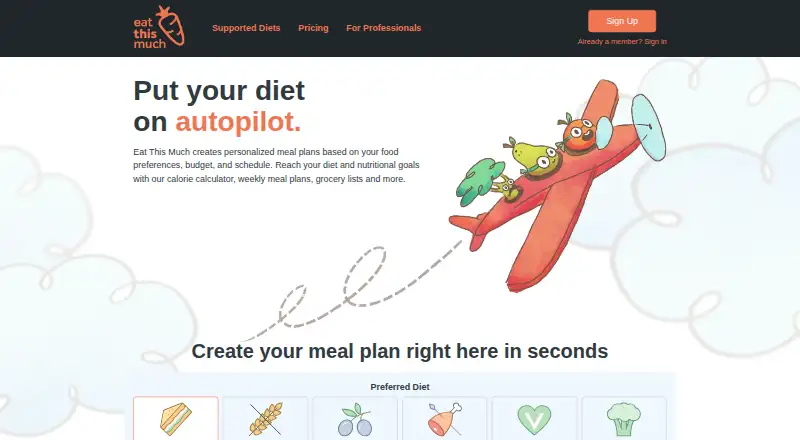
Eat This Much generates meal plans from food preferences, budget, schedule, and nutrition goals.
What Eat This Much is
Eat This Much generates meal plans from food preferences, budget, schedule, and nutrition goals. Users can set calorie and macro targets, then filter meals by diet, ingredients, and preferences. The free plan includes daily meal plans, food tracking, barcode foods, custom foods and recipes, and recurring foods. Premium costs $5/mo billed with an annual subscription and adds week-long planning, daily customization, saved plan weeks, shareable PDFs, and automatic grocery lists. Meal plans update grocery lists, with Instacart, Walmart, and Amazon Fresh named as delivery options. Users can add custom recipes and use a virtual pantry that prioritizes meals around foods already on hand. The mobile app can sync meal nutrition and weight data with Apple Health, Android Health Connect, or Google Fit. Professional plans are offered for client meal planning, and the partner API can generate plans and grocery lists and export plans as HTML, PDF, or JSON; access requires direct partner contact. Platforms include Android, iOS, web, an API, and a browser extension. The company says it started in 2012 and is an independent team.
Good
- Meal plans use calorie and macro targets.
- Grocery lists update automatically with meal plans.
- Virtual pantry prioritizes foods already on hand.
- Mobile app syncs with listed health services.
- Free plan includes tracking and custom recipes.
Watch out
- Premium costs $5/mo with annual billing.
- Professional — Control costs $49 a month, billed quarterly.
- Professional — Collaborate costs $59 a month, billed quarterly.
- Partner API access requires direct partner contact.
Who it suits
Eat This Much suits people who want meal plans shaped around food preferences, nutrition targets, budget, or schedule. Its Professional offering is aimed at dietitians, nutritionists, personal trainers, and health coaches managing client meal plans.
Verdict
Eat This Much combines personalized planning with grocery lists, recipe tools, and health-data syncing. The free plan covers daily planning, while weekly planning and additional options require Premium; professional and API use have separate terms.
Plans and prices
From Eat This Much's own pricing page, checked 15 Oct 2026.
| Plan | Price | What it gives you |
|---|---|---|
| Free | Free | daily meal plans · food tracking · barcode foods · custom foods and recipes · recurring foods · free forever |
| Premium | $5 a month | weekly meal planning · automatic grocery list · grocery delivery integration · leftovers · daily customization · saved weeks · PDF meal plans · with annual subscription |
| Professional — Control | $49 a month | Client dashboard · branded emails and PDFs · customized client targets · clients cannot log in · Billed quarterly; up to 10 clients |
| Control | $49 a month | auto-generated plans · branded emails and PDFs · client macro and restriction settings · recipe collections · clients cannot log in · billed quarterly; up to 10 clients |
| Collaborate | $59 a month | everything in Control · client logins · per-client permissions · branding in web and mobile apps · client food logging · billed quarterly; up to 10 clients |
| Professional — Collaborate | $59 a month | Everything in Control · client logins · custom permissions · branding in web and mobile apps · client tracking logs · Billed quarterly; up to 10 clients |
| Partner API | Priced on request | Early access · partner onboarding required · Pricing tailored to partner use case and volume |
The facts
Each one read from Eat This Much's own pages, with the date it was checked.
Where it runs
- Android data safety
- Google Play states that no data is shared with third parties, data is encrypted in transit and deletion can be requested; the app may collect personal, health and other data.checked 15 Oct 2026
- iOS requirements
- The iPhone and iPad app requires iOS or iPadOS 15.5 or later; the Mac version requires macOS 12.4 or later with Apple silicon.checked 15 Oct 2026
What it does
- API
- The partner API can generate plans and grocery lists and export plans as HTML, PDF, or JSON; access is currently onboarded through direct partner contact.checked 5 Oct 2026
- API commercial access
- Partner API access is early-access, limited to selected partners, priced by use case and volume, and provisioned after a contract.checked 15 Oct 2026
- API data limit
- Under standard API terms, partners may retain data only during the partnership and may cache food nutrition data for up to seven days.checked 5 Oct 2026
- API documentation depth
- The help article documents GET and POST endpoints, parameters, defaults and example JSON responses for client management.checked 15 Oct 2026
- Chrome extension
- The Recipe Clipper saves recipes from websites into an Eat This Much collection and lists about 3,000 users.checked 15 Oct 2026
- Custom foods and recipes
- Users may enter custom nutrition items and recipes, and custom recipes can be used by the generator.checked 15 Oct 2026
- Diet support
- Preset styles include keto, vegan, paleo, Mediterranean and vegetarian, while custom exclusions can be configured.checked 15 Oct 2026
- Documentation and support
- The official diet guide links to a searchable knowledge base, a help widget and tutorial videos.checked 15 Oct 2026
- Funding disclosure
- Crunchbase identifies the company as private and shows no usable public funding amount because its funding fields are obscured.checked 15 Oct 2026
- Grocery integrations
- Official pages name Instacart, Amazon Fresh and Walmart as grocery-delivery destinations for lists.checked 15 Oct 2026
- Health integrations
- The mobile app can sync meal nutrition and weight data with Apple Health, Android Health Connect, or Google Fit.checked 5 Oct 2026
- Ingredient filters
- Keyword filters and blocked ingredients are used to keep foods outside a user's preferences out of plans.checked 15 Oct 2026
- Leftovers
- The planner can place leftovers into later meals according to user-defined patterns.checked 15 Oct 2026
- Limit: cooking guidance
- Pann reports that cooking steps are thin, so users may need to work out how to prepare meals themselves.checked 15 Oct 2026
Money
- Automatic planning
- The service can generate a full day or week of meals automatically and rebalance plans when meals are swapped.checked 15 Oct 2026
- Family planning
- Meal settings can scale ingredient quantities and grocery lists for multiple people.checked 15 Oct 2026
- Grocery planning
- Meal plans automatically update grocery lists, and the site names Instacart, Walmart, and Amazon Fresh as delivery options.checked 5 Oct 2026
The company
- Company
- Eat This Much says it started in 2012 and describes itself as an independent team; its About page lists a Redondo Beach, California address for its privacy officer.checked 5 Oct 2026
- Company headquarters and size
- LinkedIn lists a privately held company headquartered in Santa Monica, California, founded in 2011, with 2–10 employees.checked 15 Oct 2026
- Company legal name
- Crunchbase lists the legal name as Eat This Much, Inc., with Louis DeMenthon as founder and CEO.checked 15 Oct 2026
- Company origin
- The company's own About page says the team started Eat This Much in 2012 to solve its founders' meal-planning problem.checked 15 Oct 2026
- Founded
- 2012checked 28 Sep 2026
The full review of Eat This Much
Eat This Much turns nutrition targets, food preferences, budget, and schedule into personalized meal plans. It is best for people who want meal planning to carry through to grocery shopping, rather than just logging what they eat. The daily-plan free tier is useful, but planning ahead for a full week takes Premium.
Overview
Calorie and macro targets, diet and ingredient filters, and food preferences give users a hand in shaping their menus; budget and schedule also inform the plans. That makes the service more compelling for deciding what to cook and buy than for people who only need a food diary. Its strongest practical advantage is the connection from plans to grocery lists, recipes, and pantry staples. The main compromise is the divide between free daily planning and Premium's week-long horizon.
Key features
Nutrition-focused planning
Users can set calorie and macro goals and filter meals by diet, ingredients, and preferences. The Free plan includes daily meal plans, food tracking, barcode foods, custom foods and recipes, and recurring foods. This is a meaningful starting point for someone trying the planner, but daily plans offer less runway for coordinating meals and shopping in advance.
Planning, recipes, and shopping
Premium supports a week of meals, customization by day, saved plan weeks, and shareable PDFs. Grocery lists update automatically, with Instacart, Walmart, and Amazon Fresh named as delivery options. Custom recipes and a virtual pantry that prioritizes food already on hand help connect planned meals to what is in the kitchen. Family meal plans are supported, though the available planning horizon remains seven days.
Health data and recipe capture
The mobile app can sync meal nutrition and weight data with Apple Health, Android Health Connect, or Google Fit, which is useful for people who want meal planning alongside their existing health records. The browser Recipe Clipper sends recipe-page data to Eat This Much only after the user chooses “Review in Eat This Much,” giving users a deliberate step before that transfer.
Professional and API tools
Eat This Much Pro is aimed at dietitians, nutritionists, personal trainers, and health coaches managing client meal plans. The partner API can generate plans and grocery lists and export plans as HTML, PDF, or JSON, but access requires direct partner onboarding. Standard API terms limit partner data retention to the partnership and nutrition-data caching to seven days.
Pricing
The Freemium model includes a free plan and a 14-day trial. Premium costs $5 a month (billed With annual subscription) and adds weekly planning, automatic grocery lists and delivery integration, leftovers, daily customization, saved plan weeks, and PDFs. It is the relevant upgrade for individuals who need more than daily plans; the free tier gives up the tools for a full week of preparation.
Professional — Control costs $49 a month (billed Billed quarterly) for up to 10 clients. It includes a client dashboard, branded emails and PDFs, and customized client targets, but clients cannot log in. Professional — Collaborate costs $59 a month (billed Billed quarterly), also for up to 10 clients; it adds client logins, custom permissions, branding in web and mobile apps, and client tracking logs. Control suits professionals who manage plans themselves, while Collaborate is the better fit when clients need access and a role in tracking.
The Free plan has no published price and covers daily meal plans, food tracking, barcode foods, custom foods and recipes, and recurring foods. Partner API pricing is custom to the partner use case and volume, with early access and onboarding required. Pro offers a 14-day free trial and a 30-day money-back guarantee. The privacy policy says the company does not sell personal information and describes collecting account, usage, location, body measurement, and food activity data.
Platforms
Eat This Much is available on web, Android, iOS, and through a browser extension and API. The mobile apps support health-data syncing, while the extension provides the Recipe Clipper workflow.
Who it's for
Choose it if you want nutrition-aware meal plans tied to grocery lists, with recipes and pantry management helping turn plans into meals. It is also a fit for health professionals who need structured client-plan tools and can choose between client access and a more practitioner-led workflow. Look elsewhere if you only need food logging, or if a free plan must cover a full week's planning.
Pros and cons
- Pros: Calorie and macro targets plus dietary and ingredient filters make plans responsive to individual preferences.
- Pros: Automatic grocery lists, named delivery options, custom recipes, and a virtual pantry connect planning with shopping and food on hand.
- Pros: Health-data syncing and a user-selected Recipe Clipper handoff provide useful connections without making recipe capture automatic.
- Cons: The Free plan is limited to daily meal plans, so advance weekly planning requires the annual-subscription Premium tier.
- Cons: Control clients cannot log in; client access and tracking are reserved for the higher-priced Collaborate plan.
- Cons: API access requires partner onboarding, and standard terms restrict retention and nutrition-data caching.
Alternatives
For a wider comparison, see AI Meal Planning Apps or Fitness Nutrition Software.
KitchenPocket is another freemium option, with a free recipe-focused tier that includes cookbooks, a Recipe Clipper, and storage for 100 recipes. Choose it when recipe collection matters more than nutrition-led weekly planning.
Fitia offers free calorie and macro tracking, food logging, and a barcode scanner, with a paid Premium plan. It is a better fit when tracking is the priority rather than connected meal plans and grocery lists.
MealIdeas AI has free daily AI meal picks, two initial meal plans, and the ability to reuse last week's plan. It may suit someone who wants meal suggestions without starting with Eat This Much's broader nutrition and shopping workflow.
MyPlateAI gives free users three AI meal generations per month, basic recipes, saved favorites, and a grocery-list preview. Choose it if that limited generation-based approach is enough for occasional planning.
Nutrig offers a free weekly meal plan, a basic dish library, water and calorie tracking, current-week analytics, and unlimited menu swaps. It is worth considering if you want a weekly plan in the free tier.
Pantryfy includes a free pantry, recipe, AI-request, image-parse, and barcode-scan allowance. It is an alternative for users whose main need is managing pantry items and recipes.
Yumnia offers a free meal plan and grocery list, with a paid tier that unlocks the full week. It is another option for users comparing free planning before upgrading.
AislePrompt is a free option with no trial timer and no account required for core features.
Verdict
Eat This Much is a strong choice for people who want nutrition targets to shape meal plans and want those plans to drive grocery preparation. Its free daily planner is a practical entry point, but the annual Premium subscription is the cost of planning a full week; professionals should choose a Pro tier based on whether clients need logins and tracking. Look elsewhere if free weekly planning or tracking alone is your main requirement.
Getting started
- Visit the Eat This Much website or use its Android or iOS app.
- Start with the Free plan or choose Premium for week-long planning features.
- Set calorie or macro targets and filter meals by diet, ingredients, and preferences.
- Create custom recipes or add foods to the virtual pantry.
- Use the browser extension to review recipe page data for Eat This Much.
- Contact Eat This Much directly about partner API onboarding.
Limits worth knowing
The Free plan provides daily meal plans and food tracking; week-long planning, daily customization, saved plan weeks, and shareable PDFs are Premium features. The partner API is available through direct partner onboarding, and standard terms allow data retention only during the partnership and food nutrition data caching for up to seven days.
Questions
Is Eat This Much free?
Yes. The Free plan includes daily meal plans, food tracking, barcode foods, custom foods and recipes, and recurring foods.
How much does Premium cost?
Premium costs $5 a month, billed with an annual subscription.
Is there a free trial?
Yes. The general pricing note lists a 14-day trial. Eat This Much Pro also offers a 14-day free trial and a 30-day money-back guarantee.
Which platforms does it support?
Platforms include web, Android, iOS, an API, and a browser extension.
What does the partner API provide?
It can generate meal plans and grocery lists and export plans as HTML, PDF, or JSON. Access is onboarded through direct partner contact.
Who are the Professional plans for?
They are aimed at dietitians, nutritionists, personal trainers, and health coaches managing client meal plans.
Alternatives to Eat This Much
- 1

KitchenPocket
Free planAndroidiOSWebAPI8.0From $7.50 a month - 2

Eatwise
Free planWeb7.2From $59.99 a year - 3

Fitia
Free planAndroidiOSWeb7.2From $59.99 a year - 4

Grocery AI
Free planAndroidiOSmacOS7.2From $59.99 a year - 5

MealIdeas AI
Free planAndroidiOSWeb7.2From $29.99 a year - 6

Nutrig
Free planAndroidiOSWeb7.2From $8.99 a month