easyHDR
easyHDR is image-processing software that creates and tone-maps HDR images from photo sequences.
What easyHDR is
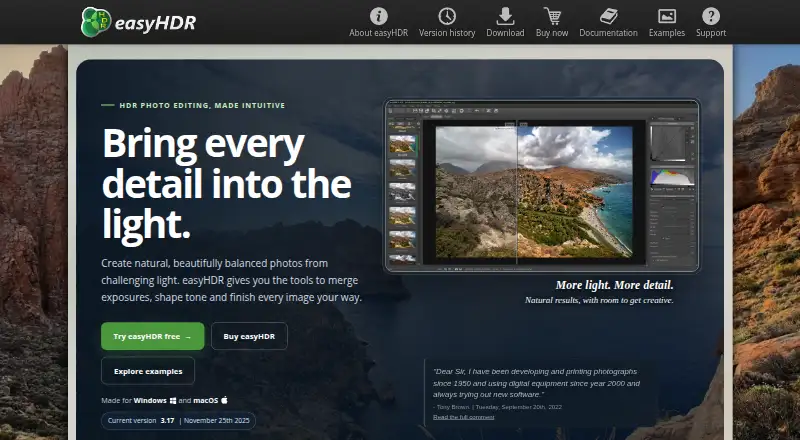
easyHDR is image-processing software that creates and tone-maps HDR images from photo sequences. It also includes LDR enhancement for processing a single photo. Its named methods include True HDR merging, Smart Merge, and image stacking, with tools for alignment, automatic and manual ghost removal, layers, presets, lens correction, and 3D LUT color grading. It imports JPEG, HEIF/HEIC, AVIF, TIFF, PNG, FITS, OpenEXR, Radiance RGBE, and RAW formats through LibRAW. HDR output formats include OpenEXR, Radiance RGBE, and 32-bit TIFF. The software supports batch processing and command-line use, and installs an Adobe Lightroom plug-in. The current demo is listed for Windows 10 and 11 and macOS 11.5 or later; Windows can also run under Wine on Linux. The demo watermarks output photos and disables saving in TIFF and JP2. A free legacy BASIC edition is available for Windows, but is an older reduced version without layers, batch processing, or the Lightroom plug-in. The perpetual easyHDR 3 license includes free updates; prices are not listed.
Good
- Offers HDR merging and single-image LDR enhancement.
- Supports RAW imports through LibRAW.
- Includes batch processing and command-line options.
- HDR output includes OpenEXR, Radiance RGBE, and 32-bit TIFF.
Watch out
- Demo watermarks output photos.
- Demo disables TIFF and JP2 saving.
- Linux use is listed through Wine on Windows version.
- Free BASIC edition is older and lacks several features.
Who it suits
It suits photographers who want to merge photo sequences into HDR images or enhance a single image. Batch processing and command-line options may suit users handling groups of images.
Verdict
easyHDR combines HDR merging with single-image enhancement and a broad set of editing tools. The demo restrictions and reduced legacy edition are important distinctions when evaluating it.
Plans and prices
From easyHDR's own pricing page, checked 20 Sep 2026.
| Plan | Price | What it gives you |
|---|---|---|
| HOME | — | Single-user license · Non-profit use · Lifetime license · Free updates · Windows and macOS license |
| COMMERCIAL | — | Single-user license · Commercial use · Lifetime license · Free updates · Windows and macOS license |
| easyHDR 3 COMMERCIAL | — | For commercial use · Windows 10 & 11 or macOS 11.5 and above · Same license can be used on multiple computers belonging to the registered user · Single-user lifetime license for commercial use; free updates |
| easyHDR 3 HOME | — | For non-profit use · Windows 10 & 11 or macOS 11.5 and above · Same license can be used on multiple computers belonging to the registered user · Single-user lifetime license for non-profit use; free updates |
The facts
Each one read from easyHDR's own pages, with the date it was checked.
What it does
- Batch and command line
- The documentation describes batch processing and command-line options for use in batch scripts.checked 3 Oct 2026
- Demo limits
- The demo adds watermarks to output photos and disables saving in TIFF and JP2 formats.checked 3 Oct 2026
- Editing tools
- The feature list includes automatic and manual ghost removal, alignment, layers, presets, lens correction, and 3D LUT color grading.checked 3 Oct 2026
- File formats
- The product imports formats including JPEG, HEIF/HEIC, AVIF, TIFF, PNG, FITS, OpenEXR, Radiance RGBE, and RAW formats through LibRAW.checked 3 Oct 2026
- HDR methods
- The feature list names True HDR merging, Smart Merge, and image stacking.checked 3 Oct 2026
- Integrations
- easyHDR includes a plug-in for Adobe Lightroom, which is installed along with the application.checked 3 Oct 2026
- License terms
- The easyHDR 3 license is perpetual, includes free updates, and is valid for multiple computers belonging to the registered user.checked 3 Oct 2026
- Privacy
- The maker says FastSpring administers personal data collected during ordering, the license key contains the buyer's email address, and the email address is not shared with third parties.checked 3 Oct 2026
- Product
- easyHDR is image-processing software that generates and tone-maps HDR images from photo sequences.checked 3 Oct 2026
- RAW photo support
- Yeschecked 20 Sep 2026
- Single-image editing
- It can also process a single photo using its LDR enhancement feature.checked 3 Oct 2026
- Support
- The maker says it aims to reply to support emails within 1–2 days.checked 3 Oct 2026
- Supported systems
- The current demo is listed for Windows 10 and 11 and macOS 11.5 or later; the Windows version can also run under Wine on Linux.checked 3 Oct 2026
- Version
- The site lists easyHDR 3.17, dated November 25, 2025, as the current version.checked 3 Oct 2026
Money
- Free legacy edition
- easyHDR BASIC 2.13.3 is freeware for Windows, but it is an older, reduced version and does not include features such as layers, batch processing, or the Lightroom plug-in.checked 3 Oct 2026
- Free plan
- Nochecked 20 Sep 2026
The full review of easyHDR
Overview
easyHDR is desktop software for building HDR images from photo sequences, with a separate enhancement path for single photos. It suits photographers who want merging, tone mapping, and further editing in one workflow. Its strongest case is breadth; the demo’s watermarks and the older, pared-back BASIC edition are meaningful constraints.
It combines True HDR merging, Smart Merge, and image stacking with alignment, ghost removal, layers, presets, lens correction, and 3D LUT color grading. RAW support and a Lightroom plug-in broaden its fit for established photo workflows.
Browse HDR Software and Photo Editing Software for more options.
Key features
Merging and editing
Automatic and manual ghost removal address movement between frames, while alignment helps prepare a sequence for merging. Multiple tone-mapping controls let users shape the HDR result. For a lone image, LDR enhancement avoids the need to assemble a bracketed sequence. Layers, presets, lens correction, and 3D LUT grading make this more than a merge-only tool, though users seeking only a basic HDR utility may not need that wider toolkit.
Formats and workflow
Imports include JPEG, HEIF/HEIC, AVIF, TIFF, PNG, FITS, OpenEXR, Radiance RGBE, and RAW formats through LibRAW. HDR exports include OpenEXR, Radiance RGBE, and 32-bit TIFF. The Adobe Lightroom plug-in is installed with the application. Batch processing and command-line options support scripted workflows, which is useful for repeat jobs but less relevant to occasional edits.
Pricing
easyHDR is paid software with a free demo and a separate freeware legacy edition. HOME is a single-user, non-profit lifetime license with free updates for Windows and macOS; COMMERCIAL is the corresponding single-user commercial-use license. Both current easyHDR 3 plans are lifetime licenses with free updates and can be used on multiple computers belonging to the registered user. Their price is custom pricing; the commercial plan is the appropriate choice for commercial work, while HOME is for non-profit use.
The demo adds watermarks to output photos and disables saving in TIFF and JP2, so it can help assess the workflow but is not a clean-output substitute for a license. easyHDR BASIC 2.13.3 is free for Windows, but it is an older reduced edition without layers, batch processing, or the Lightroom plug-in. The maker says FastSpring administers personal data collected during ordering, the license key contains the buyer’s email address, and that address is not shared with third parties. Support aims to reply to email within 1–2 days.
Platforms
The current demo supports Windows 10 and 11 and macOS 11.5 or later. Windows software can also run under Wine on Linux, rather than through a native Linux version. The current version is easyHDR 3.17, dated November 25, 2025.
Who it's for
easyHDR is a strong fit for photographers who regularly merge exposure sequences, want both automatic and manual ghost handling, or need batch and command-line processing alongside single-image enhancement. Lightroom users may also value the included plug-in. It is less compelling for someone who needs a free, current edition, native Linux support, or an unrestricted demo: the free BASIC edition is old and reduced, and the demo marks outputs with watermarks.
Pros and cons
- Pro: HDR merging, stacking, and single-image LDR enhancement cover both multi-frame and one-photo workflows.
- Pro: Layers, ghost removal, lens correction, presets, and LUT grading provide editing options beyond tone mapping.
- Pro: Batch processing, command-line options, and a Lightroom plug-in support repeatable and integrated workflows.
- Pro: A perpetual license with free updates and multi-computer use for the registered user avoids a recurring license term.
- Con: Demo exports carry watermarks, and TIFF and JP2 saving is disabled.
- Con: The free BASIC release omits layers, batch processing, and the Lightroom plug-in, so it is not feature-equivalent to the current product.
- Con: Linux use depends on Wine; the current demo is for Windows and macOS.
- Con: HOME is restricted to non-profit use, so commercial users need the commercial license.
Alternatives
- Luminance HDR is the better fit for readers who want free, open-source desktop HDR imaging across Linux, macOS, and Windows.
- PhotomatixCL is worth considering for a CLI-focused alternative with paid monthly plans and a free option.
- SNS-HDR is another freemium option for macOS and Windows users.
- ColorForge is an alternative for readers seeking a free option across web, desktop, and mobile platforms.
- HDRMerge is a free, GPL-3.0-or-later option for Linux, macOS, and Windows users who do not need a trial.
- Tembrica Video Background Remover is a web-based alternative with freemium plans.
- Photomatix Pro is a paid alternative with a free trial and broad platform coverage.
- Instant Meshes is a free option for Windows, macOS, and Linux users.
Verdict
Choose easyHDR if you want a substantial HDR workflow that also handles single images, with editing tools, Lightroom integration, and batch or command-line support under a perpetual license. Look elsewhere if you need a genuinely unrestricted free edition, native Linux support, or a demo that saves clean TIFF output.
Alternatives to easyHDR
- 1

Fotor
Free planAndroidiOSWebAPI7.5Free plan - 2
Avidemux
Free planOpen sourceWebLinuxmacOSWindows7.3Free plan - 3

ColorForge
Free planAndroidiOSWebLinux7.3Free plan - 4
Luminance HDR
Free planOpen sourceLinuxmacOSSelf-hostedWindows7.3Free plan - 5
Photomatix Pro
iOSWebAPILinux6.8From $19 a month - 6
SNS-HDR
Free planmacOSWindows6.8€30 one-time