DVM
The facts below are what the maker publishes about DVM, checked and dated. Our editors have not written about it yet.
The facts
Each one read from DVM's own pages, with the date it was checked.
What it does
- Aliases and channels
- The README shows aliases for latest and LTS releases, and a canary version option.checked 7 Oct 2026
- Install and switch
- DVM can install Deno releases and switch to a specified version, semantic version range, or alias.checked 7 Oct 2026
- Installation methods
- The README provides shell and PowerShell installer commands and links to release binaries.checked 7 Oct 2026
- Installer requirement
- The shell installer requires `unzip`.checked 7 Oct 2026
- Install versions
- DVM can install a specified Deno version, the latest available version, or the latest LTS version.checked 7 Oct 2026
- Intended users
- The README describes DVM as a tool for managing multiple active Deno versions and shows project-local version configuration using `.dvmrc`.checked 7 Oct 2026
- License
- The README says DVM is released under the MIT License.checked 7 Oct 2026
- Other commands
- The command list includes version listing and removal, shell completions, activation and deactivation, cache cleanup, registry changes, and running a Deno command with a specified version.checked 7 Oct 2026
- Project configuration
- The `--local` flag lets users write a `.dvmrc` file for the current directory, which DVM can use when no version is supplied.checked 7 Oct 2026
- Purpose
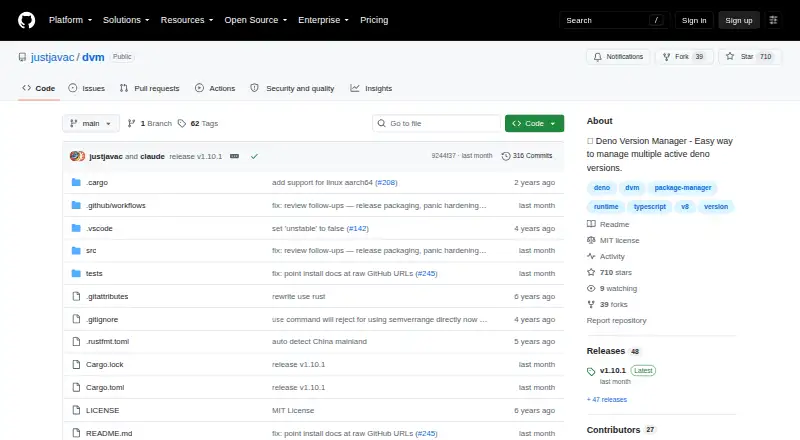
- DVM is a Deno Version Manager for managing multiple active Deno versions.checked 7 Oct 2026
- Release binaries
- The README directs users to the releases page to download a release binary.checked 7 Oct 2026
- Release downloads
- The v1.10.1 release lists seven assets.checked 7 Oct 2026
- Release signing
- The v1.10.1 release page says its commit was signed with the committer’s verified signature.checked 7 Oct 2026
- Support
- The repository has an Issues tab, and the page showed zero open issues when viewed.checked 7 Oct 2026
- Supported systems
- The installer script selects binaries for macOS and Linux on x86_64 or ARM64 and Windows on x86_64; the README also describes Windows use through PowerShell or a shell environment such as WSL or MSYS.checked 7 Oct 2026
- Switch versions
- The `use` command selects an installed version or a version range or alias.checked 7 Oct 2026
- Version lists
- DVM can list installed versions and released versions available remotely.checked 7 Oct 2026
Where it runs
- Windows requirement
- The README says PowerShell is required on Windows because DVM uses a PowerShell profile to set environment variables.checked 7 Oct 2026
- Windows support
- The README says the shell installer can be used on Windows with Windows Subsystem for Linux, MSYS, or equivalent tools, and that PowerShell is required.checked 7 Oct 2026