DOZ
DOZ is a free browser extension that uses natural-language instructions to browse websites and manage email.
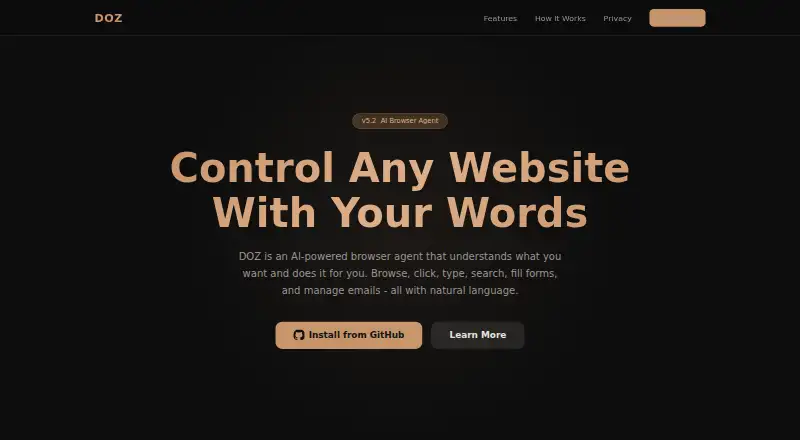
What DOZ is
DOZ is a free browser extension that uses natural-language instructions to browse websites and manage email. It can navigate sites, click buttons, scroll, type, press keys, search and fill forms. For email, it connects to Gmail and Outlook/Hotmail through APIs to read, search, reply to and compose messages. DOZ says it understands instructions in English or Arabic. You can choose full-auto operation, require approval before actions or ask it to make a plan without carrying it out. A step timeline displays screenshots from before and after actions. DOZ supports DeepSeek and NVIDIA Nemotron, and you must provide an API key for a supported provider; any API usage charges are your responsibility. Its privacy policy says page content is processed in the browser, sent directly to the selected LLM provider and not retained by DOZ after the task. The extension stores API keys, settings and email OAuth tokens in Chrome storage. Installation involves downloading it from GitHub and loading it as an unpacked Chrome extension.
Good
- Offers automatic, approval and plan-only modes
- Shows before-and-after screenshots in a timeline
- Supports browser actions and email tasks
- Project is open source
Watch out
- Requires your own supported provider API key
- You are responsible for API usage charges
- Installation requires loading an unpacked Chrome extension
Who it suits
DOZ suits people who want to automate browser or Gmail and Outlook/Hotmail tasks with natural-language instructions. It requires a supported provider API key and a Chrome extension installation.
Verdict
DOZ gives users control over whether browser actions run automatically and makes its steps visible. Consider the API key requirement, potential provider charges and Chrome installation process first.
Plans and prices
From DOZ's own pricing page, checked 4 Oct 2026.
| Plan | Price | What it gives you |
|---|---|---|
| Free | Free | Requires your own DeepSeek or NVIDIA Nemotron API key; API usage charges are your responsibility |
The facts
Each one read from DOZ's own pages, with the date it was checked.
What it does
- Action visibility
- DOZ captures screenshots before and after actions and displays them in a step timeline.checked 4 Oct 2026
- AI providers
- DOZ supports DeepSeek and NVIDIA Nemotron and requires the user to provide an API key for a supported provider.checked 4 Oct 2026
- Data handling
- Page content is processed in the browser and sent directly to the selected LLM provider; DOZ says it is not retained after the task.checked 4 Oct 2026
- Email integrations
- DOZ can connect to Gmail and Outlook/Hotmail through APIs to read, search, reply to, and compose email.checked 4 Oct 2026
- Installation
- The site instructs users to download DOZ from GitHub and load it as an unpacked extension in Chrome.checked 4 Oct 2026
- Languages
- DOZ says it understands instructions in English or Arabic.checked 4 Oct 2026
- Local storage
- The extension stores API keys, settings, and email OAuth tokens using Chrome storage, with sync through the Chrome profile if Chrome Sync is enabled.checked 4 Oct 2026
- Privacy
- DOZ says it does not collect, store, or transmit personal data to its servers and that it has no servers, analytics, or tracking.checked 4 Oct 2026
- Security
- The privacy policy says API communications use HTTPS, API keys use Chrome secure storage, and the source code is open source for auditing.checked 4 Oct 2026
- Support
- The privacy policy directs questions to the project's GitHub Issues page.checked 4 Oct 2026
- User controls
- Users can choose full-auto, ask-before-acting, or plan-only confirmation modes.checked 4 Oct 2026
- User responsibility
- Users are responsible for third-party API costs and for reviewing AI actions, especially in sensitive contexts.checked 4 Oct 2026
- What it does
- DOZ is an AI browser agent that uses natural language to browse, click, type, search, fill forms, and manage email.checked 4 Oct 2026
Where it runs
- Browser actions
- It can click buttons, fill forms, scroll pages, navigate sites, type text, and press keys.checked 4 Oct 2026
Alternatives to DOZ
- 1

Claude
Free planAndroidiOSWebAPI8.0Free plan - 2

Opera
Free planAndroidiOSWebExtension7.8From $48 a year - 3
 7.7
7.7 - 4
BrowserOS
Free planOpen sourceAPIExtensionLinuxmacOS7.6Free plan - 5

Aside
Free planAPImacOSWindows7.5From $200 a year - 6

Retriever AI
Free planWebAPIExtension7.4From $9.99 a month