Ditto
Ditto is a free clipboard history utility for Windows.
What Ditto is
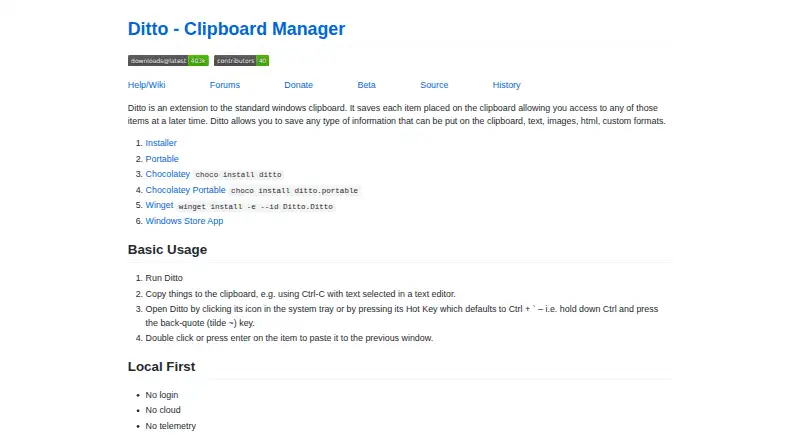
Ditto is a free clipboard history utility for Windows. It saves copied items so you can search and paste them later, including text, images, HTML, and custom clipboard formats. The entry list can show thumbnails for copied images, and the project lists full Unicode support as well as UTF-8 support for language files. Ditto can synchronize clipboards across multiple computers; the project says data is encrypted when sent over the network. Open it from the system tray or use the global hot key, which defaults to Ctrl + back-quote. The maker describes Ditto as requiring no login and using neither cloud nor telemetry. Its storage uses a SQLite database. Download choices include an installer, portable version, Chocolatey, Winget, and a Windows Store app. Ditto is licensed under GNU General Public License version 3.0 (GPLv3); its stated audience includes developers and desktop end users.
Good
- Saves text, images, HTML, and custom formats.
- Search and paste previous clipboard entries.
- Clipboard sync sends data encrypted over the network.
- No login, cloud, or telemetry, according to its maker.
- Installer, portable, Chocolatey, Winget, and Store options.
Watch out
- Windows only.
- No free trial is listed.
Who it suits
Ditto suits Windows users who want searchable clipboard history, including developers and desktop end users. It may also suit people who want to synchronize clipboard contents across computers.
Verdict
Ditto combines searchable clipboard history with cross-computer synchronization and several Windows download options. It is a focused choice for Windows users who need to retrieve copied items later.
Plans and prices
From Ditto's own pricing page, checked 4 Oct 2026.
| Plan | Price | What it gives you |
|---|---|---|
| Ditto | Free | Clipboard history utility · GPLv3 |
The facts
Each one read from Ditto's own pages, with the date it was checked.
What it does
- Access
- Ditto can be opened from the system tray or with a global hot key, which defaults to Ctrl + back-quote.checked 4 Oct 2026
- Clipboard sync
- The feature list says Ditto can keep multiple computers’ clipboards in sync.checked 4 Oct 2026
- Download options
- The maker lists installer, portable, Chocolatey, Winget, and Windows Store App options.checked 4 Oct 2026
- Image previews
- The project page lists thumbnails of copied images in the entry list.checked 4 Oct 2026
- Latest SourceForge file
- The SourceForge files page lists DittoSetup_64bit_3_24_246_0.exe as the latest version, sized 5.5 MB.checked 4 Oct 2026
- License
- The SourceForge project page lists GNU General Public License version 3.0 (GPLv3).checked 4 Oct 2026
- Local-first
- The maker describes Ditto as requiring no login and using no cloud or telemetry.checked 4 Oct 2026
- Network encryption
- The project page says data is encrypted when sent over the network.checked 4 Oct 2026
- Search and paste
- The feature list says users can search and paste previous clipboard entries.checked 4 Oct 2026
- Storage
- The project page says Ditto uses a SQLite database.checked 4 Oct 2026
- Supported content
- It can save text, images, HTML, and custom clipboard formats.checked 4 Oct 2026
- Target users
- SourceForge lists the intended audience as developers and desktop end users.checked 4 Oct 2026
- Unicode
- The project page lists full Unicode support and UTF-8 support for language files.checked 4 Oct 2026
- What it does
- Ditto extends the Windows clipboard and saves copied items in a database for later access.checked 4 Oct 2026
Alternatives to Ditto
- 1
Clipman
Free planOpen sourceAndroidiOSAPILinux8.5$1.99 one-time - 2

Relic
Free planOpen sourceAndroidiOSWebAPI8.5From $5 a month - 3
Pastin
Free planiOSmacOS7.6From $29.99 a year - 4

ClipboardFusion
Free planAndroidiOSWebExtension7.5$19 one-time - 5

Pasteable
Free planAndroidiOSWebLinux7.5From $60 a year - 6
OmniClip
Free planAndroidiOSWebExtension7.4Free plan