DisplayNote Montage
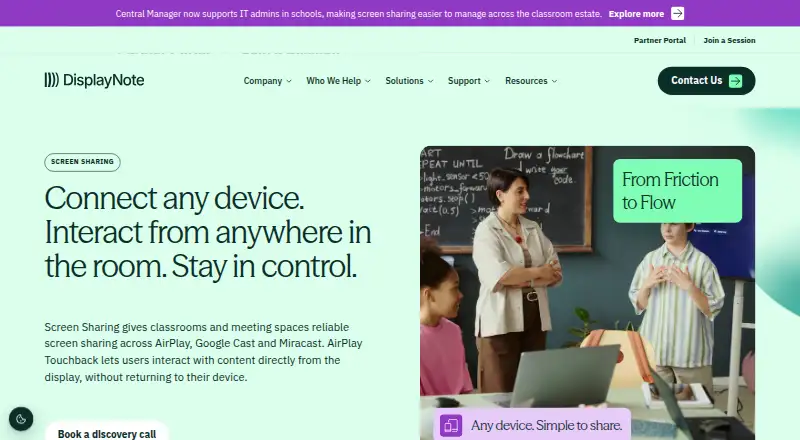
DisplayNote Montage provides wireless screen sharing for classrooms, meeting spaces and other shared environments.
What DisplayNote Montage is
DisplayNote Montage provides wireless screen sharing for classrooms, meeting spaces and other shared environments. Participants can share from native Windows, macOS, iOS and Android clients, or from a browser without installing a client. Montage supports AirPlay, Google Cast, Miracast and sharing from Chromium browsers. Moderators can decide who presents, stop streams and preview a share before it appears on the room display. Touchback lets users interact with shared content from that display, though availability depends on the device and connection method.
Standard in-room sharing does not require user accounts. DisplayNote says session data is not retained after sharing ends and data in transit is encrypted; Local Connections mode can restrict sharing to the local network segment. Receivers can run on Windows or Android, be supplied as white-label receivers, or be integrated into display hardware, including through a firmware-integrated Android APK. Installation on the main display requires a license key. DisplayNote offers a 30-day trial with no credit card required and directs users to its Support Centre and Learning Academy for deployment and in-room resources.
Good
- Supports AirPlay, Google Cast and Miracast.
- Browser sharing requires no installation.
- Moderators can preview shares before display.
- Standard in-room sharing needs no user accounts.
- Offers a 30-day trial without a credit card.
Watch out
- No free plan is listed.
- Touchback support varies by device and connection method.
- A license key is required to get started.
Who it suits
Montage suits schools and businesses that need wireless sharing in classrooms, meeting spaces or other shared rooms. Its moderator controls and range of sharing options may suit environments where staff need to manage what reaches a shared display.
Verdict
Montage supports several ways to share to a room display and gives moderators controls over active and pending shares. Check compatibility for Touchback and plan for a license key when installing it on the main display.
Plans and prices
From DisplayNote Montage's own pricing page, checked 7 Oct 2026.
| Plan | Price | What it gives you |
|---|---|---|
| Free trial | Free | Windows 10+ or Android 8+ · 30-day, no-obligation trial; no credit card required |
The facts
Each one read from DisplayNote Montage's own pages, with the date it was checked.
What it does
- Display integrations
- The product page describes support for AirPlay, Google Cast, and Miracast; hardware integration options include a firmware-integrated Android APK.checked 7 Oct 2026
- Intended users
- DisplayNote describes Montage for classrooms and meeting spaces, including education and enterprise environments.checked 7 Oct 2026
- License requirement
- DisplayNote says a license key is needed to get started after installing the solution on the main display.checked 7 Oct 2026
- Receiver deployment
- Montage can be installed as a Windows or Android receiver, offered as a white-label receiver, or integrated into display hardware.checked 7 Oct 2026
- Security
- DisplayNote says session data is not retained after sharing ends, data in transit is encrypted, and Local Connections mode can restrict sharing to the local network segment.checked 7 Oct 2026
- Session controls
- Moderators can manage who shares, stop streams, and use Preview Mode to approve a share before it appears on screen.checked 7 Oct 2026
- Sharing protocols
- It supports AirPlay, Google Cast, and Miracast, as well as browser-based sharing from Chromium browsers.checked 7 Oct 2026
- Support
- DisplayNote directs users to its Support Centre and Learning Academy for deployment, integration, and in-room resources.checked 7 Oct 2026
- Touchback
- Touchback lets users interact with shared content from the room display, with support varying by device and connection method.checked 7 Oct 2026
- User accounts
- Standard in-room sharing does not require users to have accounts.checked 7 Oct 2026
- What it does
- Montage provides wireless screen sharing for classrooms, meeting spaces, and other shared spaces.checked 7 Oct 2026
The company
- Founded
- 2012checked 28 Sep 2026
- Headquarters
- Belfast, Northern Ireland, United Kingdomchecked 28 Sep 2026
Where it runs
- Supported devices
- The product page lists native clients for Windows, macOS, iOS, and Android, plus a browser option that requires no installation.checked 7 Oct 2026
Alternatives to DisplayNote Montage
- 1

AirDroid Cast
Free planAndroidiOSWebLinux8.0From $1.67 a month - 2

Demodesk Scheduling
AndroidiOSWebAPI7.7 - 3

CrankWheel
Free planAndroidiOSWebAPI7.5From $29 a month - 4

Screenleap
Free planAndroidiOSWebAPI7.4From $15 a month - 5

Barco ClickShare
AndroidiOSmacOSWindows7.2$3,725 one-time - 6
Deskreen
Free planWebLinuxmacOSWindows7.1From $24.99 a year