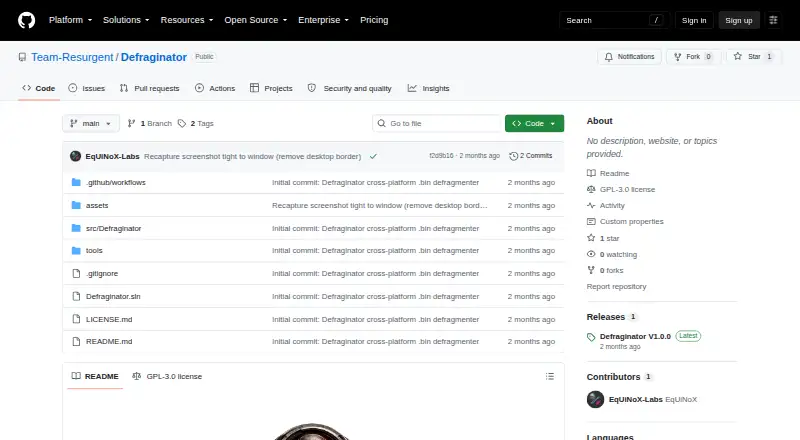
Defraginator
Defraginator is a free, open-source desktop app for defragmenting `.bin` ROM and firmware images on SD cards and other removable media.
What Defraginator is
Defraginator is a free, open-source desktop app for defragmenting `.bin` ROM and firmware images on SD cards and other removable media. It runs on Linux, macOS, and Windows and supports multiple filesystems. The app detects mounted removable volumes, scans recursively for matching files, and checks their physical cluster layout. It targets only `.bin` files with enabled sizes of 256 KB, 512 KB, 1024 KB, or 2048 KB, then attempts to relocate fragmented files into contiguous free space. The drive needs a single free gap at least as large as the file. Windows moves clusters in place using filesystem controls and requires administrator rights. Linux and macOS rewrite files and check their physical extent layout; Linux’s FIBMAP fallback requires root, while the listed macOS operations run as a normal user. The project says unsuccessful rewrites restore the original file, and success is reported only after contiguity is verified. Users are told not to remove the card during defragmentation. The project requires the .NET 10 SDK and is licensed under GPL-3.0.
Good
- Free and open source under GPL-3.0
- Supports Linux, macOS, and Windows
- Checks physical contiguity before reporting success
- Restores the original after unsuccessful rewrites
Watch out
- Only scans selected `.bin` file sizes
- Requires a sufficiently large contiguous free gap
- Windows cluster moves require administrator rights
- Requires the .NET 10 SDK
Who it suits
It suits users who need to defragment supported `.bin` ROM or firmware images on removable media and can meet the relevant permissions and free-space requirements. It is available for Linux, macOS, and Windows.
Verdict
Defraginator has a narrow purpose: relocating selected `.bin` files on removable media and checking whether they are physically contiguous. Confirm file size, available free space, and platform permissions before running it.
The facts
Each one read from Defraginator's own pages, with the date it was checked.
What it does
- Build requirement
- The README lists the .NET 10 SDK as a requirement and provides instructions to build and run the app from source.checked 8 Oct 2026
- Data safety
- The README says the file data remains present during defragmentation and that unsuccessful rewrites restore the original file.checked 8 Oct 2026
- Drive scanning
- It detects mounted volumes that look like removable media and recursively scans them for matching files and their physical cluster layouts.checked 8 Oct 2026
- File selection
- It scans for `.bin` files that match enabled target sizes of 256 KB, 512 KB, 1024 KB, or 2048 KB.checked 4 Oct 2026
- License
- The repository identifies its license as GPL-3.0.checked 8 Oct 2026
- Operating caution
- Users are told not to remove the card while defragmentation is in progress.checked 4 Oct 2026
- Permissions
- Windows cluster moves require administrator rights; Linux normally runs as a regular user except for the FIBMAP fallback, which requires root, and macOS runs as a regular user.checked 8 Oct 2026
- Purpose
- Defraginator is a desktop app that defragments split .bin ROM and firmware images on SD cards and other removable media.checked 8 Oct 2026
- Runtime requirement
- The repository lists the .NET 10 SDK as a requirement and provides build-and-run commands.checked 4 Oct 2026
- Safety
- The README says the original file is restored if contiguous placement fails on Linux or macOS, and success is reported only after physical contiguity is verified.checked 4 Oct 2026
- Scope limit
- The tool only touches .bin files matching a selected target size.checked 8 Oct 2026
- Space requirement
- Defragmentation requires a contiguous free gap at least as large as the file; the app reports free space and, on Windows, the largest contiguous free block.checked 4 Oct 2026
- Target files
- It scans .bin files exactly 256 KB, 512 KB, 1024 KB, or 2048 KB in size, with each target size independently toggleable.checked 8 Oct 2026
- Workflow
- The app detects mounted removable volumes, recursively scans matching files, checks their physical cluster layout, and relocates fragmented files into contiguous free space.checked 4 Oct 2026
Money
- Free-space limit
- A file can only be made contiguous when the drive has a single free gap at least as large as that file; Linux and macOS show the largest free block as unknown.checked 8 Oct 2026
Where it runs
- Linux and macOS method
- On Linux and macOS, it rewrites files into freshly allocated space and checks whether each occupies one physical extent.checked 8 Oct 2026
- Linux and macOS support
- On Linux and macOS, it rewrites files and verifies their physical extent layout; Linux’s FIBMAP fallback requires root, while the listed macOS operations run as a normal user.checked 4 Oct 2026
- Windows method
- On Windows, it finds contiguous free clusters and moves file clusters in place using filesystem control operations.checked 8 Oct 2026
- Windows support
- On Windows, it uses filesystem controls to find contiguous free clusters and move file clusters in place; moving clusters requires administrator rights.checked 4 Oct 2026
Alternatives to Defraginator
- 1
Avidemux
Free planOpen sourceWebLinuxmacOSWindows7.3Free plan - 2
Btrfsmaintenance
Free planOpen sourceLinuxSelf-hosted6.9Free plan - 3

Disk SpeedUp
Free planWindows6.6Free plan - 4

Autoruns
Free planWindows6.3Free plan - 5
DymaxIO
Windows6.2From $69 a year - 6
Windows File Recovery
Free planWindows6.2Free plan