ddcctl
ddcctl is a free, GPLv3 command-line utility for adjusting external monitors from the macOS shell.
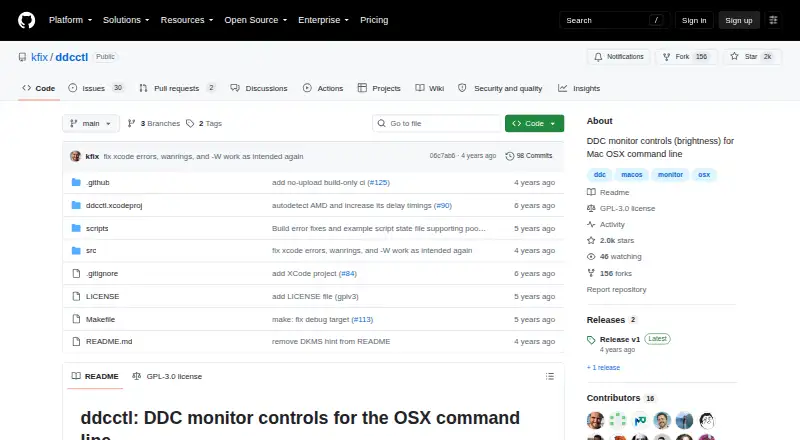
What ddcctl is
ddcctl is a free, GPLv3 command-line utility for adjusting external monitors from the macOS shell. It controls brightness and contrast, and monitor firmware may allow it to change input source, built-in speaker volume, RGB colors, or color presets, and reset settings. It is intended for macOS on Macintosh hardware with DDC-controlled monitors. Installation options include Homebrew, downloadable release binaries, and building from source; a source build requires Xcode and make. Example scripts can be invoked by Alfred, ControlPlane, or Karabiner to switch presets. The maker describes ddcctl as a personal utility in maintenance mode and asks users to debug their own issues. They also say they cannot triage new issues or provide non-bug support, and do not plan to moderate a support forum. Verification is manual, with no CI connected to real Macs and monitors. The releases page lists v1 as the latest release.
Good
- Controls brightness and contrast from the shell.
- May offer input, volume, RGB, and preset controls.
- Install via Homebrew, binary, or source build.
- GPLv3 open source and free.
Watch out
- Firmware determines whether some controls are available.
- Maintenance mode; maker does not triage new issues.
- No non-bug support or moderated discussion forum.
- Verification is manual, without CI on real hardware.
Who it suits
It suits macOS users who want shell-based controls for DDC-compatible external monitors. Users should be prepared to troubleshoot compatibility and issues themselves.
Verdict
ddcctl provides command-line monitor controls and several installation options at no cost. Its maintenance status and limited support make it a better fit for users comfortable diagnosing their own setup.
Plans and prices
From ddcctl's own pricing page, checked 7 Oct 2026.
| Plan | Price | What it gives you |
|---|---|---|
| ddcctl | Free | GPLv3 open source · command-line utility |
The facts
Each one read from ddcctl's own pages, with the date it was checked.
What it does
- Brightness and contrast
- It controls monitor brightness and contrast.checked 7 Oct 2026
- Build requirement
- Building from source requires Xcode and running make.checked 7 Oct 2026
- Installation
- The README gives Homebrew, downloadable release binaries, and build-from-source as installation options.checked 7 Oct 2026
- Integrations
- The README says Alfred, ControlPlane, or Karabiner can invoke its example script to switch presets.checked 7 Oct 2026
- License
- The repository identifies the project as GPLv3 open source.checked 7 Oct 2026
- Maintenance
- The project describes itself as the maker’s personal utility and says it is in maintenance mode.checked 7 Oct 2026
- Monitor compatibility
- The maker’s stated scope is macOS, Macintosh hardware, and DDC-controlled monitors, and says users should debug their own issues.checked 7 Oct 2026
- Other controls
- Depending on monitor firmware, it may control input source, built-in speaker volume, RGB colors, color presets, and reset.checked 7 Oct 2026
- Purpose
- ddcctl adjusts external monitors’ built-in controls from the macOS shell.checked 7 Oct 2026
- Release
- The releases page lists v1 as the latest release and describes it as the v1 release of ddcctl.checked 7 Oct 2026
- Support
- The maker says they do not have time to triage new issues or provide support for non-bugs, and do not intend to moderate a support or discussion forum.checked 7 Oct 2026
- Testing
- The maker says verification is manual and there is no CI system connected to real Macs and monitors.checked 7 Oct 2026
Alternatives to ddcctl
- 1
ddcutil
Free planAPILinuxSelf-hosted6.6Free plan - 2

ClickMonitorDDC
Free planWindows6.5Free plan - 3

Lunar
Free planmacOS6.5$23 one-time - 4

DisplayBuddy
macOSWindows6.3$24.99 one-time - 5
Monitor Switch
Free planWebAPILinuxSelf-hosted6.3Free plan - 6
AOC G-Menu
Free planWindows6.2Free plan