
Curator.io
Curator.io collects social and other online content into feeds businesses can display on their websites.
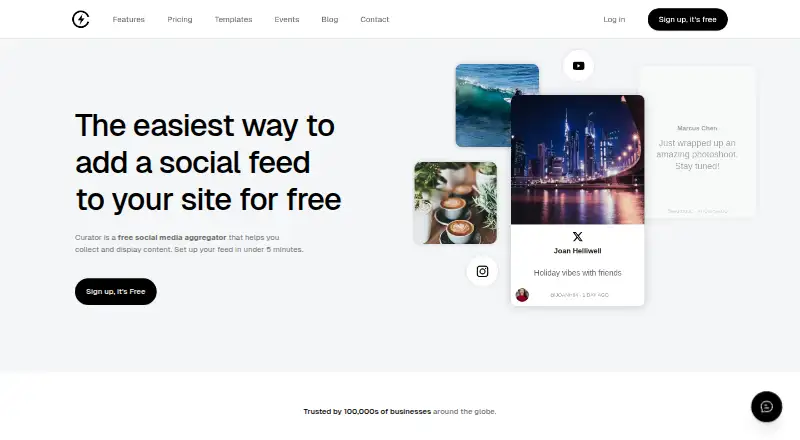
What Curator.io is
Curator.io collects social and other online content into feeds businesses can display on their websites. Feeds can be added by copying an embed code and are described as updating automatically when new content is posted. Users can moderate content manually or automatically, filtering unwanted posts and highlighting selected ones. Sources include Instagram, Facebook, X/Twitter, YouTube, LinkedIn, TikTok, Reddit, Google Reviews, RSS, Slack, Tumblr, Vimeo, Behance, Yelp, Flickr, and DeviantArt. The service advertises more than 20 templates and styling controls including custom CSS. It offers a WordPress plugin, and its embed code works with Shopify, Wix, Squarespace, and Webflow. A REST HTTP API using HTTPS requests is available on Business and Event plans. The free plan includes three sources, 2,000 views per month, and a 1,000-post maximum. Pro costs $23 a month and includes five sources, 15,000 views per month, and a 10,000-post maximum. Business costs $54 a month, with 15 sources, unlimited views, and a 30,000-post maximum.
Good
- Aggregates content from a wide range of listed sources
- Offers manual and automatic content moderation
- Includes more than 20 templates and custom CSS controls
- Embed code works with Shopify, Wix, Squarespace, and Webflow
Watch out
- Free plan allows three sources
- Free plan caps views at 2,000 per month
- Pro costs $23 a month
- Business costs $54 a month
Who it suits
Curator.io suits businesses that want to display moderated social or other online content on a website. The free plan is described for personal sites and small projects, while Enterprise is aimed at large-scale deployments.
Verdict
Curator.io combines multi-source feeds, moderation, and website embedding. Compare plan limits against the number of sources, views, and posts your feed requires.
Plans and prices
From Curator.io's own pricing page, checked 14 Oct 2026.
| Plan | Price | What it gives you |
|---|---|---|
| Free | Free | 3 sources · updates every 24 hours · 2,000 views/month · 1,000 posts max · unlimited admin users · Curator branding · monthly or annually |
| Pro | $23 a month | 5 sources · updates every 60 minutes · 15,000 views/month · 10,000 posts max · unlimited admin users · edit and pin posts · remove branding · $23 monthly; $25/month annual billing |
| Business | $54 a month | 15 sources · updates every 15 minutes · unlimited views · 30,000 posts max · unlimited admin users · API access · premium sources · $54 monthly; $59/month annual billing |
| Event | $200 a month | live events and digital signage · updates every 5 minutes · variable scroll speed · infinite scrolling · X source · Google Reviews Premium source · monthly |
| Enterprise | Priced on request | Everything in Pro · project management · premium support · developer access · custom |
The facts
Each one read from Curator.io's own pages, with the date it was checked.
What it does
- Analytics
- Analytics and reporting cover feed posts and audience performance, including top-clicked posts.checked 14 Oct 2026
- Analytics level
- advancedchecked 21 Sep 2026
- API
- Curator exposes a REST HTTP API over HTTPS; requests require an API key supplied in a header or query string.checked 14 Oct 2026
- API scope
- The developer documentation covers read and write access to feeds and sources, with endpoints for posts, feeds, sources, ads/custom posts, and miscellaneous operations.checked 14 Oct 2026
- Chrome extension
- The features page says its rights management add-on uses a Chrome extension to send rights requests to Instagram users and track responses.checked 4 Oct 2026
- Content moderation
- Users can moderate feeds manually or automatically, including filtering unwanted posts and highlighting selected content.checked 4 Oct 2026
- Data-sale statement
- The privacy policy says submitted information is not sold, rented, or otherwise distributed by Curator.io.checked 14 Oct 2026
- Documentation
- The documentation site separates general help, REST API reference, and widget customization guides.checked 14 Oct 2026
- Embed size
- The vendor states that an embedded feed uses 13 lines of code.checked 14 Oct 2026
- Feed embedding
- Feeds can be embedded by copying a code snippet, and the site says they update automatically as new content is posted.checked 4 Oct 2026
- Intended users
- The pricing page describes the Free plan as intended for personal sites and small projects, and Enterprise as intended for large-scale deployments.checked 4 Oct 2026
- Legal entity and founders
- Crunchbase identifies the legal name as Curator Group Pty Ltd and lists Mike Hill and Thomas Garrood as founders.checked 14 Oct 2026
- Limit: design customization
- A G2 reviewer says the templates need more custom design options and functions to match an organization’s branding.checked 14 Oct 2026
- Limit: integrations
- A G2 reviewer reports that Curator.io does not integrate with much of the other software used by their organization.checked 14 Oct 2026
- Limit: support complaint
- One Trustpilot reviewer described the service as acceptable but said a support exchange was unhelpful and time-consuming.checked 14 Oct 2026
- Moderation
- Feeds can use automatic or manual approval plus filters for profanity, duplicates, keywords, and selected users.checked 14 Oct 2026
- Networks
- The site lists sources including Instagram, Facebook, X/Twitter, YouTube, LinkedIn, TikTok, Reddit, Google Reviews, RSS, Slack, Tumblr, Vimeo, Behance, Yelp, Flickr, and DeviantArt.checked 4 Oct 2026
- Notifications
- The service can notify users about source disconnections and provide daily digests.checked 14 Oct 2026
- Paid from
- 23checked 21 Sep 2026
- Praise: data reliability
- A verified G2 reviewer says connecting accounts is easy and pulled data is accurate and reliable.checked 14 Oct 2026
Where it runs
- Approval workflow
- Yeschecked 21 Sep 2026
The company
- Company size and location
- LinkedIn lists Curator.io as a privately held Sydney company with 2–10 employees and offices in California and Sydney.checked 14 Oct 2026
- Company status
- Crunchbase describes Curator.io as an active, for-profit private company headquartered in Sydney, Australia.checked 14 Oct 2026
Money
- Free plan
- Yeschecked 21 Sep 2026
The full review of Curator.io
Overview
Curator.io gathers social and other online content into feeds that businesses can embed on their websites. It suits organizations that want to curate posts from multiple sources and control what appears; its broad integrations and moderation tools are compelling, though plan limits on sources and posts matter as a feed grows.
Key features
Collection and moderation
Curator.io supports Instagram, Facebook, X/Twitter, YouTube, LinkedIn, TikTok, Reddit, Google Reviews, RSS, Slack, Tumblr, Vimeo, Behance, Yelp, Flickr, and DeviantArt. That breadth makes it useful for bringing customer posts, reviews, and other content together in one feed. Manual and automatic moderation, filtering, and the ability to highlight selected posts give teams editorial control rather than forcing every collected item onto the site.
Embedding and design
Feeds go onto a website through a copied code snippet and update automatically as new content is posted. A WordPress plugin is also provided, and the embed code works with Shopify, Wix, Squarespace, and Webflow. More than 20 templates and custom CSS controls give site owners room to shape the display, although custom styling may require someone comfortable with CSS.
API, rights, and security
The REST HTTP API supports HTTPS requests and is available on Business and Event plans, making those tiers more relevant to teams integrating feeds into a larger workflow. A rights-management add-on uses a Chrome extension to send rights requests to Instagram users and track responses. Curator says it encrypts data at rest and in transit, offers role-based access control, and undergoes annual compliance reviews and penetration testing. Third-party source outages, including at Meta or X/Twitter, can affect platform availability, so feeds depend in part on those providers.
Pricing
Curator.io has a free plan and paid plans billed monthly. The key trade-off is capacity: the free and Pro tiers cap sources, views, and posts, while Business removes the monthly view cap but still limits the number of posts.
| Plan | Price | Limits and inclusions | Best fit |
|---|---|---|---|
| Free | free | 3 sources, 2,000 views/month, 1,000 posts max, unlimited admin users | Personal sites and small projects that can stay within modest monthly limits. |
| Pro | $23 a month | 5 sources, 15,000 views/month, 10,000 posts max, unlimited admin users | Small businesses that need more room than Free but do not need an unrestricted view allowance. |
| Business | $54 a month | 15 sources, unlimited views/month, 30,000 posts max, unlimited admin users | Higher-traffic feeds or teams needing API access, with the caveat that post volume remains capped. |
| Enterprise | Custom pricing | Dedicated and premium support, custom solutions, project management, developer access | Large-scale deployments that need tailored solutions and dedicated support. |
Unlimited admin users on the three priced tiers is useful for teams that need multiple people to manage feeds. The paid step from Pro to Business is substantial, so it is most defensible when unlimited views, more sources, or API access matters. Event plans are also described as offering API access.
Platforms
Curator.io is available on web and through an API; its rights-management add-on uses a Chrome extension. The WordPress plugin and compatibility with Shopify, Wix, Squarespace, and Webflow make it practical for embedding feeds on common website platforms.
Who it's for
Curator.io is a strong fit for businesses that want one moderated, styled feed drawing from several social networks and other sources. Free can suit personal sites and small projects; Pro is a measured upgrade for more sources and traffic; Business is aimed at larger feeds needing uncapped views or API access. It is less suitable when a site cannot tolerate source-provider interruptions or when its post cap would constrain a high-volume feed.
Pros and cons
- Pros: Broad source coverage combines social networks, review sites, and RSS in one feed.
- Pros: Manual and automatic moderation, filtering, and highlighting support editorial control.
- Pros: More than 20 templates, custom CSS, and multiple website integrations offer display flexibility.
- Pros: Unlimited admin users on Free, Pro, and Business avoid a seat cap for growing teams.
- Cons: Free is capped at 3 sources, 2,000 monthly views, and 1,000 posts, which may constrain a public-facing feed.
- Cons: Business still caps posts at 30,000, despite its unlimited view allowance.
- Cons: Availability can be affected by outages at third-party source providers.
Alternatives
For a broader shortlist, see Social Media Feed Software and Social Media Management Tools.
- Onstipe is another freemium option with API and web platforms.
- FeedWind is a freemium web option for readers comparing feed tools.
- Flow-Flow Social Streams offers a free WordPress version and a Shopify plan.
- Tagembed is a freemium API and web alternative; its Free plan allows one feed and 500 monthly views.
- Wallrus is a freemium web option with a free plan for Twitter and Instagram feeds.
- Common Ninja Form Builder is a freemium web form builder rather than a feed-focused alternative.
- EmbedSocial is a freemium API and web option with a free plan limited to one source and 500 monthly views.
- Juicer is a freemium web alternative whose Free plan allows one source and 300 monthly feed views.
Verdict
Choose Curator.io if your business needs to combine content from varied sources, moderate it, and embed it in a styled website feed. Its unlimited admin users and Business-tier unlimited views support team and traffic growth, but look elsewhere if your post volume exceeds the caps or uninterrupted feeds are essential despite third-party outages.
Getting started
- Visit https://curator.io/ and select a plan.
- Connect up to the sources allowed by the selected plan.
- Moderate the feed manually or automatically, filtering or highlighting content.
- Copy the embed code snippet into a website, or use the WordPress plugin.
- Use Shopify, Wix, Squarespace, or Webflow with the embed code if applicable.
Limits worth knowing
The Free plan includes three sources, 2,000 views per month, and a 1,000-post maximum. Pro costs $23 a month and includes five sources, 15,000 monthly views, and a 10,000-post maximum.
Questions
Is Curator.io free?
Yes. Its Free plan is billed monthly at 0.00 USD and includes three sources, 2,000 views per month, and up to 1,000 posts.
Which content sources are supported?
Listed sources include Instagram, Facebook, X/Twitter, YouTube, LinkedIn, TikTok, Reddit, Google Reviews, RSS, Slack, Tumblr, Vimeo, Behance, Yelp, Flickr, and DeviantArt.
How can I put a feed on my website?
You can copy the embed code snippet. Curator also provides a WordPress plugin, and its embed code works with Shopify, Wix, Squarespace, and Webflow.
Which plans include API access?
The API is available on Business and Event plans. Its developer documentation describes a REST HTTP API that supports HTTPS requests.
What platforms does Curator.io support?
The listed platforms are API, extension, and web.