
Cucumber Open
Cucumber Open runs automated acceptance tests from plain-language specifications so teams can check whether software behaves as described.
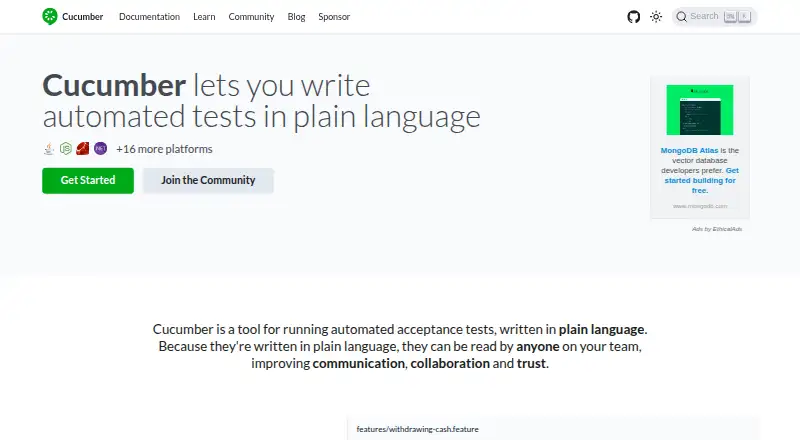
What Cucumber Open is
Cucumber Open runs automated acceptance tests from plain-language specifications so teams can check whether software behaves as described. It supports Behaviour-Driven Development by executing specifications written in Gherkin, whose keywords can be adapted to different spoken languages. Specifications are saved as `.feature` text files, typically alongside software in source control. Step definitions link Gherkin steps to code that carries them out. Official implementations include JavaScript, Java, Ruby, Android Java, Kotlin, Scala, and C++, alongside semi-official and unofficial implementations. Built-in report formatters cover HTML, JSON, JUnit, and progress, and custom formatters are supported. Cucumber can run in continuous integration environments; its documentation covers JUnit output and a Jenkins reporting plugin. It is a free, open-source project with local execution, parallel execution, browser testing, and API access. Published Cucumber Reports use public URLs without authentication and are deleted automatically after 24 hours. The report service says publishing is anonymous, report data is stored in U.S. data centers, and that data is encrypted at rest.
Good
- Specifications use readable Gherkin syntax
- Keywords support different spoken languages
- Built-in HTML, JSON, and JUnit report formats
- Official implementations include multiple programming languages
- Supports local and parallel execution
Watch out
- Published reports use public URLs without authentication
- Report data is stored in U.S. data centers
Who it suits
Cucumber Open suits teams that want acceptance criteria in readable Gherkin specifications tied to executable tests. Its language implementations and report formats may be useful to teams using different programming languages or continuous integration.
Verdict
Cucumber Open connects plain-language specifications to executable acceptance tests and offers multiple implementations and report formats. Teams using its published report service should note that reports are public and data is stored in U.S. data centers.
Plans and prices
From Cucumber Open's own pricing page, checked 3 Oct 2026.
| Plan | Price | What it gives you |
|---|---|---|
| Cucumber Open | Free | Open source project · Cucumber Reports are free |
The facts
Each one read from Cucumber Open's own pages, with the date it was checked.
What it does
- BDD support
- Cucumber supports Behaviour-Driven Development by reading executable specifications and validating that software behaves as specified.checked 3 Oct 2026
- CI integration
- Cucumber can run in continuous integration environments; its documentation describes JUnit output for CI systems and a Jenkins reporting plugin.checked 3 Oct 2026
- Community
- Cucumber describes itself as returned to community ownership and lists Discord, GitHub Discussions, and Stack Overflow as places to engage.checked 3 Oct 2026
- Gherkin
- Cucumber specifications use Gherkin syntax and are stored in `.feature` text files, typically alongside the software in source control.checked 3 Oct 2026
- Implementations
- Official implementations listed include JavaScript, Java, Ruby, Android Java, Kotlin, Scala, and C++; the page also lists semi-official and unofficial implementations.checked 3 Oct 2026
- Language coverage
- The Gherkin grammar has different flavours for spoken languages so teams can use keywords in their own language.checked 3 Oct 2026
- Project funding
- The project says it is funded through donations from Open Collective, GitHub Sponsors, and Thanks.dev, as well as Tidelift and Ethical Ads.checked 3 Oct 2026
- Purpose
- Cucumber runs automated acceptance tests written in plain language that can be read by anyone on a team.checked 3 Oct 2026
- Report data handling
- Cucumber Reports says publishing is anonymous, report data is stored in US data centers, and the data is encrypted at rest.checked 3 Oct 2026
- Reporting
- Cucumber has built-in report formatters including HTML, JSON, JUnit, and progress, and supports custom formatters.checked 3 Oct 2026
- Report privacy
- Published Cucumber Reports are available at public URLs without authentication and are automatically deleted after 24 hours.checked 3 Oct 2026
- Security
- The 2025 year-in-review post says the project set up a security policy for reporting security issues.checked 3 Oct 2026
- Step definitions
- Step definitions connect Gherkin steps to programming code that carries out each step.checked 3 Oct 2026
- Support
- The FAQ directs users with questions to the community and points to documentation, books, and Cucumber School for learning.checked 3 Oct 2026
The company
- Founded
- 2008checked 28 Sep 2026
The full review of Cucumber Open
Cucumber Open is an open-source framework for turning plain-language acceptance specifications into executable tests. It suits teams that want product and engineering participants to share readable requirements, while keeping test execution in code. Its strongest case is a familiar, portable BDD workflow; teams should look elsewhere if their priority is a visual test-authoring interface.
Overview
Cucumber supports Behaviour-Driven Development by checking whether software behaves as executable specifications require. Specifications use Gherkin, a structured syntax saved in .feature text files, usually alongside the software in source control. That gives teams a shared artifact they can review as text, but it does not make the tests code-free: step definitions connect each Gherkin step to programming code that performs it.
The project dates to 2008 and has returned to community ownership. Its open-source model means there is no paid plan to weigh against a free tier. In return, teams should expect to learn and use the framework through its documentation and community channels rather than treating it as a packaged testing service.
Key features
Readable specifications, executable steps
Gherkin’s spoken-language flavours let teams write keywords in their own language, which can make specifications more accessible across roles and regions. The practical boundary is the step-definition layer: developers still need to connect those readable steps to code, so Cucumber is best for teams willing to maintain both the specifications and their implementation.
Language and reporting choices
Official implementations cover JavaScript, Java, Ruby, Android Java, Kotlin, Scala and C++, with additional semi-official and unofficial implementations. That breadth gives teams a path to use Cucumber in varied codebases, though the distinction between official and other implementations is worth considering when choosing a project foundation.
Built-in formatters produce HTML, JSON, JUnit and progress output, and custom formatters are supported. Cucumber can run in continuous integration; its documentation describes JUnit output for CI systems and a Jenkins reporting plugin. It also supports parallel execution, browser testing and API access, with local execution. These options make it useful for teams integrating acceptance checks into an existing test workflow rather than relying on a hosted execution service.
Published report privacy
Cucumber Reports are free, but published reports use public URLs without authentication. Reports are automatically deleted after 24 hours; publishing is anonymous, data is stored in U.S. data centers and encrypted at rest. That is a practical option for short-lived sharing, not a fit for teams that need access-controlled report links or cannot place report data in U.S. data centers.
Pricing
Cucumber Open — free. The plan is an open-source project, and Cucumber Reports are free. There is no paid tier or seat quota to compare. This suits teams that want a no-cost BDD framework and can handle its code-based setup themselves. The main trade-off is that free published reports are public and short-lived, with report data stored in U.S. data centers.
Platforms
Cucumber Open lists support for Android, API, Linux, macOS and Windows. Its implementation options span several programming languages, but platform support should not be read as a promise that every implementation behaves identically across every environment.
Who it's for
Cucumber is a strong fit for teams practicing BDD who want specifications that non-developers can read and developers can execute, especially when those specifications belong in source control and acceptance tests need to run in CI. Its language flavours help multilingual teams. It is less suitable for teams seeking visual feature editing, or for organizations that cannot use public hosted report links.
Pros and cons
- Pro: Gherkin feature files make acceptance scenarios readable and keep them close to the software in source control.
- Pro: Multiple official language implementations and spoken-language grammar flavours support a range of teams and codebases.
- Pro: HTML, JSON and JUnit formatters, custom formatters and CI guidance provide useful reporting flexibility.
- Con: Readable scenarios still depend on code-backed step definitions, which teams must create and maintain.
- Con: Published Cucumber Reports are public and retained for only 24 hours, limiting their suitability for private or durable reporting.
- Con: Report data is stored in U.S. data centers, a constraint for teams with stricter data-location requirements.
Alternatives
For a broader comparison, see BDD Testing Tools.
- Serenity BDD is another free open-source option, with Android, iOS, Linux, macOS, self-hosted, web and Windows platforms. Its JUnit 4 support is deprecated and planned for removal in Serenity 6.0.0, so teams depending on JUnit 4 should factor that change in.
- CukeTest is worth considering if visual feature editing matters more than Cucumber Open’s text-file workflow. Its free Lite plan includes JavaScript and Python, some built-in automation libraries have usage limits, and it includes 500 automation API calls and a 3-minute limit.
- Reqnroll offers a free Community plan with framework use, Visual Studio and Rider integration, community plugins and community support. Choose it when those IDE integrations are a priority.
- YAKS is another free option for Linux, macOS, self-hosted and Windows.
- Behat is a free Linux option, provided without warranty.
- playwright-bdd is a free option for web, with no usage limits stated.
- Ginkgo is a free Linux, macOS and Windows testing framework; its current supported major version is v2.
- FitNesse is a free open-source option for API, Linux, self-hosted, web and Windows, with no commercial plans or limits stated.
Verdict
Choose Cucumber Open if your team wants a free, source-controlled BDD framework that turns readable Gherkin scenarios into executable acceptance tests across several language implementations. Its broad reporting and CI support are compelling, but code-backed step definitions remain necessary, and its hosted reports are public. If visual editing or private hosted reporting is essential, look elsewhere.
Alternatives to Cucumber Open
- 1

Karate
Free planOpen sourceAPIExtensionLinuxmacOS8.2From $100 a year - 2
FitNesse
Free planWebAPILinuxmacOS6.7Free plan - 3

Reqnroll
Free planWindowsmacOSLinux6.7From €400 a year - 4
BddDotNet
Free planLinuxmacOSWindows6.6Free plan - 5
BDDX
Free planWeb6.6From $9.99 a month - 6
Serenity BDD
Free planAndroidiOSWebLinux6.6Free plan