
Cubox
Cubox is an AI read-it-later app for collecting and organizing material to read across devices and browsers.
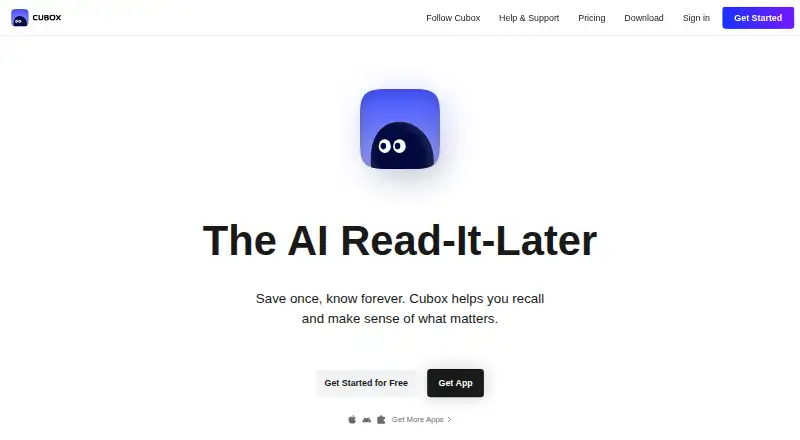
What Cubox is
Cubox is an AI read-it-later app for collecting and organizing material to read across devices and browsers. Its listed features include offline access, full-text search, highlighting, and export of highlights. Native apps are available for Mac, iPhone and iPad, Android, and E-Ink devices, alongside extensions for Chrome, Edge, Firefox, and Safari. Users can start for free. Cubox Pro costs $29 a year and adds unlimited saves and highlights, webpage parsing and snapshots, multiple highlight colors, customizable reading style, nested folders and tags, Email Drop, and API access. Pro+AI costs $49 a year and includes an AI reading assistant, insights with summaries and key points, and AI-generated ghost highlights; that plan has a 14-day free trial that can be canceled any time. Paid subscriptions are available across platforms without a login limitation. Cubox says it is ad-free, does not sell or use personal data, and retains data after membership expires. Links and annotations can be exported at any time.
Good
- Supports offline access and full-text search.
- Highlights can be exported.
- Native apps and browser extensions are listed across platforms.
- Pro includes unlimited saves and highlights.
- Cubox says data remains after membership expires.
Watch out
- Pro costs $29 a year.
- Pro+AI costs $49 a year.
- The 14-day trial applies to Pro+AI.
Who it suits
Cubox suits readers who save material across browsers and mobile devices and want offline access, search, and highlighting. Its paid plans may suit people who want folders, export options, or AI reading features.
Verdict
Cubox brings saving, organizing, and annotation features together across its listed apps and extensions. Compare the free option with Pro and Pro+AI to decide whether the paid organization and AI features are useful to you.
Plans and prices
From Cubox's own pricing page, checked 22 Sep 2026.
| Plan | Price | What it gives you |
|---|---|---|
| Cubox Pro | $29 a year | Unlimited saves and highlights · Content parsing and webpage snapshots · Multiple highlight colors · Customizable reading style · Nested folders and tags · Email Drop and API · Annual plan |
| Cubox Pro+AI | $49 a year | 14-day free trial, cancel any time · AI reading assistant · AI insights with summaries and points · AI ghost highlights · Unlimited saves and highlights · Content parsing and webpage snapshots · Email Drop and API · 14-day free trial, cancel any time |
| Cubox Pro Annual plan | $29 a year | Subscribe · $29 /Year |
| Gift Card | Priced on request | For you or your friends · More plans available |
The facts
Each one read from Cubox's own pages, with the date it was checked.
Money
- Ad Free
- Cubox is ad-free and does not sell or use personal datachecked 28 Sep 2026
- Free plan
- Yeschecked 22 Sep 2026
- Free Start
- Users can get started for freechecked 28 Sep 2026
- Pro+AI Price
- Cubox Pro+AI costs $49 per yearchecked 28 Sep 2026
- Pro Price
- Cubox Pro Annual plan costs $29 per yearchecked 28 Sep 2026
What it does
- Annotation Colors
- Paid plans include annotations with multiple highlight colorschecked 28 Sep 2026
- Business Model
- Cubox Membership is the only business modelchecked 28 Sep 2026
- Chrome Extension
- Cubox has a Chrome extension for one-click saving and AI Insightchecked 28 Sep 2026
- Data Export
- Users can export links and annotations at any timechecked 28 Sep 2026
- Data Retention
- Cubox keeps data even after membership expireschecked 28 Sep 2026
- Email API
- Paid plans include Email Drop and APIchecked 28 Sep 2026
- Folders Tags
- Paid plans include nested folders and tagschecked 28 Sep 2026
- Full-text search
- Yeschecked 22 Sep 2026
- Highlight export
- Yeschecked 22 Sep 2026
- Highlighting
- Yeschecked 22 Sep 2026
- Offline access
- Yeschecked 22 Sep 2026
- Product Type
- AI read-it-later appchecked 28 Sep 2026
Where it runs
- Browser extension
- Yeschecked 22 Sep 2026
- Browser Extensions
- Cubox offers 10+ extensions for savingchecked 28 Sep 2026
- Download Platforms
- Mac, iPhone/iPad, Android, E-Ink, Chrome, Edge, Firefox, and Safarichecked 28 Sep 2026
- Mobile apps
- Yeschecked 22 Sep 2026
- Native Apps
- Cubox has native apps across platformschecked 28 Sep 2026
- Platform Access
- Subscription is available on all platforms with no login limitationchecked 28 Sep 2026
The company
- Company Name
- Zenbox Inc.checked 28 Sep 2026
The full review of Cubox
Overview
Cubox is a read-it-later app for people who save webpages across devices and want to search, annotate, and organize them later. Its strongest case is a cross-platform library that combines offline access, full-text search, highlighting, and export; AI features are reserved for its more expensive plan.
Key features
- Capture and reading: Native apps and browser extensions cover phones, computers, and major browsers, with more than 10 extensions available. Offline access gives saved reading a role beyond a browser bookmark. Paid plans add content parsing and webpage snapshots, which make them the better fit for readers who want to preserve and revisit captured pages.
- Annotations and retrieval: Cubox supports highlighting, highlight export, and full-text search. Paid plans add unlimited saves and highlights, multiple annotation colors, nested folders, and tags. That makes Pro more compelling for a large, actively annotated library; the free option is the sensible starting point if those paid caps and organizational tools are not yet needed.
- AI on Pro+AI: The higher tier adds an AI reading assistant, summaries and key points, and AI ghost highlights. These features may help readers process a backlog, but they are not a reason to pay extra if saving, searching, and manually annotating are enough.
- Capture integrations: Paid plans include Email Drop and API access. Cubox is ad-free, says it does not sell or use personal data, retains data after membership expires, and lets users export links and annotations at any time.
Pricing
Cubox is freemium, with a free starting option and two annual paid plans. Pro costs $29 per year and includes unlimited saves and highlights, content parsing and webpage snapshots, multiple highlight colors, customizable reading style, nested folders and tags, Email Drop, and API access. It suits readers who want a more capable archive without paying for AI.
Pro+AI costs $49 per year and includes a 14-day free trial that can be canceled any time. It adds the AI reading assistant, AI insights with summaries and points, and AI ghost highlights, alongside unlimited saves and highlights, parsing and snapshots, Email Drop, and API access. Choose it if those AI tools are worth the extra annual cost; otherwise Pro covers the core paid organization and capture features.
The free plan lets readers start without a subscription, but paid plans are the ones that include unlimited saves and highlights and the expanded organization and capture features. A gift card is also offered at custom pricing. Membership works across platforms without a login limitation, and saved data remains after membership expires.
Platforms
Cubox has native apps for Mac, iPhone and iPad, and Android, plus support for E-Ink devices. Browser extensions are available for Chrome, Edge, Firefox, and Safari; the Chrome extension supports one-click saving and AI Insight. Subscription access spans platforms without a login limitation.
Who it's for
Cubox is a strong fit for readers who collect articles across devices, need offline access or full-text search, and want to annotate and export what they save. Pro suits people who need unlimited saves, snapshots, and more deliberate organization. Pro+AI is aimed at readers who expect to use AI summaries, insights, or ghost highlights. Those who only need basic read-later saving should start free or compare simpler options.
Pros and cons
Pros
- Broad device and browser coverage: Native apps, E-Ink support, and extensions for four major browsers make it practical to capture reading from different devices.
- Useful archive tools: Full-text search, highlighting, export, and—on paid plans—snapshots, nested folders, and tags support both finding and preserving saved material.
- Data remains accessible: Cubox retains data after membership expiry and allows export of links and annotations at any time.
- Clear choice of paid tiers: Pro separates core organization features from AI tools, so readers do not have to pay for AI to get unlimited saves and highlights.
Cons
- The most useful library limits are tied to a subscription: Unlimited saves and highlights are paid features, which may matter to frequent savers.
- AI requires the more expensive tier: Readers who want the assistant or AI-generated insights must choose Pro+AI rather than Pro.
Alternatives
For a broader comparison, browse Read-It-Later Apps.
- Omnivore is the alternative to consider if you want a free, self-hosted option; its cloud application was deprecated in November 2024.
- PaperSpan is a freemium choice with mobile offline reading and the option to send one article at a time to Kindle.
- Couch is worth considering if you use Apple devices and want unlimited saves and basic features on its free plan.
- Matter is an option for readers who want a read-later app on iOS and web.
- Instapaper is a freemium alternative for Android and iOS, with unlimited article, video, and page saves on its free plan.
- Reminde may suit readers who want unlimited savings on a free plan with one slot.
- Burn 451 is an alternative for readers who want a free plan with daily and library caps stated up front, or a $4.99 per month Pro option.
- Gistory is another freemium option, with 10 AI summaries per month and unlimited article saves on its free plan.
Verdict
Choose Cubox if you want one cross-platform place to save, find, annotate, and export reading, and Pro if you need unlimited saves plus snapshots and stronger organization. Pro+AI makes sense when its reading assistant and generated insights are central to your workflow. Look elsewhere if you need a clearly defined free save allowance or do not want the core unlimited-library features behind a paid membership.
Alternatives to Cubox
- 1

wallabag
Free planOpen sourceAndroidiOSWebAPI9.2From €11 a year - 2

Matter
Free planiOSWeb8.3Free plan - 3
PaperSpan
Free planAndroidiOSWebExtension8.3Free plan - 4

Instapaper
Free planAndroidiOS8.2From $59.99 a year - 5
Gistory
Free planAndroidiOSWebExtension8.2From $7.99 a month - 6
Readwise Reader
AndroidiOSWebAPI7.9From $5.59 a month