CT-SEDS
CT-SEDS is Connecticut’s statewide web-based special education data management system for developing adaptive, compliant IEPs.
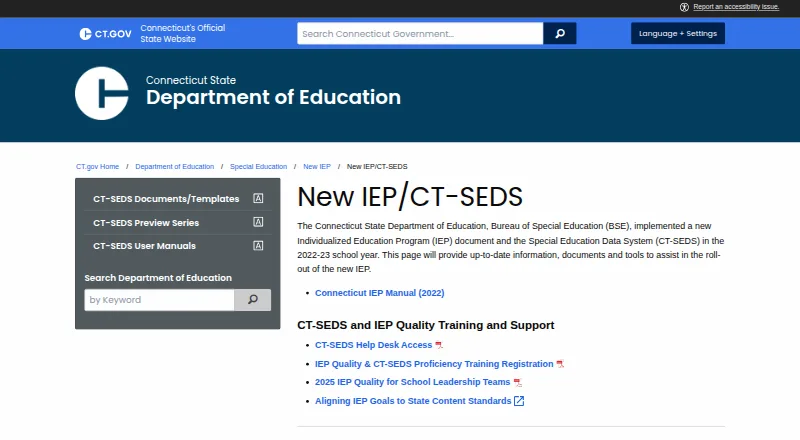
What CT-SEDS is
CT-SEDS is Connecticut’s statewide web-based special education data management system for developing adaptive, compliant IEPs. It is provided to local education agencies at no cost, with staff access determined by district-assigned roles and permissions. The system includes IEP and referral/evaluation modules, with compliance rules and warnings during document completion. Other listed modules address services plans, service delivery tracking, progress reporting, Section 504 plans, restraint and seclusion, and related special education processes. A document repository holds student records; when a student’s PSIS enrollment district changes, the repository is copied to the new district. Parent Connect sends parents email or text links to specific documents, but parents do not sign into CT-SEDS itself. IEPs and other documents can be translated into Connecticut’s ten listed languages and printed in the selected language when finalized. Reporting features include indicator and aggregate reports, advanced reporting from available document fields, and a dashboard that alerts case managers to upcoming timelines and meetings. CT-SEDS also exchanges enrollment district, demographic, and facility code data nightly with the Public School Information System.
Good
- Provided to local education agencies at no cost.
- Includes IEP and referral/evaluation modules.
- Document repository transfers when a student changes districts.
- Documents can be translated into ten listed languages.
Watch out
- Districts cannot add new processes or documents to the state system.
- Parents do not log into CT-SEDS itself.
- Separate costs may apply to Medicaid billing and local SIS sync.
Who it suits
CT-SEDS is for Connecticut local education agencies and their staff handling special education records and processes. Parents can receive links to specific documents but do not log into the system.
Verdict
CT-SEDS combines IEP workflows, records, reporting, and district-based access in a statewide system. Districts should account for its customization limit and the fact that parent access is through document links rather than direct login.
Plans and prices
From CT-SEDS's own pricing page, checked 28 Sep 2026.
| Plan | Price | What it gives you |
|---|---|---|
| CT-SEDS | Free | Provided to Connecticut local education agencies at no cost; Medicaid billing and local SIS sync may involve separate costs |
The facts
Each one read from CT-SEDS's own pages, with the date it was checked.
What it does
- Access controls
- Districts assign staff roles with specific permissions, and the FAQ describes differentiated access to student data based on user roles.checked 28 Sep 2026
- Additional modules
- The state FAQ lists modules for services plans, service delivery tracking, progress reporting, Section 504 plans, restraint and seclusion, and other special education processes.checked 28 Sep 2026
- Customization limit
- Districts cannot alter the state system to add new processes or documents, though they can upload documents to student records and templates for users to access.checked 28 Sep 2026
- Document repository
- The system provides a document repository, and a student's repository is copied to the new district when the student's PSIS enrollment district changes.checked 28 Sep 2026
- IEP and evaluation
- CT-SEDS includes IEP and referral/evaluation modules, with compliance rules and warnings built into document completion.checked 28 Sep 2026
- Integration
- CT-SEDS and the Public School Information System have a nightly integration process for enrollment district, demographic, and facility code data.checked 28 Sep 2026
- Intended users
- The system is provided to local education agencies and gives staff access according to their assigned user roles and permissions.checked 28 Sep 2026
- Parent access
- Parent Connect sends parents email or text links to specific documents; parents do not log into CT-SEDS itself.checked 28 Sep 2026
- Purpose
- CT-SEDS is a statewide web-based special education data management system designed to support development of an adaptive, compliant IEP.checked 28 Sep 2026
- Reporting
- The system includes indicator and aggregate reports, advanced reporting from available document fields, and a dashboard that alerts case managers about upcoming timelines and meetings.checked 28 Sep 2026
- Support
- The state provides a CT-SEDS help desk supported by the RESC Alliance, while PCG's in-system Message Center handles specified account updates for a limited number of identified users.checked 28 Sep 2026
- Training
- The state says user manuals and training are provided, and PCG-developed manuals cover CT-SEDS components including navigation, IEPs, referrals, service documentation, and the parent portal.checked 28 Sep 2026
- Translation
- IEPs and other CT-SEDS documents can be translated into Connecticut's ten listed languages and printed in the chosen language when finalized.checked 28 Sep 2026
Where it runs
- Platform access
- The FAQ says districts can access CT-SEDS from Mac and PC systems and mobile devices, and that current browser technology is the only operating system requirement.checked 28 Sep 2026
The full review of CT-SEDS
Overview
CT-SEDS is Connecticut’s statewide system for special-education records and IEP work, intended for local education agencies and the staff they authorize. It is the strongest fit for Connecticut districts that want those workflows in one state system; it is a weaker choice for districts that need to shape the system around their own processes.
Key features
IEP workflows and records
IEP and referral/evaluation modules combine document work with built-in compliance rules and warnings. That guidance can help staff catch issues while completing documents, while the broader module set covers service plans, service delivery tracking, progress reporting, Section 504 plans, restraint and seclusion, and other special-education processes. A student document repository follows the student to a new district when the PSIS enrollment district changes, reducing the break in record access during a transfer.
Family access and language
Parent Connect sends parents email or text links to specific documents, but parents do not sign into CT-SEDS itself. This gives families a route to documents without making the system a direct parent portal. IEPs and other documents can be translated into Connecticut’s ten listed languages and printed in the selected language when finalized.
Reporting, access, and support
Indicator and aggregate reports, advanced reporting from available document fields, and a dashboard for upcoming timelines and meetings give case managers ways to monitor work and deadlines. The nightly connection with the Public School Information System synchronizes enrollment district, demographic, and facility-code data. District-assigned roles control staff permissions and access to student data.
The state provides a help desk supported by the RESC Alliance, along with user manuals and training. PCG’s in-system Message Center handles specified account updates for a limited number of identified users. Districts can upload documents to student records and make templates available, but cannot change the state system to add processes or documents. That boundary helps keep the system standardized, yet leaves little room to adapt workflows locally.
Pricing
CT-SEDS: free. Connecticut local education agencies receive the system at no cost. It includes the statewide special-education workflows rather than a separately priced feature tier. Medicaid billing and local SIS synchronization may involve separate costs, so the free system does not necessarily make every related implementation expense free.
There are no stated seat or usage caps for this plan. Its practical limit is institutional: access is assigned to district staff by role, and districts cannot extend the system with new processes or documents. Uploaded documents and accessible templates offer some flexibility, but not workflow customization.
Platforms
CT-SEDS is web-based and accessible from Mac and PC systems and mobile devices. Current browser technology is the operating-system requirement, and the platform listing includes Android, iOS, macOS, web, and Windows.
Who it's for
CT-SEDS suits Connecticut local education agencies and their special-education staff who need IEP, evaluation, service, and reporting work within a statewide system. Case managers can benefit from timeline alerts and reporting, while districts can use role-based access to differentiate staff permissions. It is less suitable for organizations outside the intended Connecticut agency setting or districts that need to add their own processes and documents. Families should also understand that Parent Connect delivers document links, not direct account access.
Pros and cons
Pros
- No-cost access for Connecticut agencies: the statewide system is provided at no cost, with separate costs possible for Medicaid billing or local SIS sync.
- Broad workflow coverage: IEPs sit alongside referrals, evaluations, service tracking, progress reports, and other special-education modules.
- Built-in compliance cues and deadline visibility: document warnings and case-manager alerts support oversight during completion and follow-up.
- Continuity and controlled access: repositories transfer with PSIS district changes, while role-based permissions differentiate staff access.
- Language support: finalized documents can be printed in any of Connecticut’s ten listed languages.
Cons
- Limited local customization: districts cannot add processes or documents, which constrains adaptation to local practice.
- No direct parent login: parents receive links to particular documents instead of entering the system themselves.
- Some related costs may remain: Medicaid billing and local SIS synchronization can involve separate charges despite the free plan.
Alternatives
Browse IEP Management Software to compare more options by category.
- CollaboratED is worth considering for teams seeking a freemium web and mobile option with a free Starter plan that hosts learning plans, supports creation and editing, includes SIS/LMS interoperability, and provides its AI SPED Expert.
- IEP Pilot may suit buyers looking for a pay-as-you-go IEP goal generator rather than a statewide system.
- IEPWriter is a paid alternative with school pricing based on a Pennsylvania district’s special-education student count, and a separate college/university plan.
- PowerSchool Behavior Support is a paid alternative for readers considering a behavior-support product.
- Impact Suite is a paid option that combines SIS integration and data writeback with policy management, behavior tracking, mental-health and SEL resources, and a faculty mobile app.
- SameGoal Special Education offers paid per-student annual plans: Standard is $12.98 a year for the 2026-27 school year, with unlimited users, 50MB attachments per document, and document history for the last week; Plus is another tier for readers to consider.
- SIRAS is another paid, web-based alternative.
- GoIDEA uses custom quotes based on district needs and the number of schools or students managed, and includes IEP management, progress monitoring, compliance documentation, and student transfers.
Verdict
Connecticut districts that want a no-cost, statewide home for IEPs, evaluations, services, records, and compliance reporting should choose CT-SEDS. Its breadth, deadline support, and transfer continuity are compelling for that audience. Look elsewhere if local workflow customization or direct parent accounts are essential, and budget separately for any Medicaid billing or local SIS synchronization needs.
Getting started
- Open the Connecticut state CT-SEDS page.
- Access the system through a current browser on a Mac, PC, or mobile device.
- Have the district assign staff roles and permissions.
- Use the provided user manuals and training to navigate the system.
Limits worth knowing
CT-SEDS is provided at no cost to Connecticut local education agencies. Districts cannot change the state system to add processes or documents, though they can upload documents to student records and templates for users to access; Medicaid billing and local SIS sync may involve separate costs.
Questions
Is CT-SEDS free?
The system is provided to Connecticut local education agencies at no cost. Medicaid billing and local SIS sync may involve separate costs.
Who can use CT-SEDS?
It is provided to local education agencies, and district-assigned roles and permissions determine staff access to student data.
Can parents log into CT-SEDS?
No. Parent Connect sends parents email or text links to specific documents, but parents do not log into CT-SEDS itself.
What devices can access CT-SEDS?
Districts can access it from Mac and PC systems and mobile devices. Current browser technology is the only operating system requirement.
Does CT-SEDS support translation?
IEPs and other CT-SEDS documents can be translated into Connecticut’s ten listed languages and printed in the selected language when finalized.
Can districts customize the system?
Districts cannot add processes or documents to the state system. They can upload documents to student records and templates for users to access.
Alternatives to CT-SEDS
- 1

CollaboratED
Free planAndroidiOSWeb7.3Free plan - 2

SameGoal Special Education
AndroidiOSWeb6.9From $12.98 a year - 3
IEP Pilot
Web6.3$3 one-time - 4

Impact Suite
AndroidiOSWebAPI6.1 - 5

IEPWriter
AndroidiOSWeb6.0 - 6

SyncIEP
Web6.0From $10 a month