
crosvm
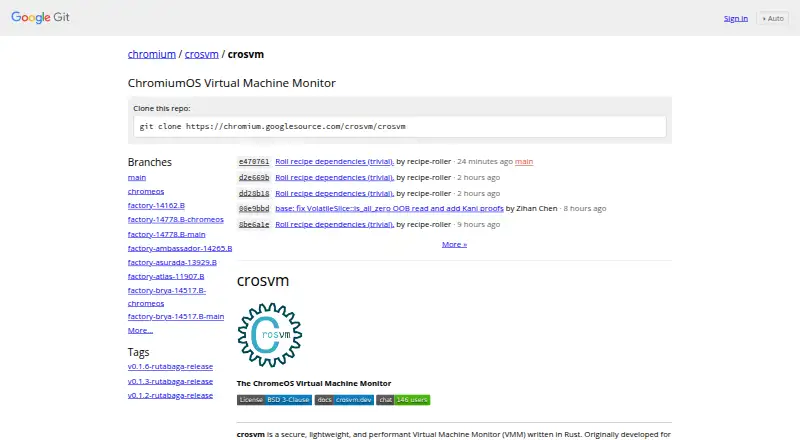
crosvm is a free, open-source virtual machine monitor written in Rust that runs guest operating systems in sandboxed environments.
What crosvm is
crosvm is a free, open-source virtual machine monitor written in Rust that runs guest operating systems in sandboxed environments. Developed for ChromeOS to run Linux and Android guests, it is also used in TerminalApp on Android, Cuttlefish, and Windows. Each virtual device runs in its own Minijail sandbox by default, with syscall policies, Linux namespaces, seccomp filters, and dropped capabilities used for isolation. Supported CPU architectures are x86_64, aarch64, and riscv64. The project lists KVM, Gunyah, GenieZone, and Halla for Linux or Android, and WHPX and HAXM for Windows. Its virtio devices include network, block storage, GPU, audio, filesystem, console, RNG, balloon, vsock, TPM, and video devices. Block storage supports raw, qcow2, zstd, and Android sparse formats; virtio-GPU supports 2D and 3D acceleration through several listed graphics backends. The Rust crosvm_control library offers programmatic interaction, and its build generates a C/C++ compatible header. Linux hosts need kernel 4.14 or newer with KVM support; some devices have additional host requirements. Getting crosvm involves cloning its source repository and building it with Cargo.
Good
- Supports x86_64, aarch64, and riscv64 architectures.
- Each virtual device runs in its own Minijail sandbox by default.
- Provides a Rust library for programmatic interaction.
- Supports multiple virtio devices and storage formats.
Watch out
- Linux hosts require kernel 4.14 or newer with KVM support.
- Some devices have additional host requirements.
- Obtaining it involves cloning and building the source.
Who it suits
crosvm suits developers and systems teams running Linux or Android guests in sandboxed virtual machines. It is also used in ChromeOS, TerminalApp on Android, Cuttlefish, and Windows.
Verdict
crosvm provides sandboxed guest execution with a broad set of virtual devices and host options. Linux users need a sufficiently recent kernel with KVM, and some devices add requirements.
Plans and prices
From crosvm's own pricing page, checked 8 Oct 2026.
| Plan | Price | What it gives you |
|---|---|---|
| crosvm | Free | Open-source software · BSD-3-Clause license |
The facts
Each one read from crosvm's own pages, with the date it was checked.
Where it runs
- Additional devices
- Other documented devices include console, RNG, balloon, vsock, TPM, pmem and video codecs.checked 15 Oct 2026
- Filesystem devices
- The project provides virtio-fs and virtio-9p filesystem devices.checked 15 Oct 2026
What it does
- API
- The Rust crosvm_control library provides programmatic interaction as an alternative to the command line and generates a C/C++ compatible header during the build.checked 8 Oct 2026
- API compatibility
- The documentation treats signature changes in crosvm_control as breaking changes for downstream projects.checked 15 Oct 2026
- Architectures
- The listed supported CPU architectures are x86_64, aarch64, and riscv64.checked 8 Oct 2026
- Audio
- virtio-snd has ChromeOS CRAS and Android AAudio backends.checked 15 Oct 2026
- C and C++ interoperability
- Building crosvm generates a crosvm_control.h header for C or C++ callers.checked 15 Oct 2026
- CLI extensibility
- Command-line options use key-value parameters and are discoverable through crosvm run --help.checked 15 Oct 2026
- CPU architectures
- The repository lists x86_64, aarch64 and riscv64 support.checked 15 Oct 2026
- Documentation depth
- The project book covers building, running, system requirements, devices, testing, tracing, integration, architecture, hypervisors and contribution.checked 15 Oct 2026
- Download and build
- The project documents obtaining crosvm by cloning its source repository and building it with Cargo; its Linux build guide also describes a development container.checked 8 Oct 2026
- Experimental features
- The documentation marks SCSI, video, shared host directories via virtio-pmem, and snapshotting as experimental or highly experimental.checked 8 Oct 2026
- Graphics
- virtio-gpu supports 2D and 3D acceleration through virglrenderer, gfxstream or vulkano.checked 15 Oct 2026
- Hypervisor backends
- Supported backends include KVM, Gunyah, GenieZone, Halla, WHPX and Intel HAXM.checked 15 Oct 2026
- Hypervisors
- The project lists KVM, Gunyah, GenieZone, and Halla for Linux or Android, plus WHPX and HAXM for Windows.checked 8 Oct 2026
- Implementation language
- The VMM is implemented in Rust.checked 15 Oct 2026
- Independent technical history
- An Android Open Source Project architecture page describes crosvm's process-per-device model, Minijail sandboxing and KVM dependence.checked 15 Oct 2026
- Isolation
- The project describes using Linux namespaces, seccomp filters, and dropped capabilities as part of its sandboxing approach.checked 8 Oct 2026
- Known setup issue
- Device jailing requires a /var/empty directory unless the pivot-root location is changed.checked 15 Oct 2026
- License
- crosvm is released under the BSD-3-Clause license.checked 15 Oct 2026
The company
- Company founding
- Google says Google Inc. was officially created in August 1998.checked 15 Oct 2026
- Company headquarters
- Google lists its headquarters in Mountain View, California.checked 15 Oct 2026
- Company legal name
- Google's LinkedIn company profile identifies the maker as Google, a public software-development company.checked 15 Oct 2026
- Company size
- Google's LinkedIn profile lists company size as 10,001 or more employees.checked 15 Oct 2026
The full review of crosvm
Overview
crosvm is a Rust virtual machine monitor built to run Linux and Android guests in isolated environments. It best suits developers and platform teams who need a configurable monitor on Linux, Android, or Windows hosts. Its device range and per-device sandboxing are strong assets, but the source-based build and Linux kernel requirements make it a poor fit for people seeking a ready-to-use desktop VM app.
Key features
crosvm places each virtual device in its own Minijail sandbox by default and applies syscall policies to restrict unwanted calls. Its isolation approach also uses Linux namespaces, seccomp filters, and dropped capabilities. That separation is valuable when limiting the exposure of individual devices matters, though it does not remove the need to satisfy host and device requirements.
Its virtio devices cover networking, block storage, GPU, audio, filesystems, console, RNG, balloon, vsock, TPM, and video. Block storage supports raw, qcow2, zstd, and Android sparse formats. The GPU can provide 2D and 3D acceleration through virglrenderer, gfxstream, or vulkano, a useful range for varied guest workloads.
The Rust crosvm_control library enables programmatic management alongside the command line, and its build generates a C/C++ compatible header. crosvm supports x86_64, aarch64, and riscv64 architectures. Snapshots and nested virtualization are supported, but live migration is not. SCSI, video, shared host directories through virtio-pmem, and snapshotting are marked experimental or highly experimental, so they are less dependable choices for production workflows.
The project originated in ChromeOS for running Linux and Android guests and is also used in TerminalApp on Android, Cuttlefish, and Windows. Users obtain it by cloning the source repository and building with Cargo; the Linux build guide also describes a development container. Linux hosts need kernel 4.14 or newer with KVM support, and some devices impose additional host requirements. Public issue tracking, Matrix chat, announcements, and a developer mailing list provide community support.
Pricing
crosvm is free and open source under the BSD-3-Clause license. Its single plan costs nothing, with no paid tier or trial. There are no seat or usage charges stated; the practical cost is the work of building it from source and meeting the host requirements.
Platforms
crosvm runs on Linux, Android, and Windows hosts, with Linux and Android listed as guest operating systems. Linux operation requires a 4.14-or-newer kernel with KVM. Hypervisor support varies by host: KVM, Gunyah, GenieZone, and Halla are listed for Linux or Android, while WHPX and HAXM are listed for Windows. The CLI is its management interface; the control library adds a programmatic route.
Who it's for
crosvm is a strong fit for developers and system builders who need sandboxed Linux or Android guests, a broad selection of virtio devices, or programmatic control. It is less suitable for casual desktop virtualization: source cloning and Cargo builds add setup work, while kernel and device requirements can narrow host choices.
Pros and cons
- Pros: Per-device Minijail sandboxing, syscall policies, namespaces, seccomp, and dropped capabilities provide multiple isolation measures.
- Pros: Broad virtio device and storage-format support suits varied guest configurations.
- Pros: The Rust control library, generated C/C++ header, snapshots, and nested virtualization support automation and integration.
- Cons: Source cloning and Cargo builds are less convenient than a packaged desktop application.
- Cons: Linux requires kernel 4.14 or newer with KVM, and some devices have extra host requirements.
- Cons: Live migration is not supported, and several device and snapshot features are experimental or highly experimental.
Alternatives
For a different option, browse Hypervisor Software. Proxmox VE is worth considering for readers seeking a freemium option with a web platform; its Premium plan is priced per occupied physical CPU socket. Multipass is a free alternative for locally launched cloud prototypes across Linux, macOS, and Windows, with host requirements varying by OS. QEMU is another free, open-source option for Linux, macOS, and Windows.
UTM is the alternative to consider for iOS or macOS; its free open-source GitHub version has no automatic updates, while the Mac App Store version is a one-time purchase. VMware Workstation Pro is free for Windows or Linux hosts on 64-bit Intel or AMD PCs, with no subscription or license key required. Harvester is a free, open-source option for Linux and self-hosted use with a web interface. Cloud Hypervisor is a free open-source VMM for Linux and self-hosted environments. GNOME Boxes is a free Linux desktop application.
Verdict
Choose crosvm if you need a sandbox-focused monitor for Linux or Android guests and can work with its host requirements and source-build workflow. Its combination of device breadth, isolation, and programmatic control is the clearest reason to choose it. Look elsewhere if you want packaged desktop convenience, live migration, or experimental features as production-ready capabilities.
Getting started
- Open the crosvm source repository.
- Clone the repository.
- Build crosvm with Cargo.
- For a Linux build, use the documented development container if appropriate.
- On Linux, use a kernel 4.14 or newer with KVM support.
Limits worth knowing
The Linux host requirement is kernel 4.14 or newer with KVM support, and some devices need additional host requirements. SCSI, video, shared host directories through virtio-pmem, and snapshotting are marked experimental or highly experimental.
Questions
How much does crosvm cost?
The listed crosvm plan is free. It is open-source software under the BSD-3-Clause license.
Which guest operating systems does it support?
The listed guest operating systems are Linux and Android.
Which host platforms are listed?
Linux, Android, and Windows are listed as host platforms.
How do I get crosvm?
The project documents cloning its source repository and building with Cargo. Its Linux build guide also describes a development container.
Does crosvm support snapshots or live migration?
Snapshots are listed as supported, but the documentation marks snapshotting highly experimental. Live migration is listed as unsupported.
What are the Linux host requirements?
A Linux host requires kernel 4.14 or newer with KVM support. Some devices have additional host requirements.
Alternatives to crosvm
- 1

Proxmox VE
Free planAndroidWebAPILinux8.1From €120 a year - 2

oVirt
Free planOpen sourceAndroidiOSWebAPI8.0Free plan - 3

QEMU
Free planOpen sourceAPILinuxmacOSSelf-hosted7.6Free plan - 4
KVM
Free planOpen sourceAPILinuxSelf-hosted7.2Free plan - 5
UTM
Free planiOSmacOS7.1$9.99 one-time - 6
VMware Workstation Pro
Free planLinuxSelf-hostedWindows6.5Free plan