Multipass
Multipass launches and runs cloud-style virtual machines on a workstation, making it useful for prototyping cloud deployments and creating customized Linux d…
What Multipass is
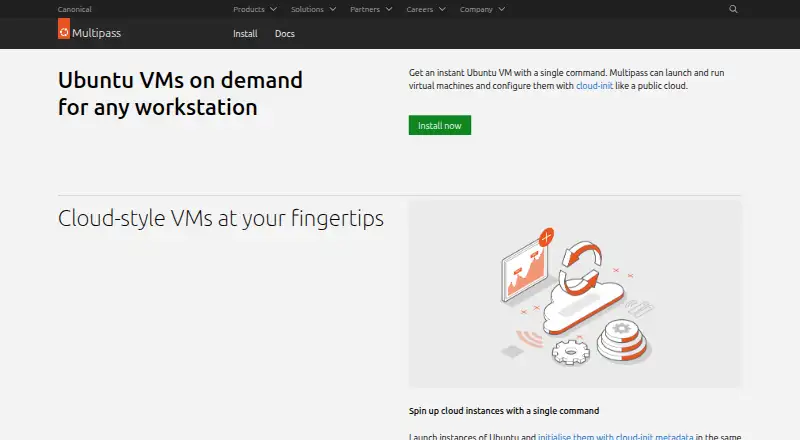
Multipass launches and runs cloud-style virtual machines on a workstation, making it useful for prototyping cloud deployments and creating customized Linux development environments. Instances can be configured with cloud-init metadata, including definitions for setting up servers. Multipass can model local workflows based on AWS, Azure, Google, IBM, and Oracle cloud deployments. It fetches Ubuntu images from Canonical and offers a growing catalogue of images with pre-installed applications. Users can share files and folders between a host and its virtual machines. A primary instance integrates with the native filesystem and has dedicated hot-key access. The tool provides both command-line and graphical interfaces, and its documentation covers Windows Terminal integration and running Docker containers inside an instance. Multipass is free and supports Linux, macOS, and Windows hosts, using platform-specific hypervisors. Canonical's current installation guide supports Windows 10 or 11 Home, Pro, or Enterprise from version 1809, with Virtual Machine Platform enabled. Access to the Multipass daemon socket allows full control, including mounting host filesystems and changing instance security features, so Canonical advises limiting access to trusted users. Questions and contributions are directed to its Discourse forum and GitHub.
Good
- Free to use on Linux, macOS, and Windows.
- Supports cloud-init configuration for instances.
- Provides command-line and graphical interfaces.
- Shares host files and folders with instances.
Watch out
- Windows requires Virtual Machine Platform enabled.
- Daemon socket access grants full control.
- Access control should be limited to trusted users.
Who it suits
It suits developers who want configurable Linux environments or a local way to prototype cloud deployment workflows. Windows users need a supported Windows version and Virtual Machine Platform enabled.
Verdict
Multipass offers local virtual machines with configuration and workflows aimed at cloud prototyping and Linux development. Restrict daemon access carefully, since socket access can expose host filesystems and instance security controls.
Plans and prices
From Multipass's own pricing page, checked 5 Oct 2026.
| Plan | Price | What it gives you |
|---|---|---|
| Multipass | Free | Prototype cloud launches locally; host requirements vary by operating system |
The facts
Each one read from Multipass's own pages, with the date it was checked.
What it does
- Access control
- Canonical advises restricting daemon access to trusted users; access control begins with group membership and can later use a user TLS certificate.checked 5 Oct 2026
- Cloud-init
- Instances can be configured with cloud-init metadata, including custom definitions to create configured servers.checked 5 Oct 2026
- Cloud simulation
- Multipass can simulate cloud deployments locally using workflows modeled on AWS, Azure, Google, IBM and Oracle.checked 5 Oct 2026
- Container workflow
- The documentation includes instructions for running a Docker container in a Multipass instance.checked 5 Oct 2026
- Daemon access
- Anyone with access to the Multipass daemon socket can fully control Multipass, including mounting host filesystems and changing instance security features.checked 5 Oct 2026
- Developer use
- Canonical describes Multipass as a tool for prototyping cloud deployments and creating customized Linux development environments.checked 5 Oct 2026
- Guest architecture
- bothchecked 20 Sep 2026
- Host file sharing
- Users can share files and folders between the host and virtual machine instances.checked 5 Oct 2026
- Host virtualization
- The product page lists Host Compute System for Windows, Apple Virtualization for macOS and QEMU for Linux as its platform hypervisors.checked 5 Oct 2026
- Image library
- Multipass fetches Ubuntu images from Canonical and offers a growing catalogue of images with pre-installed applications.checked 5 Oct 2026
- Interfaces
- Multipass provides a command-line interface and a graphical interface, and its documentation includes Windows Terminal integration instructions.checked 5 Oct 2026
- Management interface
- bothchecked 20 Sep 2026
- Primary instance
- The primary instance integrates with the native filesystem and has dedicated hot-key access.checked 5 Oct 2026
- Purpose
- Multipass launches and runs cloud-style virtual machines on a workstation.checked 5 Oct 2026
- Support and community
- The project documentation directs users to its Discourse forum and GitHub for questions, issues and contributions.checked 5 Oct 2026
- VM snapshots
- Yeschecked 20 Sep 2026
Money
- Free plan
- Yeschecked 20 Sep 2026
Where it runs
- Host platforms
- Linux,macOS,Windowschecked 20 Sep 2026
- Windows prerequisite
- The current installation guide says Windows 10 or 11 Home, Pro or Enterprise is supported from version 1809, with Virtual Machine Platform enabled.checked 5 Oct 2026
The full review of Multipass
Multipass runs Ubuntu-based virtual machines on Linux, macOS and Windows, with cloud-init configuration and interfaces for both command-line and graphical use. It suits developers who want to prototype cloud-style deployments or build customized Linux environments on a workstation. Its focused local workflow is useful, but daemon access needs careful control because it can expose host filesystems.
Overview
Multipass launches cloud-style VMs locally, letting developers shape instances with cloud-init metadata, including definitions for configured servers. Its workflows model deployments on AWS, Azure, Google, IBM and Oracle, making it a practical way to develop and refine cloud setups without moving that work off the workstation.
Canonical provides Ubuntu images, with a growing catalogue that includes images with applications already installed. Users can share files and folders between host and guest, and the primary instance integrates with the host's native filesystem and has dedicated hot-key access. These conveniences are valuable for development, though they make access control more than an administrative detail.
Key features
Cloud-style setup on a workstation
Cloud-init support makes it possible to create configured instances from metadata rather than start from an unconfigured VM each time. The cloud-provider-inspired workflows are most relevant to developers prototyping deployments; they do not make a local instance a cloud service.
VM management and interfaces
Multipass supports snapshots and both command-line and graphical management. Windows Terminal integration is covered in its documentation, while instructions for running a Docker container inside a Multipass instance give container users a documented VM-based workflow. That breadth suits developers who want a choice of interface without giving up a command line.
Host access and security
File sharing and the primary instance's filesystem integration reduce friction when moving work between host and guest. The trade-off is significant: anyone who can access the Multipass daemon socket can fully control Multipass, including mounting host filesystems and changing instance security features. Canonical advises limiting socket access to trusted users; control starts with group membership and can later use a user TLS certificate.
Pricing
Multipass is free. Its sole plan, Multipass, costs nothing and is intended for prototyping cloud launches locally. There is no free trial because the product is free, and no paid tier or plan-based feature split is described. Host requirements vary by operating system.
Platforms
Multipass runs on Linux, macOS and Windows, with host virtualization provided by QEMU on Linux, Apple Virtualization on macOS and Host Compute System on Windows. The Windows installation guide supports Windows 10 or 11 Home, Pro or Enterprise from version 1809, with Virtual Machine Platform enabled. That prerequisite matters before choosing Multipass for a Windows workstation.
Who it's for
Multipass is a strong fit for developers who want configurable Ubuntu VMs for Linux development or local cloud deployment prototypes, especially if they value cloud-init, snapshots and host-folder sharing. Its interfaces accommodate both terminal-centered and graphical workflows.
It is less suitable for anyone who needs a managed cloud environment rather than local simulation, or who cannot restrict access to the daemon socket. The documented security controls make trusted-user access essential, not optional.
Pros and cons
Pros
- Free across the supported host platforms: there is no paid plan to unlock the core local VM workflow.
- Cloud-init and cloud-modeled workflows: developers can configure instances and prototype cloud-style deployments on a workstation.
- Practical development integration: image choices, host-folder sharing, snapshots and primary-instance access support iterative Linux work.
- Two management interfaces: users can choose command-line or graphical management.
Cons
- Daemon socket access is powerful: it permits full Multipass control, including host filesystem mounts and changes to instance security features, so access must be restricted.
- Host requirements differ: Windows users need a supported Windows version and Virtual Machine Platform enabled.
- Its purpose is local prototyping: users seeking an actual cloud deployment service need a different tool for that role.
Alternatives
For a broader set of virtualization choices, browse Hypervisor Software or Virtual machine software.
- Proxmox VE is worth considering for its freemium model and support for Linux, Windows, Android, web, API and self-hosted platforms; its Premium plan is €1,100 a year, billed for a one-year subscription per occupied physical CPU socket.
- QEMU is a free alternative for Linux, macOS and Windows users who want a GNU General Public License version 2 open-source hypervisor rather than Multipass's cloud-prototyping workflow.
- UTM is a free option for macOS and iOS users; its Mac App Store version costs 9.99 USD as a one-time purchase, while the free open-source GitHub version has no automatic updates.
- VMware Workstation Pro is another free choice for Windows or Linux hosts on 64-bit Intel or AMD PCs, with no subscription or license key required.
- Harvester is a free, open-source option for Linux, web, API and self-hosted use.
- GNOME Boxes is a free desktop virtualization application for Linux.
- KVM is a free open-source option for Linux and self-hosted use, with its kernel and userspace components in mainline Linux and QEMU.
- oVirt offers a free community edition for Linux, web, API and self-hosted environments.
Verdict
Choose Multipass if you want free, configurable local Ubuntu VMs for cloud prototyping or Linux development, with snapshots and both graphical and command-line management. Its strongest reason to choose it is the combination of cloud-init and cloud-style workflows on a workstation; its main reason to look elsewhere is that local simulation is not a cloud service, and daemon access requires strict trust controls.
Getting started
- Open the Multipass website and installation documentation
- Choose Linux, macOS, or Windows as the host platform
- On Windows, use a supported edition from version 1809 and enable Virtual Machine Platform
- Install Multipass with the platform’s documented hypervisor
- Launch an Ubuntu image or catalogue image
- Configure the instance with cloud-init metadata or shared host folders
- Manage the instance through the command-line or graphical interface
Limits worth knowing
Multipass is free, but Windows use depends on supported Windows editions and enabled Virtual Machine Platform. Anyone with access to the daemon socket can fully control instances, including mounting host filesystems and changing security features.
Questions
Is Multipass free?
Yes. The listed Multipass plan costs nothing.
Which host platforms are supported?
Multipass supports Linux, macOS, and Windows hosts.
Which hypervisors does it use?
The product lists Host Compute System for Windows, Apple Virtualization for macOS, and QEMU for Linux.
Can Multipass configure servers automatically?
Yes. Instances can use cloud-init metadata, including custom definitions for configured servers.
Can I share files with a virtual machine?
Yes. Host files and folders can be shared with instances, and the primary instance integrates with the native filesystem.
What access-control issue should administrators consider?
Anyone who can access the Multipass daemon socket can fully control it. Canonical advises restricting daemon access to trusted users.
Alternatives to Multipass
- 1

Proxmox VE
Free planAndroidWebAPILinux8.9From €120 a year - 2

QEMU
Free planOpen sourceAPILinuxmacOSSelf-hosted8.3Free plan - 3

oVirt
Free planOpen sourceAndroidiOSWebAPI8.3Free plan - 4
KVM
Free planOpen sourceAPILinuxSelf-hosted7.9Free plan - 5
VMware Workstation Pro
Free planLinuxSelf-hostedWindows7.2Free plan - 6
UTM
Free planiOSmacOS7.2$9.99 one-time