
Connect The Dots
Connect The Dots builds a relationship graph from a team’s connections to find warm paths to people and companies.
What Connect The Dots is
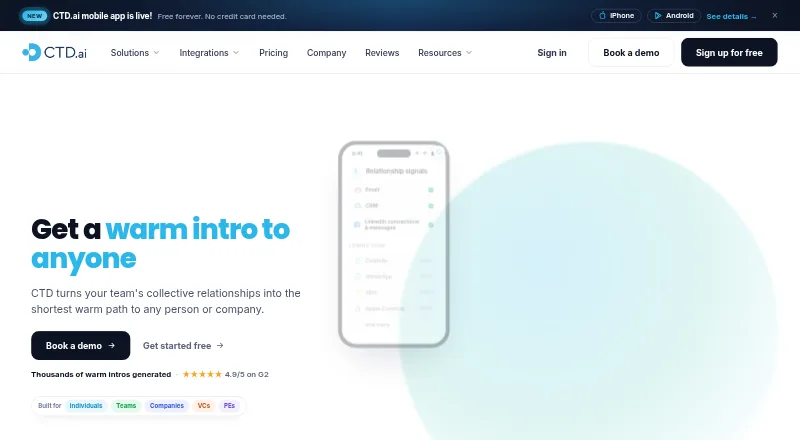
Connect The Dots builds a relationship graph from a team’s connections to find warm paths to people and companies. Its individual product organizes, scores and deduplicates a professional network so it can be searched from AI tools. Relationship scoring uses email activity and LinkedIn data, and some paths also use public career-overlap information. The service ranks possible introduction routes and can draft an email for the connector to review and send. It tracks job changes among direct connections and can notify users when someone moves. Listed integrations include Gmail, Outlook, LinkedIn, Salesforce, HubSpot, Claude through MCP, Zapier and an open API. The iPhone and Android app includes Dottie, an AI network assistant. CTD says it reads email metadata by default and does not retain email bodies; optional body access supports displaying requested emails and retrieving signature contact details. Users can export or delete their data, manage network sharing and mark contacts private. The Free plan has monthly limits, while Professional costs $20 a month.
Good
- Scores connections using email activity and LinkedIn data.
- Can draft introduction emails for connector review.
- Tracks job changes among direct connections.
- Users can export or delete their data.
Watch out
- Free plan limits monthly AI contact searches to 10.
- Free plan allows up to five ghost emails monthly.
- Business pricing is not listed.
Who it suits
Connect The Dots suits individuals and teams that want to find introductions through professional connections. Its audience also includes sales and go-to-market teams, venture capital firms and private equity firms.
Verdict
Connect The Dots combines relationship search, introduction paths and network updates with integrations for common email, CRM and AI tools. The Free plan has usage limits; Professional removes several listed limits for $20 a month.
Plans and prices
From Connect The Dots's own pricing page, checked 14 Oct 2026.
| Plan | Price | What it gives you |
|---|---|---|
| Free | Free | Unlimited email and LinkedIn data sources · 10 AI contact searches/mo · 5 ghost emails/mo · 2 lists · 5 “How do I know” summaries/mo · job-change tracking for direct connections · $0/mo forever |
| Professional | $20 a month | Everything in Free · unlimited AI contact searches · faster refreshes · unlimited ghost emails, lists and summaries · basic API and MCP · $20/mo |
| Business | Priced on request | Company-wide network search · probabilistic paths · CRM integration · SSO · unlimited external members · full API and MCP · custom API · dedicated CSM and Slack support · Custom |
The facts
Each one read from Connect The Dots's own pages, with the date it was checked.
What it does
- API documentation
- The API page describes an interactive explorer and lists GET, POST and PATCH operations covering path search, stages, connectors and introduction workflows.checked 14 Oct 2026
- API limits
- Paid plans include unlimited API and MCP usage subject to standard rate limiting; Professional has basic functionality and Business exposes the full API and MCP.checked 28 Sep 2026
- Audience
- The product is positioned for individuals, companies, sales and go-to-market teams, venture capital firms and private equity firms.checked 28 Sep 2026
- Business rollout
- Business plans can connect an email workspace once and automatically build relationship graphs for employees and new hires.checked 14 Oct 2026
- Custom lists
- Users can create personal lists such as marketers, CEOs or engineers to organize contacts.checked 14 Oct 2026
- Data compliance
- CTD says it complies with GDPR and CCPA requirements.checked 28 Sep 2026
- Data rights
- Users can export their relationship data and permanently delete their accounts, according to the security page.checked 14 Oct 2026
- Email access
- CTD says it reads email metadata by default and does not store email bodies; optional body access is used to show requested emails and retrieve signature contact details.checked 28 Sep 2026
- Email privacy
- By default CTD stores email metadata rather than message bodies, and says bodies are only retrieved on demand without being stored.checked 14 Oct 2026
- External members
- Business customers can invite unlimited advisors, investors, board members and customer champions without per-seat charges.checked 14 Oct 2026
- Founders
- Crunchbase names Drew Sechrist and Ian Swinson as founders, with Sechrist listed as CEO and Swinson as co-founder and head of design and research.checked 14 Oct 2026
- Funding profile
- Crunchbase lists three funding rounds and four investors, including Norwest and Cloud Apps Capital Partners, but hides the dollar amounts.checked 14 Oct 2026
- Ghost emails
- CTD drafts an introduction for another person to review and send, with templates and bulk actions available in the mobile release notes.checked 14 Oct 2026
- Google integration
- Gmail integration scores relationships from mail history, stores headers by default and supports Google Workspace domain-wide delegation for company rollouts.checked 14 Oct 2026
- Google Play availability
- The Android app is free for individuals, supports Gmail, Outlook and LinkedIn contacts, and was updated on August 27, 2026.checked 14 Oct 2026
- HubSpot integration
- The HubSpot connector synchronizes selected companies, contacts and deals daily and enriches them with relationship intelligence.checked 14 Oct 2026
- Individual product
- The individual product organizes, scores and deduplicates a professional network and makes it searchable from AI tools.checked 28 Sep 2026
- Integrations
- The maker lists Gmail, Outlook, LinkedIn, Salesforce, HubSpot, Claude through MCP, and an open API; it also mentions Zapier.checked 28 Sep 2026
- Interaction timeline
- Each contact can show a combined history of emails, LinkedIn messages and other interactions across accounts and jobs.checked 14 Oct 2026
- Job-change alerts
- The product tracks job moves among direct connections and notifies users when someone changes roles.checked 14 Oct 2026
Where it runs
- Apple system requirements
- The iPhone app requires iOS 15 or later; Mac use requires macOS 12 or later with an Apple M1 chip or newer.checked 14 Oct 2026
The company
- Company headquarters
- LinkedIn lists San Francisco, California as headquarters and Belgrade, Serbia as another location.checked 14 Oct 2026
- Company size
- LinkedIn lists Connect The Dots as a privately held company with 51–200 employees.checked 14 Oct 2026
- Founded
- Crunchbase says the company was founded in 2019 and is based in San Francisco.checked 14 Oct 2026
The full review of Connect The Dots
Overview
Connect The Dots (CTD) turns a team’s professional connections into a searchable map for finding people and companies through mutual contacts. It best suits individuals and relationship-driven teams that want to find credible introduction routes; the main trade-off is that the Free plan’s monthly search and list caps make it better for occasional use than sustained prospecting.
CTD also offers an individual network product that organizes, scores and deduplicates contacts, with access from AI tools. Its audience spans sales and go-to-market teams, venture capital and private equity firms, as well as individual professionals.
Key features
Search and relationship scoring
CTD draws on multiple network sources and scores relationships using email activity and LinkedIn data, with public career-overlap data contributing to some paths. That gives users more than a raw contact list when looking for a potential connector, though the score is based on the signals CTD uses rather than a guarantee that an introduction will succeed.
Warm introductions and job changes
The service ranks possible warm paths and can draft an introduction email for the connector to review and send. Keeping the connector in control is sensible; CTD helps prepare outreach but does not replace their judgment or send the introduction for them. It also tracks job changes among direct connections and can alert users when someone moves, a useful prompt for timely follow-up.
Integrations, mobile and privacy
CTD names Gmail, Outlook, LinkedIn, Salesforce and HubSpot integrations, plus Claude through MCP, Zapier and an open API. The iPhone and Android app includes Dottie, an AI network assistant. Calendar, WhatsApp, SMS and Apple Contacts support are coming soon, so they should not be treated as current capabilities.
CTD says it reads email metadata by default and does not store message bodies. Optional body access supports showing emails users request and retrieving signature contact details. It says data is encrypted in transit with TLS 1.2+ and at rest with AES-256, and that it has SOC 2 Type II audits and complies with GDPR and CCPA requirements. Users can export or delete their data, control network sharing and mark individual contacts private. Those controls matter for sensitive professional networks, although email access remains a consideration for users reluctant to connect an inbox.
Pricing
The Free plan costs nothing, billed $0/mo forever. It allows 10 AI contact searches, 5 ghost emails and 5 “How do I know” summaries per month, plus up to 2 lists. Direct-connection job-change tracking is included. These caps make it a practical way to try the core workflow, but not a comfortable fit for frequent searches or multiple active lists.
Professional costs $20 a month, billed $20/mo. It removes the search, ghost-email, list and summary limits, adds faster contact-data refreshes, and includes basic API and MCP functionality. That is the more suitable tier for regular individual use. Paid plans include unlimited API and MCP usage subject to standard rate limiting, so unlimited does not mean unthrottled.
Business has custom pricing. It adds company-wide network search, CRM integration, SSO, unlimited external members, full API and MCP access, and a dedicated customer success manager with Slack support. Organizations needing shared search, broader integration access or dedicated support should consider it; its custom pricing means it is not directly comparable with Professional’s per-user monthly price.
Platforms
CTD supports Android, iOS, web and API. The mobile app is available for iPhone and Android and includes Dottie. Platform availability across those surfaces makes CTD relevant to both desktop-based teams and users who want network assistance on mobile.
Who it's for
CTD is a strong fit for professionals and teams whose work depends on referrals, introductions or relationship context, particularly sales and go-to-market groups, investors and firms managing a shared network. Professional suits an individual with recurring search needs; Business is aimed at organizations that need company-wide search, SSO or full API and MCP access. It is less compelling for occasional users who can stay within the Free limits, or anyone unwilling to connect email and professional-network data.
Pros and cons
- Pros: Ranked warm paths and draft introductions turn a network into a practical route to outreach, while leaving the connector in control of sending.
- Pros: Direct-connection job-change alerts can surface timely reasons to reconnect.
- Pros: Multiple integrations, an open API and AI-tool access support use alongside common email, CRM and AI tools.
- Pros: Export, deletion, sharing and contact-privacy controls give users meaningful ways to manage network data.
- Cons: The Free plan’s 10 monthly searches, 5 ghost emails, 2 lists and 5 summaries can constrain active use.
- Cons: Professional is $20 a month, and Business pricing is custom, making organizational costs harder to assess upfront.
- Cons: Some users may not want to connect email or LinkedIn data to build a relationship graph.
Alternatives
For a broader comparison, see Relationship Intelligence Software.
Happenstance is worth considering for a freemium option centered on Happenstance Chat, with unlimited connected accounts, friends and groups on its free tier and API, iOS and web support. intelligence.com is another freemium, web-based alternative. Introd may suit users seeking paid Google or Microsoft add-ons for syncing Gmail or Outlook with contacts and calendars; each listed add-on costs $15 a month.
Draftboard is a fit for users who want free network mapping with 50 quality paths and a pay-per-path option at $0.30, paid once. 4Degrees is a paid alternative with pricing by request, while BoardEx offers a paid enterprise solution whose cost depends on the products, organization size, data access method and license term. RelPro is a paid alternative without a free plan. The Swarm is another freemium, web-based option.
Verdict
Choose Connect The Dots if finding warm routes through a professional network is central to your work and you value scored relationships, introduction drafting and job-change alerts in one service. Professional is the clearest fit for an individual who will use those tools regularly; the main reasons to look elsewhere are the Free plan’s tight quotas, the cost of recurring use, or discomfort connecting email and network data.
Getting started
- Visit https://ctd.ai/.
- Choose the Free plan or Professional at $20/mo.
- Use the web app or install the iPhone or Android app.
- Connect supported sources such as Gmail, Outlook, LinkedIn or a CRM.
- Use the open API or Claude through MCP where appropriate.
Limits worth knowing
The Free plan allows 10 AI contact searches, up to 5 ghost emails, 2 lists and 5 “How do I know” summaries per month. It includes job-change tracking for direct connections. Professional provides unlimited searches, ghost emails, lists and summaries; Business provides full API and MCP access, while Professional has basic functionality via API and MCP.
Questions
Does Connect The Dots have a free plan?
Yes. The Free plan is billed at $0 per month forever and includes allowances for searches, ghost emails, lists and summaries.
How much does Connect The Dots cost?
Professional costs $20/mo. Business is custom priced.
Which platforms does it support?
CTD is available on Android, iOS and the web, and offers an API. Its mobile app includes the Dottie AI network assistant.
What integrations are listed?
The maker lists Gmail, Outlook, LinkedIn, Salesforce, HubSpot, Claude through MCP, Zapier and an open API.
How does CTD handle email data?
CTD says it reads email metadata by default and does not store email bodies. Optional body access supports showing requested emails and retrieving signature contact details.
Can users control their network data?
Users can export or delete their data, manage network sharing and mark individual contacts private.
Alternatives to Connect The Dots
- 1

Affinity
AndroidiOSWebAPI7.7From $2,000 a year - 2

Happenstance
Free planiOSWebAPIExtension7.6From $24 a month - 3

Polinode
Free planWebAPI7.5From $40 a month - 4

Village
Free planWebAPIExtension7.4From $1 a month - 5
The Swarm
Free planWebAPIExtensionSelf-hosted7.3From $99 a month - 6

Introd
Free planWebExtension6.7From $99 a month