
ConflictCheck
ConflictCheck screens proposed legal matters against a practice’s records of clients, adverse parties, affiliates, counsel, prospective clients, and closed m…
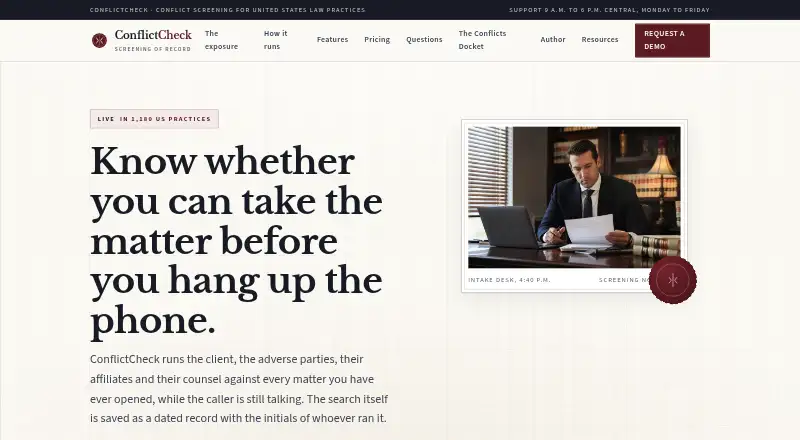
What ConflictCheck is
ConflictCheck screens proposed legal matters against a practice’s records of clients, adverse parties, affiliates, counsel, prospective clients, and closed matters. Its intake form works on a phone and collects names, related entities, referral source, opposing counsel, and county. Search matching includes aliases, married and trade names, common misspellings, and phonetic matches, and it can follow recorded corporate relationships such as parents and subsidiaries. A dated ledger can preserve consultations that did not become matters, including the subject and whether confidential information was shared. Each screening records search terms, results, decision, and user initials; the maker says signed records are immutable and later changes are appended. The maker says practice data is encrypted and not used to train models or build a shared index. ConflictCheck does not decide whether a conflict exists or whether a matter may be accepted; that remains the attorney’s judgment.
Good
- Matches aliases, misspellings, and phonetic variants
- Tracks consultations that did not become matters
- Records screening details in an appended audit trail
- Practice data is not used to train models
Watch out
- No free plan
- Solo Practice is limited to one attorney
- Conflict decisions remain with the attorney
Who it suits
It is positioned for US solo attorneys and small law practices, as well as legal departments that need to screen prospective matters. Firms using Clio, MyCase, PracticePanther, or Smokeball can use sync on Small Firm and Firm Plus.
Verdict
ConflictCheck structures intake and records screening decisions, with matching that extends beyond exact names. It supports the process but leaves the conflict decision to the licensed attorney.
Plans and prices
From ConflictCheck's own pricing page, checked 15 Oct 2026.
| Plan | Price | What it gives you |
|---|---|---|
| Solo Practice | $49 a month | 1 attorney · up to 2 staff seats · 5,000 party records · unlimited screenings · 18 months screening records · CSV import/export · monthly per practice |
| Small Firm | $119 a month | 2 attorneys · up to 6 staff seats · 25,000 party records · unlimited screenings · 7 years screening records · Clio/MyCase/PracticePanther/Smokeball sync · monthly per practice |
| Firm Plus | $249 a month | up to 5 attorneys · unlimited staff seats · unlimited party index · unlimited screenings · read/write API · webhooks · 7 years screening records · monthly per practice |
The facts
Each one read from ConflictCheck's own pages, with the date it was checked.
What it does
- Acceptable-use limits
- Terms prohibit building a cross-firm shared index, unauthorized searches, security probing, reverse engineering and resale.checked 15 Oct 2026
- Affiliate search
- The search can follow recorded corporate affiliate relationships such as parents, subsidiaries, general partners and sureties.checked 29 Sep 2026
- API and webhooks
- Firm Plus advertises a read/write API and webhook events, but the public page does not name SDKs.checked 15 Oct 2026
- Audit record
- Screenings record the date, exact search terms, results, decision and user initials; the maker says signed records are immutable and later amendments are appended.checked 29 Sep 2026
- Availability target
- The service targets 99.9% monthly availability, excluding announced maintenance, and says outages longer than 15 minutes receive incident notices and postmortems.checked 15 Oct 2026
- Cancellation
- Subscribers may cancel through the billing screen; records can be exported before closure, and the account is held read-only for 30 days before deletion.checked 29 Sep 2026
- Cancellation limitation
- Cancellation stops service at the paid month end, has no partial-month refund, keeps the account read-only for 30 days and then deletes it.checked 15 Oct 2026
- Capterra disambiguation
- Capterra's Client Conflict Check listing is a different product and shows 0.0 with no user reviews, so it is not a rating for ConflictCheck at conflictcheckapp.com.checked 15 Oct 2026
- Corporate relationships
- The search can follow recorded parent, subsidiary, general-partner and surety relationships through affiliate trees.checked 15 Oct 2026
- Data-quality limitation
- Terms disclaim that searches will find conflicts absent from the account data and warn that incomplete imports reduce screening quality.checked 15 Oct 2026
- Data security
- The maker says client data is held in encrypted databases in United States regions, encrypted in transit and at rest, and support access requires a written account-owner request and is logged.checked 29 Sep 2026
- Data use
- The subscription terms say practice data remains the practice’s property and is not used to train models or build a shared index.checked 29 Sep 2026
- Ethical walls
- Firm Plus adds ethical-wall tracking for lateral hires.checked 15 Oct 2026
- Founder
- Jimenez Julien says he founded MLJ, SASU in Paris in October 2024 and personally handles support and demo requests.checked 15 Oct 2026
- Gartner coverage
- Gartner Peer Insights' conflict-check software market page shows one category rating and no ConflictCheck product review.checked 15 Oct 2026
- Immutable records
- Signed screening records retain the date, exact search terms, returned results, decision and user initials; later changes are appended rather than overwriting the record.checked 15 Oct 2026
- Independent directory coverage
- The Legal Practice roundup says it evaluated 26 conflict-check tools and lists PracticePanther, Smokeball, Clio, MyCase, Docketwise, Lawmatics, Filevine, CosmoLex, App4Legal and Actionstep; ConflictCheck is not in that shortlist.checked 15 Oct 2026
- Intake
- Its structured intake form captures client and former names, adverse parties, related entities, referral source, opposing counsel and county, and is described as working on a phone.checked 29 Sep 2026
- Integrations
- Small Firm and Firm Plus synchronize with Clio, MyCase, PracticePanther and Smokeball; Solo Practice provides CSV import and export.checked 15 Oct 2026
- Legal limitation
- ConflictCheck does not decide whether a conflict exists or is waivable; that judgment remains with the licensed attorney.checked 15 Oct 2026
- Licence
- The legal notice states that the software, database and matching logic are proprietary and are not offered under an open licence.checked 15 Oct 2026
The company
- Data ownership
- Terms say uploaded practice data remains the practice's property and is not used to train models or build a shared index.checked 15 Oct 2026
- Maker
- ConflictCheck is published by MLJ, SASU, a French simplified joint-stock company with €500 share capital and Paris registration dated 30 October 2024.checked 15 Oct 2026
Where it runs
- GetApp disambiguation
- GetApp's Client Conflict Check page refers to a separately named product rather than ConflictCheck published by MLJ, SASU.checked 15 Oct 2026
The full review of ConflictCheck
Overview
ConflictCheck is a screening and intake tool for law practices and legal departments, particularly solo attorneys and two-attorney firms in the United States. Its structured intake and broader name matching help organize checks across a practice’s records, while the licensed attorney remains responsible for deciding whether a conflict exists and whether to accept a matter.
Key features
The phone-friendly intake form gathers client and former names, adverse parties, related entities, referral source, opposing counsel and county. That structure can make it easier to capture relevant parties consistently before a matter advances; it is not a substitute for an attorney’s review.
Searches account for aliases, married and trade names, common misspellings and phonetic matches, and can follow recorded corporate relationships such as parents, subsidiaries, general partners and sureties. This reaches beyond exact-name searches, though the affiliate search follows relationships recorded in the practice’s data.
A dated ledger preserves consultations that did not become matters, including their subject matter and whether confidential information was shared. Screening records capture the date, exact search terms, results, decision and user initials. The maker says signed records cannot be changed, with later amendments appended—useful for maintaining a decision history rather than silently rewriting one.
Small Firm and Firm Plus sync with Clio, MyCase, PracticePanther and Smokeball; Solo Practice instead includes CSV import and export. Firm Plus also includes API and webhook events. Data is held in encrypted databases in United States regions, encrypted in transit and at rest; support access requires a written request from the account owner and is logged. The subscription terms say practice data remains the practice’s property and is not used to train models or build a shared index.
Subscribers can cancel through the billing screen and export records before closure. After closure, the account remains read-only for 30 days before deletion. The stated availability target is 99.9 percent monthly, excluding scheduled maintenance announced at least 48 hours ahead. Support hours are 9 a.m. to 6 p.m. Central, Monday to Friday; Solo Practice email receives a reply within one business day.
Pricing
All three plans are billed monthly per practice, with unlimited screenings. The choice is mainly about how many attorneys and staff need access, how much screening history and party data the practice needs to retain, and whether it needs practice-management sync or developer access.
- Solo Practice — $49 a month. One attorney, up to two staff seats, 5,000 party records and 18 months of screening records, plus CSV import and export. This is the entry plan for a solo attorney with a small team; its shorter history and capped party index matter for practices that need longer retention or expect their records to grow.
- Small Firm — $119 a month. Two attorneys, up to six staff seats, 25,000 party records and seven years of screening records, plus sync with Clio, MyCase, PracticePanther and Smokeball. It is the practical step up for a two-attorney practice that needs more seats, longer screening history or a supported sync rather than CSV exchange.
- Firm Plus — $249 a month. Up to five attorneys, unlimited staff seats and party index, seven years of screening records, plus API and webhook events. It suits a larger team that needs an unrestricted party index or system integrations; it costs more than twice Small Firm, so those capabilities should justify the jump.
Platforms
ConflictCheck is available on web, Android and iOS, and offers an API. The phone-working intake form gives mobile users a way to gather matter details, while the API and webhook events are included with Firm Plus rather than the two lower plans.
Who it's for
ConflictCheck is best suited to U.S. solo attorneys and small law firms that want structured prospective-matter intake, broader name and affiliate searches, and a recorded screening decision. Legal departments are also within the maker’s stated audience. Practices should look elsewhere if they need the software itself to make the professional conflict decision: ConflictCheck leaves that judgment to the licensed attorney of record.
Pros and cons
- Pros: Matching accounts for aliases, misspellings and phonetic variants, reducing reliance on exact-name searches.
- Pros: A dated prospective-client ledger and screening audit record give teams a traceable account of consultations and decisions.
- Pros: Small Firm combines seven-year screening retention with sync for four named practice-management products.
- Cons: Solo Practice retains screening records for 18 months, compared with seven years on the higher plans.
- Cons: Solo Practice has a 5,000-record cap and no listed practice-management sync; CSV import and export are its data-transfer option.
- Cons: The attorney must still determine whether a conflict exists and whether to accept the matter.
Alternatives
Browse Legal Conflict Checking Software to compare the category. Choose PracticeConsole Client Intake if you want a $15 a month Starter plan with unlimited users, AI conflict checking, time tracking and invoicing, email and calendar sync, and a client portal; it also offers a free trial, unlike ConflictCheck’s paid-only plans. Consider Intapp Conflicts if iOS and web are the platforms you need and a demo-led purchase suits you better than published monthly tiers. Affinisio Conflicts Clearance Compliance Centre is another paid option, with API, self-hosted and web platforms. ConflictsPro offers a 90-day proof of concept with full functionality for selected departments or practice groups, followed by an enterprise deployment option. Caddi is a web-based freemium alternative with a free Individual plan for one user. Dodonai Conflict Check is another paid alternative. Lawra Conflict Check is a paid web-based alternative. iManage Conflicts & Intake is a paid web-based alternative.
Verdict
Choose ConflictCheck if you are a solo attorney or small U.S. firm seeking structured intake, flexible name matching and a durable record of screening decisions. Its clearest reason to buy is the combination of related-party search and decision documentation, with Small Firm adding seven-year retention and practice-management sync. Look elsewhere if you need automated professional judgment, or if the Solo plan’s record cap and shorter retention would constrain your practice.
Alternatives to ConflictCheck
- 1
CaseFox
Free planAndroidiOSWebAPI8.1From $45 a month - 2

Digitslaw
Free planAndroidiOSWebmacOS8.0Free plan - 3
Client Conflict Check
AndroidiOSWeb7.4From $199 a year - 4
OBE Legal Intake Software
AndroidiOSWebAPI7.4From $1,400 a month - 5
Caddi
Free planWebAPIExtension7.3From $250 a month - 6
RTG Conflicts
WebLinuxmacOSSelf-hosted7.3From $3 a month