
CodeTogether
CodeTogether helps organizations track the cost and value of AI-assisted software work, while also providing real-time team collaboration across IDEs.
What CodeTogether is
CodeTogether helps organizations track the cost and value of AI-assisted software work, while also providing real-time team collaboration across IDEs. It records AI spend and human time in IDEs, terminals, and agent sessions, then assigns a price and value to delivered pull requests and calculates value per dollar. Teams can code, debug, and review together, joining from an IDE or browser. Supported IDE plugins include VS Code, IntelliJ-based IDEs, Eclipse, and Visual Studio; a plugin can track agentic command-line tools running inside that IDE. CodeTogether is offered as SaaS or for on-premises deployment inside a private network. Its Starter plan costs $10 a month per developer for up to 25 developers, and Business costs $49 a month per developer for unlimited team size. Both list a 10% discount for annual licenses. Enterprise pricing is by custom quote. A free plan and free trial are listed. The company says it does not store code or train on customer data.
Good
- Tracks AI spend and human time where work occurs.
- Connects pull requests to price and value.
- Participants can collaborate from an IDE or browser.
- On-premises deployment is available.
- Free plan and free trial are listed.
Watch out
- GitHub is the only supported source-control connector.
- No voice audio or screen sharing.
- Starter is limited to 25 developers.
Who it suits
It suits software teams seeking visibility into AI work costs and delivered value, alongside cross-IDE collaboration. Organizations needing deployment within a private network can consider its on-premises option.
Verdict
CodeTogether pairs AI-work accounting with shared coding and review tools. Its listed source-control connector support is limited to GitHub, even though its integrations page names other tools.
Plans and prices
From CodeTogether's own pricing page, checked 30 Sep 2026.
| Plan | Price | What it gives you |
|---|---|---|
| Starter Plan | $10 a month | up to 25 developers · per developer; 10% discount for annual licenses |
| Business Plan | $49 a month | unlimited team size · per developer; 10% discount for annual licenses |
| Enterprise Plan | Priced on request | larger teams · on-premises deployment · SSO support · custom quotes available |
The facts
Each one read from CodeTogether's own pages, with the date it was checked.
What it does
- Agent support
- One IDE plugin can track agentic CLIs such as Claude Code, Codex, and Cursor running inside that IDE.checked 30 Sep 2026
- AI providers
- On-premises AI analysis can connect to Ollama, OpenAI, Anthropic, or a custom OpenAI-compatible endpoint.checked 30 Sep 2026
- AI ROI
- The platform assigns every delivered pull request a price and value and computes value per dollar.checked 30 Sep 2026
- Collaboration
- Teams can code, debug, and review together in real time across IDEs, with participants joining from an IDE or browser.checked 30 Sep 2026
- Data protection
- The company says it never stores code and never trains on customer data; on-premises deployments keep clients, analysis, and database inside the private network.checked 30 Sep 2026
- Deployment
- CodeTogether runs either on-premises inside a private network or as SaaS.checked 30 Sep 2026
- IDE support
- Supported IDE plugins include VS Code, IntelliJ, Eclipse, and Visual Studio.checked 30 Sep 2026
- Integrations
- The integrations page lists Jira, GitHub, GitLab, Bitbucket, Copilot, Eclipse, IntelliJ, Visual Studio, and VS Code.checked 30 Sep 2026
- Onboarding
- The SaaS setup guide says the first AI Adoption Report baseline is available within seven days of installation.checked 30 Sep 2026
- Purpose
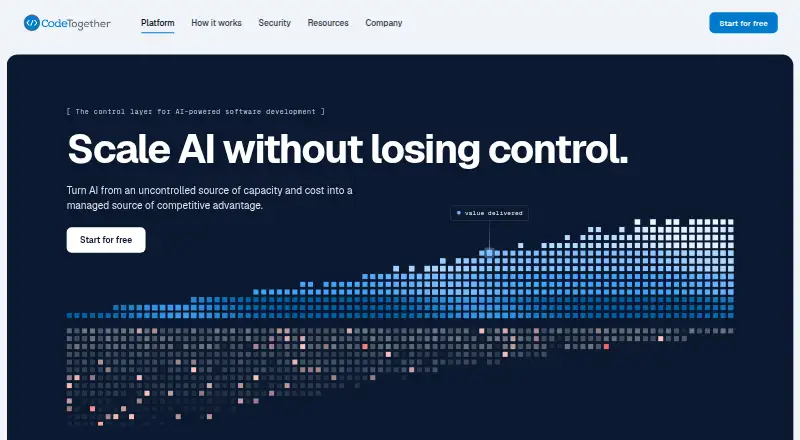
- CodeTogether is the control layer for AI-powered software development, showing organizations what AI costs, delivers, and where to intervene.checked 30 Sep 2026
- SaaS data handling
- On Team plans no code leaves the system, while Company plans scan code only when value analysis is enabled and never store it.checked 30 Sep 2026
- Source-control limit
- The current CodeTogether AI documentation says only GitHub is supported as a source-control connector, with no Bitbucket, GitLab, or Azure DevOps connector.checked 30 Sep 2026
- SSO
- CodeTogether requires SSO for user authentication and supports OIDC providers including Keycloak, Microsoft Entra ID, Okta, GitHub, GitLab, Google, and Ping Identity.checked 30 Sep 2026
- Support
- The documentation directs users who cannot find an answer to email [email protected].checked 30 Sep 2026
- Work capture
- CodeTogether captures AI spend and human time at the point of work in IDEs, terminals, and agent sessions.checked 30 Sep 2026
The full review of CodeTogether
Overview
CodeTogether combines AI-development accounting with real-time coding, debugging, and review across IDEs. It suits teams that need to connect AI use to delivered work, especially organizations that want private-network deployment. Its reporting focus is compelling, but source-control connector support is limited to GitHub.
Key features
AI work and value tracking
CodeTogether captures AI spend and human time in IDEs, terminals, and agent sessions, then assigns delivered pull requests a price and value and calculates value per dollar. That gives teams a way to assess AI use against work delivered, rather than treating usage alone as the outcome. A single IDE plugin can track agentic command-line tools running inside that IDE, including Claude Code, Codex, and Cursor. Supported IDE plugins include VS Code, IntelliJ, Eclipse, and Visual Studio.
Collaboration across editors
Teams can code, debug, and review together in real time across IDEs, with participants joining from an IDE or browser. This makes CodeTogether more than an AI-accounting tool; it can also support shared development sessions. It does not offer voice audio or screen sharing, so teams seeking those meeting features will need another tool.
Deployment and data protection
CodeTogether is available as SaaS or on-premises inside a private network. The company says it never stores code or trains on customer data. In on-premises deployments, clients, analysis, and the database stay within the private network. On Team plans no code leaves the system; on Company plans code is scanned only when value analysis is enabled and is never stored. On-premises AI analysis can connect to Ollama, OpenAI, Anthropic, or a custom OpenAI-compatible endpoint. SSO is required for user authentication, with OIDC support for providers including Keycloak, Microsoft Entra ID, Okta, GitHub, GitLab, Google, and Ping Identity.
Connectors and onboarding
The integrations page names Jira, GitHub, GitLab, Bitbucket, Copilot, Eclipse, IntelliJ, Visual Studio, and VS Code, but the AI documentation currently supports only GitHub as a source-control connector. Teams relying on GitLab, Bitbucket, or Azure DevOps for that connection should look elsewhere. The SaaS setup guide says an initial AI Adoption Report baseline is available within seven days of installation. For questions not answered in the documentation, support is available by email.
Pricing
CodeTogether is freemium, with a free plan and a free trial. The paid options are billed per developer, so team costs rise with headcount.
- Starter Plan: $10 a month per developer, with a 10% discount for annual licenses and a cap of 25 developers. It is the fit for smaller teams that can stay within that seat limit.
- Business Plan: $49 a month per developer, with a 10% discount for annual licenses and unlimited team size. It suits larger teams that need room to grow, though its per-developer price makes headcount an important budget consideration.
- Enterprise Plan: custom pricing for larger teams, with on-premises deployment and SSO support. It is aimed at organizations that need those enterprise arrangements rather than a fixed per-developer price.
Platforms
CodeTogether supports extension, Linux, macOS, self-hosted, web, and Windows. Its editor support covers Visual Studio Code, Visual Studio, Eclipse IDE, and IntelliJ-based IDEs, giving teams several common development environments to work with.
Who it's for
CodeTogether is best suited to engineering organizations measuring the cost and output of AI-assisted development while keeping cross-IDE collaboration available. Private-network deployment, required SSO, and configurable on-premises AI analysis will matter most to teams with stronger control requirements. It is a weaker fit for teams that need source-control connections beyond GitHub or want built-in voice and screen sharing.
Pros and cons
- Pros: Connects AI spending and human time to delivered pull requests, making AI value easier to assess in work terms.
- Pros: Offers SaaS and on-premises deployment, with on-premises analysis able to use several AI providers or a compatible custom endpoint.
- Pros: Lets participants collaborate across IDEs and join from an IDE or browser.
- Cons: GitHub is the only supported source-control connector, despite the broader set of tools named on the integrations page.
- Cons: Starter is capped at 25 developers, while Business is $49 a month per developer.
- Cons: Voice audio and screen sharing are absent, limiting its role as a complete remote pairing or meeting tool.
Alternatives
Pair Programming Software is a useful place to compare tools focused on shared coding sessions.
- Drovio is worth considering for screen sharing and calls, with a free Basic plan capped at two participants and 30 minutes of daily remote control.
- Pop is another freemium collaboration option for Linux, macOS, web, and Windows.
- Zed suits readers looking for a code editor with a free Personal plan that includes 2,000 accepted edit predictions and support for external agents or API keys.
- Gobby is a free option for readers prioritizing a self-hosted tool across Linux, macOS, and Windows.
- HackerRank is the alternative to consider for interview workflows, with a Starter plan at $165 a month and 120 attempts per year.
- Saros suits readers who want a completely open-source, free option for Linux, macOS, self-hosted, and Windows.
- Visual Studio is a Windows-only alternative with a free Community plan for students, open-source projects, and individual developers.
- Duckly may suit occasional sessions: its free plan has no video calls and supports two simultaneous participants.
Verdict
Choose CodeTogether if your organization needs to account for AI-assisted development in terms of cost and delivered pull-request value, and wants collaboration across IDEs with SaaS or on-premises deployment. Look elsewhere if GitHub is not your source-control platform or if voice and screen sharing are essential to your shared coding workflow.
Alternatives to CodeTogether
- 1

Hopp
Free planOpen sourceWebmacOSSelf-hostedWindows7.9From $15 a month - 2
Drovio
Free planWebLinuxmacOSSelf-hosted7.7From $15 a month - 3

Visual Studio
Free planAPIWindows7.6Free plan - 4

Zed
Free planLinuxmacOSWindows7.6From $10 a month - 5

HackerRank
WebAPImacOSWindows7.4From $165 a month - 6

Coterm
Free planOpen sourceiOSAPImacOSSelf-hosted7.3Free plan