
ClipSafe
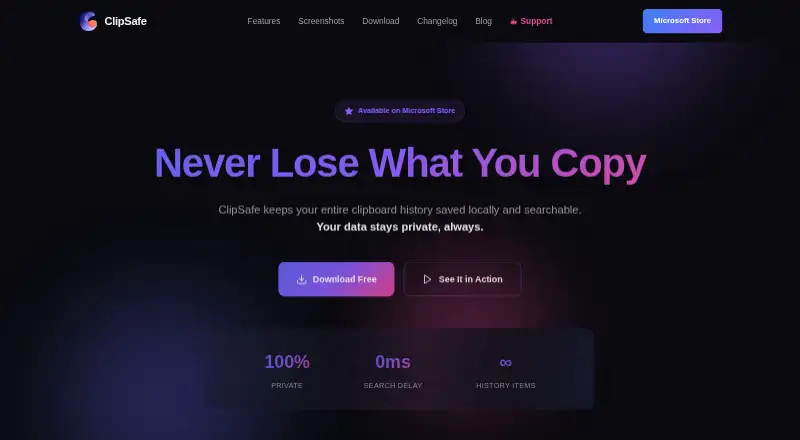
ClipSafe is a free Windows clipboard manager that stores clipboard history locally and makes it searchable.
What ClipSafe is
ClipSafe is a free Windows clipboard manager that stores clipboard history locally and makes it searchable. It supports Windows 10 and Windows 11 and is distributed through the Microsoft Store. Saved entries can include text with source tracking, files and paths, images with metadata, audio clips, animated GIFs and link previews. Search covers clipboard content, source applications and tags. Global Ctrl+Shift+1–9 shortcuts access the last nine items while the app runs in the background. Users can set history limits, pause or resume tracking, and optionally start ClipSafe with Windows. Text, images and files can be pinned through history clearing, while custom coloured tags organise items. A VS Code extension sends code snippets and tags them by language and workspace. ClipSafe says data stays on the device, with copied text in an encrypted local database, no analytics collection and no normal-operation internet access.
Good
- Free with no premium tiers
- Searchable local clipboard history
- Supports text, files, images and audio
- Global shortcuts for recent items
- Encrypted local text database
Watch out
- Windows 10 and 11 only
- No cross-device sync
- Link previews may fetch URLs
- No free trial distinction
Who it suits
It suits developers, designers and writers who frequently copy material and want local, searchable access. Windows users who prefer device-only storage may also find its privacy model suitable.
Verdict
ClipSafe focuses on searchable clipboard history without subscriptions or cross-device syncing. Its local storage, broad entry types and shortcuts suit Windows users who want quick access while keeping copied text on the device.
Plans and prices
From ClipSafe's own pricing page, checked 9 Oct 2026.
| Plan | Price | What it gives you |
|---|---|---|
| Free | Free | No subscriptions · no in-app purchases · no premium tiers |
The facts
Each one read from ClipSafe's own pages, with the date it was checked.
What it does
- Content types
- It saves text with source tracking, files and file paths, images with metadata, audio clips, animated GIFs, and link previews.checked 9 Oct 2026
- Customization
- Users can set history limits, pause or resume tracking, and optionally enable automatic startup with Windows.checked 9 Oct 2026
- Distribution and support
- ClipSafe is distributed through the Microsoft Store, and the privacy page provides an email contact for questions.checked 9 Oct 2026
- Integration
- The site says ClipSafe’s first app extension supports sending code snippets from VS Code and automatically tagging them with language and workspace.checked 9 Oct 2026
- Intended users
- The maker describes ClipSafe as built for developers, designers, and writers who frequently copy material and want it readily accessible.checked 9 Oct 2026
- Local storage
- ClipSafe says clipboard data is stored on the Windows device and is not uploaded to its servers or shared with third parties.checked 9 Oct 2026
- Network behavior
- ClipSafe says it has no internet access during normal operation; a maker blog page says it fetches link previews using the copied URL.checked 9 Oct 2026
- Pins and tags
- Users can pin text, images, or files so they survive history clearing, and organize items with custom colored tags.checked 9 Oct 2026
- Purpose
- ClipSafe saves clipboard history locally and makes it searchable.checked 9 Oct 2026
- Search
- Users can search across clipboard content, source applications, and tags.checked 9 Oct 2026
- Security and telemetry
- The privacy policy says copied text is stored in an encrypted local database and ClipSafe does not collect analytics or usage data.checked 9 Oct 2026
- Shortcuts
- Global Ctrl+Shift+1–9 shortcuts provide access to the last nine clipboard items while the app is in the background.checked 9 Oct 2026
Where it runs
- Supported Windows versions
- ClipSafe supports Windows 10 and Windows 11.checked 9 Oct 2026
Alternatives to ClipSafe
- 1

Relic
Free planOpen sourceAndroidiOSWebAPI9.3From $5 a month - 2
Clipman
Free planOpen sourceAndroidiOSAPILinux9.2$1.99 one-time - 3
Pasteable
Free planAndroidiOSWebLinux8.3From $60 a year - 4

ClipboardFusion
Free planAndroidiOSWebExtension8.3$19 one-time - 5
OmniClip
Free planAndroidiOSWebExtension8.1Free plan - 6
Pastin
Free planiOSmacOS8.0From $29.99 a year