
Clipdiary
Clipdiary is a Windows clipboard manager that keeps a history of copied content so you can retrieve it later.
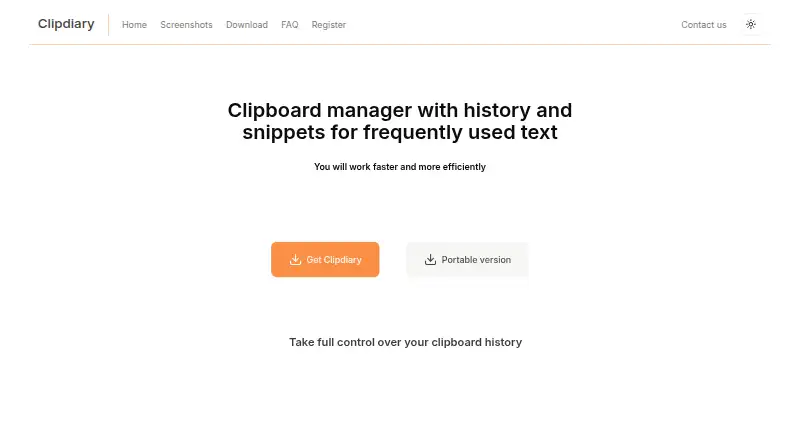
What Clipdiary is
Clipdiary is a Windows clipboard manager that keeps a history of copied content so you can retrieve it later. It can record plain text, RTF, BMP images, HTML, files, and other clipboard formats. Search helps locate past clips; stars and labels let you mark important items and sort history into folders. Its Snippets feature keeps frequently used text, such as replies, addresses, and code, ready for quick pasting. The maker says history stays on your computer and can be password-protected with AES-256 database encryption. Clipdiary has a free plan and a fully functional 60-day trial. The Personal License costs 19.99 USD once for personal, non-commercial use at home; business, academic, and government use requires a Business License at 29.99 USD once. An Extended License costs 39.99 USD once for up to five family-owned computers, including a work PC. The maker offers a portable version, free future updates starting with version 5.72, lifetime technical support for registered customers, and a 30-day money-back guarantee. Personal use is restricted to non-commercial settings.
Good
- Records text, images, HTML, files, and other formats
- Search, stars, and labels organize clipboard history
- Snippets keep frequently used text ready to paste
- History stays local and supports AES-256 database encryption
Watch out
- Windows only
- No cross-device sync
- Personal licenses exclude commercial use
- Business License costs 29.99 USD once
Who it suits
Clipdiary suits Windows users who want searchable clipboard history, reusable snippets, and local clip organization. Personal licenses are for non-commercial home use; business, academic, or government users need a Business License.
Verdict
Clipdiary brings clipboard history, search, folders, and reusable snippets together in a Windows app. Check the license terms carefully if you need it for work or another commercial setting.
Plans and prices
From Clipdiary's own pricing page, checked 8 Oct 2026.
| Plan | Price | What it gives you |
|---|---|---|
| Free Personal License | Free | Personal non-commercial use; qualifying low-income private work use; not-for-profit organizations |
| Personal License | $19.99, paid once | Personal, non-commercial use at home · Lifetime license |
| Business License | $29.99, paid once | Business, academic, or government use · Lifetime license |
| Extended License | $39.99, paid once | Up to five computers owned by family members, including a work PC · Lifetime license |
| Site license (150 PCs) | $1,499.99, paid once | 150 PCs |
The facts
Each one read from Clipdiary's own pages, with the date it was checked.
What it does
- Clip formats
- It can record plain text, RTF, BMP images, HTML, files, and other clipboard data formats.checked 8 Oct 2026
- Contact
- The maker directs users with questions or ideas to its contact form or [email protected].checked 8 Oct 2026
- Current listed release
- The download page lists Clipdiary Beta 5.72 dated October 3, 2026.checked 8 Oct 2026
- License restriction
- Personal licenses are limited to non-commercial use in a non-business environment, while business, academic, and government use requires a Business License.checked 8 Oct 2026
- Local storage and encryption
- The maker says clipboard history stays on the user's computer and can be protected with a password using AES-256 database encryption.checked 8 Oct 2026
- Organization
- Users can star important clips and organize clipboard history with labels into folders.checked 8 Oct 2026
- Portable use
- The maker offers a portable version that can be deleted by removing its folder.checked 8 Oct 2026
- Product
- Clipdiary is a clipboard manager that saves clipboard contents to a history for later retrieval.checked 8 Oct 2026
- Refunds
- The maker offers an unconditional 30-day money-back guarantee.checked 8 Oct 2026
- Snippets
- The Snippets feature stores frequently used text, such as replies, addresses, and code, for quick pasting.checked 8 Oct 2026
- Support
- Registered customers receive free lifetime technical support.checked 8 Oct 2026
- Updates
- The maker says all future updates are free starting with Clipdiary 5.72.checked 8 Oct 2026
Money
- Trial
- The maker offers a fully functional trial for 60 days.checked 8 Oct 2026
Alternatives to Clipdiary
- 1

Relic
Free planOpen sourceAndroidiOSWebAPI9.3From $5 a month - 2
Clipman
Free planOpen sourceAndroidiOSAPILinux9.2$1.99 one-time - 3

Pasteable
Free planAndroidiOSWebLinux8.3From $60 a year - 4

ClipboardFusion
Free planAndroidiOSWebExtension8.3$19 one-time - 5
OmniClip
Free planAndroidiOSWebExtension8.1Free plan - 6
Pastin
Free planiOSmacOS8.0From $29.99 a year