
ClipClip
ClipClip is a Windows clipboard manager and screen capture tool that saves copied content so users can find, edit, and organize it later.
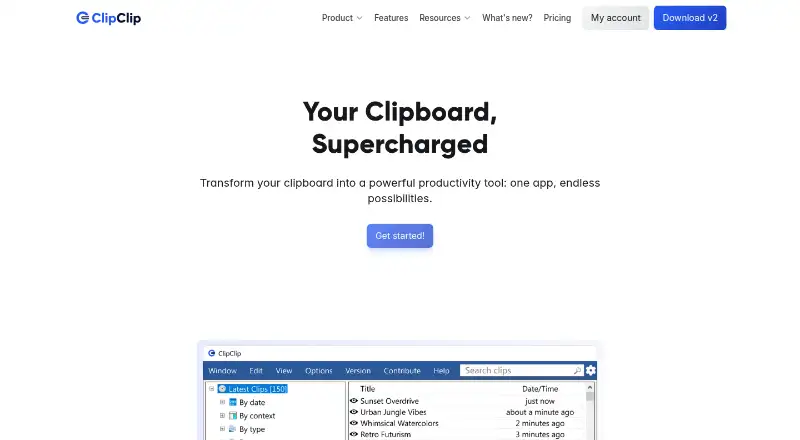
What ClipClip is
ClipClip is a Windows clipboard manager and screen capture tool that saves copied content so users can find, edit, and organize it later. It automatically keeps up to 1,000 recent clips, subject to device memory, including plain text, rich text, HTML, CSV, images, and files. Its Paste Menu lets users search, preview, and paste saved clips into the current app without opening ClipClip. Users can edit text and HTML, format rich text, and preview, crop, or annotate clipboard images. Built-in actions include text cleanup, formatting, word and character counts, calculations, and opening URLs in a browser. ClipClip also provides screen recording and screenshot capture, editing, and annotation tools. Listed services include Google, Bing, DeepL, and Translate.com for search or translation, plus Bitly, Rebrandly, Imgur, and Pastebin for sharing or short links. Its feature page describes password-protected folders and connections to Google Drive, OneDrive, and Dropbox. The free Personal License is for personal productivity, study, hobbies, and side projects. The Commercial License costs $49, paid once per user for commercial or income-generating work.
Good
- Keeps up to 1,000 recent clips, subject to memory.
- Supports text, HTML, CSV, images, and files.
- Paste Menu works without opening ClipClip.
- Includes screen recording and screenshot tools.
- Personal License is free.
Watch out
- Available only on Windows.
- History is limited to 1,000 clips.
- Commercial License costs $49, paid once per user.
Who it suits
ClipClip suits Windows users who want to keep and reuse clipboard content, edit clips, or capture and annotate screens. The free license is for personal use; commercial work requires the Commercial License.
Verdict
ClipClip combines clipboard history, clip editing, and screen capture for Windows users. Its free license is limited to personal use, while commercial or income-generating work requires a one-time paid license.
Plans and prices
From ClipClip's own pricing page, checked 7 Oct 2026.
| Plan | Price | What it gives you |
|---|---|---|
| Personal License | Free | Free for personal productivity, schoolwork or studying, and hobbies or side projects · No registration or credit card needed · No purchase required |
| Commercial License | $49, paid once | For commercial or income-generating work · Lifetime access · No recurring fees · One-time payment per user |
The facts
Each one read from ClipClip's own pages, with the date it was checked.
What it does
- Actions
- Built-in actions include text cleanup and formatting, word or character counts, calculations, and opening URLs in a browser.checked 7 Oct 2026
- Clipboard history
- ClipClip automatically saves up to 1,000 recent clips, subject to device memory.checked 7 Oct 2026
- Clip editing
- Users can edit simple text, format rich text, edit HTML, and preview, crop, or annotate clipboard images.checked 7 Oct 2026
- Folder and drive management
- ClipClip’s feature page describes password-protected folders and connecting Google Drive, OneDrive, and Dropbox.checked 7 Oct 2026
- Integrations
- The site lists Google, Bing, DeepL, and Translate.com for search or translation, and Bitly, Rebrandly, Imgur, and Pastebin for sharing or short links.checked 7 Oct 2026
- Intended users
- The pricing page recommends a commercial license for client work, company or team use, agencies, freelancers, consultants, and other income-generating work.checked 7 Oct 2026
- Paste menu
- The Paste Menu lets users search, preview, and paste saved clips into the current app without opening ClipClip.checked 7 Oct 2026
- Privacy policy
- The privacy policy says it covers information collected through clipclip.com, was last updated February 21, 2023, and that payment data is stored by FastSpring.checked 7 Oct 2026
- Product
- ClipClip is a Windows clipboard manager and screen capture tool that saves copied content so users can view, edit, and organize it.checked 7 Oct 2026
- Screen capture
- ClipClip includes tools to record the screen and capture, edit, and annotate screenshots.checked 7 Oct 2026
- Support
- The official site links to a ClipClip Help Center for product support.checked 7 Oct 2026
- Supported clip types
- It handles plain text, rich text, HTML, CSV, images, and files.checked 7 Oct 2026
The company
- Headquarters
- Cheyenne, Wyoming, United Stateschecked 28 Sep 2026
Alternatives to ClipClip
- 1
Clipman
Free planOpen sourceAndroidiOSAPILinux8.5$1.99 one-time - 2

Relic
Free planOpen sourceAndroidiOSWebAPI8.5From $5 a month - 3
Pastin
Free planiOSmacOS7.6From $29.99 a year - 4

ClipboardFusion
Free planAndroidiOSWebExtension7.5$19 one-time - 5

Pasteable
Free planAndroidiOSWebLinux7.5From $60 a year - 6
OmniClip
Free planAndroidiOSWebExtension7.4Free plan