
Clearbrief
Clearbrief brings AI-assisted legal writing tools into Word, linking claims to supporting evidence with clickable citations.
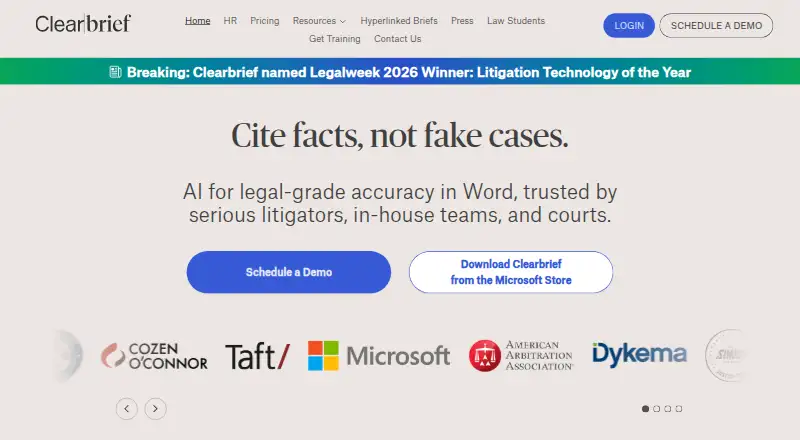
What Clearbrief is
Clearbrief brings AI-assisted legal writing tools into Word, linking claims to supporting evidence with clickable citations. Its Analyze and Add Fact-Cite tools help users check statements against source documents and locate supporting material. For trial preparation, Table Builder, timelines, and summaries help find, extract, and organize facts across document sets. The product can also produce investigation reports with linked citations, Tables of Authorities, exhibits, and hyperlinked filings. Clearbrief lists integrations with LexisNexis, Fastcase vLex, Clio, iManage, Relativity, and PACER. Its platforms are web and Windows, with an MSI installer for launching the Word add-in. Clearbrief says it is SOC 2 Type 2 certified, does not use customer data to train large language models, and lets customers control whether and how generative AI is used. Organizations can keep documents in their own cloud through Bring Your Own Storage. A free plan is available for law students; Solo is $300 per user per month, while Enterprise Unlimited has custom pricing.
Good
- Clickable citations link claims to evidence.
- Tools help check facts in source documents.
- Trial tools organize facts across document sets.
- Bring Your Own Storage supports organizational cloud storage.
- Free plan available for law students.
Watch out
- Solo costs $300 per user per month.
- Enterprise Unlimited pricing is custom.
- Listed platforms are web and Windows.
Who it suits
Clearbrief suits litigators, in-house legal teams, courts, government agencies, arbitrators, and boutique firms working with legal documents and evidence. Its law-student free plan may also suit students seeking legal writing tools.
Verdict
Clearbrief combines legal drafting, evidence checking, and trial-preparation tools around linked source material. Law students have a free plan, while Solo pricing starts at $300 per user per month.
Plans and prices
From Clearbrief's own pricing page, checked 14 Oct 2026.
| Plan | Price | What it gives you |
|---|---|---|
| Law students | Free | Microsoft Word access · class-outline and professor-slide workflows · Free |
| Solo | $300 a month | Single-user plan · multi-year agreements may reduce price · Per user per month |
| Enterprise Unlimited | Priced on request | Volume discounts · 1:1 training included · Custom pricing |
The facts
Each one read from Clearbrief's own pages, with the date it was checked.
What it does
- Add Fact Cite
- Users select text in Word and receive suggested supporting pages from discovery or transcripts.checked 14 Oct 2026
- AI controls
- Clearbrief says customers control if and how generative AI is used.checked 28 Sep 2026
- AI data use
- The company says customer data is not used to train large language models and that customers can control generative-AI use.checked 14 Oct 2026
- Bring-your-own storage
- Organizations may keep documents in their own cloud storage through Clearbrief's bring-your-own-storage option.checked 14 Oct 2026
- Citation checking
- The platform checks legal and factual citations against underlying source documents and highlights possible mismatches.checked 14 Oct 2026
- Clio integration
- Clio users can copy selected PDFs into Clearbrief for OCR, search, citation suggestions and analysis.checked 14 Oct 2026
- Concept search
- A concept-search bar searches across uploaded PDFs for relevant evidence pages.checked 14 Oct 2026
- Cross-examination
- The product advertises instant cross-examination outlines for real-time trial strategy.checked 14 Oct 2026
- Documentation depth
- Public documentation consists of a guides index with Windows MSI and installation PDFs; the reviewed pages do not describe a public developer API or SDK.checked 14 Oct 2026
- Fact checking
- Its Analyze and Add Fact-Cite tools help users verify claims and find supporting evidence in source documents.checked 28 Sep 2026
- Funding
- Crunchbase identifies the company as seed-stage and lists six investors, including Court Lorenzini and Reign Ventures, while round amounts are obfuscated.checked 14 Oct 2026
- Hyperlinked filings
- Clearbrief creates secure, web-based hyperlinked copies of briefs, motions and exhibits for sharing or filing.checked 14 Oct 2026
- Integrations
- Official materials list integrations with LexisNexis, Fastcase/vLex, Relativity, iManage, NetDocuments, Clio, Reveal, MyCase 8AM, SharePoint and Box.checked 14 Oct 2026
- Intended users
- Clearbrief says it is used by litigators, in-house legal teams, courts, government agencies, arbitrators, and boutique firms.checked 28 Sep 2026
- Investigation reports
- Clearbrief offers AI-generated investigation reports whose findings link back to supporting evidence.checked 14 Oct 2026
- Licence
- The reviewed pages describe Clearbrief as a SaaS platform and do not publish an open-source licence.checked 14 Oct 2026
- Limit: citation accuracy
- Reviewers report occasional difficulty identifying citation types, handling Maine parallel citations and formatting some state authorities correctly.checked 14 Oct 2026
- Limit: interface complexity
- Reviewers report that the interface and workflow can feel convoluted, with many tools to learn and extra clicks or separate website/plugin access.checked 14 Oct 2026
- Limit: training availability
- One reviewer criticizes training scheduled at fixed times rather than being available on demand.checked 14 Oct 2026
- Microsoft Word delivery
- Clearbrief runs as a Word task-pane add-in installed from Microsoft AppSource or through an MSI installer.checked 14 Oct 2026
The company
- Company founding
- Clearbrief's press release says Jacqueline Schafer founded the company in 2020.checked 28 Sep 2026
- Company identity
- Crunchbase lists the legal name as Clearbrief, Inc., an active private for-profit company founded by Jacqueline Schafer.checked 14 Oct 2026
- Company profile
- LinkedIn lists Clearbrief as privately held, founded in 2020, headquartered in Seattle and employing 11–50 people.checked 14 Oct 2026
- Headquarters
- Seattle, Washington, United Stateschecked 28 Sep 2026
The full review of Clearbrief
Overview
Clearbrief is legal drafting software that connects claims in Word documents to supporting evidence. It suits litigators and other legal teams whose work depends on checking and presenting a documentary record; its focus is less compelling for readers seeking a general-purpose AI writing assistant.
Its strongest case is the link between drafting, source verification, and preparation of case materials. The trade-off is a high starting price for individual paid use.
Key features
Drafting and evidence checks
Clearbrief’s Analyze and Add Fact-Cite tools help verify claims and locate support in source documents. Clickable citations connect written claims to that evidence, a useful safeguard for legal work where a reader needs to trace assertions back to the record.
Building trial materials
Table Builder, timelines, and summaries help extract and organize facts across document sets. AI-generated investigation reports with hyperlinked citations, Tables of Authorities, exhibits, and hyperlinked filings extend the product beyond drafting. These tools are particularly relevant to litigation teams assembling case materials; the feature set is less suited to work that does not center on legal documents.
Integrations and control
Clearbrief describes integrations with LexisNexis, Fastcase vLex, Clio, iManage, Relativity, and PACER. Bring Your Own Storage lets organizations keep documents in their own cloud. Clearbrief says customer data is not used to train large language models, and customers control whether and how generative AI is used. Those controls matter to organizations weighing AI use in legal work.
Pricing
The Law Students plan is free for law students, making it the clear starting point for students who want to work with Clearbrief without a subscription fee. Its stated audience is limited to law students.
Solo costs $300 per user per month. It is aimed at individual legal professionals, but that recurring per-user price is a substantial commitment; multi-year agreements may have lower pricing. A free trial is available, offering a way to assess fit before paying.
Enterprise Unlimited has custom pricing, with volume discounts available and 1:1 training for responsible AI use included. It is the better fit for organizations that need an enterprise plan and training, rather than a single-user subscription.
Platforms
Clearbrief is available on the web and Windows. Its Windows MSI installer launches the add-in from Microsoft Word, making the desktop option relevant to users who draft in Word. Technical support is available by email at [email protected].
Who it's for
Clearbrief identifies litigators, in-house legal teams, courts, government agencies, arbitrators, and boutique firms among its users. Its combination of evidence checking and trial-preparation tools makes it most appropriate for people who regularly connect legal writing to source documents. Law students can begin on the free plan; individuals outside that group face the $300 per user per month Solo price.
Pros and cons
- Pros: Clickable citations and claim-checking tools connect legal drafts to supporting source material.
- Pros: Timelines, summaries, and trial-preparation tools help organize facts from document sets.
- Pros: Bring Your Own Storage, stated limits on AI training use, and customer control over generative AI provide meaningful document and AI controls.
- Cons: Solo costs $300 per user per month, which may be difficult to justify for occasional use or an individual with a limited budget.
- Cons: The free plan is for law students, so it is not a general free tier for legal professionals.
Alternatives
For a broader comparison, browse Legal AI Software.
- OpusLaw is another freemium option, with web access and paid plans that include monthly message and tool allowances.
- Robin AI is a paid alternative with a free plan and trial, available as a browser extension and on the web.
- DocJuris may suit teams seeking a contract-focused platform with unlimited users and an annual platform fee sized to contract volume and enabled apps.
- LegitQuest is a freemium web and API option with an annual SME plan and allowances for keyword alerts and AI chats.
- Judicio offers a trial and supports macOS, web, and Windows; its Professional plan includes one seat and a monthly credit allowance.
- Spellbook is a custom-priced alternative centered on a Word add-in, with online support and training.
- Zuva is a freemium option available on the web.
- Thomson Reuters Case Tracking is a paid web-based alternative.
Verdict
Choose Clearbrief if your legal work regularly requires tracing drafted claims to source evidence and assembling case materials from document sets. Its linked citations and litigation-oriented tools give it a clear purpose. Look elsewhere if you need a general AI assistant, or if $300 per user per month is too much for your individual use.
Getting started
- Open https://clearbrief.com/.
- Choose the free Law Students plan or review Solo and Enterprise Unlimited pricing.
- Use the web platform or Windows; for Windows, install the MSI to launch the Word add-in.
- Contact technical support by emailing [email protected] if needed.
Limits worth knowing
The free plan is for law students. Solo is $300/user/mo; Enterprise Unlimited has custom pricing.
Questions
Is Clearbrief free?
Yes. Its Law Students plan is free.
How much does Solo cost?
Solo costs $300/user/mo. Multi-year agreements may have lower pricing.
Which platforms does Clearbrief support?
Clearbrief lists web and Windows. Its MSI installer launches the add-in from Microsoft Word.
Which integrations does it describe?
Clearbrief describes integrations with LexisNexis, Fastcase vLex, Clio, iManage, Relativity, and PACER.
How does Clearbrief handle customer data and generative AI?
Clearbrief says customer data is never used to train large language models and customers control if and how generative AI is used. It also offers Bring Your Own Storage.
Who makes Clearbrief?
Jacqueline Schafer founded the company in 2020. Its headquarters are in Seattle, Washington, United States.
Alternatives to Clearbrief
- 1
Zuva
Free planWebAPISelf-hosted7.5Free plan - 2

BriefCatch
WebExtensionmacOSWindows7.2From $60 a month - 3
Manupatra AI Search
AndroidiOSWebWindows6.9From ₹5,000 a year - 4

Harvey
AndroidiOSWebAPI6.8 - 5
LegitQuest
WebAPI6.7 - 6

Alice
WebLinuxmacOSWindows6.6From €85 a month