CitApp
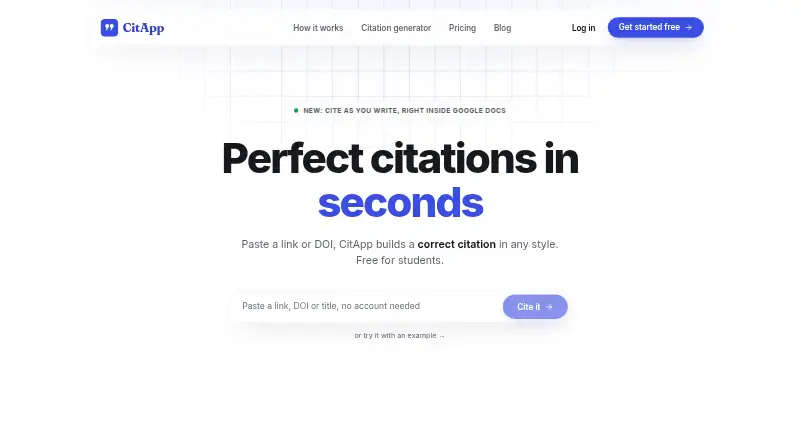
CitApp helps students create formatted citations from links or DOIs and keep research sources organized.
What CitApp is
CitApp helps students create formatted citations from links or DOIs and keep research sources organized. It is available on the web and as a browser extension, with support for websites, journal articles, books, PDFs, reports, Wikipedia, news, theses and videos. Its style options include 17 built-in styles, more than 130 journal and university CSL styles, and custom styles. CitApp says it retrieves metadata from CrossRef, PubMed, arXiv and Google Books. A Google Docs add-on inserts citations at the cursor and updates the reference list. The free plan imports libraries from Zotero, Mendeley or EndNote and exports to Word, BibTeX and RIS. The Chrome extension saves pages and PDFs, including PDFs behind logins, to a project; invited, signed-in collaborators can view and add sources. Academic Shield checks paragraph wording, fit with its academic section and support from the cited source. Free includes unlimited in-app sources, with weekly limits on captures, Docs insertions and Shield checks. Pro is 99 SEK, paid once.
Good
- Creates citations from links or DOIs.
- Supports 150 citation styles.
- Imports Zotero, Mendeley and EndNote libraries.
- Exports to Word, BibTeX and RIS.
- Shared projects allow collaborators to add sources.
Watch out
- No free trial is offered.
- Free plan limits weekly captures and checks.
- Some school accounts may need admin approval for the Docs add-on.
Who it suits
CitApp suits students who need to build citations and organize sources across supported formats. It may also fit collaborators working together on a shared project or users who write in Google Docs.
Verdict
CitApp combines source collection, citation formatting and Google Docs insertion, with a free plan and a paid option that removes weekly limits. Check its plan limits and the Docs add-on approval requirement before choosing it.
Plans and prices
From CitApp's own pricing page, checked 2 Oct 2026.
| Plan | Price | What it gives you |
|---|---|---|
| Free | Free | Unlimited in-app sources · 10 browser captures/week · 30 Google Docs citation insertions/week · 10 Academic Shield checks/week · 150+ styles · PDF uploads · Word/BibTeX/RIS export |
| Pro | 99 SEK, paid once | Removes weekly limits · Unlimited browser captures, Google Docs citations and Academic Shield checks · AI source summaries · Page archive · Cancel any time · 99 kr / term; ≈ 16 kr / mo |
The facts
Each one read from CitApp's own pages, with the date it was checked.
What it does
- Academic Shield
- Academic Shield checks whether a paragraph’s wording is too close to its source, fits its academic section, and is supported by the cited source.checked 2 Oct 2026
- Citation styles
- It offers 17 built-in styles, 130+ journal and university CSL styles, and custom styles.checked 2 Oct 2026
- Google Docs
- Its Docs add-on inserts citations at the cursor and updates the document’s reference list.checked 2 Oct 2026
- Group projects
- Users can share a project by invite link so signed-in collaborators can view it and add sources.checked 2 Oct 2026
- Integrations
- The free plan can import libraries from Zotero, Mendeley or EndNote and export to Word, BibTeX and RIS.checked 2 Oct 2026
- Metadata sources
- CitApp says it retrieves metadata from CrossRef, PubMed, arXiv and Google Books.checked 2 Oct 2026
- Privacy and processing
- The privacy policy says service data and AI requests are processed in the EU, and AI features use Google Gemini through Google Cloud.checked 2 Oct 2026
- Privacy limits
- The privacy policy says it collects account and usage information, including submitted sources and text sent to Academic Shield; it states the submitted Shield paragraph is not stored.checked 2 Oct 2026
- Purpose
- CitApp helps students generate formatted citations from links or DOIs and organize sources.checked 2 Oct 2026
- Security and data handling
- CitApp says it uses technical and organizational security measures, does not sell personal information, and uses an essential session cookie without analytics or advertising cookies.checked 2 Oct 2026
- Source coverage
- It supports websites, journal articles, books, PDFs, reports, Wikipedia, news, theses and videos.checked 2 Oct 2026
- Support
- The contact page says email is the fastest support channel and replies usually arrive within a couple of days.checked 2 Oct 2026
Where it runs
- Browser extension
- The Chrome extension saves pages and PDFs, including PDFs behind logins, to a CitApp project.checked 2 Oct 2026
- Platform requirement
- The site says its browser-based citation workflow needs nothing installed, while a Google account administrator may need to approve the Docs add-on for some school accounts.checked 2 Oct 2026
The full review of CitApp
CitApp is a citation and source-management tool for students who want to collect references, format citations and work in Google Docs. Its broad style support and source imports suit research projects better than one-off citation lookups. The free plan is useful for moderate workloads, but its weekly caps make Pro more practical for frequent research and writing.
Overview
CitApp turns URLs or DOIs into formatted citations and organizes sources in projects. It covers websites, articles, books, PDFs, reports, Wikipedia, news, theses and videos, drawing metadata from CrossRef, PubMed, arXiv and Google Books. That breadth can reduce manual entry across mixed-source projects, although generated metadata should still be checked against the source and assignment requirements.
The browser-based workflow needs nothing installed. A Chrome extension can save pages and PDFs—including PDFs behind logins—to a project. Projects can also be shared by invite link so signed-in collaborators can view them and add sources. This is useful for building a shared bibliography, though it is not a substitute for a broader collaborative writing workflow.
Key features
Citation workflow
CitApp offers 17 built-in styles, more than 130 journal and university CSL styles, and custom styles; its plans describe access to 150+ styles. The range is a strength for students facing discipline-specific requirements. Its Google Docs add-on inserts citations at the cursor and updates the reference list, keeping citations tied to the document rather than requiring separate assembly. Some school accounts may need an administrator to approve the add-on, which can interrupt setup.
Free users can import libraries from Zotero, Mendeley or EndNote, and export to Word, BibTeX or RIS. Those options make CitApp easier to fit into an existing reference workflow, while still allowing a switch to other tools.
Academic Shield and privacy
Academic Shield checks whether a paragraph is too close in wording to its source, appropriate for its academic section, and supported by the cited source. It can serve as an additional review step, not a replacement for careful attribution or a writer’s own judgment. Free users receive 10 checks per week; Pro removes that cap.
CitApp says service data and AI requests are processed in the EU, and that AI features use Google Gemini through Google Cloud. Its policy says it collects account and usage information, including sources and text submitted to Academic Shield, but does not store the submitted Shield paragraph. CitApp also says it uses technical and organizational security measures, does not sell personal information, and uses an essential session cookie without analytics or advertising cookies. The contact page says email is the fastest support channel, with replies usually arriving within a couple of days.
Pricing
CitApp is freemium, with no free trial. Free costs nothing and includes unlimited in-app sources, 10 browser captures per week, 30 Google Docs citation insertions per week, 10 Academic Shield checks per week, 150+ styles, PDF uploads, and Word, BibTeX and RIS export. It is a capable starting point for occasional or moderate projects; the limits matter when research or document revisions become routine.
Pro costs 99 SEK, paid once, billed 99 kr / term and approximately 16 kr / mo. It removes weekly limits and provides unlimited browser captures, Docs citations and Shield checks, plus AI source summaries and a page archive. The unlimited workflow favors frequent users who would otherwise ration captures or insertions. It can be cancelled any time, but the listed term billing is worth checking against your expected use before paying. The cheaper plan gives up those Pro additions and retains the weekly caps.
Platforms
CitApp is available as a web app and browser extension. The site describes the citation workflow as browser-based and requiring nothing installed; the Chrome extension adds page and PDF capture. Google Docs integration requires the add-on, and some school accounts may require administrator approval.
Who it's for
CitApp is best suited to students and researchers managing varied references, especially those writing in Google Docs or collaborating on a shared source project. Its imports, exports and style range also help users who already maintain libraries elsewhere. It is less compelling for someone who needs only a few citations, or for a school account where add-on approval cannot be arranged.
Pros and cons
- Pro: Broad source coverage, URL and DOI lookup, and 150+ styles support varied research assignments.
- Pro: Google Docs insertion, library imports and multiple export formats connect collection, writing and portability.
- Pro: Free users can keep unlimited in-app sources and upload PDFs.
- Con: Free browser captures, Docs insertions and Shield checks have weekly caps that can constrain sustained work.
- Con: The Docs add-on may need school administrator approval, and the browser capture extension is Chrome-specific.
Alternatives
For a comparison of more tools, browse Citation Generator Tools.
- Cite This For Me is an option across Android, iOS, web and extension; its free account is limited to Harvard style, includes ads and saves citations for only seven days, while Premium is 6.99.
- CitePlain offers a free extension and web option for readers who want another freemium citation tool.
- BibGuru has a free plan and a free trial, with a free educator option for teachers and their students.
- Citation.js is a free, MIT-licensed open-source choice available through npm for readers who want an installable tool rather than CitApp’s student-oriented workflow.
- Citation[Z] offers a free citation generator, converter and bibliography builder with five styles and bulk paste for up to five references.
- CiteMe is another freemium option, with 60+ styles, limited monthly reference-checking and library quotas, one project, PDF conversions, and BibTeX/RIS export.
- Editor World Citation Generator is a free web tool for generating, editing, copying and exporting citations without an account; an account lets users save a list permanently.
- Grafiati has a free Basic plan limited to one bibliography, 20 references and seven days; its Cosmic Bibliography plan costs $2 a month with a six-month minimum.
Verdict
Choose CitApp if you need a source organizer that can capture research, handle many citation styles and insert references directly into Google Docs. Its free plan covers a substantial workflow, and Pro is aimed at users who need unlimited weekly activity plus summaries and page archiving. Look elsewhere if you need a minimal one-off generator or cannot get the Docs add-on approved on your school account.
Getting started
- Open CitApp in a browser at its website
- Use the browser workflow without installing software
- Add the Google Docs add-on if needed
- Install the Chrome extension to save pages and PDFs
- Import a library from Zotero, Mendeley, or EndNote
- Choose the Free plan or Pro at 99 SEK, paid once
Limits worth knowing
The Free plan allows 10 browser captures, 30 Google Docs citation insertions, and 10 Academic Shield checks per week. Pro removes those weekly limits and adds AI source summaries and page archiving.
Questions
Is CitApp free?
Yes. The Free plan costs nothing and includes unlimited in-app sources.
What does Pro cost?
Pro is listed at 99 SEK, paid once, billed 99 kr per term and approximately 16 kr per month.
Which platforms does CitApp support?
CitApp is available on the web and as a browser extension. It also provides a Google Docs add-on.
Can CitApp export references?
Yes. The free plan exports to Word, BibTeX, and RIS.
Does CitApp offer a free trial?
No. The listed free-trial status is no; instead, CitApp provides a Free plan.
What does Academic Shield check?
It checks whether wording is too close to the source, fits the academic section, and is supported by the cited source.
Alternatives to CitApp
- 1

BibGuru
Free planWebExtensionmacOSWindows7.7From $4.99 a month - 2

CitePlain
Free planWebExtension7.4From $39 a year - 3
Citation Machine
Free planWeb7.3From $9.95 a month - 4

Cite This For Me
Free planAndroidiOSWebExtension7.3From £6.99 a month - 5

Petal
Free planWebExtension6.9From $2.55 a month - 6

Bibcitation
Free planWebExtension6.7Free plan