CEN64
CEN64 is a free Nintendo 64 emulator for Windows, Linux, and macOS.
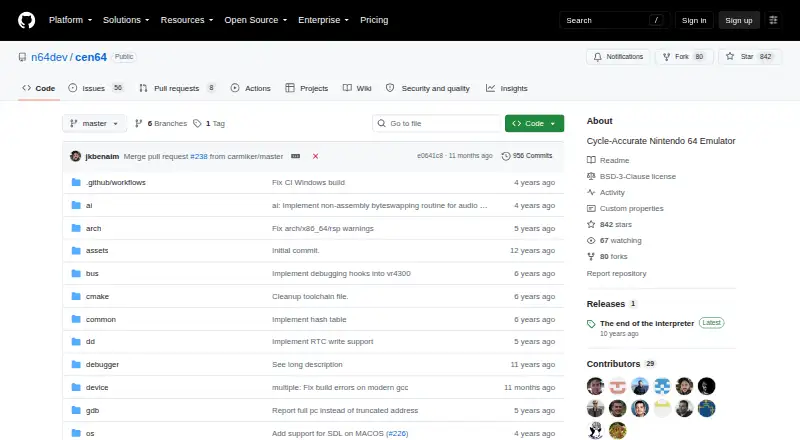
What CEN64 is
CEN64 is a free Nintendo 64 emulator for Windows, Linux, and macOS. It aims to reproduce the console by modeling its hardware at the register-transfer level, while improving performance remains a project goal rather than a stated guarantee. Running a game requires valid NTSC or PAL pifdata.bin data and a big-endian .z64 ROM. CEN64 can also run 64DD disk images when supplied with a valid 64ddipl.bin file and an .ndd image. The README documents EEP4K, EEP16K, FLASH, and SRAM save options, which users must select themselves. A multithread option is available, and the project says it runs faster than running without that option. The README links to a prebuilt Windows x86_64 executable and a Debian 9 x86_64 Linux executable. CEN64 works on macOS but currently must be built from source, using CMake, iconv, OpenAL, and OpenGL. The project is licensed under BSD-3-Clause, and its author describes it as a personal project started to learn about Nintendo 64 hardware and reverse-engineering.
Good
- Available for Windows, Linux, and macOS
- Supports 64DD disk images
- Includes a multithread option
- BSD-3-Clause licensed
Watch out
- macOS requires building from source
- Requires valid PIF data and a big-endian .z64 ROM
- Users must specify the save type themselves
- An open issue reports an ARM build limitation
Who it suits
CEN64 suits users looking for a free Nintendo 64 emulator who can provide the required ROM and PIF data. Mac users should be comfortable building software from source.
Verdict
CEN64 offers a free emulator with documented support for standard ROMs and 64DD images. Check the required files and platform-specific setup before choosing it, especially on macOS.
Plans and prices
From CEN64's own pricing page, checked 8 Oct 2026.
| Plan | Price | What it gives you |
|---|---|---|
| CEN64 | Free | Open-source emulator; Mac requires building from source; requires PIF data and ROM files |
The facts
Each one read from CEN64's own pages, with the date it was checked.
What it does
- 64DD support
- The README describes running 64DD games using a valid NTSC JPN or USA 64ddipl.bin file and a .ndd disk image.checked 8 Oct 2026
- Build requirements
- Building requires CMake, iconv, OpenAL, and OpenGL.checked 8 Oct 2026
- Community support
- The repository provides a GitHub Issues page for project questions and reports.checked 8 Oct 2026
- Controls
- The README documents keyboard mappings for the 3D stick, A/B/Z, Start, L/R, C-pad, and D-pad.checked 8 Oct 2026
- Development
- The README welcomes contributions and pull requests.checked 8 Oct 2026
- Downloads
- The README links Windows and Linux binaries and says Mac works but must currently be built from source.checked 8 Oct 2026
- License
- The repository includes a BSD-3-Clause license that permits source and binary redistribution subject to its conditions.checked 8 Oct 2026
- Multithreading
- The emulator can run with a multithread option, which the README describes as faster than running without it.checked 8 Oct 2026
- Notable limitation
- An open GitHub issue titled “Does not build for Arm” reports an ARM build limitation.checked 8 Oct 2026
- Performance goal
- The project aims to optimize emulation so ROMs may eventually run at full speed on modest systems.checked 8 Oct 2026
- Project background
- The author describes CEN64 as a personal project started to learn about Nintendo 64 hardware and reverse-engineering.checked 7 Oct 2026
- Purpose
- CEN64 is a Nintendo 64 emulator that aims for accurate emulation by modeling the console hardware down to the register-transfer level.checked 8 Oct 2026
- ROM format
- To run a game, the README requires a valid NTSC or PAL pifdata.bin file and a ROM in big-endian .z64 format.checked 8 Oct 2026
- ROM requirements
- Running a game requires a valid NTSC or PAL pifdata.bin file and a big-endian .z64 ROM.checked 7 Oct 2026
- Save formats
- Users must specify a game's save type, with documented options for EEP4K, EEP16K, FLASH, and SRAM.checked 8 Oct 2026
Where it runs
- Linux download
- The README links to a Debian 9 x86_64 executable for Linux.checked 7 Oct 2026
- macOS availability
- The README says CEN64 works on Mac but must currently be built from source.checked 7 Oct 2026
- Windows download
- The README links to a prebuilt Windows x86_64 executable.checked 7 Oct 2026
The full review of CEN64
Overview
CEN64 is a free Nintendo 64 emulator for users who are comfortable managing emulator files and platform-specific setup. Its hardware-level accuracy goal is appealing, but it is a more involved choice than a plug-and-play option.
Key features
CEN64 models the console at the register-transfer level, prioritizing accurate hardware behavior. Optimization is still a project goal, not a promise of full-speed play on modest systems. The documented -multithread option is described as faster than running without it, making it worth considering when performance is a concern.
To run a game, users need a valid NTSC or PAL pifdata.bin file and a big-endian .z64 ROM. That requirement adds preparation before play. CEN64 also runs 64DD disk images, but only with a valid 64ddipl.bin file and an .ndd image.
Users must specify the save type themselves: EEP4K, EEP16K, FLASH, or SRAM. This gives control to those who know the required format, but adds a configuration step. Keyboard mappings cover the 3D stick, A/B/Z, Start, L/R, C-pad, and D-pad.
Pricing
CEN64 is free at free. Its plan is an open-source emulator, with no paid tier or trial to weigh. The cost is practical setup: users supply PIF data and ROM files, and macOS users must build the program from source.
Platforms
CEN64 supports Windows, Linux, and macOS, using OpenGL as its documented graphics renderer API. Windows users can get a prebuilt x86_64 executable, while Linux users are pointed to a Debian 9 x86_64 executable. macOS works, but requires a source build; the listed build requirements are CMake, iconv, OpenAL, and OpenGL. An open GitHub issue reports that CEN64 does not build for ARM, so ARM users should be cautious about choosing it.
Who it's for
CEN64 fits N64 players who value low-level hardware modeling and are willing to handle ROM formats, system data, save-type selection, and platform-specific installation. Its documented 64DD support is a further draw for users with the required disk image and IPL file. It is a weaker fit for anyone seeking a simple setup, an assured performance level, or an ARM build.
Pros and cons
- Pro: Register-transfer-level modeling makes hardware accuracy a clear priority.
- Pro: It supports both standard N64 ROMs and 64DD disk images when the required files are supplied.
- Pro: The multithread option is described as faster than running without it.
- Con: Games depend on separate PIF data and big-endian .z64 ROMs, while 64DD adds its own IPL and disk-image requirements.
- Con: macOS requires building from source, and an open issue reports an ARM build limitation.
- Con: Users must select the save type themselves, and full-speed performance on modest systems remains an optimization goal.
Alternatives
Nintendo 64 Emulators is the broader category to consult when comparing options. Choose RetroArch if you want a free, open-source option across Android, iOS, Linux, macOS, web, and Windows. Virtual Jaguar is another free emulator core for those using a libretro frontend such as RetroArch. Consider RustyN64 for a free, open-source alternative on Linux, macOS, web, or Windows.
Gopher64 is a free downloadable emulator for Android, Linux, macOS, and Windows. 1964 GEPD Edition is a free download for Linux and Windows, with games not included. Mupen64Plus offers a free N64 emulator and plugins, with download bundles for supported operating systems. ares is a free, open-source multi-system emulator for Linux, macOS, and Windows. Cool Retro Term is a free Linux and macOS desktop terminal emulator, rather than an N64 emulator.
Verdict
Choose CEN64 if hardware-focused N64 emulation matters more to you than a quick setup and you can supply the required system and game files. Its low-level modeling and 64DD support make a distinctive case, but macOS source builds, the reported ARM limitation, and performance goals that remain aspirational give many players reason to compare alternatives first.
Getting started
- Visit the CEN64 GitHub repository.
- For Windows, use the linked prebuilt x86_64 executable; for Linux, use the linked Debian 9 x86_64 executable.
- On macOS, build from source using CMake, iconv, OpenAL, and OpenGL.
- Provide a valid NTSC or PAL pifdata.bin file and a big-endian .z64 ROM.
- Select the save type from EEP4K, EEP16K, FLASH, or SRAM.
- For 64DD games, provide a valid 64ddipl.bin file and an .ndd image.
Questions
Is CEN64 free?
Yes. The listed plan is free, and the repository identifies the license as BSD-3-Clause.
Which platforms does CEN64 support?
It supports Windows, Linux, and macOS. macOS currently requires building from source.
What files are needed to run a game?
You need a valid NTSC or PAL pifdata.bin file and a ROM in big-endian .z64 format.
Can CEN64 run 64DD disk images?
Yes. It requires a valid 64ddipl.bin file and an .ndd disk image.
Which save formats are available?
The documented options are EEP4K, EEP16K, FLASH, and SRAM. Users must specify the save type themselves.
Is there a ready-to-use macOS download?
The README says CEN64 works on Mac but currently must be built from source. The listed build requirements are CMake, iconv, OpenAL, and OpenGL.
Alternatives to CEN64
- 1

Provenance
Free planOpen sourceiOSmacOS8.2From $39.99 a year - 2
RetroArch
Free planAndroidiOSWebLinux7.7Free plan - 3
ares
Free planOpen sourceLinuxmacOSSelf-hostedWindows7.5Free plan - 4

OpenEmu
Free planOpen sourcemacOS7.3Free plan - 5
RustyN64
Free planWebLinuxmacOSWindows7.0Free plan - 6
1964 GEPD Edition
Free planLinuxWindows6.4Free plan