
Cartoonize
Cartoonize is a photo-editing service for turning pictures into artwork, sketches, and cartoons.
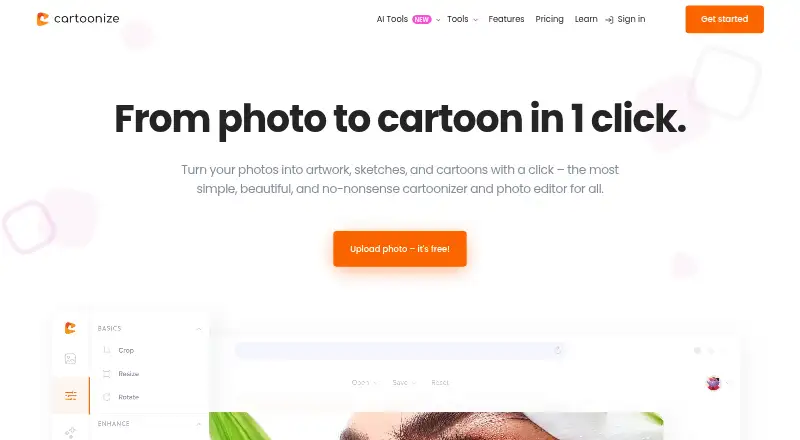
What Cartoonize is
Cartoonize is a photo-editing service for turning pictures into artwork, sketches, and cartoons. Its AI tools include background removal, cropping and resizing, text editing, color adjustment, drawing, and layers. Effects include cartoon, sketch, painting, digital-art, filter, and overlay styles. The service also lists more than 4 million high-resolution stock photos and more than 50,000 vector graphics and icons. Projects can be exported as JPG, PNG, or PDF at up to 400 DPI. Editing is available online or offline through a downloadable PWA app; the web platform supports Mac, Windows PC, and Linux with a suitable machine and internet connection. A free Basic plan provides essential effects and features without registration. Pro costs $6.99 a year, billed annually at $83.88, or $9.99 a month. Basic and Pro users may commercially benefit from projects and photos they create or edit. Mobile apps are available free for iOS and Android, though subscription management is limited to desktop or PC.
Good
- Free Basic plan requires no registration.
- Includes AI background removal and editing tools.
- Offers online and offline editing through a PWA.
- Exports JPG, PNG, or PDF up to 400 DPI.
- Basic and Pro accounts allow commercial use.
Watch out
- No free trial is offered.
- Subscription management is unavailable on mobile or tablet.
- Pro plans have a recurring charge.
Who it suits
Cartoonize suits people who want to apply artistic effects and make further edits to photos across desktop or mobile platforms. Its Basic plan may suit users who need essential effects without registration.
Verdict
Cartoonize combines photo-to-art effects with practical editing and export tools, plus a free Basic option. Check the Pro plan and desktop-only subscription management if you need paid features.
Plans and prices
From Cartoonize's own pricing page, checked 14 Oct 2026.
| Plan | Price | What it gives you |
|---|---|---|
| Basic | Free | essential effects and features · commercial use permitted · free to use; no registration required |
| Pro monthly | $9.99 a month | all Pro features · all graphic collections · unlimited projects · higher-resolution exports · billed monthly |
| Pro Monthly Plan | $9.99 a month | all Pro features · all graphic collections · unlimited projects · Billed monthly at $9.99 |
| Pro annual | $83.88 a year | all Pro features · all graphic collections · unlimited projects · higher-resolution exports · billed annually; shown as $6.99/month |
| Pro Annual Plan | $83.88 a year | all Pro features · all graphic collections · unlimited projects · Billed annually at $83.88 |
The facts
Each one read from Cartoonize's own pages, with the date it was checked.
What it does
- Account limitation
- Subscription management is available only through desktop or PC, not mobile or tablet devices.checked 1 Oct 2026
- AI background removal
- The editor includes an AI tool that removes photo backgrounds.checked 14 Oct 2026
- AI editing
- The platform provides AI-powered photo effects and editing tools.checked 1 Oct 2026
- API and SDK classification
- G2’s marketplace listing categorizes Cartoonize AI with an image-generation-API tag, but the listing provides no SDK or endpoint documentation.checked 14 Oct 2026
- Artistic effects
- Cartoonize offers cartoonizer, sketcher, painting, digital art, filters, and overlays.checked 1 Oct 2026
- Asset libraries
- The service advertises more than 50,000 vector graphics and icons, 4 million stock photos, and hundreds of masks and frames.checked 14 Oct 2026
- Autosave
- An optional autosave function saves editing progress every five minutes.checked 14 Oct 2026
- Commercial rights
- Cartoonize says projects made with Basic or Pro may be sold or commercially used, while account sharing is prohibited.checked 14 Oct 2026
- Commercial use
- Users may sell or otherwise commercially benefit from projects and photos created or edited with Basic and Pro accounts.checked 1 Oct 2026
- Core purpose
- Cartoonize turns photos into artwork, sketches, and cartoons with one click.checked 1 Oct 2026
- Creative tools
- Additional tools include collages, meme creation, avatar and profile-picture makers, color splash, pixelate/posterize, watermarking and blend modes.checked 14 Oct 2026
- Crop and resize
- Users can crop, resize and choose preset social-media aspect ratios.checked 14 Oct 2026
- Data deletion
- Deactivating an account permanently removes saved projects and personal information.checked 1 Oct 2026
- Desktop compatibility
- The web platform works on Mac, Windows PC, and Linux with a suitable machine and internet connection.checked 1 Oct 2026
- Documentation and support
- The support center provides getting-started material, tips, tutorials, editing instructions and a request-submission form.checked 14 Oct 2026
- Drawing and layers
- Users get freehand brushes plus a layers panel for organizing image and text elements.checked 14 Oct 2026
- Editing tools
- Features include AI background removal, crop and resize, text editing, color adjustment, drawing, and layers.checked 1 Oct 2026
- Effects
- One-click effects include cartoonizer, sketcher, painting, digital/NFT effects, filters and overlays.checked 14 Oct 2026
- Export formats
- Projects can be exported as JPG, PNG, or PDF at up to 400 DPI.checked 1 Oct 2026
- Exports
- Projects can be exported as JPG, PNG or PDF, with PDF output recommended at up to 400 DPI for print.checked 14 Oct 2026
Where it runs
- Android app capabilities
- The Android listing advertises more than 80 AI styles, 4× upscaling, 10–20 second processing, high-resolution output and automatic server-image deletion within two hours.checked 14 Oct 2026
- Android app pricing
- The Android listing shows $6.99 monthly, $24.99 yearly and $49.99 lifetime purchases.checked 14 Oct 2026
- Android data warning
- Google Play reports that the Android app may share device or other IDs, does not encrypt data and does not allow data deletion.checked 14 Oct 2026
The company
- Founded and funding
- The opened official, app-store and review pages provide no founded year or funding information.checked 14 Oct 2026
The full review of Cartoonize
Overview
Cartoonize is a photo-editing service for turning photos into cartoons, sketches, and other artwork with one click. AI-powered effects are paired with practical editing tools, allowing users to adjust color, crop or resize images, add text, draw, and work with layers.
It is available as a web platform, a downloadable PWA app, and free mobile apps for Android and iOS. Editing through the PWA is offered both online and offline. The web platform works on Mac, Windows PC, and Linux with a suitable machine and an internet connection.
Alongside editing tools, Cartoonize lists more than 4 million high-resolution stock photos and over 50,000 vector graphics and icons. Projects can be exported as JPG, PNG, or PDF at up to 400 DPI.
Key features
- Artistic effects: Cartoonizer and sketcher tools create cartoon and sketch treatments. Painting, digital art, filters, and overlays offer other ways to change an image’s appearance.
- AI editing and adjustments: The toolset includes AI background removal, crop and resize, color adjustment, text editing, drawing, and layers.
- Stock assets: Users can draw on a listed library of over 4 million high-resolution stock photos and more than 50,000 vector graphics and icons.
- Export options: Finished projects can be saved as JPG, PNG, or PDF, with resolution up to 400 DPI.
- Commercial use: Projects and photos created or edited with Basic and Pro accounts may be sold or otherwise used for commercial benefit.
Pricing
Cartoonize uses a freemium model. The Basic plan costs nothing and includes essential effects and features without registration. There is no free trial.
- Pro Annual Plan: $6.99 a year, billed annually at $83.88. Includes all Pro features, all graphic collections, and unlimited projects.
- Pro Monthly Plan: $9.99 a month, billed monthly at $9.99. Includes all Pro features, all graphic collections, and unlimited projects.
Card payments are handled through Stripe. Subscription management is available on desktop or PC, not on mobile or tablet devices.
Platforms
The web platform supports Mac, Windows PC, and Linux when the computer is suitable and connected to the internet. Cartoonize also offers a downloadable PWA for online and offline editing, plus free apps for Android and iOS. Although the mobile apps are available on phones, subscription management must be done on a desktop or PC.
Who it's for
Cartoonize may suit people who want to turn photos into cartoons or other artistic treatments while keeping basic image-editing tools in the same service. Its range of effects, adjustment tools, and graphic assets can support users making edited images and designs. The stated commercial-use permission for Basic and Pro accounts may also matter to people who plan to sell or otherwise commercially benefit from their projects.
Pros and cons
Pros
- Photo-to-cartoon effects sit alongside sketching, painting, digital art, filters, and overlays.
- Includes AI background removal and practical tools for cropping, resizing, color adjustment, text, drawing, and layers.
- Offers a free Basic plan without registration and free mobile apps for iOS and Android.
- Supports JPG, PNG, and PDF exports at up to 400 DPI.
- Allows commercial benefit from projects and photos created or edited with Basic and Pro accounts.
Cons
- Subscription management is unavailable on mobile and tablet devices.
- The desktop web platform requires a suitable computer and an internet connection; offline editing is described for the downloadable PWA.
- Deactivating an account permanently deletes saved projects and personal information.
Alternatives
For other options in this category, see our AI Cartoon Generators list. Alternatives include GenToon, ImageToCartoon, Pixelcut, AniComic.ai, Cartoonize AI, myComics.ai, Pict.AI, and Rewind.ai AI GIF Generator.
Verdict
Cartoonize combines photo-to-cartoon effects with a broader set of editing tools, stock imagery, and graphic assets. The free Basic plan makes its essential effects and features available without registration, while Pro adds all Pro features, all graphic collections, and unlimited projects. Its strongest fit is for people who want artistic photo effects alongside image adjustments and exports in several common formats. Consider the desktop-only subscription management and the permanent removal of projects and personal information on account deactivation when deciding whether it suits your workflow.
Getting started
- Visit https://www.cartoonize.net/.
- Start with the free Basic plan without registering, or choose a Pro billing option.
- Use the web platform on a suitable Mac, Windows PC, or Linux machine with internet access.
- For mobile use, get the free iOS or Android app.
- For offline editing, use the downloadable PWA app.
Limits worth knowing
Basic is free and includes essential effects and features. Pro costs $6.99 a year, billed annually at $83.88, or $9.99 a month; subscription management is available only on desktop or PC.
Questions
Is Cartoonize free?
Yes. Basic costs nothing and provides essential effects and features without registration. There is no free trial.
How much does Pro cost?
Pro costs $6.99 a year, billed annually at $83.88, or $9.99 a month.
Which platforms can I use?
Cartoonize lists Android, iOS, Linux, macOS, web, and Windows. The web platform requires a suitable machine and internet connection.
Can I edit offline?
Yes. Cartoonize offers online and offline editing through a downloadable PWA app.
Can I use projects commercially?
Users with Basic and Pro accounts may commercially benefit from projects and photos they create or edit.
Can I manage a subscription on mobile?
No. Subscription management is available through desktop or PC, not mobile or tablet devices.
Alternatives to Cartoonize
- 1

Dreamina
Free planAndroidiOSWebmacOS8.3From $15 a month - 2

Pixelcut
Free planAndroidiOSWebAPI8.3From $8 a month - 3
Cartoonie
Free planAndroidiOSWebmacOS8.0From $49.99 a year - 4
ImageToCartoon
Free planAndroidiOSWebmacOS8.0From $19.99 a year - 5

GenToon
Free planAndroidiOSWeb7.5From $10 a month - 6

myComics.ai
Free planAndroidiOSWeb7.1$9.99 one-time