CAD Exchanger
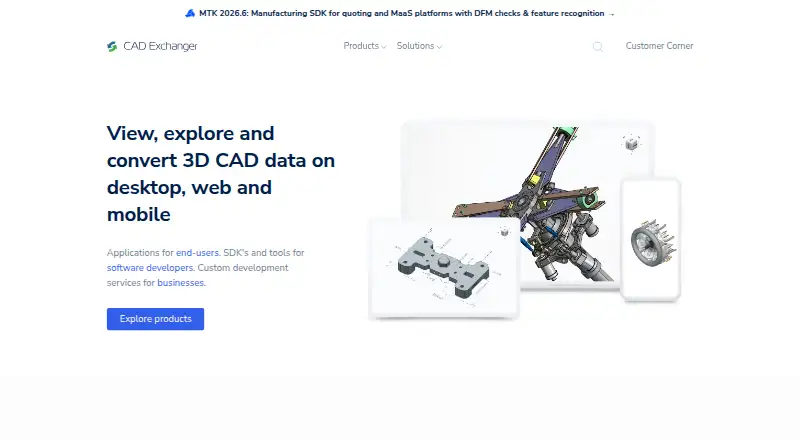
CAD Exchanger provides tools for viewing, converting, analyzing, and working with 3D CAD data.
What CAD Exchanger is
CAD Exchanger provides tools for viewing, converting, analyzing, and working with 3D CAD data. CAD Exchanger Lab supports exchange across more than 30 CAD and BIM formats. It can inspect assembly structure, geometry, properties, and PMI; measure models; create sectioned or exploded views; and edit models. For developers, its SDK provides C++, Python, C#, Java, and JavaScript libraries for adding CAD and BIM data access to web, server, or desktop applications. SDK integrations include Unity, Three.js, UNIGINE, Parasolid, Open CASCADE, C3D, ACIS, and Rhino/OpenNURBS. Parallel computing is used for tasks such as import, export, healing, meshing, visualization, and simplification. Deployment options include web applications, backend processing, and engineering applications. Lab offers perpetual or subscription licensing, with node-locked or floating options; floating licenses require a license server in the user's environment. A free evaluation is available by request, and pricing is available on request.
Good
- Lab handles more than 30 CAD and BIM formats.
- SDK libraries cover five programming languages.
- SDK supports parallel computing for data tasks.
- Free evaluation trial is available by request.
Watch out
- Pricing is available on request.
- Floating licenses require a license server.
- Lab subscriptions stop working when their term ends.
- Perpetual licenses stop receiving new releases after maintenance lapses.
Who it suits
CAD Exchanger suits people who need to inspect or convert CAD and BIM data, and developers adding that data access to applications. Its SDK is also described for 3D web, AR/VR, Unity, manufacturing-as-a-service, and engineering applications.
Verdict
CAD Exchanger combines model inspection and editing in Lab with developer libraries for integrating CAD and BIM data. Check licensing terms carefully, particularly the license-server requirement for floating licenses.
Plans and prices
From CAD Exchanger's own pricing page, checked 15 Oct 2026.
| Plan | Price | What it gives you |
|---|---|---|
| Rhino plugin free trial | Free | Single-user MAC-address seat · all formats and features · $0 for 14 days |
| Subscription | $590 a year | Per seat · all supported formats · updates during subscription · $590.00 flat rate per year |
| Perpetual | $990, paid once | Per seat · lifetime access · first 12 months of updates · later updates optional · $990.00 one-time fee |
| Rhino plugin perpetual | $1,290, paid once | Single-user MAC-address seat · everlasting access · new versions for 12 months · $1,290 one-time fee |
| CAD Exchanger Lab | Priced on request | Perpetual or subscription licensing; node-locked or floating license options |
The facts
Each one read from CAD Exchanger's own pages, with the date it was checked.
What it does
- API documentation
- The maker publishes user guides, API references, examples, tutorials and interactive documentation for the SDK.checked 15 Oct 2026
- Audience
- The SDK is described for 3D web, AR/VR and Unity, manufacturing-as-a-service, and engineering applications.checked 2 Oct 2026
- Conversion fidelity
- Lab conversion is designed to preserve model structure, geometry, metadata and appearances.checked 15 Oct 2026
- Deployment
- The SDK is presented for use in web applications, backend processing, and engineering applications.checked 2 Oct 2026
- File formats
- CAD Exchanger Lab supports exchange in more than 30 CAD and BIM formats.checked 2 Oct 2026
- File-size limit
- The support center says Lab has no fixed file-size limit, although practical limits depend on computer hardware.checked 15 Oct 2026
- Format coverage
- The product reads and writes more than 30 CAD, BIM and mesh formats, including CATIA, SOLIDWORKS, Creo, NX, STEP, JT, IFC, STL and glTF.checked 15 Oct 2026
- Graphics requirement
- The desktop application requires a 64-bit processor and graphics drivers supporting OpenGL 2.1 or later.checked 15 Oct 2026
- Lab features
- Lab can inspect assembly structure, geometry, properties, and PMI, measure models, create sectioned and exploded views, and edit models.checked 2 Oct 2026
- License choices
- Lab offers node-locked or floating licensing and subscription or perpetual terms; floating use requires a license server and limits simultaneous users.checked 15 Oct 2026
- License model
- CAD Exchanger is proprietary software governed by an end-user license agreement, while SDK licensing uses a separate agreement.checked 15 Oct 2026
- License term
- A Lab subscription stops working when its subscription period ends, while a perpetual license continues to function after maintenance lapses but no longer receives new releases.checked 2 Oct 2026
- Licensing limit
- A floating license allows simultaneous use up to the number of purchased licenses and requires a license server installed in the user's environment.checked 2 Oct 2026
- Limit: basic feature set
- The Gartner review title identifies limited features and a basic user interface as drawbacks.checked 15 Oct 2026
- Limit: customization complexity
- A G2 reviewer says the BIM structure can be difficult to customize and the product feels less focused on end users.checked 15 Oct 2026
- Limit: mobile activation and maintenance
- A Google Play review questioned whether the Android app is still actively developed and said activation of full features was unclear.checked 15 Oct 2026
- Limit: perpetual-license reassignment
- A Trustpilot reviewer complained that a perpetual license allowed only one further use after a computer crash before another purchase was required.checked 15 Oct 2026
- Measurements
- Users can measure vertices, edge lengths, distances and radii and choose measurement units.checked 15 Oct 2026
The company
- Company founding
- CADEX was founded in 2014 by Roman Lygin and describes itself as self-funded.checked 15 Oct 2026
- Company history
- CADEX says CAD Exchanger was founded in 2014 by Roman Lygin.checked 2 Oct 2026
- Company size
- The maker reports a team of more than 55 employees and users in over 110 countries.checked 15 Oct 2026
- Founded
- 2014checked 28 Sep 2026
- Headquarters
- Ahtri 12, Tallinn, 15551 Estoniachecked 28 Sep 2026
- Headquarters and legal name
- The legal entity is CADEX-SOFT OÜ, headquartered at Ahtri 12 in Tallinn, Estonia.checked 15 Oct 2026
The full review of CAD Exchanger
CAD Exchanger pairs a desktop model-inspection and editing tool with an SDK for bringing CAD and BIM data into software. It suits engineers who need to examine and convert models, and developers building applications that work with engineering data. Its breadth is compelling, but licensing terms deserve close attention—especially the license-server requirement for floating licenses.
Overview
CAD Exchanger addresses two distinct jobs: CAD Exchanger Lab is for working directly with 3D models, while its SDK lets development teams add CAD and BIM data access to their own applications. Lab supports exchange in more than 30 CAD and BIM formats, with tools to inspect assemblies, geometry, properties and PMI; measure models; create sectioned or exploded views; and edit models.
The split makes it more than a file converter, but buyers should be clear about which product they need. Lab is aimed at people handling models themselves; the SDK is for teams embedding data access in web, server or desktop applications. The company was founded in 2014 by Roman Lygin and is headquartered in Tallinn, Estonia.
Key features
Model inspection and editing
Lab’s combination of assembly inspection, measurements, PMI review and sectioned or exploded views gives engineering users several ways to understand a model before changing it. Editing extends the tool beyond view-only review. Batch conversion is supported, which is useful for repeated file-handling work, though animation conversion is not.
SDK for application developers
The SDK offers C++, Python, C#, Java and JavaScript libraries, with integrations including Unity, Three.js, UNIGINE, Parasolid, Open CASCADE, C3D, ACIS and Rhino/OpenNURBS. That range makes it relevant to teams building engineering software, 3D web experiences, AR/VR applications or manufacturing-as-a-service workflows. Parallel computing is used for tasks such as import, export, healing, meshing, visualization and simplification; the emphasis is on integrating and processing CAD data, not simply viewing it.
Licensing and support
Lab can be licensed as a subscription or perpetual product, with node-locked or floating options. A floating license permits simultaneous use only up to the number of licenses purchased and requires a license server in the customer’s environment—an operational constraint to account for before choosing that arrangement. A Lab subscription stops working when its term ends; a perpetual license continues after maintenance lapses, but no longer receives new releases. Technical support is available through the company’s contact route.
Pricing
CAD Exchanger uses paid, custom pricing. CAD Exchanger Lab has perpetual and subscription licensing, with node-locked and floating license options; the choice affects both ongoing access and deployment. A subscription ends when its period expires, while a perpetual license remains functional after maintenance ends but stops receiving new releases. Floating licenses also require an in-environment license server and cap concurrent use at the number purchased.
A free trial is available by requesting an evaluation and selecting a product. That gives prospective buyers a way to assess the relevant product before committing, but it is not a permanent free plan.
Platforms
CAD Exchanger’s platform coverage includes Windows, macOS and Linux, as well as Android, iOS, web and API. Lab is supported on Windows, macOS and Linux. The SDK’s web, backend and engineering application deployment focus gives development teams options beyond a desktop workflow.
Who it's for
Lab is a strong fit for engineers and other model users who need to inspect, measure, edit or batch-convert CAD and BIM files across a broad format range. The SDK is better suited to development teams integrating CAD data into web, backend, desktop, Unity, AR/VR or engineering applications. It is less suitable for someone seeking a free, standalone converter or a tool for animation conversion.
Pros and cons
Pros
- Broad CAD and BIM exchange: Lab supports more than 30 formats, useful when workflows involve varied model sources.
- Developer flexibility: Five programming-language libraries and integrations with established 3D and geometry tools suit teams embedding CAD access in their products.
- Batch conversion: Repeated file conversion is supported, reducing the need to handle files one by one.
Cons
- Paid, custom pricing: Buyers cannot compare a published Lab price before contacting the company.
- Floating-license overhead: Concurrent use is capped by purchased seats, and the customer must install a license server.
- Subscription shutdown: Lab stops working when the subscription ends, unlike a perpetual license that remains usable after maintenance lapses.
- No animation conversion: It is not the choice for workflows that need to convert animation.
Alternatives
Compare 3D file converter software if you want to weigh this against other tools in the category.
- HOOPS Exchange is worth considering when an evaluation with full access and technical expert support is the priority; its evaluation lasts 60 days.
- Convert3D is a better fit for readers who want a freemium API with a defined monthly free allowance: its Free API includes 10 conversions per month, while the Starter plan provides 5,000 conversions per year for $899 a year.
- CAD Assistant is the free option for personal or commercial use, but commercial import components restrict model export and conversion.
- 3D-Tool suits Windows users who want a no-time-limit free viewer for DDD, STL and 3MF files; that viewer cannot export CAD files.
- 3D_Evolution is another paid option for web, Windows and Linux.
- 3D InterOp is another paid option for Windows, macOS and Linux.
- Spin 3D may suit non-commercial users seeking a free version.
- NuGraf is a paid alternative with a Windows package priced at 495.00 USD once; optional add-on converter modules are sold separately.
Verdict
Choose CAD Exchanger if you need substantial CAD and BIM model inspection and editing, or a developer SDK to integrate engineering data across applications. Its format breadth and development integrations are the strongest reasons to consider it. Look elsewhere if you need published pricing, a permanent free option, animation conversion, or floating licensing without the work of running a license server.
Alternatives to CAD Exchanger
- 1
3D-Tool
Free planWindows7.3€200 one-time - 2
ODA File Converter
Free planAndroidLinuxmacOSWindows7.1Free plan - 3

Convert3D
Free planWebAPILinuxmacOS7.0From $899 a year - 4
Spin 3D
Free planWebmacOSWindows6.8Free plan - 5

HOOPS Exchange
Free planAndroidiOSWebLinux6.7Free plan - 6
Open Asset Import Library (Assimp)
Free planAndroidiOSLinuxmacOS6.7Free plan