bottom (btm)
bottom is a free, customizable process and system monitor that runs in the terminal on Linux, macOS, and Windows.
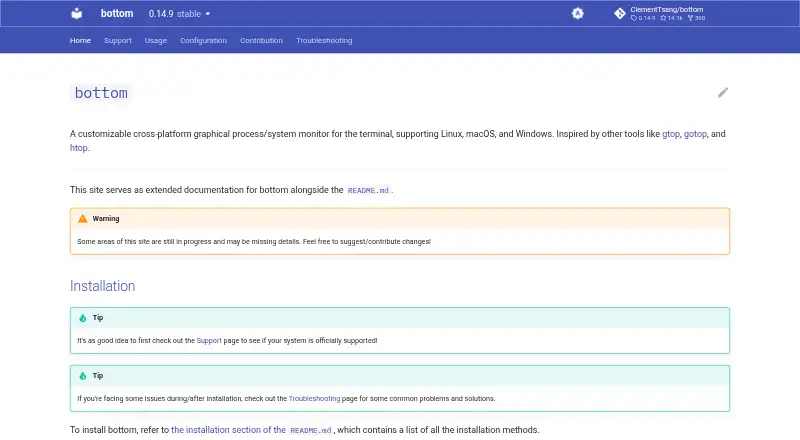
What bottom (btm) is
bottom is a free, customizable process and system monitor that runs in the terminal on Linux, macOS, and Windows. It graphs CPU use over time for individual cores and as an average, along with RAM and swap use. Network and disk I/O graphs can be zoomed to show different time intervals. The process widget displays, sorts, and searches process information, with tree mode and support for kill signals. Other widgets show disk capacity and use, temperature sensors, and battery use. You can adjust themes, layout, widget behavior, and filtering through command-line options or a configuration file. The interface includes an htop-inspired basic mode and lets you expand a selected widget to fill the terminal. A read-only option blocks actions that change system state, such as stopping processes. Installation is documented through package managers, Cargo, and pre-built release binaries. Official support covers macOS, Linux, and Windows, with architecture support varying by system. Android and some other platforms may work unofficially, with limited testing and support.
Good
- Graphs CPU, RAM, swap, network, and disk activity.
- Search, sort, and view processes in tree mode.
- Includes disk, temperature, and battery widgets.
- Read-only option blocks system-changing actions.
- Free, with no usage limits stated.
Watch out
- Architecture support varies by system.
- Android support is unofficial and limited.
- Official platform support excludes some systems.
Who it suits
bottom suits terminal users who want system and process information in a customizable graphical display. It is intended for Linux, macOS, and Windows; support for Android and other systems is unofficial.
Verdict
bottom offers a broad set of system-monitoring widgets and configurable terminal views at no cost. If you rely on an unofficial platform, the project notes limited testing and support there.
Plans and prices
From bottom (btm)'s own pricing page, checked 4 Oct 2026.
| Plan | Price | What it gives you |
|---|---|---|
| bottom | Free | No price or usage limits stated on the opened pages |
The facts
Each one read from bottom (btm)'s own pages, with the date it was checked.
Where it runs
- Additional platform caveat
- The project says Android and some other systems may work unofficially, with limited testing and support.checked 4 Oct 2026
- Supported platforms
- Officially supported systems are macOS, Linux, and Windows, with listed architecture support varying by system.checked 4 Oct 2026
What it does
- Basic and focus modes
- It has an htop-inspired basic mode and can expand a selected widget to fill the terminal.checked 4 Oct 2026
- CPU and memory
- It graphs CPU use over time per core and on average, and graphs RAM and swap use over time.checked 4 Oct 2026
- Customization
- Behavior and appearance can be customized through command-line options or a configuration file, including themes, widget behavior, layout, and filtering.checked 4 Oct 2026
- Distribution
- The project documents installation through package managers, Cargo, and pre-built release binaries.checked 4 Oct 2026
- Network and disk
- It graphs network and disk I/O over time and supports zooming the displayed time interval.checked 4 Oct 2026
- Other widgets
- It includes widgets for disk capacity and use, temperature sensors, and battery use.checked 4 Oct 2026
- Process management
- Its process widget displays, sorts, and searches process information and supports kill signals and tree mode.checked 4 Oct 2026
- Security option
- A read-only option prevents actions that affect the system, such as stopping processes.checked 4 Oct 2026
- Support
- For issues on officially supported platforms, the project says it will fix them if possible and directs users to troubleshooting or GitHub issues and discussions.checked 4 Oct 2026
- What it does
- bottom is a customizable graphical process and system monitor that runs in the terminal.checked 4 Oct 2026
The company
- Maker
- The documentation copyright identifies Clement Tsang.checked 4 Oct 2026
The full review of bottom (btm)
bottom (btm) is a terminal-based system monitor that combines resource graphs with process inspection and controls. It is best suited to people who work in a terminal and want to tune what they see, rather than users looking for a conventional desktop dashboard.
Overview
bottom goes beyond a process list by graphing system activity over time alongside tools for finding and managing processes. That makes it useful both for checking what is running and for following changes in resource use. Its terminal interface is a practical fit for command-line workflows, but a poor match for anyone who expects a standard graphical application.
Users can adjust themes, layout, widget behavior, and filtering through command-line options or a configuration file. An htop-inspired basic mode provides a simpler view, while focus mode lets a selected widget fill the terminal. These options accommodate different priorities and terminal layouts, though they are most valuable to users comfortable configuring a command-line tool.
Key features
Resource graphs and process controls
CPU graphs show use per core and as an average, while RAM, swap, network traffic, and disk I/O are tracked over time. Network and disk graphs support zooming the displayed interval, which helps users inspect activity at different time scales. The process widget can display, sort, and search process information, show a tree, and send kill signals. Together, these tools suit users who need both a changing resource picture and direct process controls.
Additional system views and safeguards
Widgets cover disk capacity and use, temperature sensors, and battery use, rounding out the core resource graphs with useful system details. A read-only option prevents actions that affect the system, such as stopping processes. That is a sensible choice for users who want to monitor without risking accidental process changes.
Pricing
bottom is free: its plan costs nothing. There is no free trial because the software is already free, and no usage limits are stated. That makes it easy to try without a subscription decision, though the project does not offer a paid tier for users seeking a different level of service.
Platforms
Official support covers Linux, macOS, and Windows, with architecture support varying by system. Installation is documented through package managers, Cargo, and pre-built release binaries, giving users several ways to get it. Android and some other systems may work unofficially, but testing and support there are limited; users who depend on those platforms should not treat bottom as a supported option.
For issues on officially supported platforms, the project says it will fix problems if possible and points users to troubleshooting resources and GitHub issues and discussions. The documentation identifies Clement Tsang as the maker.
Who it's for
Choose bottom if you want a free terminal monitor with graphs, process search and sorting, and the ability to send kill signals. It is especially suitable for users who want to tailor a monitoring layout or switch between a basic view and a focused widget. Look elsewhere if you require an officially supported Android app or prefer a conventional graphical interface.
Pros and cons
- Pros: CPU, memory, network, and disk graphs make activity visible over time rather than only as a current snapshot.
- Pros: Process search, sorting, tree mode, and kill signals combine inspection with practical controls.
- Cons: The terminal interface and configuration options will not suit users seeking a conventional desktop monitor.
- Cons: Unofficial platforms such as Android have limited testing and support.
Alternatives
For a broader comparison, browse Process Monitoring Software.
- Glances is a free alternative for readers who want support across Android, API, web, self-hosted, and desktop platforms; some optional features require extra dependencies.
- PM2 is worth considering when you need a process manager with a real-time web interface; its Runtime plan is free, while Plus costs $79 a month.
- Process Lasso is a Windows-only freemium option; its Single PC Monthly plan costs $4.95 a month for one PC, with recurring billing that can be canceled at any time.
- Monit is a free option for Linux, macOS, or self-hosted use under the GNU Affero General Public License.
- runit is a free alternative for Linux, macOS, and self-hosted environments.
- Ambih Monitor is a Windows alternative whose free plan includes live monitoring and five-session history per project; its Pro plan costs $10 a month, billed annually.
- AppControl is a free Windows option that requires no email or registration to download and use.
- btop is a free resource monitor for Linux and macOS under the Apache-2.0 license.
Verdict
Choose bottom if you want a free, configurable terminal monitor that pairs time-based resource graphs with process controls on Linux, macOS, or Windows. Its breadth is the main reason to pick it; if you need official Android support or a graphical desktop interface, choose another tool.
Getting started
- Open https://bottom.pages.dev/
- Install bottom through a package manager, Cargo, or a pre-built release binary
- Run it in a terminal on Linux, macOS, or Windows
- Choose basic mode or expand a widget into focus mode
- Adjust themes, layout, filtering, or widget behavior with options or a configuration file
- Enable read-only mode when you want to prevent system-changing actions
Questions
How much does bottom cost?
The bottom plan is free. The project lists a free plan and no free trial.
Which operating systems are supported?
Official support covers Linux, macOS, and Windows, with architecture support varying by system. Android and some other systems may work unofficially with limited testing and support.
How can bottom be installed?
Documented routes include package managers, Cargo, and pre-built release binaries.
Can bottom stop processes?
The process widget supports kill signals. A read-only option prevents actions that affect the system, including stopping processes.
What can be customized?
Command-line options or a configuration file can change themes, widget behavior, layout, and filtering.
Alternatives to bottom (btm)
- 1

PM2
Free planOpen sourceWebAPILinuxmacOS8.1From $79 a month - 2
Glances
Free planOpen sourceAndroidWebAPILinux8.0Free plan - 3
Process Lasso
Free planWindows7.4From $14.97 a year - 4

Ambih Monitor
Free planWindows7.2From $55 a year - 5
runit
Free planOpen sourceLinuxmacOSSelf-hosted7.0Free plan - 6
Remote Process Explorer
Free planWindows6.4$149.95 one-time