Booq
Booq is booking software for mobile service businesses that travel to clients.
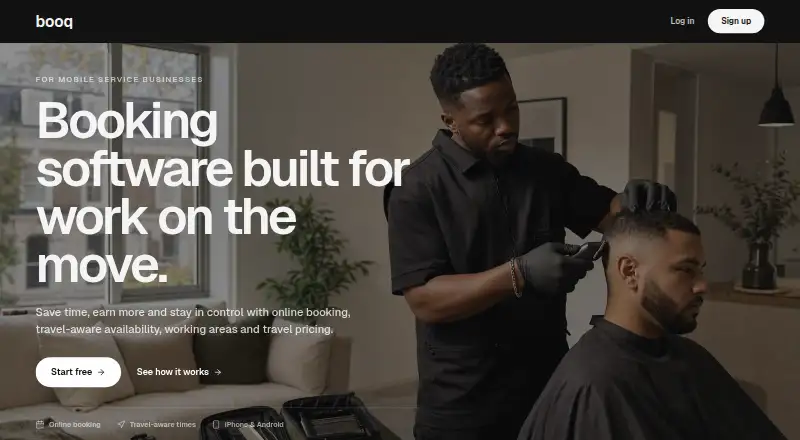
What Booq is
Booq is booking software for mobile service businesses that travel to clients. Its booking page lets customers choose a service, enter an address, and book without messaging first. Booq considers client locations and travel between appointments when recommending times. Providers can define service areas and travel pricing, so customers see the total before booking. A connected Stripe account can take deposits or full payment, save a card, or leave payment optional. Card details are entered on Stripe-hosted pages; Booq says it stores payment status and accepted policy rather than raw card details. The service runs on Android, iOS, and the web. Its Android app manages bookings, requests, services, availability, and client details without a desktop scheduling system. Booq Pro costs £29 per month and includes online bookings, client changes and cancellations, travel radius, zones and pricing, confirmations, and booking updates. A seven-day free trial is available, but there is no free plan. Booq is based in London.
Good
- Considers travel between client appointments
- Lets customers book through a provider page
- Supports service areas and travel pricing
- Integrates deposits and payments through Stripe
- Available on Android, iOS, and web
Watch out
- No free plan
- Costs £29 per month
- Client mobile app is not available
- Seven-day trial only
Who it suits
It suits mobile service businesses whose schedules change with each client address, including mobile barbers. Providers needing location-aware booking and travel pricing are the intended users.
Verdict
Booq focuses on mobile providers whose availability depends on travel and location. Its booking page, travel pricing, and Stripe connection cover the main customer and payment workflow.
Plans and prices
From Booq's own pricing page, checked 7 Oct 2026.
| Plan | Price | What it gives you |
|---|---|---|
| Booq Pro | £29 a month | 7 days free · online bookings · client changes and cancellations · travel radius, zones and pricing · client confirmations and booking updates · £29/ month |
The facts
Each one read from Booq's own pages, with the date it was checked.
Where it runs
- Android app
- The Google Play listing describes an app for managing bookings, requests, services, availability and client details without a desktop scheduling system.checked 7 Oct 2026
What it does
- Booking page
- Clients can choose a service, enter their address and book through the provider’s Booq page without messaging first.checked 7 Oct 2026
- Data controls
- Providers can delete their account in the app settings, and Booq says it removes or anonymises account and booking data subject to limited retention needs.checked 7 Oct 2026
- Intended users
- Booq is aimed at mobile service businesses, including mobile barbers and other providers whose working day changes with each client address.checked 7 Oct 2026
- Payment security
- Card details are entered on Stripe-hosted pages; Booq says it stores booking payment status and accepted policy, not raw card details.checked 7 Oct 2026
- Payments integration
- Providers can connect their own Stripe account to take deposits or full payment, save a card, or leave payment optional.checked 7 Oct 2026
- Privacy
- Booq says it does not sell personal data and does not use live ETA location data for advertising.checked 7 Oct 2026
- Service areas and travel pricing
- Providers can define where they work and configure travel pricing so clients see the total before booking.checked 7 Oct 2026
- Support
- Support is available by email for product, account, billing and technical issues, with a stated aim to respond within two business days.checked 7 Oct 2026
- Travel-aware scheduling
- Booq considers client locations and travel between appointments when recommending booking times.checked 7 Oct 2026
- What it does
- Booq is booking software for mobile service businesses that travel to clients.checked 7 Oct 2026
The company
- Headquarters
- London, United Kingdomchecked 28 Sep 2026